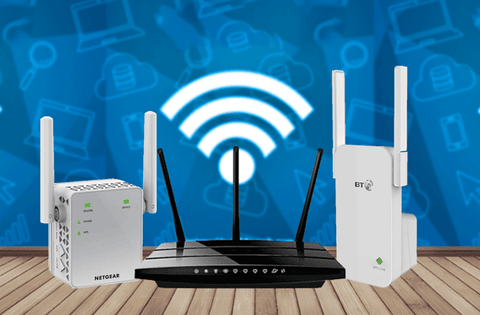
Are you struggling with weak WiFi signals in some parts of your home or office? Choosing the right device to boost your internet can be confusing.
Should you go for a Dual Band WiFi Extender or a Wired Access Point? Understanding the difference can save you time, money, and frustration. You’ll discover which option suits your needs best and how it can improve your online experience.
Keep reading to find the simple answers you’ve been looking for.
Dual Band Wifi Extender Basics
A dual band WiFi extenderboosts your wireless signal using two frequency bands. It connects to your router and repeats the signal to cover dead spots. This helps devices far from the router get better internet.
It works by receiving the wireless signal on one band and sending it out on the other. This reduces interference and keeps speeds higher than single band extenders.
| Frequency Band | Speed | Range | Common Use |
|---|---|---|---|
| 2.4 GHz | Lower | Longer | Basic internet, emails |
| 5 GHz | Higher | Shorter | Streaming, gaming |
- Extends WiFi rangeto cover more areas.
- Works wirelessly; no cables needed.
- Reduces WiFi dead zones in homes.
- Supports multiple devices at once.
- Easy to install and use.
Wired Access Point Essentials
A wired access pointconnects devices using Ethernet cables. It helps extend a network’s reach with stable, fast connections.
Wired connectionsuse physical cables, while wireless use radio waves. Wired links offer more reliable and consistent speeds.
- Less interference:Wired lines avoid common wireless issues like walls or signals.
- Better security:Physical connection reduces risks of hacking.
- Stable connection:Ideal for devices needing constant speed, like gaming or streaming.
- Easy to manage:Wired networks often have simpler setups for large areas.
Performance Comparison
Dual Band Wifi Extenders boost wireless signals for better coverage but may face speed drops. Wired Access Points offer stable, fast connections through direct cables, ideal for heavy data use. Choosing depends on your need for convenience or consistent performance.
Speed And Bandwidth Differences
Wired access pointsgenerally provide faster speeds and higher bandwidth. They connect directly to the router with cables, which reduces interference. Dual band WiFi extenderscan improve wireless coverage but may cut speed by up to 50% due to signal repeating. Extenders work on both 2.4 GHz and 5 GHz bands but often can’t match wired speeds.
Signal Strength And Coverage
Dual band extenders increase WiFi range, reaching areas with weak signals. Signal strength depends on distance and obstacles like walls. Wired access points create new wireless zones with strong signals. They are less affected by distance since the connection uses cables.
Latency And Reliability
Wired access points offer lower latency and stable connections. They are less affected by interference and network traffic. WiFi extenders can add delay and sometimes lose connection if signals are weak. Wired points suit tasks needing steady, fast response times.

Credit: www.amazon.ca
Setup And Installation
Wifi extendersare simple to install. Just plug them into a power outlet near your router. Use a phone or computer to connect to the extender’s network. Then follow easy on-screen instructions to link it to your wifi. No wires needed, making setup quick and neat.
Wired access pointsneed cables. You must run an Ethernet cable from your router to the access point. This can be tricky if walls or floors block the path. Some people hire a professional to do this part. It takes more time but gives a stable, fast connection.
Good placement helps both devices work better:
- Place wifi extenders halfway between your router and weak signal areas.
- Avoid thick walls or metal objects blocking signals.
- Access points should be placed where Ethernet cables can reach easily.
- Elevate devices for better signal spread.
Cost And Maintenance
The initial costsfor a dual band WiFi extender are usually lower than a wired access point. Extenders are easier to install and do not need extra wiring. Wired access points need cables and professional setup, raising the price.
Long-term maintenancediffers. Extenders may need occasional firmware updates and replacement if signal weakens. Wired access points require cable checks and hardware upgrades but tend to be more stable over time.
| Factor | Dual Band WiFi Extender | Wired Access Point |
|---|---|---|
| Initial Investment | Lower cost, simple setup | Higher cost, needs wiring |
| Maintenance | Firmware updates, possible replacements | Hardware checks, cable maintenance |
| Energy Consumption | Uses less power | Consumes more power due to active devices |

Credit: www.amazon.ca
Use Cases And Scenarios
Wifi extenderswork best in homes or small offices with weak wifi signals. They are easy to set up and move. Ideal for places where running cables is hard or not possible. Extenders boost signal strength but may reduce speed.
Wired access pointsfit well in larger spaces needing stable and fast connections. Offices, schools, or buildings with many users benefit most. They connect via Ethernet cables, offering better speed and reliability than extenders.
| Network Type | Best For | Key Benefit |
|---|---|---|
| Wifi Extender | Small areas, weak signals | Easy setup, no cables |
| Wired Access Point | Large areas, many users | Stable, fast connections |
| Hybrid Solution | Mixed environments | Balance of coverage and speed |
Hybrid networks combine extenders and access points. They offer wide coverage and steady speed. Use extenders where cables can’t reach. Place access points in busy or central spots.
Security Considerations
Wireless security risksinclude hacking and data theft. Signals can be intercepted by strangers nearby. Weak passwords and old encryption make networks unsafe. Dual band wifi extenders may expose your data if not secured well.
Wired networks offer better safetybecause data travels through cables. This reduces the chance of outsiders accessing your information. Wired access points often provide stronger protectionagainst cyber threats.
- Use strong passwordsand change them regularly.
- Enable WPA3 encryptionfor wifi security.
- Keep all devices and firmware updated.
- Turn off wifi when not in use.
- Limit access to trusted users only.

Credit: m.tvcmall.com
Frequently Asked Questions
What Is A Dual Band Wifi Extender?
A Dual Band WiFi Extender boosts wireless signals on 2. 4GHz and 5GHz bands. It extends WiFi coverage without cables. Ideal for improving signal in dead zones and larger homes.
How Does A Wired Access Point Work?
A Wired Access Point connects directly to a router via Ethernet. It creates a new WiFi hotspot with stable, high-speed internet. Perfect for areas needing strong, reliable wireless connections.
Which Is Better For Large Homes: Extender Or Access Point?
Wired Access Points provide more reliable coverage for large homes. Extenders are easier to install but may reduce speed. Access Points ensure consistent performance over bigger areas.
Can Dual Band Extenders Reduce Wifi Speed?
Yes, Dual Band Extenders can reduce speed due to signal retransmission. The 5GHz band offers faster speeds but shorter range. Proper placement helps minimize speed loss.
Conclusion
Choosing between a dual band WiFi extender and a wired access point? Consider your needs. WiFi extenders offer flexible placement. Easy to set up. Perfect for larger spaces. Wired access points provide stable connections. Ideal for high-speed tasks. Think online gaming or streaming.
Costs may vary. Installation can differ. Evaluate your space and devices. Think about future upgrades. Both options have benefits. Both improve your internet experience. Make a choice based on your unique situation. Enjoy better connectivity today.


