
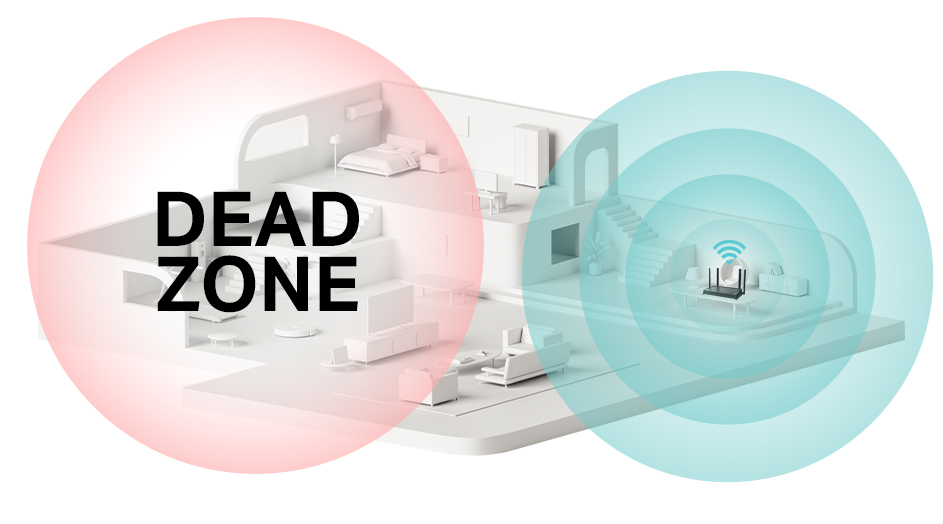
Are you tired of weak WiFi signals that slow down your browsing and streaming? Choosing the right tri band WiFi extender can be the key to boosting your home network and eliminating those annoying dead zones.
But with so many options out there, how do you pick the one that fits your needs perfectly? In this guide, you’ll discover simple, clear steps to find a tri band WiFi extender that works best for your space and devices.
Keep reading to make your internet faster, stronger, and more reliable—without the confusion.
Credit: www.tp-link.com
Benefits Of Tri Band Wifi Extenders
Tri Band WiFi extendersprovide faster internet speeds by using three separate bands. This means devices can connect without slowing down each other. It helps keep your network quick and smooth.
They reduce network congestion by splitting traffic. Each band handles different devices or tasks. This means fewer interruptions and better connection qualityfor everyone.
Coverage area gets a big boost. Tri Band extenders spread the WiFi signal farther and through walls easier. You get stronger signalsin rooms that had weak or no WiFi before.
Credit: www.tomsguide.com
Key Features To Look For
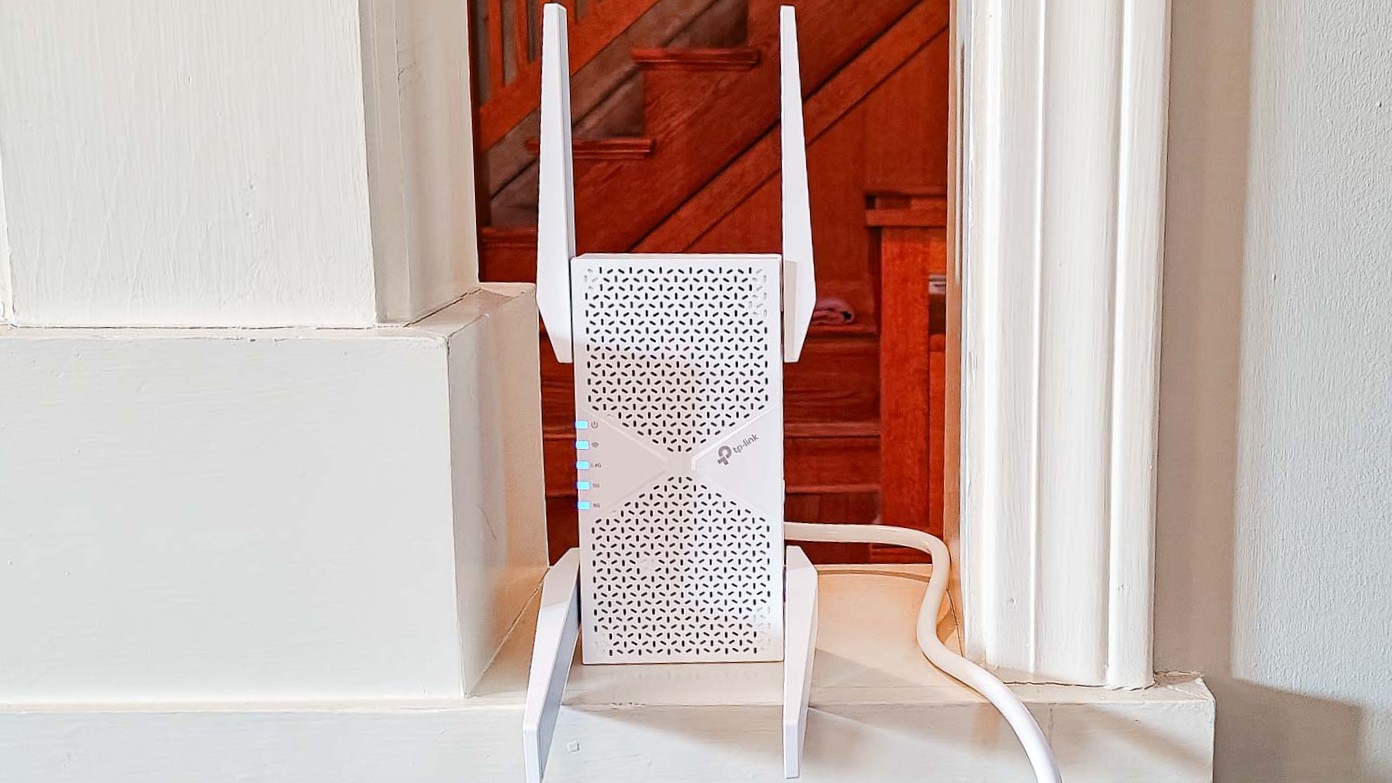
Tri-band WiFi extendershave three bands: one 2.4 GHz and two 5 GHz. This setup helps reduce traffic and improve speed. Choose an extender with proper bands for your home size and device needs.
Check the WiFi standardslike 802.11ac or 802.11ax. Newer standards offer faster speeds and better connection stability. Make sure your extender supports your router’s standard for best results.
Ethernet ports let you connect wired devices like smart TVs or game consoles. Some extenders have multiple ports for more options. This adds flexibility for devices that need a strong, stable connection.
Antenna design affects signal strength and coverage area. Extenders with external, adjustable antennas often perform better. Placement matters: position the extender where it catches a strong signal from your router.
Assessing Your Home Network Needs
Understanding the size and layoutof your home helps pick the right extender. Large homes with many walls may need stronger signals.
Count the number of devicesthat connect to your WiFi. More devices need better coverage and speed.
Check your internet speed requirements. Streaming, gaming, or video calls need faster connections.
| Factor | Considerations |
|---|---|
| Size and Layout | Home size, walls, floors, and signal barriers |
| Number of Devices | Phones, tablets, computers, smart home devices |
| Internet Speed | Type of activities like streaming, browsing, gaming |
Credit: www.engadget.com
Installation And Setup Considerations
Choose a WiFi extender that is simple to install. Devices with clear instructionssave time and avoid frustration. Many extenders offer plug-and-playsetup, which means just plugging in and connecting.
Mobile app support makes setup easier. Apps guide you step-by-step and help manage settings. They also show signal strength and connected devices. This adds convenience and control.
| Feature | Benefit |
|---|---|
| Firmware Updates | Keep your extender secure and working well with regular updates. |
| Security | Protect your network with strong encryption and updated software. |
Budget And Brand Selection
Tri-band WiFi extenderscome in different price ranges. Low-cost models suit small homes but may have fewer features. Mid-range extenders offer good speed and range for most users. High-end models provide the best performance and extra features but cost more.
| Price Range | Features | Ideal For |
|---|---|---|
| Under $50 | Basic speed, limited range | Small apartments |
| $50 – $100 | Better speed, wider coverage | Medium homes |
| Above $100 | Fast speed, advanced features | Large homes, heavy users |
Trusted brandsinclude Netgear, TP-Link, and Asus. These brands offer reliable products and regular updates. Choosing a known brand helps avoid compatibility issues and poor performance.
- Look for at least one-year warranty.
- Check if customer support is easy to reach.
- Read reviews about service quality.
Warranty and support matter. A good warranty protects your purchase. Responsive customer service solves issues fast. These factors save money and stress in the long run.
Common Mistakes To Avoid
Compatibilityis key. Make sure the tri band extender works with your router’s brand and model. Some extenders only support certain WiFi standards. Check this before buying to avoid poor performance or connection issues.
Placement matters. Put the extender where your main WiFi signal is still strong. Too far away, and it can’t boost the signal well. Avoid walls or objects that block WiFi signals for best results.
- Don’t choosejust because it is cheap.
- Low price often means fewer features or weaker performance.
- Consider speed, coverage, and brand reputation too.
Testing And Optimizing Performance
Speed testing toolshelp check the extender’s performance. Use apps like Speedtest.net or Fast.com. Test at different spots to find the best signal. Run tests several times for accurate results.
Extender placement affects speed and coverage. Place it halfway between the router and the weak signal area. Avoid walls and large objects that block signals. Moving the extender slightly can make a big difference.
Managing network traffickeeps the connection smooth. Limit devices using the extender at the same time. Prioritize devices that need faster internet, like laptops or smart TVs. Avoid heavy downloads during important tasks.
Frequently Asked Questions
What Is A Tri Band Wifi Extender?
A tri band WiFi extender uses three separate bands to boost your network. It reduces congestion and improves speed. This technology is ideal for busy homes with many devices. It ensures smoother streaming and better coverage in large areas.
How To Pick The Best Tri Band Extender?
Look for compatibility with your router and desired coverage area. Check for easy setup and strong signal strength. Choose one with good speed ratings and updated security features. Reading user reviews helps find reliable and efficient models.
Does Tri Band Extender Improve Wifi Speed?
Yes, it enhances speed by distributing devices across three bands. This reduces interference and network traffic. It offers faster connections for streaming, gaming, and browsing. However, overall speed also depends on your internet plan and router quality.
Where Should I Place A Tri Band Extender?
Place it halfway between your router and dead zones. Avoid physical obstructions like walls or metal objects. Position it in an open, elevated spot for best signal distribution. Proper placement maximizes coverage and performance.
Conclusion
Selecting the right tri-band WiFi extender boosts your connection. Consider your home’s size and device count first. Check compatibility with your existing router. Look for easy setup features. Prioritize extenders with strong customer reviews. A well-chosen extender enhances your internet experience.
Enjoy seamless streaming and gaming with fewer interruptions. Remember to regularly update firmware for optimal performance. Investing time in research saves future frustration. Your online activities will thank you. Making an informed decision pays off. Happy surfing with your new WiFi extender!


