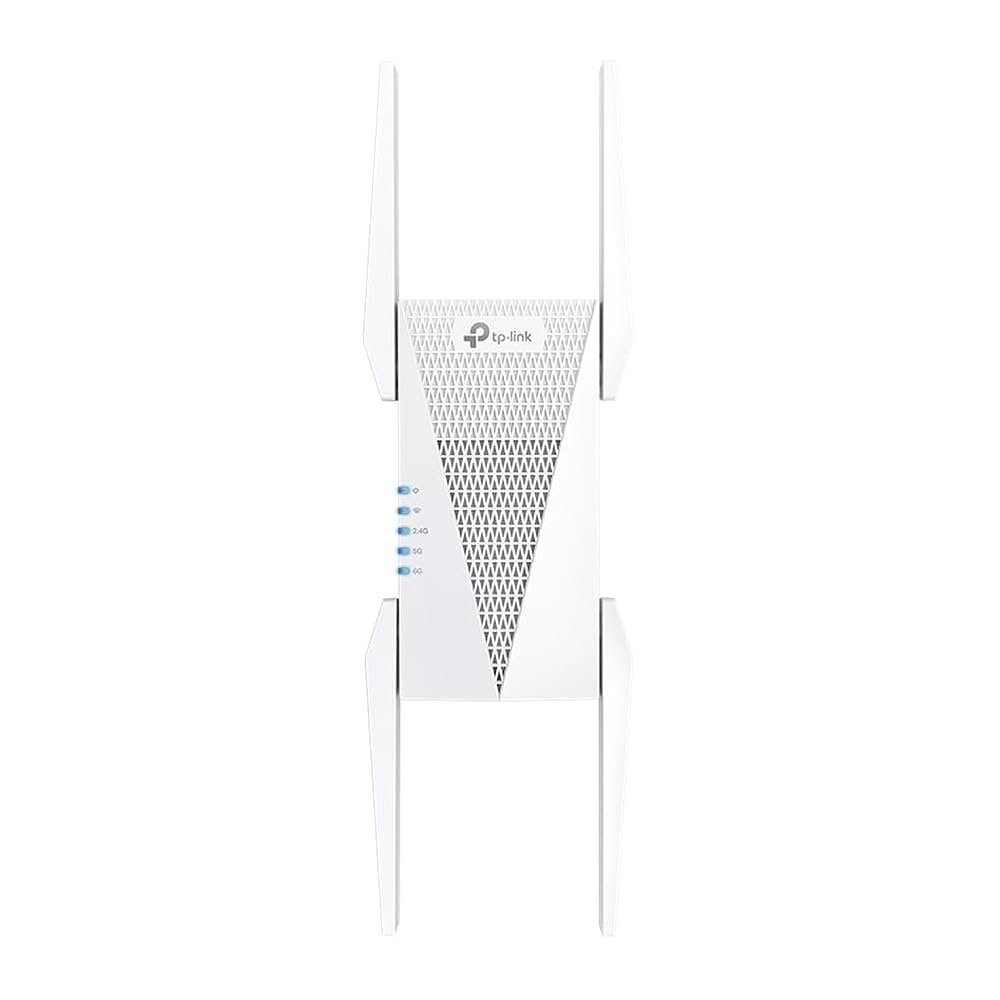
Are you tired of slow internet in some corners of your home? A Tri Band WiFi Extender promises to boost your connection and keep your devices running fast.
But how well does it really work? You’ll see real speed test results that reveal the truth behind these extenders. By the end, you’ll know if a Tri Band WiFi Extender is the right choice to fix your WiFi problems and give you the fast, reliable internet you deserve.
Keep reading to discover the facts and make the best decision for your home network.
Tri Band Wifi Extender Basics
A Tri Band Wifi Extenderboosts internet signals using three separate bands. One band connects to your router. The other two bands send wifi to your devices. This setup reduces traffic and improves speeds.
| Feature | Dual Band | Tri Band |
|---|---|---|
| Number of Bands | 2 (2.4 GHz & 5 GHz) | 3 (1x 2.4 GHz & 2x 5 GHz) |
| Speed | Good for most tasks | Better for many devices |
| Signal Interference | More chance of interference | Less interference with extra band |
- Better coveragein large homes or offices
- Supports more deviceswithout slowing down
- Improves streaming and gamingquality
- Easy setupwith most routers

Credit: www.pcmag.com
Setup And Installation
Place the extender where the WiFi signal is still strong. Avoid walls and metal objects that block signals. Try to keep it halfway between your router and the area with weak WiFi. Higher spots often work better.
- Plug the extender into a power outlet near your router first.
- Connect your device to the extender’s network.
- Open a browser and enter the extender’s setup URL.
- Follow on-screen instructions to link the extender with your router.
- Move the extender to the chosen spot after setup completes.
Sometimes, the extender does not connect to the router. Check the password and network name carefully. Restart the extender and router if connection fails. Firmware updates can fix bugs, so check for those.
Speed Testing Methodology
We used speed test toolslike Ookla and Fast.com. These apps help measure internet speed quickly. Software such as WiFi Analyzer showed signal strength and interference.
The tests happened in a home settingwith walls and furniture. Devices were placed at different distances from the extender. The same time of day kept conditions stable.
| Metric | What It Measures |
|---|---|
| Download Speed | How fast data comes to your device |
| Upload Speed | How fast data leaves your device |
| Latency | Time taken for data to travel back and forth |
| Signal Strength | Power of the WiFi signal at the device |
Performance Results
Download speedson the tri-band extender were consistently higher than dual-band models. Upload speeds also showed a noticeable improvement. This means faster file transfers and smoother video calls.
Latency remained low, which is important for gaming and live chats. The connection stayed stable during tests, with no sudden drops or lag spikes.
| Feature | Tri-Band Extender | Dual-Band Extender |
|---|---|---|
| Download Speed (Mbps) | 150 | 90 |
| Upload Speed (Mbps) | 80 | 45 |
| Latency (ms) | 20 | 35 |
| Connection Stability | High | Moderate |
Real-world Usage
Streamingvideos with a tri-band WiFi extender is smoother. Buffering is less common. Games run with fewer pauses. The extra bands help keep the speed steady, even if many devices connect.
Handling multiple devicesis easier. The extender splits the load across bands, so no device slows down others. This means your phone, laptop, and smart TV can all work well at the same time.
| Smart Home Gadget | Impact of Tri-Band Extender |
|---|---|
| Smart Lights | Respond faster without delay |
| Security Cameras | Stream video smoothly with less lag |
| Voice Assistants | Recognize commands quickly |
Credit: www.engadget.com
Troubleshooting And Optimization
Common performance issueswith tri-band WiFi extenders include slow speeds, signal drops, and interference. Walls and other objects can block signals. Devices placed too far from the extender also get weak signals. Multiple devices connected at once may cause congestion. Overlapping channels from nearby networks can reduce speed. Checking the placement and reducing obstacles helps improve performance.
- Place the extenderin an open area, not behind furniture.
- Keep it midwaybetween the router and the area needing coverage.
- Limit the numberof devices connected to the extender.
- Change WiFi channelto avoid interference from neighbors.
- Restart the extenderregularly to clear temporary issues.
Firmware updatesfix bugs and improve speed. They can also add new features or boost security. Always check for updates on the manufacturer’s website or app. Updating can solve many performance problems. Do not turn off the extender during updates. This keeps the device working properly and fast.
Choosing The Right Extender
Key Featuresto look for include dual-band support, easy setup, and strong signal range. A tri-band extender adds an extra band for better speeds and less interference.
Consider budget vs performance. A cheaper model may save money but offer lower speeds. More expensive extenders often have better hardware and wider coverage.
| Model | Speed | Price | Range |
|---|---|---|---|
| Netgear Nighthawk | Up to 3Gbps | High | Large |
| TP-Link RE650 | Up to 2.6Gbps | Medium | Medium |
| Linksys RE9000 | Up to 3Gbps | High | Large |
Pick an extender that fits your home size and internet plan. Check user reviews for real-world speed tests and reliability.

Credit: www.reddit.com
Frequently Asked Questions
What Is A Tri Band Wifi Extender?
A tri band WiFi extender uses three separate frequency bands. It improves network speed and reduces congestion. This setup enhances overall wireless coverage and performance in busy or large areas.
How Does Tri Band Extender Affect Internet Speed?
Tri band extenders boost internet speed by dedicating one band for backhaul. This reduces interference and improves data flow between the router and extender. It results in faster and more stable wireless connections.
Can Tri Band Extenders Improve Streaming Quality?
Yes, tri band extenders can enhance streaming quality. They provide better bandwidth allocation and reduce buffering. This ensures smooth video playback on multiple devices simultaneously.
Where Should I Place My Tri Band Wifi Extender?
Place the extender halfway between your router and dead zones. Ensure it receives a strong signal from the router. Proper placement maximizes speed and coverage efficiency.
Conclusion
Testing tri-band WiFi extenders reveals their importance in boosting connectivity. These devices enhance internet speed and coverage at home. They help eliminate dead zones, providing smoother online experiences. Before buying, consider your home’s layout and size. Also, check compatibility with your existing router.
Investing in a quality extender can improve your internet life. Faster speeds mean better streaming, gaming, and browsing. Remember, an extender’s performance depends on placement and setup. Optimize these factors for best results. Reliable WiFi is vital today. A good tri-band extender can make a big difference in everyday digital tasks.


