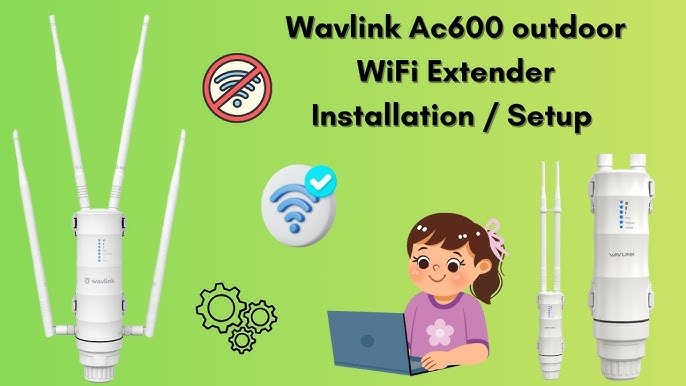
Are you tired of weak WiFi signals when you’re outside? Imagine streaming your favorite show or working from your backyard without interruptions.
Installing an outdoor WiFi extender can make this possible—and it’s easier than you think. In this guide, you’ll discover simple steps to boost your WiFi coverage, so you stay connected no matter where you are on your property. Ready to take control of your internet connection?
Let’s get started.

Credit: manuals.plus
Choosing The Right Extender
Outdoor WiFi extenders come in different types. Some use WiFi repeatersto boost signals. Others use mesh systemsfor wider coverage. Choose the type that fits your space and needs.
Key features include:
- Weather resistanceto handle rain and sun.
- Signal strengthfor better range outdoors.
- Easy installationto save time and effort.
- Power sourceoptions like solar or wired.
Check if the extender is compatiblewith your existing router. Some work best with the same brand. Ensure it supports your current WiFi standards, like 802.11ac or 802.11n. This avoids connection problems and keeps the network stable.

Credit: m.youtube.com
Preparing For Installation
Check the current wifi signal strengtharound your home or yard. Use a phone or laptop to test areas where you want better coverage. Mark spots with weak or no signal.
Pick a place for the extender that is:
- Close enough to the router to get a strong signal
- Near the area where you want better wifi
- Protected from rain and sun if it is outdoor
Gather these tools before starting:
- Outdoor wifi extender device
- Power source or extension cord
- Basic tools like screwdriver or drill
- Smartphone or laptop for setup
Installing The Extender
Choose a spot that is high and clearof obstacles. Use screws or brackets to fix the extender firmlyon a wall or pole. Make sure it won’t fall in strong wind.
Use a weatherproof power adapter if outdoors. Plug it into a safe, dry power outlet. Check the cable to avoid damage or water contact.
Connect the extender to your WiFi. Use the WPS buttonor enter network details in the extender’s app. Wait until the indicator light turns solid, showing a strong connection.

Credit: simplewifi.com
Configuring The Extender
Access the extender’s setup interface by connecting to its network. Open a web browser and enter the IP address shown in the manual. Use the default username and password to log in. This unlocks the control panel for adjustments.
Set your network credentials carefully. Enter the exact WiFi name (SSID) and password of your main router. This links the extender to your existing network. Double-check for typos to avoid connection problems.
Adjust signal settings to get the best coverage. Choose the right frequency band, either 2.4 GHz or 5 GHz, based on your needs. Set the channel to auto or pick one with less interference. Save changes and restart the extender if needed.
Testing And Optimizing Signal
Use a signal meter or WiFi app to check the signal strength. Move around the area and note where the signal is strongest. This helps find the best spot for your extender.
Place the extender where it gets a strong signal from your main router. Avoid walls and metal objects that block signals. Try different spots and test again.
- Check if the extender shows a weak or no signal light.
- Restart the extender and router to fix connection problems.
- Make sure the extender firmware is up to date.
- Reset the extender if it does not connect after many tries.
- Keep the extender away from devices that cause interference.
Maintenance Tips
Regular firmware updateskeep your outdoor WiFi extender working well. Updates fix bugs and add new features. Check the manufacturer’s website often for the latest firmware. Install updates as soon as possible to avoid issues.
Cleaning and weatherproofingprotect the extender from dirt and weather damage. Use a soft cloth to clean the device gently. Avoid harsh chemicals that may harm the surface. Cover the extender with a weatherproof case if it is not built for harsh conditions.
- Check the device for dust and debris regularly.
- Ensure all cables and connectors are dry and secure.
- Inspect the weatherproof casing for cracks or damage.
Monitoring performancehelps spot problems early. Use simple apps or tools to check signal strength and speed. If the connection is slow or drops often, try adjusting the extender’s position. Restart the device occasionally to clear temporary issues.
Frequently Asked Questions
What Tools Do I Need To Install An Outdoor Wifi Extender?
You need a drill, screwdriver, mounting brackets, and an Ethernet cable. A ladder might also help for high placements. Ensure the extender is weatherproof and compatible with your router for best results.
Where Is The Best Location For An Outdoor Wifi Extender?
Place the extender halfway between your router and the outdoor area with weak WiFi. Avoid obstructions like walls and metal objects. Higher locations typically provide better coverage and signal strength.
How Do I Connect An Outdoor Wifi Extender To My Router?
Most extenders connect via WiFi or Ethernet cable. Use the setup app or web interface to link the extender to your router’s network. Follow the manufacturer’s instructions for secure and stable connection.
Can Outdoor Wifi Extenders Withstand Harsh Weather?
Yes, outdoor WiFi extenders are designed to be weather-resistant. Look for IP ratings like IP65 or higher for protection against rain and dust. Proper installation also prevents damage from extreme temperatures or moisture.
Conclusion
Installing an outdoor WiFi extender boosts your connection’s reach. It’s a simple process with clear benefits. Start by choosing the right location. Ensure it’s close enough to your router. Follow the manufacturer’s instructions for setup. Secure the extender against weather conditions.
Test the connection for optimal performance. Enjoy seamless internet access in your outdoor space. With these steps, improve your WiFi experience. Stay connected, even outside. A reliable connection enhances outdoor activities. No more interruptions. Just smooth, consistent access. Achieve better coverage with a few simple steps.
Enjoy your enhanced outdoor internet experience today.


