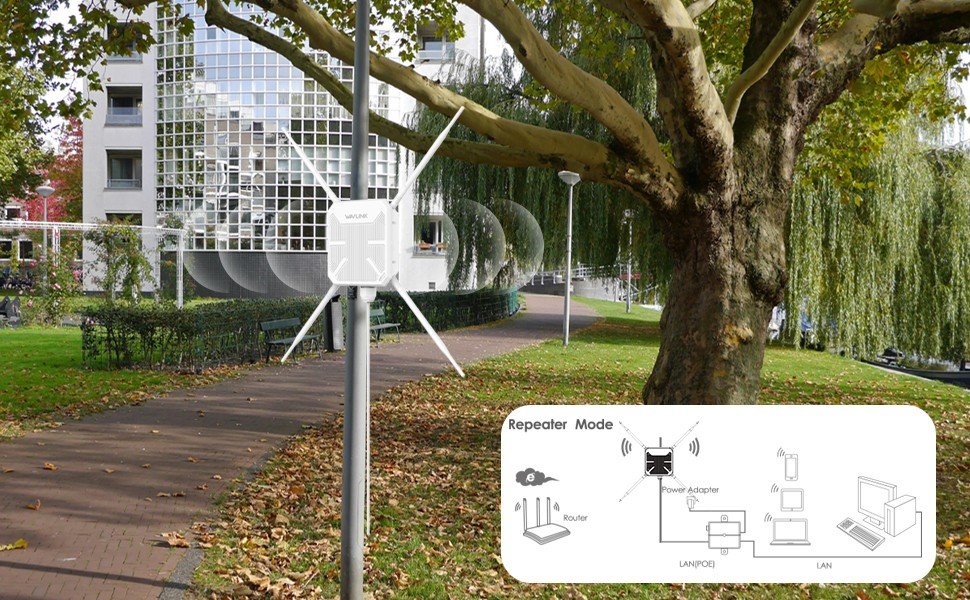
Imagine sitting in your favorite public park, enjoying the fresh air while streaming your favorite playlist or video call with friends without any interruptions. Sounds perfect, right?
But often, weak or no WiFi signal spoils the experience. If you’ve ever wished for strong, reliable internet in outdoor spaces like parks, you’re not alone. This guide will show you exactly how to extend WiFi to a public park, so you and everyone around can stay connected effortlessly.
Keep reading, because the simple steps ahead will transform your park visits and bring the digital world right to your fingertips.
Assess Current Wifi Coverage
Check the wifi signal strengthacross the park. Use a phone or laptop to test at different spots. Note where the signal is strongor weak. This helps find areas that need better coverage.
Look for dead zones, places with no wifi signal. These spots stop people from using the internet. Mark these zones on a map to plan where to place new wifi devices.
Draw a simple map of the parkshowing paths, trees, and buildings. Add marks for wifi signal strength and dead zones. This map helps in choosing the best spots for wifi routers or repeaters.
Credit: www.newegg.com
Choose Suitable Equipment
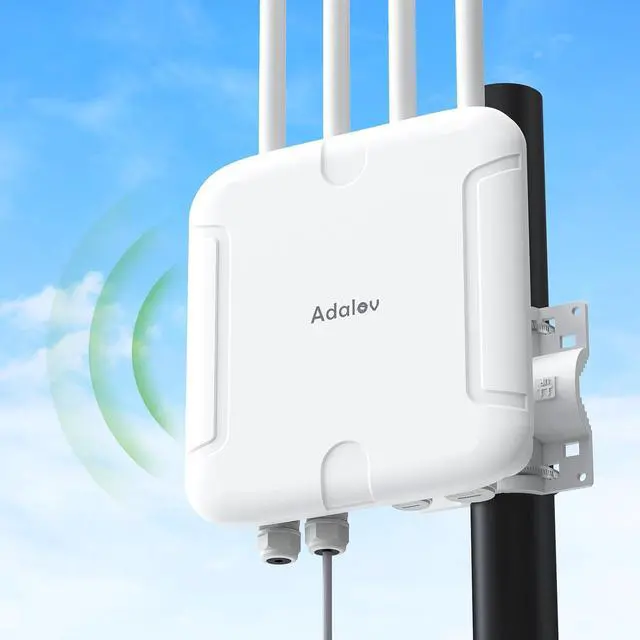
Outdoor access pointsare built to handle weather and deliver strong signals. They cover wide areas and resist rain, wind, and dust. Choose models with high rangeand easy installation.
Wifi extendersboost your current signal to reach farther spots. They are cheaper and simple to set up. Place them near park edges to fill in weak signal zones.
Mesh networksuse multiple devices that work together. They create a large, seamless wifi area. Great for big parks with many users. Mesh systems are easy to expand and manage.
| Equipment | Best Use | Key Feature |
|---|---|---|
| Outdoor Access Points | Wide outdoor coverage | Weather-resistant, strong signal |
| Wifi Extenders | Extend existing signal | Affordable, easy to install |
| Mesh Network | Large areas with many users | Seamless coverage, scalable |
Plan Network Placement
Place access points in open areasto cover more space. Avoid walls, trees, or metal objects. These can block WiFi signalsand lower speed.
Choose spots near power sources. Access points need constant electricity. Without power, the network will fail.
- Set devices high for better signal spread.
- Space access points evenly to avoid signal clash.
- Check for nearby power outlets or install new ones.
- Keep equipment safe from weather and damage.

Credit: geeksontour.com
Set Up Secure Connections
Configure the network security to keep the WiFi safe. Use strong passwordswith a mix of letters, numbers, and symbols. Avoid simple or common passwords like “123456” or “password”.
Enable guest accessto separate public users from private network devices. This limits access to important files and devices. Set time limits and data caps for guests to manage usage well.
- Use WPA3 or WPA2 encryption for better security.
- Change default router login details.
- Regularly update firmware to fix vulnerabilities.
- Monitor network activity to detect unusual access.
Test And Optimize Signal
Measure the WiFi signal rangeby walking around the park. Use a smartphone or laptop to check signal strength in different spots. This helps find areas with weak or no coverage.
Adjust antennas to improve signal direction and strength. Point external antennas toward the park’s main areas. Try changing angles to see where the signal is best.
Fine-tune network settings to boost performance. Change the WiFi channel to avoid interference. Lower or raise the transmission power to cover more area or reduce noise.
Maintain And Monitor Network
Regular checks help keep wifi equipmentworking well. Look for loose cables or dusty parts. Clean devices gently. Replace old or broken parts quickly.
Update the firmwareon routers and access points often. New updates fix bugs and add safety features. This keeps the network secureand fast.
Monitor usageand performancedaily. Watch for slow speeds or many users. Use simple tools or apps to check traffic. Balance the load by adding more access points if needed.

Credit: www.newegg.com
Frequently Asked Questions
How Can I Extend Wifi Coverage To A Public Park?
To extend WiFi, install outdoor access points with strong antennas. Use signal boosters and mesh networks for wider coverage. Position devices strategically to avoid obstructions and ensure stable connectivity throughout the park area.
What Equipment Is Best For Outdoor Wifi Extension?
Use weatherproof outdoor access points and high-gain antennas. Mesh WiFi systems and signal repeaters also help. Ensure all equipment supports the latest WiFi standards for faster and reliable connections in public spaces.
Is It Safe To Provide Public Wifi In Parks?
Yes, with proper security measures like WPA3 encryption and network segmentation. Use captive portals for user authentication and regularly update firmware to prevent unauthorized access and protect users’ data.
How Do I Ensure Strong Wifi Signals In Large Parks?
Deploy multiple access points to cover different zones. Use directional antennas to focus signals. Conduct site surveys to identify dead zones and optimize device placement for consistent, strong coverage.
Conclusion
Boosting WiFi in parks benefits everyone. Visitors stay connected easily. Implementing strategies ensures a reliable connection. Use repeaters or mesh networks. Consider solar-powered options for sustainability. Regularly check and update equipment. Security is crucial. Protect users with strong passwords. Engage the community for feedback.
Their input can guide improvements. Clear signage helps new users connect. With these steps, parks become tech-friendly spaces. People enjoy nature while staying online. This enhances visitor experience, making parks more popular. Remember, a connected park is a happy park.
Enjoy the benefits of a well-connected public space.


