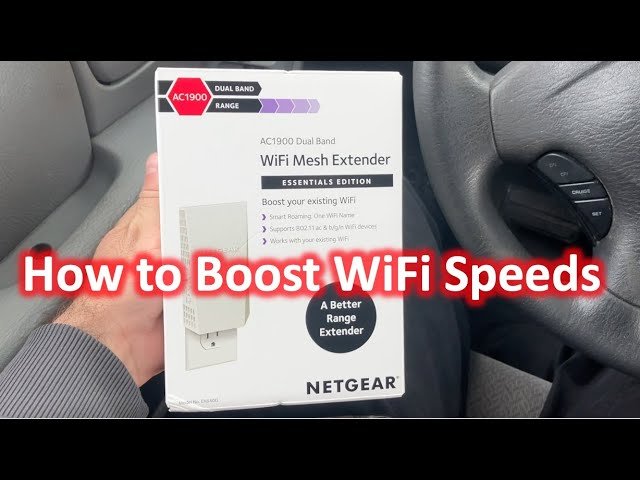
Are you frustrated by slow upload speeds that disrupt your work, gaming, or video calls? You might be wondering if a dual band WiFi extender can be the fix you need.
The idea of boosting your internet sounds simple, but does this device really improve your upload speed? You’ll discover how dual band WiFi extenders work, what they can and cannot do for your upload performance, and practical tips to make the most of your connection.
Keep reading to find out if this solution is right for you and how to get the fastest upload speeds possible.

Credit: gizmodo.com
Dual Band Wifi Extender Basics
A Dual Band Wifi Extenderhelps boost your wireless signal. It works on two frequencies: 2.4 GHzand 5 GHz. The 2.4 GHz band covers longer distances but has slower speeds. The 5 GHz band offers faster speeds but covers less area.
This extender picks the best band for your device to get better connection and speed. It can send and receive data on both bands at the same time. This helps reduce interference and improves performance.
| Feature | Single Band Extender | Dual Band Extender |
|---|---|---|
| Frequency Bands | Only 2.4 GHz | 2.4 GHz and 5 GHz |
| Speed | Slower, limited | Faster, more stable |
| Range | Long range, slower speed | Good balance of range and speed |
| Interference | More interference | Less interference |
Factors Affecting Upload Speed
Bandwidthand frequencyare key to upload speed. Dual band extenders use 2.4 GHz and 5 GHz frequencies. The 2.4 GHz band covers longer distances but is slower. The 5 GHz band is faster but covers a shorter range. More bandwidthmeans more data can move at once, improving upload speed.
Signal strength and range affect upload quality. A weak signal causes slow uploads and dropouts. Distance from the extender matters. Walls and obstacles lower signal strength. Placing the extender closer to devices helps maintain strong signals and better upload speeds.
Network congestion and interference can slow uploads. Many devices using the same network cause congestion. Other wireless devices or appliances may cause interference. Choosing a less crowded channel or frequency band reduces interference and helps improve upload speed.
Dual Band Extender And Upload Speed
A dual band WiFi extenderuses two frequency bands: 2.4 GHz and 5 GHz. This helps it handle more data at once. Upload traffic passes through these bands, but the speed depends on many factors.
Extenders receive the signal from the router and then send it to your device. The upload speed can improve if the extender has a strong connection to the router. Otherwise, upload speed might stay the same or slow down.
- Dual bandreduces interference by using two channels.
- 5 GHz band offers faster data rates but shorter range.
- 2.4 GHz band covers longer distances but is slower.
- Devices can switch between bands for better upload performance.
Yet, upload speed is limited by the original router speed and internet plan. The extender cannot create faster upload speed than the main network provides. Walls and distance also affect the signal strength.
Setup Tips For Better Upload Speeds
Place the extenderwhere the WiFi signal is still strong. Avoid walls or metal objects. This helps keep the upload speed steady.
Use the 5 GHz bandfor faster uploads. It is less crowded but has a shorter range. The 2.4 GHz band covers larger areas but is slower.
Keep the extender’s firmware updated. Updates fix bugs and improve speed. Check the extender’s app or website for updates. Adjust settings for best upload performance.
Comparing Extenders With Other Solutions
Mesh networksuse multiple devices to create one strong WiFi signal. They cover large areas well. This helps keep upload speeds steady everywhere in your home. Dual band extendersboost WiFi by repeating signals from your router. They work best when placed close to the router. But extenders may cut upload speed a bit because of signal repeating.
Using wired connectionslike Ethernet cables can improve upload speed a lot. Wired connections avoid interference and give direct data flow. This is best for important uploads or gaming.
Upgrading your internet planis key for faster upload speeds. A higher speed plan means more bandwidth for uploads. Check with your provider about plans with better upload rates.

Credit: www.reddit.com
Real-world Performance And Testing
Testing upload speed with a dual band WiFi extenderinvolves checking both 2.4 GHz and 5 GHz bands. Tools like speedtest.netor fast.comhelp measure real upload rates. Tests in different home areas show how walls or distance affect speed. Multiple tests at different times give a clearer picture of performance.
User reports vary. Some notice better upload speednear the extender, especially on the 5 GHz band. Others see little change if the main router is strong or if interference is high. Case studies suggest that placementand network setupmatter most for good results.
- Check if the extender firmware is up to date
- Place the extender where the main WiFi signal is strong
- Avoid physical obstacles like thick walls
- Switch bands to test which is faster in your space
- Restart devices if upload speed drops suddenly

Credit: www.amazon.ca
Frequently Asked Questions
Can Dual Band Wifi Extenders Boost Upload Speed?
Yes, dual band WiFi extenders can improve upload speed by reducing interference. They use separate bands for data transmission, enhancing stability and speed.
How Does Dual Band Wifi Affect Upload Performance?
Dual band WiFi minimizes congestion by splitting traffic between 2. 4 GHz and 5 GHz bands. This separation helps maintain faster upload speeds.
Will A Dual Band Extender Fix Slow Upload Issues?
It can help if slow uploads are caused by weak signals or interference. However, it won’t fix problems from your internet service provider.
Is 5 Ghz Band Better For Upload Speed?
Yes, 5 GHz offers faster data rates and less interference, which can improve upload speeds compared to 2. 4 GHz.
Conclusion
A dual-band WiFi extender can improve upload speeds. It uses two frequencies, reducing interference. Better connections mean smoother uploads. For homes with many devices, this is useful. Placement of the extender matters for best results. Ensure it’s not too far from the router.
Check compatibility with your existing network. Simple steps can enhance your internet experience. Fast uploads are crucial for remote work and sharing files. Consider all factors before purchasing. A good choice can enhance your online activities.


