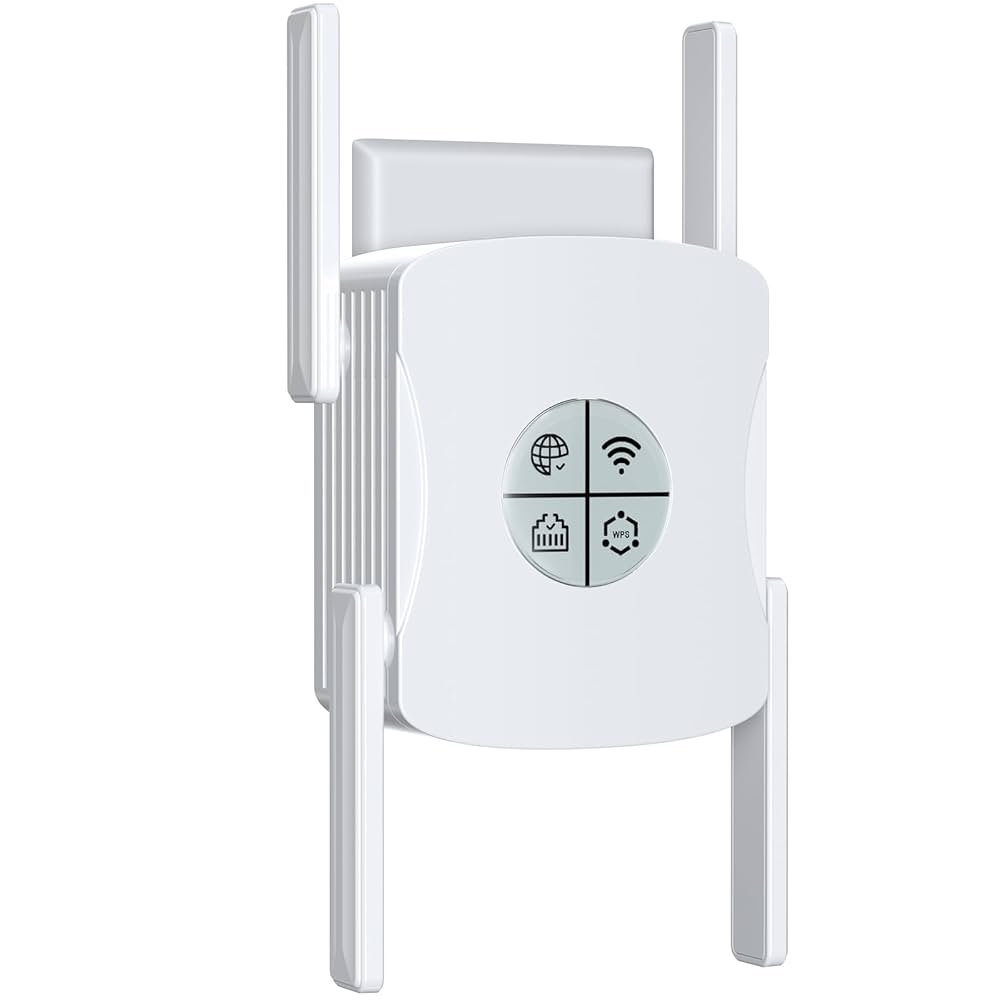
Are you struggling with slow WiFi in distant corners of your home or office? You might be thinking about using a long range WiFi extender to boost your signal.
But here’s the big question: do these extenders support MU-MIMO technology? Understanding this can make a huge difference in how fast and reliable your internet feels, especially when multiple devices are connected. Keep reading to discover how long range WiFi extenders work with MU-MIMO and what that means for your online experience.
You’ll learn how to get the most out of your network and avoid common pitfalls that slow you down.

Credit: www.amazon.ca
Long Range Wifi Extenders Basics
Wifi extendershelp boost your network by repeating signals from your main router. They catch the wifi signal and send it further to reach dead zones. This improves internet access in bigger spaces without extra wires.
Many factors affect how far and well an extender works. The distancebetween the extender and router is key. Walls, floors, and furniture can block signals and reduce speed. Extenders placed too far get weak signals, causing slow internet.
- Open spaceallows better signal travel.
- Thick walls and metal objects block wifi signals.
- Devices like microwaves can cause interference.
- Extender’s power and antenna quality matter.
Mu-mimo Technology Explained
MU-MIMOstands for Multi-User Multiple Input Multiple Output. It helps routers and extenders send data to many devices at once. This means faster internet for all devices connected.
What MU-MIMO Does:It allows a router or extender to talk to multiple devices simultaneously. Without MU-MIMO, devices wait for their turn. This waiting slows down the network for everyone.
Benefits for Multiple Devices:
- Improves speed for many devices at the same time
- Reduces wait time for data transmission
- Increases overall network efficiency
- Helps with smooth streaming and gaming on multiple devices
Compatibility Of Extenders With Mu-mimo
Many long range WiFi extenders now support MU-MIMO technology. This helps devices connect fasterand more efficiently. Some popular models include:
- TP-Link RE650
- Netgear Nighthawk X6 EX7700
- Linksys RE9000
- ASUS RP-AC1900
These extenders can handle multiple devicesat once. This improves overall network speed and reduces lag.
Not all extenders support MU-MIMO. Many cheaper models use older tech. Also, the main router must support MU-MIMO too. Without a compatible router, extenders can’t use this feature. Another limit is that MU-MIMO works best with WiFi 5 or WiFi 6devices. Older devices won’t get full benefits.
Performance Impact Of Mu-mimo On Extenders
MU-MIMOhelps WiFi extenders talk to many devices at once. This means faster speedsand less waiting. Long range extenders with MU-MIMO can handle more data better than those without it.
Using MU-MIMO, devices get data in parallel streams. This improves efficiencyand reduces network delays. It is helpful in busy homes or offices with many devices connected.
- Streaming videos on multiple devices without buffering
- Playing online games with lower lag
- Video calls that stay clear and stable
- Downloading files faster on several devices
Long range extenders with MU-MIMO make WiFi better for many users at once. This boosts overall network performancein real-life use.
Choosing The Right Extender For Mu-mimo
Long range WiFi extenders may not always support MU-MIMO technology. Choosing one that does ensures better device connections and faster speeds. Check the product details carefully before buying.
Key Features To Look For
MU-MIMO supportis essential for better device connections. Choose extenders with dual-bandor tri-bandto avoid slowdowns. Look for a high data transfer rateto keep speeds fast. The extender should have a strong antennafor long-range coverage. Easy setupsaves time and effort. Check if the extender supports the latest Wi-Fi standardslike Wi-Fi 5 or Wi-Fi 6. Compatibility with your main router is key. A good security protocolhelps keep your network safe.
Top Long Range Mu-mimo Extenders
| Extender Model | Band | Max Speed | Range | MU-MIMO Support |
|---|---|---|---|---|
| Netgear Nighthawk X6 | Tri-band | 3000 Mbps | Up to 2500 sq ft | Yes |
| TP-Link RE650 | Dual-band | 2600 Mbps | Up to 14000 sq ft | Yes |
| Linksys RE7000 | Dual-band | 1900 Mbps | Up to 10000 sq ft | Yes |

Credit: www.amazon.ca
Setup Tips For Mu-mimo Enabled Extenders
Long range WiFi extenders can support MU-MIMO, but it depends on the model. Check device specs to ensure MU-MIMO is enabled. Proper placement helps maximize performance and connection speed.
Optimal Placement
Place the extenderwhere it can get a strong signal from the main router. Avoid walls and large objects that block signals. Keep it centralto the area where WiFi is needed. Higher spots often work better. Check the signal strength with a phone or laptop before fixing the spot.
Configuration Best Practices
- Update firmwareto support MU-MIMO features.
- Match WiFi bandsbetween router and extender for best speed.
- Enable MU-MIMOin the extender’s settings menu if available.
- Use the same network name (SSID)for seamless roaming.
- Limit devicesconnected to the extender to avoid overload.
Troubleshooting Mu-mimo Issues
Common problemswith MU-MIMO often include slow speeds, dropped connections, and devices not connecting properly. Some long range WiFi extenders may not fully support MU-MIMO technology. This can cause interference and poor network performance.
To fix these issues, check if your extender and router both support MU-MIMO. Make sure they have the latest firmware updates installed. Place the extender where it gets a strong signal from the router. Avoid walls and large objects between devices.
- Restart your router and extender to refresh connections.
- Update device drivers on your computers and phones.
- Switch to a less crowded WiFi channel to reduce interference.
- Use 5 GHz band if supported; it offers faster speeds and less congestion.
Some extenders might work better with MU-MIMO turned off. Test your network with and without MU-MIMO enabled. This helps find the best setting for your devices.

Credit: www.pcmag.com
Frequently Asked Questions
Do Long Range Wifi Extenders Support Mu-mimo Technology?
Many long range WiFi extenders support MU-MIMO for better multi-device performance. However, support depends on the model and brand. Check product specifications to confirm MU-MIMO capability before purchase.
How Does Mu-mimo Improve Wifi Extender Performance?
MU-MIMO allows WiFi extenders to communicate with multiple devices simultaneously. This reduces wait time and boosts overall network speed and efficiency in busy environments.
Can Mu-mimo Work With All Wifi Extenders?
No, MU-MIMO only works with compatible extenders and devices. Both must support MU-MIMO for optimal performance. Older extenders may lack this feature.
Why Is Mu-mimo Important For Long Range Wifi Extenders?
MU-MIMO enhances data throughput and reduces interference over long distances. It ensures stable and fast connections even with many connected devices far from the router.
Conclusion
Long range WiFi extenders often support MU-MIMO technology. This feature boosts connection speeds for multiple devices. It’s beneficial for homes with many users. Faster and smoother internet is a result. Not all extenders have this feature. Check specifications before buying.
Compatibility with your router is essential. Ensure your setup supports MU-MIMO. This technology enhances the overall WiFi experience. It’s worth considering for a busy home network. Enjoy seamless browsing, streaming, and gaming. Stay connected with ease and efficiency.


