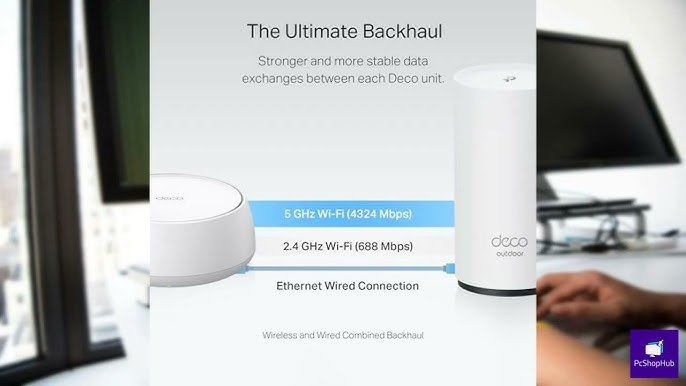
Are you tired of weak WiFi signals when you step outside? Connecting your outdoor WiFi extender to your mesh network can be the simple solution you need.
Imagine having strong, reliable internet in every corner of your yard, patio, or garden without frustrating drops or slow speeds. In this guide, you’ll discover easy steps to link your outdoor extender to your mesh system, boosting your coverage and keeping you connected wherever you go.
Keep reading, and you’ll learn how to make your WiFi work harder for you—effortlessly and effectively.
Benefits Of Outdoor Wifi Extenders
Outdoor WiFi extendersincrease the range of your wireless network. They work well in large yards, gardens, and parkswhere indoor routers cannot reach.
These devices provide stronger WiFi signalsin open spaces, helping devices stay connected with better speed and fewer drops.
| Use Case | Benefit |
|---|---|
| Backyards | Better WiFi for outdoor work or play |
| Outdoor events | Stable connection for many users |
| Large properties | Coverage across distant areas |
Credit: www.youtube.com
Choosing The Right Outdoor Wifi Extender
Choosing the right outdoor WiFi extender is key to good mesh system performance. Check for compatibilitywith your existing mesh system. Some extenders work only with specific brands or models. This ensures smooth communication between devices.
Look for weatherproof featureslike water resistance and durable casing. These protect the extender from rain, dust, and sun. It helps the device last longer outdoors.
Consider the signal range and speed. The extender should cover your outdoor area without slowing down the internet. A strong signal keeps connections stable and fast. This makes browsing and streaming easier.
Preparing Your Mesh Network
Check your current mesh network setup carefully. Make sure all mesh nodes are working well. Confirm that your main router and nodes have the latest firmware updates. This helps fix bugs and improve performance. Visit your router’s web page or app to update firmware.
Place mesh nodes in open spaces. Avoid walls or metal objects blocking signals. Keep nodes at equal distances for best coverage. Outdoor WiFi extenders work better if placed near mesh nodes but not too close. Proper placement helps extend your WiFi range smoothly.
Connecting The Outdoor Extender
Plug the outdoor extender into a power source near your mesh router. Wait for the lights to show it is on and ready.
Press the WPS button on your mesh router. Then press the WPS button on the extender. This syncs them quickly.
Open a web browser and enter the extender’s IP address. Log in using the default username and password. Follow the steps to connect to your mesh network manually.
| Connection Method | Details | Benefits |
|---|---|---|
| Powering Up | Plug in the extender and wait for lights. | Ensures device is ready for setup. |
| Using WPS | Press WPS buttons on router and extender. | Fast and simple connection without typing. |
| Manual Setup | Access extender’s web interface to enter details. | Allows control over network settings. |
Testing And Optimizing Connection
Check the signal strengthnear the outdoor extender. Use a signal meter app or your device’s Wi-Fi settings. Strong signal means better connection.
Move the extender if the signal is weak. Place it higher and away from walls or metal objects. Try to keep it midway between the main router and the area needing coverage.
Troubleshoot common issues by restarting both the extender and router. Ensure firmware is up to date. If connection drops, check for interference from other devices like microwaves or cordless phones.
- Confirm extender is connected to the mesh network.
- Check cables and power supply.
- Reset extender if it does not connect after changes.

Credit: www.youtube.com
Maintaining Your Outdoor Wifi Setup
Keep the outdoor WiFi extender working well by updating its firmware regularly. Updates fix bugs and improve security. Check the manufacturer’s website or app often for new updates.
Protect the device from rain, sun, and dust. Use a weatherproof cover or install it in a sheltered spot. This helps avoid damage and keeps the signal strong.
- Test the network speed and range each month.
- Look for any signal dropsor slow spots.
- Restart the extender if the connection feels weak.
- Keep an eye on connected devices to avoid overload.

Credit: simplewifi.com
Frequently Asked Questions
How Do I Connect An Outdoor Wifi Extender To A Mesh Network?
To connect an outdoor WiFi extender to a mesh network, first place the extender within range of your mesh router. Use the extender’s setup interface to select your mesh network SSID and enter the password. This extends seamless coverage outdoors.
Can An Outdoor Wifi Extender Improve Mesh Network Range?
Yes, an outdoor WiFi extender can boost your mesh network range. It captures the mesh signal and rebroadcasts it outdoors, reducing dead zones and improving connectivity in large yards or outdoor spaces.
What Settings Are Needed To Link Wifi Extender With Mesh?
You need to configure the WiFi extender to join your mesh network’s SSID and password. Ensure both devices use compatible frequency bands (2. 4 GHz or 5 GHz) and enable seamless roaming features for smooth handoff.
Is It Better To Use Outdoor Extender Or Mesh Satellite?
Using a mesh satellite is usually better for seamless coverage. However, an outdoor WiFi extender is a cost-effective option to extend existing mesh signals specifically outdoors.
Conclusion
Connecting an outdoor WiFi extender to a mesh network is simple. Follow the steps, and enjoy better outdoor coverage. Place the extender wisely for the best signal. Ensure the mesh system supports extenders. This enhances the overall network strength. Regularly check and update the system.
This keeps the connection stable and reliable. A strong WiFi connection outdoors makes life easier. Stream, browse, and connect without interruptions. With these tips, enjoy seamless internet across your yard. Stay connected, stay happy, and make the most of your WiFi network.


