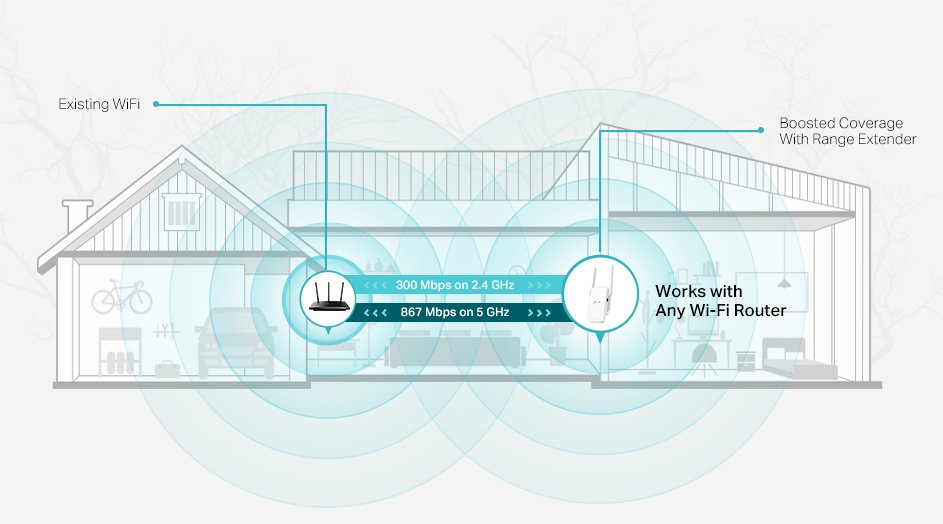
Are you tired of weak WiFi signals ruining your events? Imagine having fast, reliable internet no matter where you are in the venue.
A Tri Band WiFi Extender can be your secret weapon to keep every guest connected smoothly. You’ll discover simple steps to set up and use a Tri Band WiFi Extender that ensures strong coverage throughout your event. Keep reading to learn how to boost your network and make your event unforgettable for everyone online and offline.
Credit: www.tp-link.com
Benefits Of Tri Band Wifi Extenders
Tri band WiFi extendersoffer faster speedsby using three separate bands. This helps cover a larger area, perfect for big events. Devices stay connected without slowing down.
They reduce interferenceby spreading signals across different bands. This means fewer dropped connections and clearer signals. Useful in crowded places with many devices.
- Supports many devicesat once without losing speed.
- Helps keep video calls, streaming, and downloads smooth.
- Ideal for places with lots of guests using WiFi.
Choosing The Right Extender For Events
Choosing the right tri-band wifi extender depends on several factors. Venue size is key. Larger spaces need extenders with strong signals and wide coverage. The layout matters too. Walls and obstacles can block wifi signals. A clear line of sight helps the signal travel better.
Device compatibility is important. Check if the extender works well with your current router and devices. Some extenders support specific wifi standards. Make sure your devices match these standards for best performance.
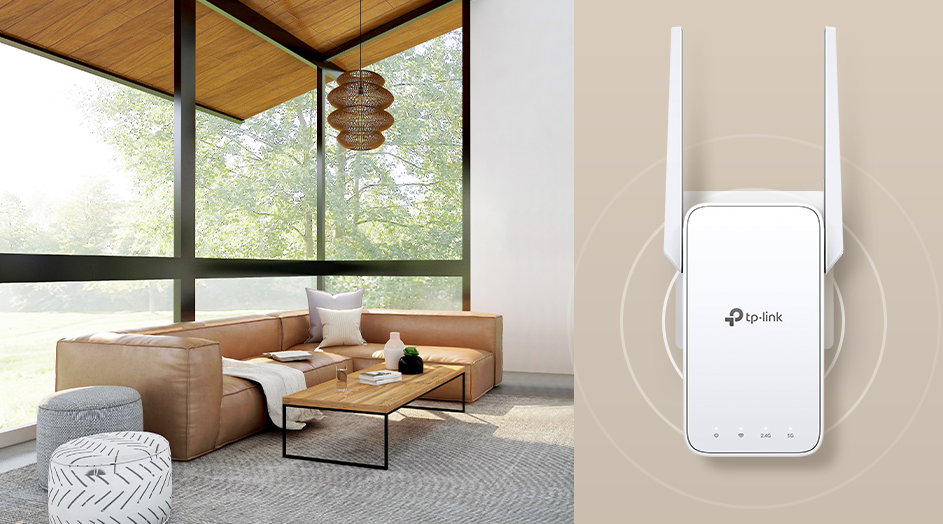
Power and portability affect ease of use. Battery-powered extenders offer more freedom to move around. Plug-in extenders need a power source but often provide stable signals. Choose based on the event type and setup needs.
Setting Up The Extender Quickly
Place the tri-band WiFi extenderwhere it can catch a strong signal from the main router. Avoid walls or large objects that block the signal. A central location usually works best for wide coverage.
Ensure the extender is close enough to the router to get good signal but far enough to cover the event area well. Power it on and wait for the indicator lights to show a strong connection.
- Use the extender’s app or web page to connect it to the main router’s WiFi network.
- Enter the main network’s password carefully.
- Choose the correct band (2.4 GHz or 5 GHz) for better speed and less interference.
| Network Setting | Recommended Option |
|---|---|
| SSID (Network Name) | Use the same as your main router or create a new one |
| Password | Strong and easy to share with guests |
| Security Type | WPA2 or WPA3 for better protection |
| Channel | Auto or a less crowded channel to reduce interference |
Credit: www.tp-link.com
Maximizing Performance During Events
Using a tri-band WiFi extender boosts signal strength and reduces interference at events. It helps keep multiple devices connected smoothly across large areas. This ensures faster internet and fewer dropouts during busy gatherings.
Managing Bandwidth Allocation
Divide bandwidth smartly between the three bands to avoid slowdowns. Prioritize devices that need more speed. This keeps the network smooth and fast for everyone. Limit heavy downloads during peak times. Use settings on your extender to control how much data each device can use.
Monitoring Signal Strength
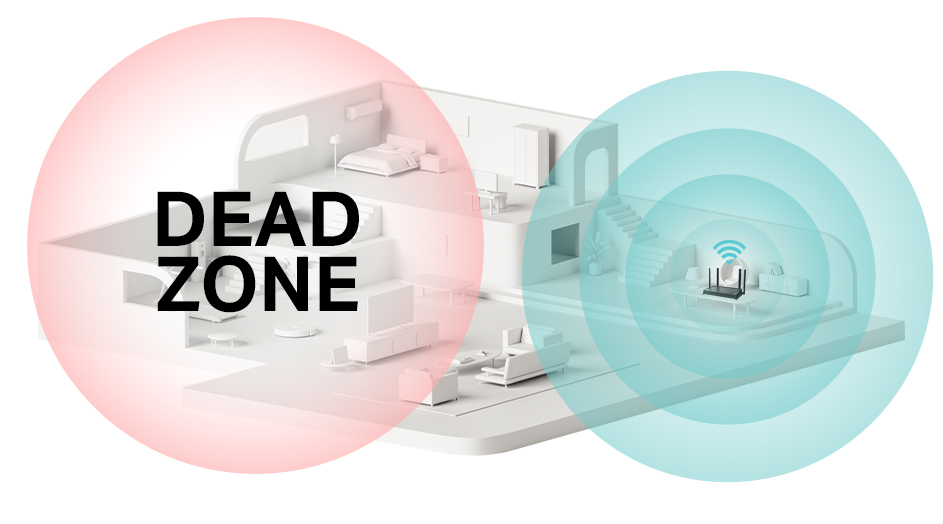
Place the extender where the signal is strong but not too close to the router. Check the signal bars regularly. Move the extender if the signal drops. Use apps or extender tools to see signal quality. Good placement helps cover the whole event area without dead zones.
Handling Network Traffic
- Set limits on how many devices connect to each band.
- Use Quality of Service (QoS) to give priority to important users.
- Avoid many devices streaming video at once.
- Keep an eye on network speed and change settings if needed.
Troubleshooting Common Issues
Signal dropscan ruin event connectivity. Place the extender closer to the main router. Avoid thick walls or metal objects between devices. Keep the extender away from microwaves and cordless phones. Restart the extender and router to refresh the connection.
Connection delays may occur if too many devices connect at once. Limit the number of devices using the extender. Check for firmware updates to improve performance. Restart devices to clear temporary issues.
| Device Compatibility Issue | How to Fix |
|---|---|
| Older devices not connecting | Change extender to mixed mode or 2.4 GHz band |
| New devices fail to detect extender | Restart the device and scan for networks again |
| Devices disconnect frequently | Check for interference and update device drivers |

Credit: www.youtube.com
Advanced Tips For Large Events
Using multiple tri-band WiFi extenderscan cover a large event area. Place extenders far enough to avoid signal overlap. This helps keep the network fast and stable. Use different channels for each extender to reduce interference. Test the signal strength in various spots before the event starts.
Wired networks can improve WiFi performanceat events. Connect extenders to routers or switches with Ethernet cables. This creates a stronger backbone for the wireless network. It also reduces delays and keeps speeds high. Make sure cables are hidden or secured to avoid hazards.
Network security is very important. Change default passwords on all extenders. Use strong WPA3 encryptionif available. Limit access to trusted devices only. Monitor network traffic to spot any unusual activity. This keeps the event’s WiFi safe and reliable.
Frequently Asked Questions
What Is A Tri Band Wifi Extender?
A tri band WiFi extender boosts your network using three separate bands. It reduces congestion and increases speed. This is ideal for large events with many devices connected simultaneously.
How Do I Set Up A Tri Band Wifi Extender For Events?
To set up, place the extender midway between your router and event area. Connect it to your existing WiFi network. Follow the manufacturer’s app or manual for detailed steps. Ensure it covers the entire event space.
Can Tri Band Extenders Handle Multiple Devices At Events?
Yes, tri band extenders manage many devices efficiently. They allocate bandwidth across three bands to avoid slowdowns. This ensures stable connections for attendees using smartphones, laptops, or tablets.
Where Should I Position My Tri Band Wifi Extender?
Position the extender in a central, open area between the router and event zone. Avoid obstacles like walls or metal objects. Proper placement maximizes coverage and signal strength for all event attendees.
Conclusion
Using a tri-band WiFi extender enhances event connectivity. It ensures stable internet throughout the venue. Set up is simple with clear instructions. Guests appreciate seamless online access. Reliable WiFi boosts event success. Choose the right extender for your needs. Check coverage and speed specifications.
Ensure compatibility with existing equipment. Test the setup before the event day. This avoids last-minute issues. Keep your event connected smoothly. Optimize your setup for a great experience. Enjoy stress-free hosting with improved WiFi.


