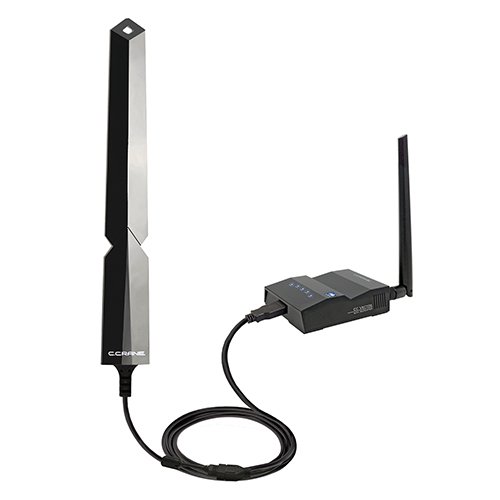
Are you struggling with slow WiFi in certain corners of your home or office? A long range WiFi extender might seem like the perfect fix.
But before you buy, you need to know one crucial thing: how many devices can it actually handle? If your extender gets overloaded, your internet speed could drop, leaving you frustrated. This article will clear up all your doubts and help you understand exactly what to expect from your long range WiFi extender.
Keep reading to make sure your connection stays strong, no matter how many devices you have.
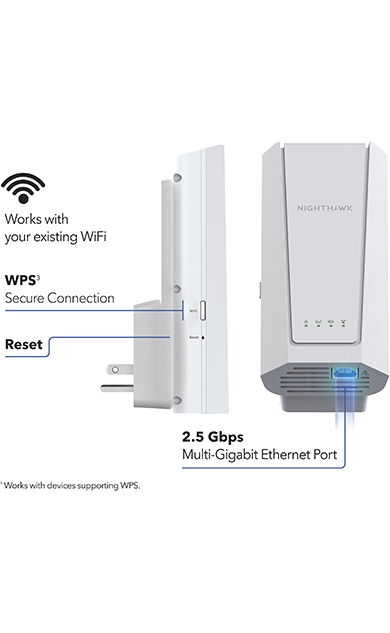
Credit: www.netgear.com
Long Range Wifi Extender Basics
A wifi extenderis a device that helps boost your wifi signal. It picks up the signal from your router and sends it further. This helps areas in your home or office that have weak wifi get better connection.
Long range wifi extenderswork by capturing the original wifi signal and repeating it over a bigger area. They use special antennas to reach farther distances. This way, you get internet in places where the router alone cannot reach.
The extender connects wirelessly to the router. Then it creates a new wifi network for devices to join. This helps keep your internet fast and stable even far from the router.
Credit: www.engadget.com
Device Capacity Factors
Bandwidth limitationsaffect how many devices a wifi extender can handle. Each device uses some bandwidth. More devices mean less speed for each. Extenders have a maximum bandwidth they can share.
Signal strengthimpacts device connection quality. If the signal is weak, devices may disconnect or slow down. Strong signals support more devices with stable connections.
| Hardware Specifications | Effect on Device Capacity |
|---|---|
| Processor Speed | Faster processors handle more devices efficiently |
| RAM Size | More RAM allows better multitasking for many devices |
| Number of Antennas | More antennas improve signal range and capacity |
Typical Device Limits
Long range WiFi extenders can support different device amounts. Home usersusually connect 10 to 20 devicescomfortably. These include phones, laptops, and smart home gadgets.
Small businessesoften need more capacity. They typically support 20 to 50 devices. This covers computers, printers, and phones used by staff.
For large networks, the number rises. Extenders can handle 50 or more devices, but performance may drop if too many connect. Businesses often use several extenders or access points for better coverage.
| Scenario | Device Limit | Common Devices |
|---|---|---|
| Home Use | 10 – 20 | Phones, laptops, smart home devices |
| Small Business | 20 – 50 | Computers, printers, phones |
| Large Network | 50+ | Multiple workstations, servers, phones |

Credit: www.techi.com
Optimizing Extender Performance
For best results, place the WiFi extendernear the main router but within range of weak signal areas. Avoid walls and metal objects that block signals. Keep it away from microwaves and cordless phones to reduce interference. Interference can slow down your internet and disconnect devices.
Updating the extender’s firmwareregularly helps fix bugs and improve speed. Check the manufacturer’s website for updates. New firmware can make your extender handle more devices smoothly. Always restart the extender after updates to apply changes.
Choosing The Right Extender
Choosing the right long range WiFi extender depends on several key features. These features affect how many devices the extender can support and the overall performance.
| Feature | Why It Matters |
|---|---|
| Maximum Device Support | Shows how many devices can connect at once without slowing down. |
| Frequency Bands | Dual-band extenders offer better speed and less interference. |
| Range Coverage | Longer range means better signal in larger homes or offices. |
| Speed Rating | Higher speeds allow smoother streaming and faster downloads. |
| Number of Antennas | More antennas can improve signal strength and device handling. |
Comparing models side by side helps pick the best for your needs. Check the specs and reviews carefully. Devices connected and speed are most important.
Troubleshooting Connectivity Issues
Connectivity issueswith long range WiFi extenders are often caused by simple problems. Common problems include weak signals, too many devices connected, and interference from other electronics.
Quick fixes can help restore a strong connection. Move the extender closer to the main router for better signal strength. Reduce the number of devices connected to avoid overload. Check for interference from microwaves, cordless phones, or thick walls blocking the signal.
- Restart the extender and router to refresh the connection.
- Update the extender’s firmware to fix bugs and improve performance.
- Change the extender’s channel to avoid crowded frequencies.
- Place the extender in an open space for better coverage.
- Limit devices connected to stay within extender capacity.
Frequently Asked Questions
How Many Devices Can A Long Range Wifi Extender Support?
A long range WiFi extender typically supports 15 to 30 devices simultaneously. The exact number depends on the extender’s capacity and bandwidth. Overloading can reduce speed and connection quality for all devices connected.
Does Device Type Affect Wifi Extender Performance?
Yes, device type impacts performance. High-bandwidth devices like streaming or gaming consoles use more resources. Multiple low-usage devices may not affect performance as much. Balancing device types helps maintain stable WiFi extender performance.
Can Multiple Wifi Extenders Increase Device Capacity?
Yes, using multiple WiFi extenders can increase device capacity. Each extender manages its own devices, reducing load on a single unit. Proper placement and configuration are essential to avoid signal interference between extenders.
What Factors Limit The Number Of Devices On Extenders?
Bandwidth, extender hardware, and network traffic limit device capacity. Physical obstacles and distance also affect performance. Managing these factors ensures optimal device handling and stable WiFi connectivity across the network.
Conclusion
Choosing the right WiFi extender can boost your internet experience. Understand your device needs first. A long-range WiFi extender can handle multiple devices. But, check its specifications. This ensures it meets your requirements. Consider the distance and obstacles in your home.
They affect the signal strength. Also, remember that more devices may slow down the network. A good balance is key. Regular updates and maintenance help too. This keeps your extender working efficiently. So, make an informed choice. Enjoy better connectivity with the right setup.


