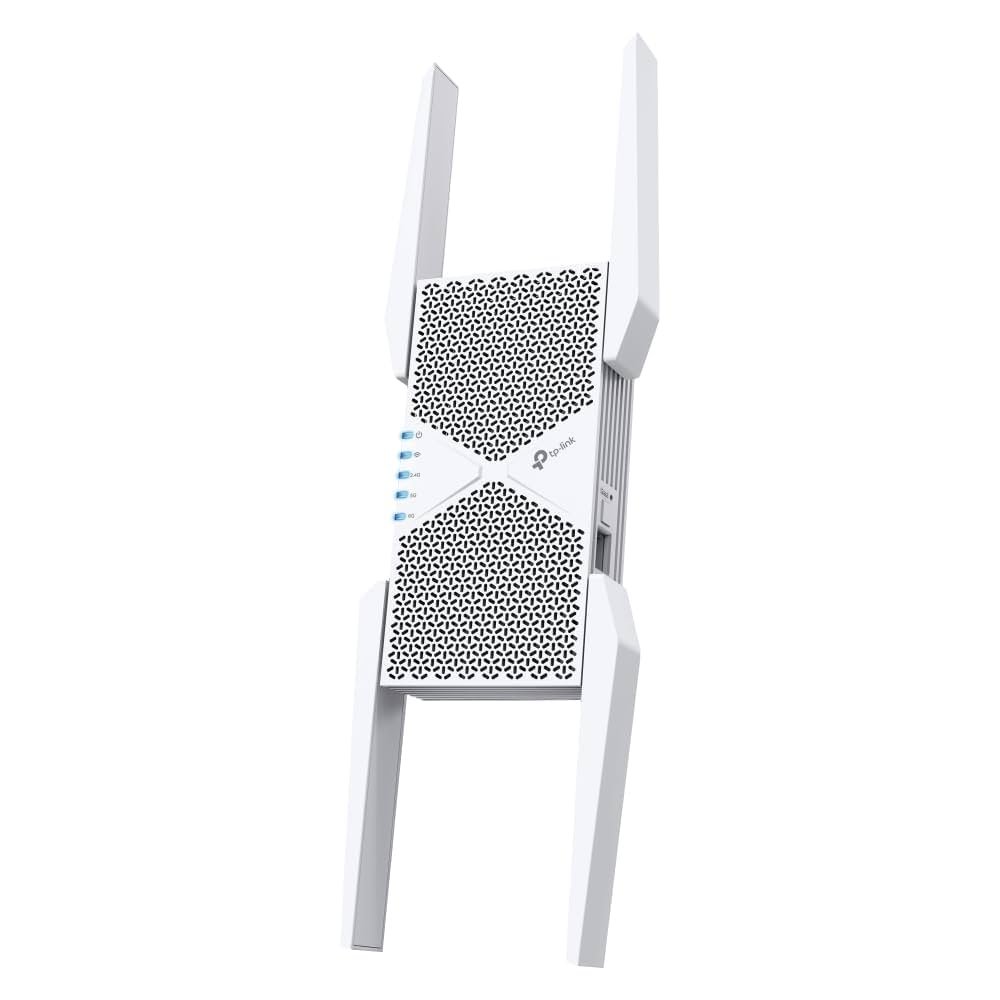
Are you tired of slow internet and dead zones in your home? If you’ve ever struggled with weak WiFi signals, you know how frustrating it can be.
Imagine streaming your favorite shows seamlessly, video chatting without interruptions, and browsing the web at lightning speed, all from every corner of your house. Sounds like a dream, right? This is where a Tri Band WiFi Extender can make a difference.
But what exactly is it, and how can it transform your home internet experience? We will break down everything you need to know about Tri Band WiFi Extenders. By understanding their features and benefits, you can finally say goodbye to buffering and hello to uninterrupted connectivity. Keep reading to discover how to supercharge your WiFi and make your digital life more enjoyable.
Credit: pocketables.com
Tri Band Wifi Extender Basics
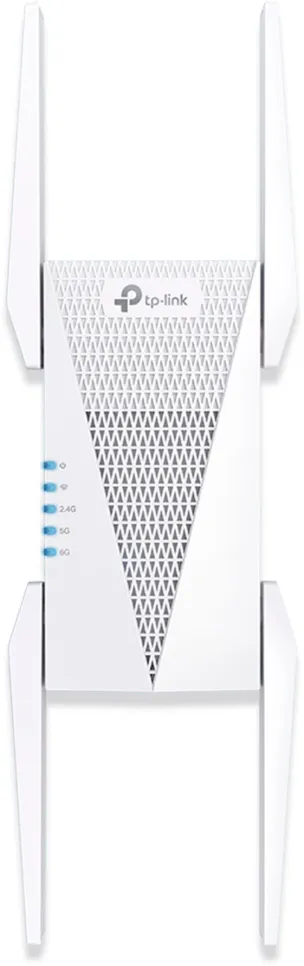
A tri band WiFi extenderuses three separate frequency bands. This helps improve internet speedand reduce congestion. One band connects to your router. The other two bands send strong signals to your devices.
Tri band technology keeps your network stableand fast. It splits traffic across bands to avoid slowdowns. This means better streaming, gaming, and browsing.
| Type | Frequency Bands | Main Use | Speed & Performance |
|---|---|---|---|
| Single Band | 1 (usually 2.4 GHz) | Basic internet tasks | Lower speed, more interference |
| Dual Band | 2 (2.4 GHz & 5 GHz) | Better speed and less interference | Good for most homes |
| Tri Band | 3 (1x 2.4 GHz & 2x 5 GHz) | Best for high traffic, large homes | Highest speed, very stable |
Credit: www.zyxel.com
Benefits Of Tri Band Extenders
Tri Band Wifi Extendersoffer better speedby using three separate bands. This means more data can flow without slowing down your network. They cover larger areas, so your devices get a stronger signal even far from the router.
These extenders help reduce network congestion. Many devices can connect at the same time without slowing internet speed. This is useful in homes with many gadgets like phones, laptops, and smart TVs.
Device connectivity improvesbecause the extender can handle more devices at once. Each device gets a steady and fast connection. This makes streaming, gaming, and browsing smoother and more reliable.
Choosing The Right Extender
Compatibility with routersis essential for a tri band WiFi extender. Most extenders work with any router but check for dual-band or tri-band supportto match your router’s signals. This ensures smooth connectionand better performance.
Placementof the extender is key. Place it midwaybetween your router and the area with poor WiFi. Avoid walls or metal objects that can block signals. A spot with good line of sightto the router works best.
- Choose a place near power outlets.
- Avoid areas with many electronic devices.
- Keep it away from microwaves or cordless phones.
Installation And Setup
Find a good place for the tri band WiFi extender. It should be near your router but not too close. Plug it into a power source and turn it on. Use your phone or computer to connect to the extender’s network. Open a web browser and enter the extender’s setup address. Follow the on-screen instructions to link the extender with your router’s WiFi.
Choose the correct WiFi band for the best speed. Tri band extenders have three bands: one for sending data and two for connecting devices. This helps avoid slowdowns.
- Check if the extender’s lights show it is connected.
- Restart the extender if it is not working right.
- Make sure you entered the correct WiFi password.
- Move the extender to a better spot if the signal is weak.
- Update the extender’s firmware for better performance.
Real-world Performance
Users report that Tri Band WiFi extendersoften provide stronger signalsand faster speedsthan single or dual-band devices. Many notice better network stabilityin larger homes or spaces with many devices.
Compared to other extenders, tri-band models use one band solely to link to the router. This helps keep the other two bands free for your devices. The result is less signal dropand better performanceduring busy times.
| Feature | Tri Band Extender | Dual Band Extender | Single Band Extender |
|---|---|---|---|
| Speed | High | Moderate | Low |
| Signal Stability | Strong | Good | Fair |
| Best Use | Large homes, many devices | Medium homes | Small homes, few devices |

Credit: www.amazon.ca
Maximizing Your Wifi Signal
Mesh networkswork well with WiFi extenders. They create a single, strong networkcovering a large area. This means fewer weak spots in your home or office.
Extenders connect to your router and spread the signal farther. Mesh nodes talk to each other to keep the signal steady. This setup helps devices switch smoothly from one node to another.
- Place extenders in open spaces for better signal.
- Use the same network name (SSID) for mesh and extenders.
- Keep extenders away from walls and metal objects.
- Update firmware regularly for best performance.
Frequently Asked Questions
What Is A Tri Band Wifi Extender?
A tri band WiFi extender boosts your network using three separate frequency bands. This improves speed, reduces congestion, and enhances coverage. It is ideal for busy homes or offices with multiple devices needing strong, reliable internet connections.
How Does A Tri Band Wifi Extender Work?
It uses one band to connect to your router and two bands to communicate with devices. This separation reduces interference and maximizes data transfer speeds. The result is a smoother, faster WiFi experience throughout your space.
Why Choose A Tri Band Extender Over Dual Band?
Tri band extenders offer an extra band, which reduces network congestion. This means better performance in busy environments with many connected devices. They provide faster speeds and more reliable connections than dual band extenders.
Can A Tri Band Wifi Extender Improve Streaming Quality?
Yes, it enhances streaming by providing stable, high-speed connections on multiple bands. This reduces buffering and lag during video playback. It is perfect for 4K streaming and online gaming without interruptions.
Conclusion
A tri band WiFi extender boosts your internet signal in many areas. It uses three separate bands to reduce traffic and improve speed. This device helps keep connections strong, even with many devices. It is easy to set up and fits most home networks.
Choosing a tri band extender can solve slow WiFi problems. A better signal means smoother streaming, gaming, and browsing. Consider this tool to make your WiFi more reliable. It offers a smart way to stay connected everywhere in your home.


