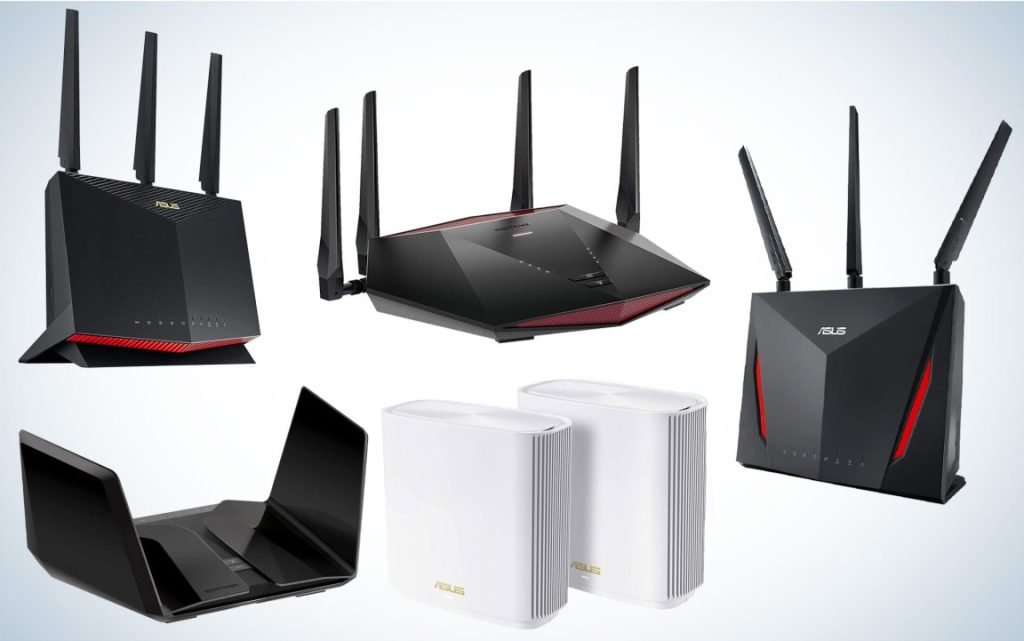
Are you tired of lag ruining your gaming experience? Choosing the right gaming modem could be the game-changer you need.
In a world where milliseconds can make the difference between victory and defeat, having the right equipment is crucial. You deserve seamless connectivity and lightning-fast speeds to dominate your gaming sessions. Imagine never having to worry about buffering or disconnects again.
Sounds great, right? Whether you’re a casual gamer or a serious competitor, the right modem will elevate your gameplay. Dive into this guide to discover how to choose a gaming modem that fits your needs perfectly. Unlock the potential for uninterrupted gaming and gain the competitive edge you’ve been craving.
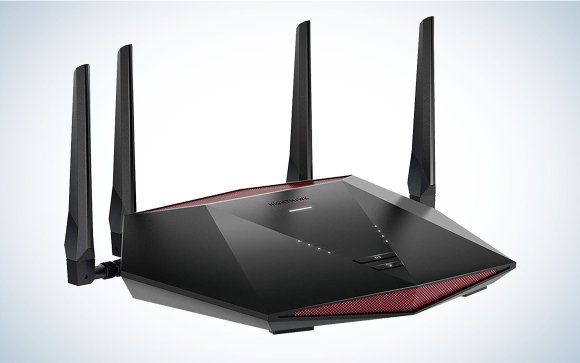
Credit: www.popsci.com
Key Features Of A Gaming Modem
Choosing the right gaming modem is crucial for an uninterrupted and smooth gaming experience. The key features of a gaming modem directly affect your gameplay, connection stability, and overall satisfaction. Understanding these features helps you make a smart choice that matches your gaming style and internet setup.
Speed And Bandwidth
Speed determines how fast data travels between your device and the internet. Higher speeds mean quicker downloads, faster game updates, and seamless multiplayer sessions. Bandwidth affects how much data can flow at once, which matters if multiple devices share your connection.
Think about your internet plan and gaming needs. A modem supporting speeds beyond your plan can future-proof your setup. Are you playing data-heavy games or streaming simultaneously? If yes, prioritize modems with wide bandwidth capacity.
Low Latency And Ping
Latency and ping times measure the delay between your actions and the server’s response. Lower numbers here mean quicker reactions in-game, which can be the difference between winning and losing. A gaming modem designed for low latency helps reduce lag spikes and keeps your gameplay smooth.
Have you noticed frustrating delays even with a fast internet connection? That’s often high latency at work. Choose a modem with features that prioritize gaming traffic to keep your ping consistently low.
Compatibility With Isps
Your gaming modem must work seamlessly with your Internet Service Provider (ISP). Not all modems support every ISP, so checking compatibility is essential before buying. This ensures you avoid setup headaches and enjoy stable connections from day one.
Contact your ISP or visit their website to see recommended modems. Using a compatible modem can also unlock advanced features offered by your provider, enhancing your gaming experience.
Advanced Qos Settings
Quality of Service (QoS) settings let you control how your modem allocates bandwidth. With advanced QoS, you can prioritize gaming traffic over other activities like streaming or downloads. This means your games get the best connection even when other devices are busy.
If you’ve ever lost a match because someone else started a big download, QoS can be a game-changer. Look for modems with customizable QoS options to tailor your network according to your gaming priorities.
Types Of Gaming Modems
Choosing the right gaming modem depends on the type of internet connection available. Different types of modems work best with specific internet services. Understanding these types helps pick a modem that reduces lag and improves speed.
Cable Modems
Cable modems connect to the internet via cable TV lines. They offer high-speed internet with low latency, ideal for gaming. Most cable modems support DOCSIS standards, which affect speed and performance.
These modems work well in areas with cable internet service. They handle multiple devices and large data loads efficiently. Cable modems often come with built-in routers, simplifying setup.
Dsl Modems
DSL modems use telephone lines to deliver internet. They are common in areas without cable or fiber. DSL speeds are generally slower than cable but can be stable for casual gaming.
DSL modems are affordable and easy to install. They work best for gamers with moderate internet needs. The distance from the provider’s office affects DSL speed and quality.
Fiber Optic Modems
Fiber optic modems connect to fiber internet, offering the fastest speeds. They provide ultra-low latency, perfect for competitive gaming. Fiber modems use light signals, which reduces interference.
These modems require fiber infrastructure, not available everywhere. They deliver symmetrical upload and download speeds. Fiber optic modems often come with advanced features for better gaming performance.
Choosing The Right Speed Tier
Choosing the right speed tier is crucial when selecting a gaming modem. It impacts not only your gameplay experience but also how smoothly other devices on your network perform. Picking a speed that’s too low can cause lag and frustration, while going overboard wastes money on speeds you won’t fully use.
Assessing Your Internet Needs
Start by taking a close look at your internet usage beyond gaming. Are you streaming 4K videos, downloading large files, or running smart home devices simultaneously? These activities demand higher bandwidth, which influences the speed tier you should pick.
Think about how many people share your connection. A single gamer might do fine with lower speeds, but a household with multiple users will need more capacity. Have you noticed slowdowns during peak hours? That’s a sign you might need to upgrade.
Matching Speed With Gaming Demands
Different games have different speed requirements. Fast-paced shooters and competitive online games need low latency and stable speeds around 15-25 Mbps at minimum. Casual or single-player games can work with less.
Consider your gaming setup too. Are you wired or relying on Wi-Fi? Wired connections use speed more efficiently, so you might get away with a lower tier. Wireless setups often require higher speeds to maintain smooth gameplay.
Ask yourself: how important is zero lag for you? If you play competitively or stream your sessions, investing in a higher speed tier can make a big difference. Otherwise, a moderate plan might be enough to keep frustration at bay.
Latency Reduction Techniques
Latency can make or break your gaming experience. Even a split-second delay can cost you a win or cause frustrating lag. Reducing latency is essential, and it starts with smart choices about your connection and setup.
Wired Vs Wireless Connections
Choosing between wired and wireless connections directly affects your latency. Wired connections, like Ethernet cables, provide a stable and faster link with minimal delay.
Wireless connections offer convenience but often suffer from interference and signal loss. If you’re serious about gaming, plugging in your device usually cuts down lag significantly.
Think about your setup: Can you easily run a cable? If yes, this simple step can improve your response time dramatically.
Optimizing Router Placement
Where you place your router matters more than you might think. A router tucked away in a corner or behind furniture can weaken your signal and increase latency.
Try positioning your router in a central, open space to boost coverage. Elevate it if possible, and keep it away from other electronics that might cause interference.
Have you noticed your connection dips in certain rooms? Moving the router can often solve this without spending extra on new hardware.
Future-proofing Your Setup
Choosing a gaming modem isn’t just about what works today. You want a device that stays relevant as technology evolves. Future-proofing your setup means investing in a modem that can handle new demands without needing a quick replacement.
Support For Latest Standards
Look for modems that support the newest internet standards like DOCSIS 3.1 or Wi-Fi 6. These standards improve speed, reduce lag, and increase reliability.
My own setup switched to a DOCSIS 3.1 modem, and the difference in connection stability during peak gaming hours was clear. If your modem lacks these features, you might face slowdowns as game updates and streaming quality improve.
Ask yourself: Will this modem keep up with the next big gaming update or streaming service upgrade? Choosing one with the latest standards means your connection won’t become obsolete soon.
Upgradeable Firmware
Firmware updates fix bugs, boost performance, and add new features. A modem that supports easy, regular firmware upgrades gives you more control over your network’s longevity.
Some brands push updates automatically, which helped me avoid downtime and kept my connection smooth without manual intervention. Others require manual updates—make sure you’re comfortable managing this or the manufacturer provides clear instructions.
Before buying, check how often the company releases firmware updates and how simple the process is. This ensures your modem can adapt to new security standards and connectivity improvements over time.
Budgeting For Performance
Budgeting for performance is a crucial part of choosing the right gaming modem. You want a device that delivers fast, stable connections without draining your wallet. Striking the right balance between cost and features ensures you get the most value for your money.
Balancing Cost And Features
Gaming modems come with a wide range of features, from basic connectivity to advanced QoS (Quality of Service) controls and multi-device support. It’s tempting to go for the top-tier model packed with extras, but ask yourself which features truly enhance your gaming experience.
Consider which specs matter most: low latency, reliable speed, or easy setup. Some mid-range modems offer excellent performance for popular gaming platforms without the premium price tag. Could spending a bit less on unnecessary features allow you to invest more in other gaming gear?
- Prioritize modems with low ping and stable connections.
- Look for models supporting your internet plan’s maximum speed.
- Skip features you won’t use, like fancy LED lights or complex apps.
Long-term Investment Benefits
Think beyond the initial purchase price. A slightly more expensive modem with better build quality and future-proof technology can save you money in the long run. It reduces the need for frequent upgrades and handles firmware updates that improve security and performance.
Imagine avoiding frustrating lag spikes just because you chose a modem designed to manage network traffic efficiently. That peace of mind is worth the extra cost. Which matters more to you: saving a few dollars now or securing a smooth gaming experience for years?
Keep in mind that buying a reliable modem also means less time troubleshooting and more time playing. Investing wisely can free you from constant connection headaches and make your gaming setup truly shine.
User Reviews And Expert Recommendations
User reviews and expert recommendations offer valuable insights when choosing a gaming modem. They reveal real-world performance beyond technical specs and highlight potential issues you might not anticipate. Listening to both experienced gamers and tech experts can help you make an informed decision tailored to your gaming style and setup.
Top Gaming Modem Models
- Netgear Nighthawk CM1200:Praised for its fast speeds and reliable connection, this model handles heavy gaming traffic smoothly.
- ARRIS SURFboard SB8200:Known for its stable performance and easy setup, it’s a favorite among casual and competitive gamers alike.
- Motorola MB7621:Offers a solid balance of speed and affordability, perfect if you want good gaming performance without breaking the bank.
- ASUS CM-32:Combines strong Wi-Fi features with gaming-focused optimizations, recommended by experts for minimizing lag.
- TP-Link TC7650:A budget-friendly choice that still delivers consistent speeds suitable for most online games.
Common User Feedback
Many users highlight the importance of firmware updates in maintaining modem performance. A model that receives regular updates tends to fix bugs and improve speed over time, which directly impacts your gaming experience.
Some gamers report lower latency and fewer disconnects with certain brands, which you should consider if you play fast-paced, competitive games. On the other hand, complaints often mention overheating or complex setup processes, so check these points before buying.
Have you noticed your modem slowing down during peak gaming hours? User reviews often reveal how a modem handles network congestion, giving you a realistic expectation of its capabilities.

Credit: cybernews.com

Credit: www.ign.com
Frequently Asked Questions
What Features Make A Modem Ideal For Gaming?
A gaming modem should have low latency, high-speed data transfer, and reliable connectivity. It must support advanced technologies like QoS to prioritize gaming traffic and reduce lag. Compatibility with your ISP and seamless integration with your router also matter for the best gaming experience.
How Important Is Latency In A Gaming Modem?
Latency directly affects your gaming response time. Lower latency means faster data exchange between your device and game servers. A gaming modem with minimal latency reduces lag, improving gameplay smoothness and competitiveness. Always choose a modem with optimized latency for real-time online gaming.
Can Any Modem Support High-speed Gaming?
Not all modems handle high-speed gaming well. Gaming requires modems that support fast upload and download speeds and stable connections. Modems with DOCSIS 3. 1 technology or equivalent are better suited for high-speed gaming, providing consistent performance during intense gameplay.
Should I Choose A Modem Or A Modem-router Combo For Gaming?
Choosing depends on your setup. A separate modem and router can offer more control and better performance customization. Modem-router combos save space and simplify setup but may limit advanced features. For serious gaming, separate devices often deliver enhanced speed and stability.
Conclusion
Choosing the right gaming modem boosts your internet speed and stability. Focus on key features like low latency, strong Wi-Fi, and good security. A modem that fits your budget and needs works best. Testing your connection helps find the perfect match.
Enjoy smoother gameplay and fewer interruptions with the right device. Remember, a good modem supports your gaming experience every time. Take time to compare options before buying. Your gaming setup will thank you for it.


