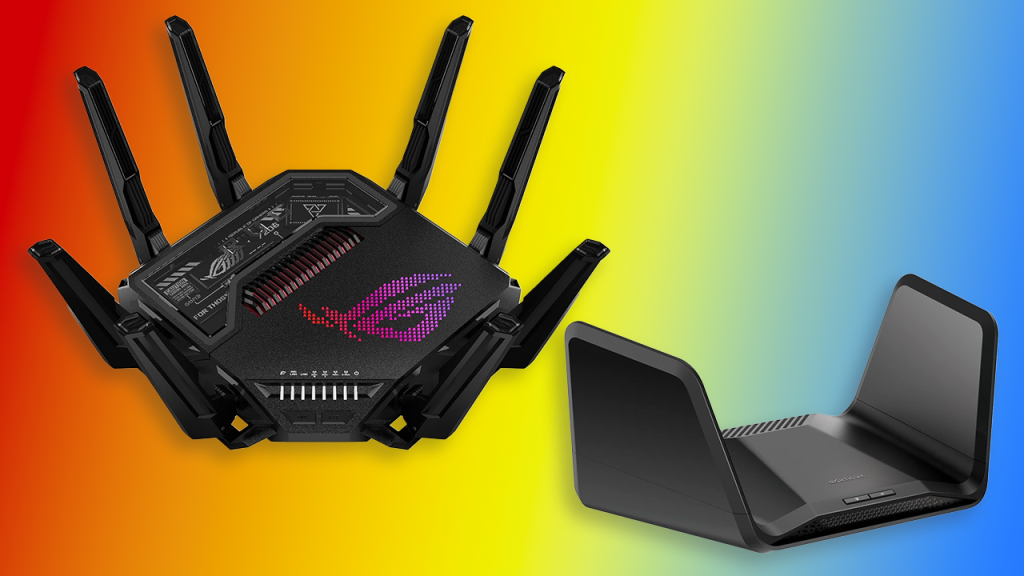
Are you wondering if your gaming modem can handle 4K streaming without a hitch? You want smooth gameplay and crystal-clear video, but does your current setup really support both?
Understanding how your modem works with high-quality streaming can save you from frustrating lag and buffering. Keep reading to discover what you need to know to enjoy seamless 4K content and top-notch gaming at the same time.
Credit: www.pcgamer.com
Gaming Modem Features
Gaming modems have unique features that benefit both gamers and streamers. These features help provide smooth gameplay and clear 4K streaming. Understanding these features can help decide if a gaming modem supports 4K streaming well.
Speed And Bandwidth
Gaming modems offer high speed to handle heavy data loads. This speed is crucial for streaming 4K videos without interruptions. Large bandwidth allows multiple devices to connect without slowing down the network. Fast speed and wide bandwidth ensure smooth streaming and gaming at the same time.
Latency And Ping
Low latency is vital for gaming and streaming. It reduces delays between actions and reactions on screen. Gaming modems focus on minimizing ping times to improve response speed. Lower latency helps keep the video stream clear and prevents lag during games.
Quality Of Service (qos)
Quality of Service manages network traffic efficiently. It prioritizes gaming and streaming data over less important uses. This feature prevents buffering and lag by allocating resources smartly. QoS ensures a stable connection during 4K streaming and online gaming sessions.
Compatibility With Devices
Gaming modems support various devices like PCs, consoles, and smart TVs. They often include multiple Ethernet ports and strong Wi-Fi signals. Compatibility allows seamless connection for all devices in a home network. This ensures high-quality 4K streaming on any compatible device.
Credit: www.polygon.com
4k Streaming Requirements
Streaming 4K content demands more than just a high-resolution screen. It requires a combination of speed, data capacity, compatible devices, and platform support to deliver smooth, high-quality video without interruptions. Understanding these key requirements will help you optimize your setup and decide if your gaming modem can handle 4K streaming effectively.
Internet Speed Needs
To stream 4K videos without buffering, you need a stable internet connection with sufficient speed. Most streaming services recommend a minimum download speed of 25 Mbps for 4K content. However, if multiple devices share the network, or if you want to avoid quality drops, aim for speeds above 50 Mbps.
Have you ever experienced sudden buffering during a movie night? Often, it’s due to insufficient bandwidth. Your gaming modem must support high-speed connections consistently to keep up with 4K streaming demands.
Data Usage Considerations
4K streaming consumes significantly more data compared to HD or SD videos. On average, streaming one hour of 4K content can use between 7 to 15 GB of data. This can quickly eat into your monthly data allowance if you have a limited internet plan.
Think about your monthly data caps before binge-watching entire seasons in 4K. Your gaming modem’s ability to handle high data throughput without throttling can also impact your streaming experience.
Device Compatibility
Not all devices support 4K streaming, even if your internet speed is up to par. Your TV, streaming box, or gaming console must be capable of decoding 4K signals. Check if your hardware supports HDR and the relevant codecs like HEVC or VP9 for the best picture quality.
If you’re using your gaming modem with a console, remember that older models may not support 4K output. Upgrading your device might be necessary to fully benefit from your high-speed connection.
Streaming Platform Support
Each streaming platform has different requirements and compression techniques for 4K content. Services like Netflix, Amazon Prime Video, and YouTube offer 4K streaming but often require specific subscription plans or apps. Verify if your chosen platform supports 4K on your device and network setup.
Have you checked whether your favorite streaming service supports 4K on your current plan? Sometimes, simply upgrading your subscription unlocks the ability to stream in ultra-high definition.
Can Gaming Modems Handle 4k Streaming?
Gaming modems are designed to provide low latency and stable connections for online games. Streaming 4K videos requires a strong internet connection with high bandwidth. Can a gaming modem support both activities smoothly? Let’s explore how gaming modems handle 4K streaming.
Bandwidth Capacity Analysis
4K streaming usually needs at least 25 Mbps download speed. Most gaming modems support gigabit speeds, far above this minimum. This means they have enough bandwidth to handle 4K video streams. Gaming modems prioritize data packets to reduce lag, which also benefits streaming quality. The modem’s capacity is often not the limiting factor for 4K streaming.
Real-world Performance
Performance depends on the internet plan and network conditions. A gaming modem connected to a fast fiber or cable internet can stream 4K videos without buffering. Some modems have advanced Quality of Service (QoS) settings to manage traffic better. This keeps streaming smooth even during heavy gaming or multiple device use. Real-world tests show gaming modems can handle simultaneous gaming and 4K streaming well.
Common Bottlenecks
- Slow internet plan can limit streaming quality.
- Wi-Fi interference may cause buffering or lag.
- Older modem firmware might reduce performance.
- Network congestion during peak hours affects speed.
These bottlenecks impact 4K streaming more than the modem type. Upgrading internet speed and router placement helps overcome issues.
User Experiences
Many users report smooth 4K streaming on gaming modems. They appreciate low latency during online games and uninterrupted video playback. Some notice better streaming quality after enabling QoS features. A few users face issues due to slow internet or weak Wi-Fi signals. Overall, gaming modems meet the demands of both gaming and 4K streaming for most households.
Optimizing Your Setup For 4k
Optimizing your setup for 4K streaming ensures smooth playback and vibrant visuals. A well-tuned network supports high data flow needed for 4K videos. Small changes in your home setup can improve streaming quality significantly.
Router And Modem Placement
Place your router and modem in open areas away from walls and metal objects. Higher positions, like shelves, help signals spread better. Avoid placing devices near microwaves or cordless phones that cause interference. Central locations serve all rooms equally, reducing dead zones.
Network Configuration Tips
- Prioritize streaming traffic using Quality of Service (QoS) settings.
- Set your Wi-Fi channel to one with less congestion.
- Use 5 GHz band for faster speeds and less interference.
- Limit the number of devices connected during streaming sessions.
Firmware Updates
Keep your modem and router firmware updated for better performance and security. Manufacturers release updates to fix bugs and improve speed. Check your device’s admin panel regularly for available updates. Updated firmware helps maintain a stable 4K streaming experience.
Using Wired Vs Wireless Connections
Wired connections offer more stability and faster speeds than wireless. Use Ethernet cables for your streaming device whenever possible. Wireless connections are convenient but can suffer from interference and signal loss. Choose wired for the best 4K streaming without buffering.
Top Gaming Modems For 4k Streaming In 2025
Choosing the right gaming modem can make a huge difference in your 4K streaming experience. With 2025 bringing faster internet speeds and more demanding content, your modem needs to handle both gaming and streaming without lag or buffering. Let’s look at some of the top gaming modems that excel in supporting 4K streaming this year.
Budget-friendly Options
You don’t have to spend a fortune to get a modem that supports 4K streaming smoothly. Models like the TP-Link Archer MR600and NETGEAR Nighthawk AC1900offer reliable speeds for gamers and streamers on a budget.
These modems handle multiple devices well and provide stable connections even during peak hours. If you’re wondering whether a budget modem can keep your 4K streams buffer-free, these options prove it’s possible without breaking the bank.
High-end Models
For serious gamers and streamers, investing in a high-end modem can elevate your experience. Devices such as the ASUS ROG Rapture GT-AX11000and NETGEAR Nighthawk Pro Gaming XR700deliver ultra-fast speeds and advanced QoS (Quality of Service) settings.
These modems prioritize gaming traffic and reduce latency, which means your 4K streams stay smooth even when your network is busy. Are you ready to push your streaming and gaming to the next level with a premium device?
Features Comparison
| Model | Max Speed | QoS Support | 4K Streaming Optimization | Price Range |
|---|---|---|---|---|
| TP-Link Archer MR600 | 300 Mbps | Basic | Good | $ |
| NETGEAR Nighthawk AC1900 | 1900 Mbps | Advanced | Very Good | $$ |
| ASUS ROG Rapture GT-AX11000 | 11000 Mbps | Advanced Gaming QoS | Excellent | $$$ |
| NETGEAR Nighthawk Pro Gaming XR700 | 7000 Mbps | Advanced Gaming QoS | Excellent | $$$ |
This comparison helps you see which modem fits your needs and budget. Pay attention to QoS features—they make a huge difference in streaming quality during gaming sessions.
User Reviews And Ratings
Many users praise the ASUS ROG Rapture GT-AX11000for its stable 4K streaming and low ping times. One gamer shared that switching to this modem reduced his stream buffering to zero, even with multiple devices connected.
On the other hand, budget models like the TP-Link Archer MR600receive high marks for easy setup and consistent performance for casual streaming and gaming.
Have you checked user feedback before buying your modem? Real-world experiences can reveal issues not obvious in specs.

Credit: www.amazon.ca
Troubleshooting Streaming Issues
Troubleshooting streaming issues helps improve 4K video playback on gaming modems. Streaming problems can stem from various causes. Identifying the issue speeds up the fix process.
Buffering And Lag Causes
Buffering happens when data does not download fast enough. Lag occurs due to slow internet or high network traffic. Streaming 4K videos needs a stable and fast connection. Too many devices using the network can reduce speed. Outdated modem firmware may also cause delays.
Signal Interference
Signal interference disrupts wireless connections and lowers streaming quality. Other electronic devices near the modem can cause interference. Thick walls and large distances weaken Wi-Fi signals. Using a wired Ethernet connection can reduce interference. Placing the modem in an open area improves signal strength.
Isp Limitations
Internet Service Providers (ISPs) may limit speeds during peak hours. Data caps can reduce streaming quality after a certain limit. Some ISPs offer lower speeds for streaming services. Checking your plan’s speed and data limits is important. Upgrading to a higher plan can solve speed issues.
Reset And Restart Procedures
Resetting the modem clears temporary glitches. Restarting devices refreshes network connections. Unplug the modem and wait 30 seconds before plugging back. Restart your streaming device for best results. Regular resets help maintain smooth streaming performance.
Future Trends In Gaming Modems And Streaming
Gaming modems are evolving to support higher demands from users. Streaming 4K content while gaming requires strong and reliable internet connections. Future trends show exciting improvements that will enhance both gaming and streaming experiences. These advances will help reduce lag, increase speeds, and improve overall quality.
5g Integration
5G technology is becoming common in gaming modems. It offers faster speeds and lower latency than older networks. This means smoother gameplay and quicker 4K streaming. 5G also supports more devices connected at once without slowing down.
Wi-fi 6 And Beyond
Wi-Fi 6 improves wireless speed and capacity. It handles multiple devices better and reduces interference. Newer Wi-Fi versions will continue to boost streaming quality. These updates allow gamers to enjoy uninterrupted 4K video alongside online gaming.
Ai-powered Network Management
Artificial intelligence helps manage network traffic smartly. AI can prioritize gaming and streaming data for better performance. It detects and fixes issues automatically. This leads to fewer interruptions and a smoother online experience.
Impact On Streaming Quality
Better modems improve video clarity and reduce buffering. Faster, stable connections make 4K streaming more reliable. Gamers can watch high-quality streams without lag or drops. These enhancements create a seamless fusion of gaming and streaming.
Frequently Asked Questions
Does A Gaming Modem Support 4k Streaming Quality?
Yes, a gaming modem can support 4K streaming if it offers high bandwidth and low latency. These modems are designed for fast data transfer, which is essential for smooth 4K video playback without buffering or lag.
What Internet Speed Is Needed For 4k Streaming?
For 4K streaming, an internet speed of at least 25 Mbps is recommended. Gaming modems often exceed this requirement, ensuring seamless streaming and gaming experiences simultaneously without interruptions.
Can Gaming Modems Handle Multiple 4k Streams?
Yes, gaming modems with advanced technology can handle multiple 4K streams. They prioritize bandwidth and reduce latency, making them ideal for homes with several devices streaming high-resolution content.
Are Gaming Modems Better Than Regular Modems For Streaming?
Gaming modems typically offer better performance for streaming due to enhanced speed and reduced lag. This results in smoother 4K video playback and improved overall network stability compared to standard modems.
Conclusion
Choosing the right modem matters for 4K streaming. Gaming modems offer strong performance and low latency. They handle high-quality streams well. Check compatibility with your ISP. Ensure it supports 4K streaming needs. Also, consider your internet speed. Faster connections improve streaming experiences.
A good modem enhances gaming and streaming together. Make an informed decision based on features. A balance between cost and performance is key. With the right setup, enjoy smooth 4K streaming. Your entertainment can reach new levels. Invest wisely for the best experience.
Happy streaming!


