Are you wondering how far your new Wifi 6E router can actually reach? Understanding the coverage range of your router is key to getting fast, reliable internet in every corner of your home or office.
Imagine streaming movies, working, or gaming without those annoying dead zones slowing you down. You’ll discover what affects Wifi 6E router coverage and how to make the most of it. Keep reading to unlock the secrets to stronger, wider wireless connections that truly work for you.
Wifi 6e Technology
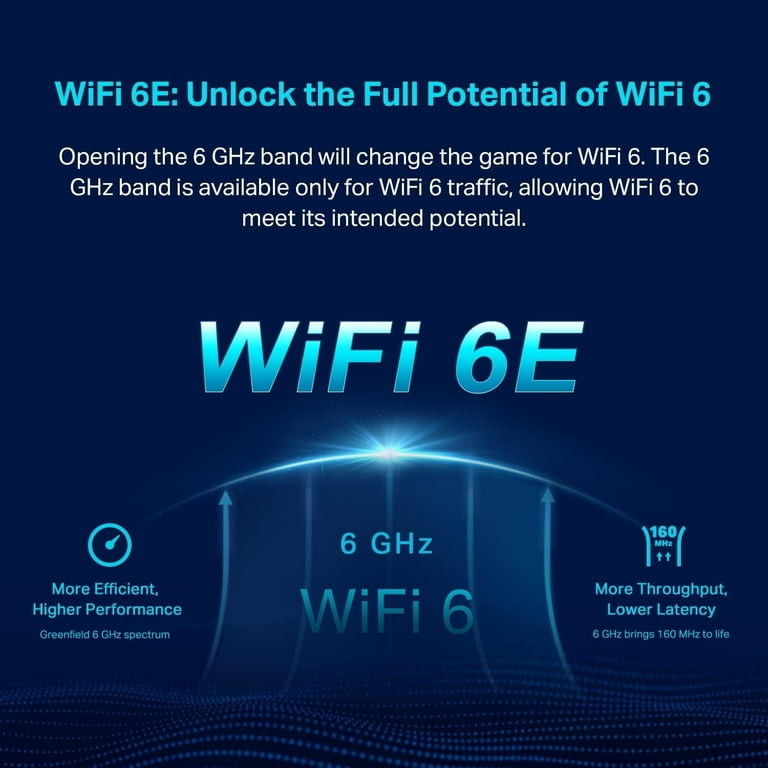
Wifi 6Eadds a new 6 GHz bandto the existing 2.4 GHz and 5 GHz bands. This band offers more channels and less interference. Devices can use wider channels, which means faster speeds.
The technology improves speedand reduces latency. This helps with video calls, gaming, and streaming. The connection feels smoother and more reliable.
- Works best with new devices that support Wifi 6E
- Older devices still work on 2.4 GHz or 5 GHz bands
- Better performance in crowded areas
Factors Affecting Coverage
Router placementgreatly affects WiFi 6E coverage. Place the router in a central, open areafor best results. Avoid corners, walls, and metal objects that can block signals. Higher positions often improve range and reduce interference.
Obstacles like walls, floors, and furniture can weaken WiFi signals. Thick walls, especially concrete or brick, cause more signal loss. Electronic devices such as microwaves and cordless phones create interference. This interference reduces the coverage range and connection quality.
Device capabilities also matter. Older devices may not support WiFi 6E frequencies well. Devices with better antennasget stronger signals. Using devices that support the same WiFi standard as the router improves speed and coverage.
Maximizing Signal Strength
Placing the router in a central locationhelps spread the signal evenly. Avoid walls and large objects that block signals. Higher spots often give better coverage.
- External antennascan boost signal strength and reach.
- Adjust antennas to different angles for better coverage.
- Use antennas that fit your router model for best results.
Keeping the router’s firmware updatedfixes bugs and improves performance. Updates may add new features and security. Check updates regularly through the router’s settings page.
Credit: www.walmart.com
Extending Coverage Range
Mesh Network Systemsuse multiple devices to cover large areas. Each device talks to the others. This creates a strong WiFi signal everywhere in your home or office. It helps avoid dead zones and keeps your connection steady.
WiFi Extenders and Repeaterscatch the WiFi signal and boost it farther. They are easy to set up and cheaper than mesh systems. Great for small to medium houses. They work best when placed halfway between the router and the weak signal area.
Powerline Adaptersuse your home’s electrical wiring to send internet signals. Plug one adapter near the router and another where you want better WiFi. Good for places where WiFi signals can’t reach well, like basements or thick walls.
Comparing Wifi 6e With Previous Standards
Wifi 6Eextends the frequency range by using the 6 GHz band. This extra band means less crowded airwaves and better performance. The rangeof Wifi 6E is similar to Wifi 6, but the 6 GHz signals do not travel as far through walls.
Speed improvementsare significant with Wifi 6E. It offers faster data transfer due to wider channels and less interference. Devices can download and upload data more quickly.
Interference handlingis improved because Wifi 6E has more space to avoid other signals. This reduces slowdowns and connection drops. It works well in busy places with many devices.
Credit: www.walmart.com
Troubleshooting Coverage Issues
Improving Wifi 6E router coverage can solve connectivity problems. Position the router centrally for optimal range. Minimize obstacles like walls and furniture to enhance signal strength throughout your space.
Identifying Dead Zones
Walk around your house with a smartphone. Check where the signal is weak. Look for areas with no WiFi signal. These are called dead zones. Note these places down. This helps in fixing the issue.Adjusting Channel Settings
Many routers have channel settings. These can be changed to improve signal. Open your router’s settings page. Look for the channel option. Try different channels. Find the one with the best signal. This can help in boosting coverage.Managing Network Traffic
Too many devices can slow down the WiFi. Check how many devices are connected. Disconnect ones not in use. Prioritize important devices. This helps in managing network traffic better. Your WiFi may work faster this way. `
Credit: dongknows.com
Frequently Asked Questions
What Is The Coverage Range Of A Wifi 6e Router?
WiFi 6E routers typically cover up to 150 feet indoors and 300 feet outdoors. Range varies by environment and obstacles. Walls, interference, and router placement affect signal strength and coverage area significantly.
How Does Wifi 6e Improve Coverage Compared To Wifi 6?
WiFi 6E uses the 6 GHz band, offering less congestion and higher speeds. This results in clearer signals and potentially better coverage in dense areas. However, 6 GHz waves have shorter range than 2. 4 GHz, needing closer proximity for optimal performance.
Does Wifi 6e Work Through Walls Effectively?
WiFi 6E signals struggle more with walls due to higher frequency. The 6 GHz band has lower penetration ability than 2. 4 GHz. Walls and obstacles reduce signal strength and coverage, so placement near open spaces is ideal for best results.
Can Wifi 6e Coverage Be Extended With Mesh Networks?
Yes, mesh networks can extend WiFi 6E coverage effectively. Mesh nodes communicate seamlessly to cover larger areas. They help eliminate dead zones and improve signal strength throughout your home or office.
Conclusion
Wifi 6E routers offer better coverage than older models. They use new frequencies to reduce signal interference. This means faster speeds and more reliable connections. Walls and distance still affect the signal strength. Placing the router in a central spot helps improve coverage.
Devices that support Wifi 6E get the most benefit. Remember, no router covers every corner perfectly. Choosing the right router depends on your space and needs. Understanding Wifi 6E coverage helps you make smart choices. Stay connected with the latest technology for smoother internet use.