Are you wondering if Wifi 6E will work with your Cox Gigablast service? You want the fastest, most reliable internet, but new tech terms can feel confusing.
Imagine streaming your favorite shows, gaming without lag, or working from home with zero interruptions. Knowing whether Wifi 6E is compatible with Cox Gigablast could unlock that smooth experience for you. Keep reading to find out how these technologies connect and what that means for your internet setup.
Wifi 6e Basics
WiFi 6Eis the newest WiFi standard. It uses a new band called the 6 GHzband.
This band is less crowded than the older 2.4 GHz and 5 GHz bands. It means faster speedsand less interference. WiFi 6E supports more devices at once. This helps in busy homes or offices.
Older WiFi versions like WiFi 5 and WiFi 6 do not use the 6 GHz band. That is what sets WiFi 6E apart. It gives better performance in busy networks.
- More bandwidth:Extra space for data to travel.
- Lower latency:Faster response times.
- Better security:Uses the latest WPA3 encryption.
- Supports more devices:Handles many connections smoothly.
- Improved performance:Works well even in crowded areas.

Credit: www.ebay.com
Cox Gigablast Features
Discover seamless connectivity with Cox Gigablast’s compatibility with WiFi 6E. Experience faster speeds and lower latency for all your devices. Enjoy a more efficient network, even in busy households.
Speed And Performance Specs
Cox Gigablastoffers internet speeds up to 1 Gbps. This speed supports streaming, gaming, and video calls smoothly. The service uses advanced technology for stable and fast connections. It suits homes with many devices connected at once. The network is designed for low lag and quick downloads.
Current Router Compatibility
Cox usually provides routers that support WiFi 5or older standards. These routers work well with most devices. WiFi 6E is a newer standard using a different frequency band. Current Cox routers do not support WiFi 6E yet. To use WiFi 6E, users need a compatible router and device.
Compatibility Factors
Wifi 6Eworks on new 6 GHz frequency bands. Cox Gigablast mainly uses 2.4 GHz and 5 GHz bands. This makes Wifi 6E and Cox Gigablast partly compatible, but not fully.
Routers must have the right hardware and firmwareto support Wifi 6E’s 6 GHz band. Many Cox Gigablast routers do not support this new band yet. This limits full use of Wifi 6E features with Cox equipment.
| Factor | Wifi 6E | Cox Gigablast |
|---|---|---|
| Frequency Bands | 2.4 GHz, 5 GHz, 6 GHz | 2.4 GHz, 5 GHz |
| Router Support | Needs new hardware and firmware | Older hardware, limited 6 GHz support |
| ISP Equipment | Supports latest Wi-Fi standards | May not support full Wifi 6E features |
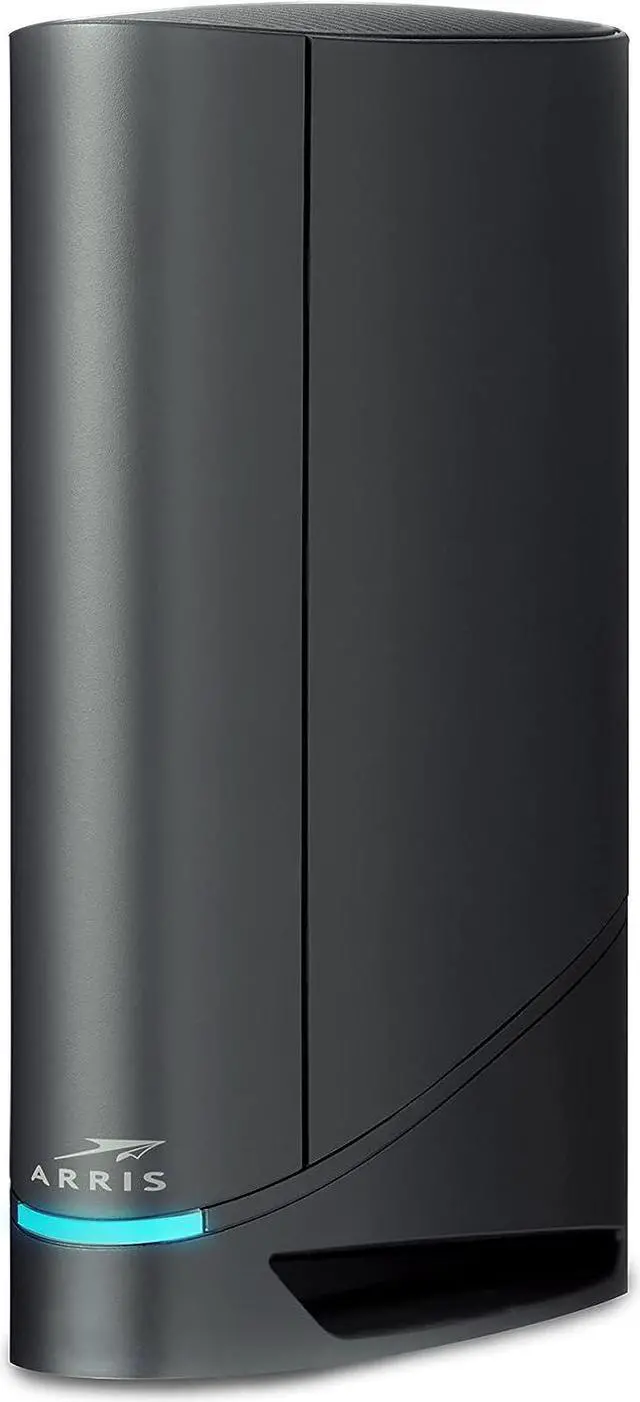
Credit: www.newegg.com
Using Wifi 6e With Cox Gigablast
WiFi 6Eworks with Cox Gigablast but needs new gear. Older routers do not support WiFi 6E bands. A WiFi 6E routeris required to use the new 6 GHz frequency. Also, devices like phones or laptops must support WiFi 6E to get the benefits.
Setting up a WiFi 6E router is simple. Connect it to your Cox modem using an Ethernet cable. Follow the router’s guide to access its settings. Change the WiFi band to 6 GHz and set a strong password. Place the router in an open area for best coverage.
| Potential Performance Gains | Explanation |
|---|---|
| Faster Speeds | More data can flow due to wider channels. |
| Less Interference | 6 GHz band is less crowded than 2.4 or 5 GHz. |
| Lower Latency | Better for gaming and video calls. |
| More Devices | Supports many devices at once without slowing down. |
Troubleshooting Tips
Common connection issuesinclude slow speeds, dropped signals, and device incompatibility. Ensure your device supports WiFi 6Eand Cox Gigablast plans.
Check if your router firmware is up to date. Outdated firmware can cause problems.
Try restarting your modem and router to refresh the connection.
- Place the router in a central location for better coverage.
- Reduce interference by keeping devices away from microwaves and cordless phones.
- Use the 6 GHz band on WiFi 6E devices for faster, less crowded signals.
Optimizing network settingshelps improve performance. Set your router to auto-select channels or choose the least crowded one manually.
Enable Quality of Service (QoS) to prioritize important apps or devices.
| Setting | Purpose | How to Adjust |
|---|---|---|
| Channel Selection | Reduce interference | Auto or manual in router settings |
| QoS | Prioritize traffic | Enable in router dashboard |
| Firmware Update | Fix bugs and improve speed | Check router manufacturer site |

Credit: www.reddit.com
Future Of Wifi With Cox
WiFi 6E offers faster speeds and less interference by using new frequency bands. Cox Gigablast supports WiFi 6E, enhancing your internet experience at home. This combination delivers better performance for streaming, gaming, and smart devices.
Upcoming Cox Network Enhancements
Cox is planning to make their network faster. WiFi 6E will be part of this plan. It offers better speed and more stable connections. More devices can connect at the same time. No more waiting or slow loading. Cox aims for smoother experiences for everyone. Faster internet helps with streaming and gaming. Families can enjoy more activities online. Cox wants to improve internet for all users.
Wifi 6e Adoption Trends
WiFi 6E is becoming popular. Many people like its speed. New devices are made to work with it. More companies are using WiFi 6E too. It’s great for homes and offices. People want better internet for their needs. This trend shows WiFi 6E is important. It helps with many online tasks. Faster internet makes life easier. Everyone benefits from better WiFi.
Frequently Asked Questions
Is Wifi 6e Compatible With Cox Gigablast Service?
Yes, Wifi 6E is compatible with Cox Gigablast. It supports high-speed internet and works with Cox’s gigabit plans for faster, reliable connections.
Will Wifi 6e Improve My Cox Gigablast Speed?
Wifi 6E can enhance your speed by reducing congestion. It uses the 6GHz band for faster data transfer and lower latency.
Do I Need New Equipment For Wifi 6e On Cox?
Yes, you need a Wifi 6E router and compatible devices to fully benefit from Cox Gigablast speeds and features.
Can Wifi 6e Handle Multiple Devices On Cox Gigablast?
Yes, Wifi 6E efficiently manages multiple devices. It offers better performance in crowded networks, ideal for Cox Gigablast households.
Conclusion
Wifi 6E works well with Cox Gigablast internet service. It offers faster speeds and less interference. You can enjoy better connections on many devices at once. Upgrading your router to Wifi 6E can improve your home network. Still, check your equipment for full compatibility.
Overall, Wifi 6E and Cox Gigablast make a solid pair for better internet. Try it to see the difference in your daily use.