Are you tired of weak WiFi signals that slow down your browsing or interrupt your favorite shows? A dual band WiFi extender could be the simple solution you need.
Imagine stronger, faster internet in every corner of your home or office without the hassle of complicated setups. You’ll discover how a dual band WiFi extender can boost your connection, reduce dead zones, and keep all your devices running smoothly.
Keep reading to find out why upgrading your WiFi might be easier and more effective than you think.
Benefits Of Dual Band Wifi Extenders
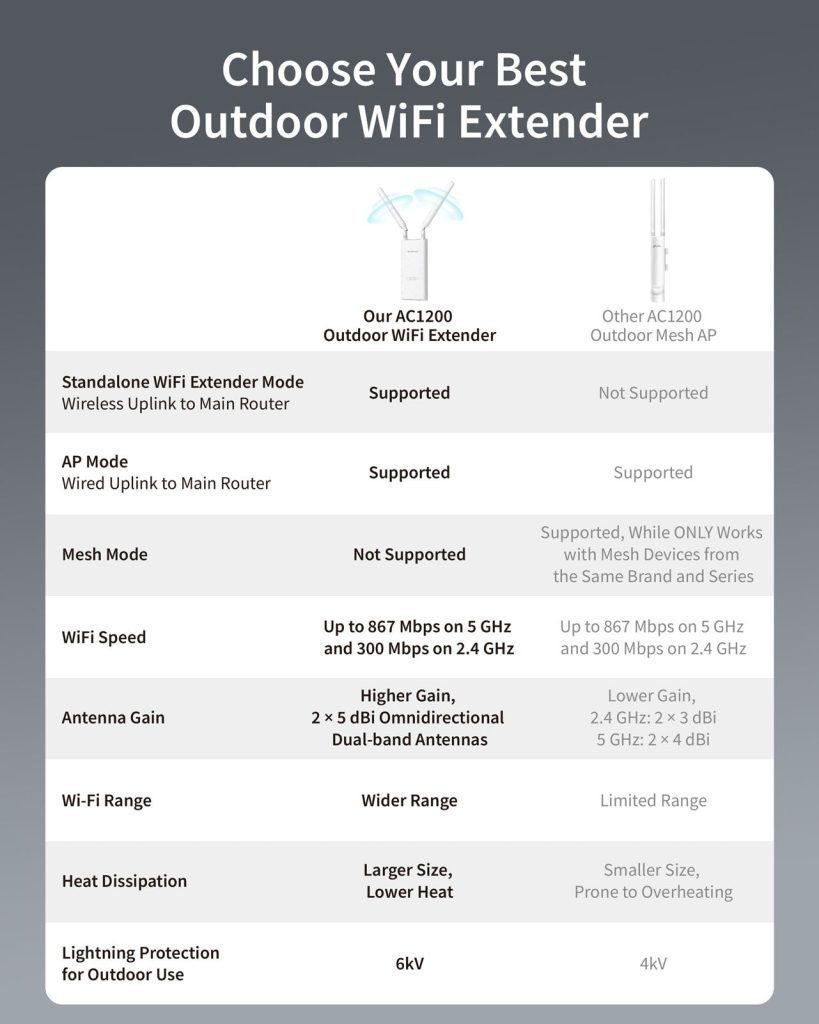
Dual band wifi extendershelp boost internet speed by using two frequency bands. The 2.4 GHz band covers longer distances but is slower. The 5 GHz band offers faster speeds but covers less area. This balance enhances speed performancefor your devices.
These extenders also make your network more stable. They reduce connection drops and keep your wifi signal steady. This means fewer interruptions during video calls or online games.
Using two bands helps reduce interferencefrom other devices like microwaves and Bluetooth gadgets. The extender can switch bands to avoid crowded channels, giving you a clearer signal.
With dual band extenders, you get seamless device connectivity. Many devices can connect at once without slowing down your network. This is great for homes with multiple smartphones, tablets, and laptops.

Credit: gizmodo.com
How Dual Band Extenders Boost Coverage
A dual band wifi extenderuses two frequencies: 2.4 GHz and 5 GHz. This helps in extending signal rangefurther than single band devices. The 2.4 GHz band travels longer distances but at slower speeds. The 5 GHz band offers faster speeds but covers shorter distances. Together, they boost coverageeffectively.
Dead zones, areas with little or no wifi, are common in homes. Dual band extenders help in eliminating dead zonesby picking up weak signals and amplifying them. This means better internet access in every room.
Optimizing signal strengthis key for smooth internet. Dual band extenders automatically choose the best band for your device. This helps keep the connection stable and fast. It reduces buffering and improves downloads.
Comparing Dual Band And Single Band Extenders
Dual band extendersoffer faster speeds than single band. They work on both 2.4 GHz and 5 GHz bands. The 5 GHz band is less crowded and gives higher speed. Single band extenders use only the 2.4 GHz band, which can be slower.
Dual band extenders cover larger areas. The 2.4 GHz band travels farther, while the 5 GHz band delivers better speed nearby. Single band extenders may not reach all corners of a big home.
| Feature | Dual Band Extender | Single Band Extender |
|---|---|---|
| Speed | Supports higher speeds on 5 GHz | Limited to slower 2.4 GHz speeds |
| Coverage | Better coverage with two frequency bands | Coverage depends on one frequency band |
| Device Compatibility | Works with most devices using either band | May struggle with newer devices needing 5 GHz |

Credit: www.amazon.ca
Setting Up Dual Band Wifi Extenders
Place the dual band wifi extender near the router for the first setup. Avoid walls and large metal objects. These block signals and lower performance. Move the extender to a spot halfway between the router and the area with weak wifi.
Use the 2.4 GHz band for longer range but slower speed. Use the 5 GHz band for faster speed but shorter range. Select the right band based on your needs.
Access the extender’s web interface or app to connect it to your router. Enter the wifi password carefully. Make sure both bands are enabled if your extender supports dual band.
Check if the extender’s LED lights show a strong connection. Restart the extender if the connection is weak. Reset the device if you forget the password or it stops working. Keep firmware updated for better performance.
Ideal Users For Dual Band Extenders
Dual band WiFi extenders work well in large homes and offices. They help spread the WiFi signal evenly across big spaces. Walls and floors don’t block the signal as much.
People who enjoy heavy streaming and gamingbenefit a lot. These extenders reduce lag and buffering. They keep the connection fast and steady for smooth videos and games.
Households with multiple devicesfind them very useful. Phones, tablets, laptops, and smart gadgets all stay connected without slowing down. The extender splits the load between two bands to avoid congestion.

Credit: www.amazon.ca
Frequently Asked Questions
What Is A Dual Band Wifi Extender?
A dual band WiFi extender boosts both 2. 4 GHz and 5 GHz signals. It improves coverage and reduces interference, providing better connectivity in large spaces.
How Does A Dual Band Extender Improve Wifi Speed?
It uses two frequencies simultaneously, balancing network traffic. This reduces congestion and increases overall internet speed, ensuring smoother streaming and faster downloads.
Can Dual Band Extenders Reduce Wifi Dead Zones?
Yes, they extend signal reach to areas with weak or no coverage. This helps eliminate dead zones and improves WiFi reliability throughout your home or office.
Are Dual Band Wifi Extenders Compatible With All Routers?
Most dual band extenders work with any standard router. They support common WiFi protocols, making them versatile and easy to integrate into existing networks.
Conclusion
A dual band WiFi extender enhances your internet experience. It provides faster speeds and reduces interference. You enjoy seamless streaming and gaming with improved coverage. Dual bands allow multiple devices to connect effortlessly. This results in smoother online activities. Setting it up is simple and user-friendly.
You can place it anywhere within range. Your home network stays stable and reliable. Overall, a dual band WiFi extender is a valuable addition. It ensures you stay connected without interruptions. Perfect for busy households and tech enthusiasts alike. Enjoy a more efficient and reliable internet experience.


