Ever found yourself in a spot where your mobile hotspot just doesn’t cut it, leaving you with weak and unreliable internet connectivity? You’re not alone.
Many people struggle with poor signal strength, especially when relying on mobile hotspots for work, streaming, or gaming. Imagine a world where you could boost that signal, making your connection faster and more reliable. Sounds like a game-changer, right? This is where a dual band WiFi extender might just be the solution you’ve been looking for.
But can it really work with your mobile hotspot? Stick around to discover the answer and unlock the potential of seamless internet connectivity wherever you go.
How Dual Band Wifi Extenders Work
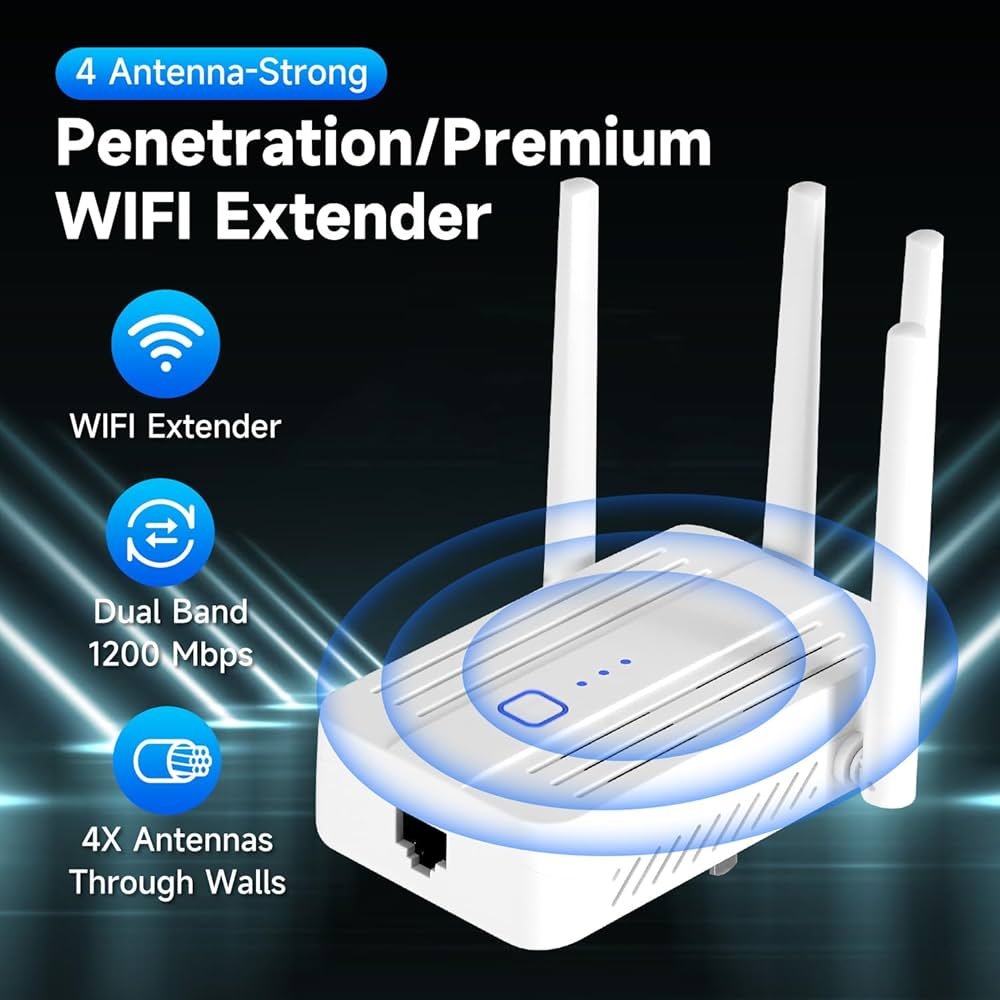
Dual band WiFi extenders connect to both 2. 4 GHz and 5 GHz signals, boosting your internet range. They can work with mobile hotspots by extending the hotspot’s WiFi signal for better coverage in your area. This helps devices stay connected with a stronger, stable connection.
Dual Band Frequencies Explained
Dual band wifi extenders use two main frequencies: 2.4 GHzand 5 GHz. The 2.4 GHz band covers a wider area but has slower speeds. The 5 GHz band is faster but works well in smaller spaces. Using both bands helps devices stay connected with better speed and range. Devices can switch between bands to get the best signal.
Extender Signal Boosting Mechanism
Wifi extenders catch the original wifi signal and then send it out again. This helps areas with weak signal get stronger wifi. Extenders receive wifi on one band and send it on the other or the same band. This reduces dead zones in homes or offices. Placement of the extender is key to getting the best boost.

Credit: www.amazon.ca
Mobile Hotspot Basics
A mobile hotspotshares internet from cellular networks. It lets devices connect to the internet using WiFi.
There are several types of mobile hotspots:
- Built-in hotspotsin smartphones.
- Dedicated hotspot deviceswith their own SIM cards.
- USB modemsthat plug into laptops.
Each type supports a different number of devices and speed limits.
| Hotspot Type | Device Limit | Typical Speed |
|---|---|---|
| Smartphone Hotspot | 5-10 devices | Up to 100 Mbps |
| Dedicated Hotspot | 10-15 devices | Up to 300 Mbps |
| USB Modem | 1 device | Up to 150 Mbps |
Compatibility Factors
Dual band wifi extenderswork by repeating signals on two frequencies: 2.4 GHzand 5 GHz. Your mobile hotspot must broadcast on at least one of these bands for the extender to connect.
Many mobile hotspots support only 2.4 GHz. If the extender supports both, it will connect on 2.4 GHz. Some newer hotspots offer dual band signals. This lets extenders choose the best frequency for speed and range.
| Device Type | Frequency Support | Compatibility Notes |
|---|---|---|
| Mobile Hotspot | 2.4 GHz or dual band | Must match extender frequency to connect |
| Dual Band Extender | 2.4 GHz and 5 GHz | Works best if hotspot offers dual band |
- Extenders need compatible frequency with hotspot.
- Device settings may need manual adjustments.
- Check device manuals for exact supported bands.

Credit: www.amazon.ca
Setting Up Extender With Hotspot
Start by turning on your mobile hotspotand ensure it has a stable internet connection. Next, power on the dual band WiFi extenderand place it near your phone or device.
Use your phone or computer to connect to the extender’s setup network. Open a web browser and enter the extender’s IP addressto access its settings page.
Select the mobile hotspotnetwork from the list of available WiFi networks. Enter the hotspot password carefully. Save the settings and wait for the extender to connect.
Once connected, move the extender to a location where it can catch the hotspot signal well and extend it to other areas.
- Extender not showing hotspot network? Check if the hotspot is set to broadcast.
- Weak signal? Try moving the extender closer to your phone.
- Password errors? Re-enter the correct hotspot password.
- Extender fails to connect? Restart both devices and try again.
- Ensure your hotspot device allows multiple connections.
Performance Considerations
Signal strengthfrom a mobile hotspot can be weak and unstable. This affects the WiFi extender’s ability to boost the signal effectively. The rangeof a dual band extender depends on the original hotspot signal quality. Walls and distance reduce the signal, causing slower speeds or disconnections.
The speed impactis noticeable. Extenders often cut the speed in half because they receive and resend data. This adds latency, or delay, which can affect video calls and gaming. Using a dual band extender helps by using one band for the hotspot and the other to connect devices.

Credit: www.amazon.ca
Troubleshooting Tips
Connectivity problemsoften occur due to weak signals or interference. Check the distance between the mobile hotspotand the WiFi extender. Moving them closer can help. Walls and other objects block signals. Try to place devices in open spaces.
Restart both the hotspot and extender to reset connections. Make sure the extender is set to dual band mode. This allows it to work with both 2.4 GHz and 5 GHz networks. Update the firmware on both devices to fix bugs.
- Keep the extender away from microwaves and cordless phones.
- Avoid placing the extender near metal objects.
- Use a WiFi analyzer app to find the best channel.
- Check battery levels on the mobile hotspot.
Improving signal qualitycan boost internet speed and reduce drops. Use the 5 GHz band for faster speeds but shorter range. Use the 2.4 GHz band for better coverage but slower speeds. Adjust antenna positions on the extender for best reception.
Alternative Solutions
Using a wired connection can give a more stable internet link. Connect the wifi extender to the mobile hotspot using an Ethernet cable. This way, the extender gets a steady signal to spread around the house. It can help avoid slowdowns or drops in connection.
Other wireless extender options include devices that support different frequencies or technologies. Some extenders work better with mobile hotspots because they can connect to 4G or 5G signals directly. Look for extenders with easy setup and strong signal reach.
- Use Ethernet for a steady connection.
- Choose extenders compatible with mobile hotspots.
- Look for dual-band or tri-band extenders.
- Consider extenders with built-in 4G/5G support.
- Check for easy installation and good range.
Frequently Asked Questions
Can A Dual Band Wifi Extender Connect To Mobile Hotspots?
Yes, a dual band WiFi extender can connect to mobile hotspots. It boosts the signal from the hotspot, improving coverage and speed.
Does Dual Band Improve Hotspot Internet Speed?
Dual band technology reduces interference by using both 2. 4GHz and 5GHz bands. This can enhance hotspot internet speed and stability.
Are All Wifi Extenders Compatible With Mobile Hotspots?
Not all extenders support mobile hotspots. Check the extender’s specifications to ensure it can connect to a mobile hotspot network.
How Do I Set Up A Dual Band Extender With A Hotspot?
To set up, connect the extender to your mobile hotspot’s WiFi network. Follow the extender’s setup instructions for seamless integration.
Conclusion
A dual band WiFi extender can work well with a mobile hotspot. It helps improve signal strength and coverage. This setup is useful in places with weak signals. You just need to connect the extender to the hotspot’s network. Keep in mind, speed depends on your mobile data and extender quality.
This method can make your connection more stable. It is a simple way to boost internet access. Try it to see if it fits your needs.


