Are you wondering if a gaming modem can replace your router? If you want faster, smoother online gaming but feel stuck with slow or unreliable connections, this question is crucial.
Choosing the right device can make or break your gaming experience. You’ll discover how a gaming modem works, what it can do compared to a router, and whether it’s the upgrade your setup really needs. Keep reading to find out if swapping your router for a gaming modem is the smart move to level up your internet game.
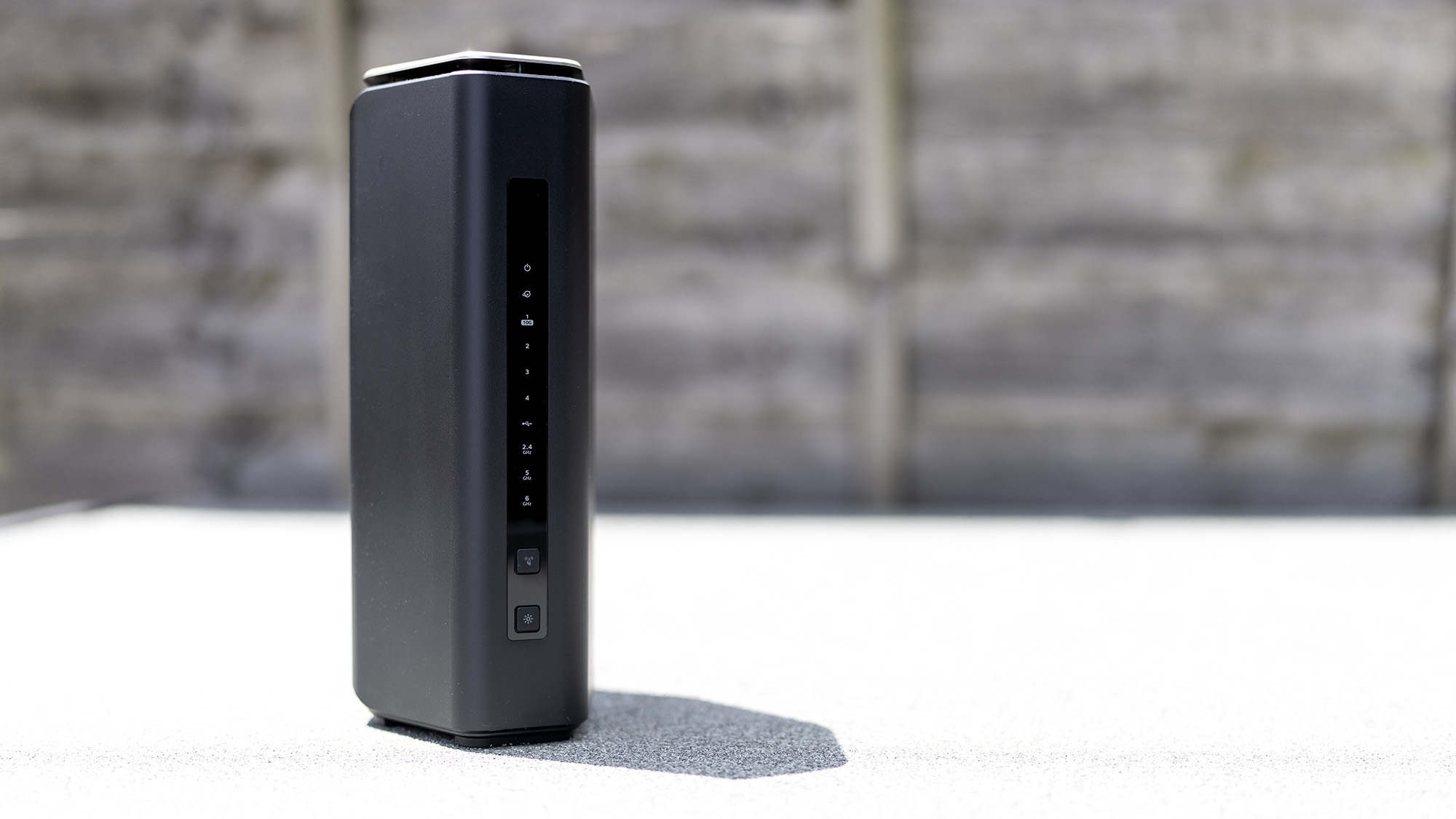
Credit: www.pcgamer.com
Gaming Modem Vs Router
A gaming modem and a router serve different roles in your home network. Understanding their differences helps you choose the right device. This section compares gaming modems with routers to clarify their functions and performance.
Key Differences
- Function:A modem connects your home to the internet. A router shares that connection with multiple devices.
- Device Type:The modem is the gateway to your ISP. The router manages local network traffic.
- Design Focus:Gaming modems often include features to reduce lag. Routers focus on distributing Wi-Fi and wired connections.
- Ports:Modems usually have one or two Ethernet ports. Routers offer multiple ports for many devices.
Performance Factors
- Latency:Gaming modems may optimize latency for smoother gameplay.
- Speed:Both devices impact speed; modems handle internet speed, routers affect network speed.
- Signal Strength:Routers control Wi-Fi signal strength and coverage area.
- Network Management:Routers allow device prioritization and parental controls, useful for gaming and streaming.
Benefits Of Using A Gaming Modem
Using a gaming modem offers distinct benefits for players who want a smoother online experience. These devices focus on improving connection quality and speed. This ensures games run with fewer interruptions and delays.
Reduced Latency
Gaming modems lower the delay between your device and game servers. This means your actions reach the game faster. Reduced latency gives you quicker responses and better control. It is key for competitive gaming where every millisecond counts.
Optimized Bandwidth
These modems manage your internet speed to prioritize gaming traffic. They allocate more bandwidth to your games, reducing lag. Other apps and devices get limited bandwidth during intense gaming sessions. This helps maintain stable and fast game data flow.
Enhanced Stability
Gaming modems offer strong and steady connections. They reduce packet loss and connection drops that disrupt gameplay. Advanced technology keeps your connection consistent even with many devices online. This stability keeps your gaming smooth and reliable.
Limitations Of Gaming Modems
Gaming modems offer fast internet speeds and low latency. They are designed mainly for online gaming. Still, they have some clear limitations that affect overall home network use. Understanding these limits helps decide if a gaming modem can fully replace a traditional router.
Limited Coverage
Gaming modems usually focus on speed, not range. Their Wi-Fi signal often covers a smaller area. Large homes may find dead zones or weak signals in some rooms. Unlike many routers, they rarely support mesh systems to extend coverage. This limits their use for whole-home wireless networks.
Fewer Features
Gaming modems often lack advanced router features. They may miss parental controls, guest networks, and detailed traffic management. Some do not offer good security options or regular firmware updates. This can impact network safety and user control. A dedicated router usually provides a richer set of tools.
Compatibility Issues
Not all devices work smoothly with gaming modems. Some smart home gadgets or older devices may face connection problems. Gaming modems might not support all internet service providers or connection types. This can cause setup challenges and limit network flexibility.
When To Choose A Router Instead
Choosing between a gaming modem and a router depends on your home and network needs. Modems connect your home to the internet. Routers manage the devices within your home network. Sometimes, a router is a better choice than a gaming modem alone.
Larger Homes
Larger homes need strong Wi-Fi signals in every room. Modems usually have limited Wi-Fi range. Routers can offer better coverage with powerful antennas. Some routers support mesh systems for whole-home coverage. This means fewer dead zones and a more stable connection.
Multiple Device Support
Homes with many devices require a router. Routers handle multiple devices better than modems. They manage traffic to avoid slowdowns. Gaming modems focus mainly on speed for one device. Routers balance speed and connection for all devices at once.
Advanced Network Features
Advanced features help improve network control and security. Routers offer parental controls, guest networks, and firewall protection. They allow device prioritization for gaming or streaming. Gaming modems often lack these advanced settings. A router gives more control over your home network.
Setting Up A Gaming Modem As A Router
Setting up a gaming modem as a router can streamline your home network and potentially improve your gaming experience. It might seem tricky at first, but with the right steps, you can have your modem handling both duties efficiently. Let’s break down how you can configure, secure, and troubleshoot your gaming modem in this dual role.
Configuration Steps
Start by connecting your gaming modem to the internet source and powering it on. Access the modem’s admin panel by typing its IP address into your browser—often something like 192.168.1.1 or 192.168.0.1. Use the default login credentials, which you can find in the modem’s manual or on the device itself.
Inside the settings, locate the section labeled “Router Mode” or “Gateway Mode” and enable it. This turns your modem into a router, allowing it to manage both the internet connection and local network traffic. Set up your Wi-Fi network name (SSID) and password to secure your wireless connections.
Don’t forget to assign a strong admin password to replace the default login details. This prevents unauthorized access to your network settings. Finally, save your changes and restart the modem to apply the new configuration.
Security Settings
Securing your gaming modem is crucial to protect your devices and data. Start by enabling WPA3 or WPA2 encryption on your Wi-Fi network—avoid leaving it open or using outdated security types like WEP. Use a complex password that mixes letters, numbers, and symbols.
Disable remote management unless you absolutely need it, as this can expose your network to external threats. If your modem supports a firewall, make sure it’s activated to block suspicious incoming traffic. You might also want to set up MAC address filtering to control which devices can connect.
Regularly check for firmware updates from your modem manufacturer. These updates often include important security patches that keep your network safe from new vulnerabilities.
Troubleshooting Tips
If your gaming modem-router setup isn’t working smoothly, start by rebooting the device. This simple step can resolve many connectivity issues. If you lose access to the admin panel, try resetting the modem to factory settings and reconfiguring it.
Check the cables and connections to ensure everything is plugged in securely. Slow or unstable connections might be caused by interference, so try changing the Wi-Fi channel in your modem’s settings. If you notice frequent drops, verify that your firmware is up to date.
Still stuck? Reach out to your ISP or the modem’s customer support for help. Sometimes the issue lies beyond your setup and requires professional assistance.
Combining Modem And Router For Smart Setup
Combining a modem and router into one device offers a simple way to set up home internet. This smart setup saves space and reduces cable clutter. It also makes managing your network easier, especially for gaming and streaming. Understanding how these devices work together helps improve your connection quality and speed.
Using Modem-router Combo
A modem-router combo merges two devices into one box. It connects to your internet service and shares the signal wirelessly. This setup is easy to install and maintain. Many internet providers offer these devices for convenience. They suit homes with basic networking needs and fewer devices.
However, combo units may lack advanced features found in separate routers. Gamers and heavy internet users might want more control over their settings. Still, combos provide a neat and affordable option for many users.
Bridge Mode Explained
Bridge mode disables the router function in a modem-router combo. This allows a separate router to handle all network tasks. The modem continues to connect to the internet service. Bridge mode avoids conflicts between two routers on the same network.
This setup is ideal for users who want a powerful, standalone router. It keeps the modem focused on internet access only. Enabling bridge mode improves network stability and performance in many cases.
Maximizing Network Efficiency
Combining modem and router can save space but may limit performance. Using a dedicated router with the modem can boost speed and control. Set your network to reduce interference and manage traffic well.
- Place devices centrally to improve Wi-Fi coverage.
- Update firmware regularly for security and speed.
- Choose routers with Quality of Service (QoS) for gaming.
- Use bridge mode if you want advanced router features.
Proper setup helps reduce lag and improve online gaming experience. Balancing convenience and performance is key for smart home networking.
Future Trends In Gaming Network Hardware
Gaming network hardware is evolving quickly to meet new demands. Gamers expect faster speeds, low lag, and steady connections. Future trends focus on improving these areas with smarter and faster technology.
New devices will blend the roles of modem and router, offering better performance for gaming setups. Innovations aim to create smoother online play, reduce interruptions, and support more devices simultaneously.
Wi-fi 6 And Beyond
Wi-Fi 6 offers faster speeds and better range than older Wi-Fi versions. It handles multiple devices better, reducing congestion in busy networks. Wi-Fi 6E and Wi-Fi 7 will push these limits further. These technologies support higher data rates and lower latency. Gamers will enjoy more stable and faster wireless connections.
Ai-powered Network Management
Artificial intelligence helps networks run smarter and smoother. AI can detect traffic patterns and optimize bandwidth automatically. It prioritizes gaming traffic over less important data. This reduces lag and keeps gameplay steady. AI also helps spot and fix network issues faster. It learns from user habits to improve performance over time.
Gaming-specific Innovations
Hardware designed just for gaming is becoming common. Features like built-in game mode optimize network settings instantly. Some devices offer customizable quality of service (QoS) to prioritize specific games. Others include advanced security to protect against attacks during gameplay. These innovations focus on giving gamers the best online experience possible.

Credit: www.ign.com

Credit: dongknows.com
Frequently Asked Questions
Can A Gaming Modem Fully Replace A Router?
No, a gaming modem cannot fully replace a router. Modems connect to the internet, while routers distribute that connection to devices. For home networks, both devices are usually needed for optimal performance and device management.
Do Gaming Modems Improve Internet Speed Alone?
Gaming modems can enhance connection quality but don’t increase internet speed alone. Speed depends on your ISP plan. Modems reduce lag and improve stability, but routers manage device connections and network traffic.
Is It Better To Use Separate Modem And Router?
Yes, separate modem and router often deliver better performance. Modems focus on internet access, while routers handle multiple devices and Wi-Fi distribution. This setup offers more flexibility, upgrades, and improved network management.
Can A Gaming Modem Support Multiple Devices Simultaneously?
Gaming modems typically support fewer devices than routers. Routers are designed to manage multiple devices efficiently. For homes with many gadgets, a router is essential alongside a gaming modem.
Conclusion
Choosing between a gaming modem and a router depends on your needs. Gaming modems offer fast speeds for online gaming. But routers provide broader connectivity and security. Both have their unique strengths. Consider the number of devices you use. Also, think about your internet activities.
This helps in making an informed decision. Evaluate your network requirements carefully. A balanced approach ensures a smooth online experience. So, weigh the pros and cons. Then, choose what suits your lifestyle best. Remember, the right choice enhances your digital life.