Are you wondering if your gaming modem can work smoothly with a VPN? You’re not alone.
Many gamers ask this because they want the best speed and security without any lag. Imagine playing your favorite game with a VPN protecting your privacy, but still enjoying fast, stable connections. Sounds perfect, right? You’ll discover how a gaming modem and VPN can team up, what you need to know, and how to get the most out of both.
Keep reading to unlock the secret to safer, faster gaming!
Gaming Modem Basics
Understanding the basics of a gaming modem is crucial if you want to optimize your online gaming experience. A gaming modem is designed to handle high-speed internet connections and reduce latency, which means less lag and smoother gameplay. But what exactly makes a modem suitable for gaming, and how do different types of modems affect your connection?
Key Features For Gamers
Your gaming modem should focus on speed, stability, and low latency. Look for features like:
- High bandwidth support:This helps handle multiple devices without slowing down your game.
- Low latency:Critical for real-time games where every millisecond counts.
- Quality of Service (QoS):Prioritizes gaming traffic over other types of data.
- Advanced security:Protects your network from threats that could interrupt your gaming session.
When I switched to a modem with strong QoS, my game downloads and multiplayer sessions became noticeably smoother. Have you checked if your current modem supports these features?
Common Modem Types
There are several types of modems, each with different strengths for gaming:
| Modem Type | Description | Gaming Impact |
|---|---|---|
| Cable Modem | Connects via coaxial cable; widely used for high-speed internet. | Offers fast speeds but can suffer from congestion during peak times. |
| DSL Modem | Uses phone lines; slower than cable but often more stable. | Lower speed may affect game downloads, but latency can be consistent. |
| Fiber Optic Modem | Uses fiber cables for ultra-fast speeds and low latency. | Best for gaming with minimal lag and fast downloads. |
| Wireless Modem | Connects via cellular networks like 4G or 5G. | Convenient but may have higher latency and variable speeds. |
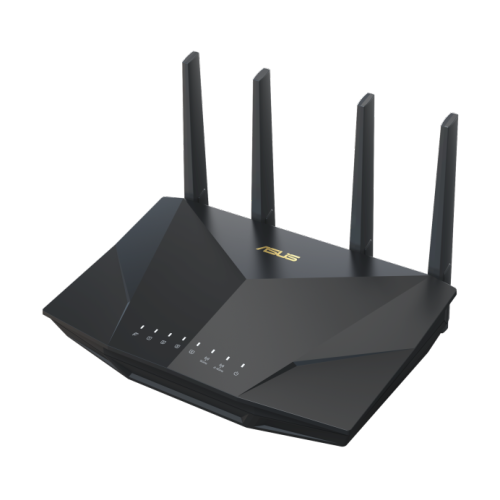
Choosing the right modem depends on your internet provider and gaming needs. Have you considered how your modem type affects your ping and overall gameplay?
Credit: www.bestbuy.ca
Vpn Essentials For Gaming
VPNs play a key role in online gaming. They protect your privacy and can improve your connection. Understanding how VPNs affect gaming helps you choose the best setup. Knowing the right VPN features saves time and frustration.
How Vpns Affect Gaming
VPNs change how your device connects to game servers. They hide your IP address and encrypt data. This can reduce lag or increase it, depending on the VPN quality. Some VPNs cause slower speeds, which harms gameplay. Others offer stable connections and lower ping.
VPNs can bypass geo-restrictions to access games early or in other regions. But some games block VPN traffic to prevent cheating or fraud. Using a VPN might trigger bans if the game’s rules forbid it. Check game policies before using a VPN.
Choosing The Right Vpn
- Look for low ping and fast speeds to avoid lag.
- Choose VPNs with servers near your game server location.
- Pick VPNs with no data caps or speed limits.
- Find VPNs that support multiple devices and easy setup.
- Check if the VPN offers strong security without slowing you down.
- Test VPNs with free trials or money-back guarantees first.
Good VPNs balance privacy, speed, and reliability. This ensures smooth gaming without interruptions. The right choice depends on your game and internet setup.
Compatibility Of Gaming Modems With Vpns
Understanding whether a gaming modem can work seamlessly with a VPN is crucial for anyone wanting to protect their online identity without sacrificing gaming performance. Compatibility depends on both the modem’s features and the VPN’s requirements. Let’s break down what you need to know to ensure your setup works smoothly.
Technical Requirements
Not all gaming modems support VPN connections natively. You need a modem that either has built-in VPN support or can forward VPN traffic without issues. Check if your modem supports protocols like OpenVPN, PPTP, or L2TP, which are commonly used by VPN services.
Additionally, your modem’s firmware should allow VPN passthrough or have customizable settings for routing encrypted traffic. Some gaming modems come with advanced QoS (Quality of Service) features that prioritize gaming data, but these may interfere with VPN traffic unless configured properly.
If your modem lacks VPN support, you might consider pairing it with a VPN-compatible router. This combination can provide both low latency for gaming and secure VPN tunneling.
Potential Issues
Using a VPN with your gaming modem can introduce latency, which may affect your gameplay experience. The encryption process adds extra steps for your data, potentially slowing down your connection.
Another common issue is IP address conflicts or NAT (Network Address Translation) problems. VPNs assign new IPs, which might clash with your modem’s network settings, causing connection drops or difficulties joining game servers.
Have you ever noticed your ping spike right after turning on a VPN? That’s often a sign your modem and VPN aren’t perfectly aligned. It’s worth testing different VPN servers and adjusting your modem’s settings to find the best balance between security and speed.
Setting Up Vpn On Gaming Modems
Setting up a VPN on your gaming modem can boost your online privacy and sometimes improve your connection stability. However, it requires careful configuration to avoid slowing down your gaming experience. Getting this right means you enjoy secure gaming without lag or connection drops.
Step-by-step Configuration
First, check if your gaming modem supports VPN connections directly. Not all modems have this feature built-in, so you might need to install custom firmware like DD-WRT or OpenWRT.
Next, gather your VPN service details, including server addresses, your username, and password. Log into your modem’s admin panel through its IP address, usually something like 192.168.1.1.
- Locate the VPN section—this might be under “Advanced Settings” or “Security.”
- Enter the VPN server information and login credentials exactly as provided by your VPN provider.
- Choose the right VPN protocol (OpenVPN is often preferred for gaming due to its balance of speed and security).
- Save your settings and activate the VPN connection.
If your modem doesn’t support VPN natively, consider setting up the VPN on a secondary router connected to your gaming modem. This keeps your gaming traffic secure without overloading your main device.
Troubleshooting Tips
If your VPN slows down your game or disconnects frequently, start by checking your internet speed without the VPN. This helps identify if the VPN or your connection is the bottleneck.
Ensure your VPN firmware is up to date. Outdated software can cause compatibility issues or security risks.
- Restart your modem and router after making changes to clear any temporary glitches.
- Try switching VPN servers; some servers handle gaming traffic better than others.
- Disable IPv6 on your modem if your VPN doesn’t support it, as this can cause leaks or connection drops.
Are you noticing specific games lag more than others? That might mean the VPN routing isn’t optimized for those game servers. Experiment with different VPN providers or protocols until you find one that fits your gaming style.
Performance Impact On Gameplay
Using a VPN with your gaming modem can affect your gameplay in several ways. The impact on performance is not always straightforward, and understanding how latency and speed interact with VPN use is key. Let’s take a closer look at what happens to your connection and how you can keep your gaming smooth.
Latency And Speed Considerations
Latency, or ping, is the time it takes for data to travel from your device to the game server and back. Adding a VPN often increases this travel distance, which can raise your latency. Higher latency can cause delays, making fast-paced games frustrating to play.
Speed is another factor. VPNs can slow down your internet connection because data is encrypted and routed through extra servers. However, some VPNs offer optimized servers specifically designed to minimize speed loss. Choosing the right server location close to your game server can help reduce the impact.
Optimizing Connection Quality
You can improve your gaming experience with a VPN by following a few simple tips. First, pick a VPN provider with low-latency servers near your gaming server. This reduces the distance data travels and cuts down lag.
Next, avoid using VPNs during peak hours when servers are crowded. Congestion increases latency and decreases speed. Also, consider using wired connections instead of Wi-Fi to stabilize your signal.
- Switch VPN protocols to faster options like WireGuard or IKEv2.
- Close background apps that consume bandwidth.
- Test your connection with and without VPN to find the best balance.
Have you noticed sudden lag spikes that disappear when disconnecting your VPN? This simple test can reveal if your VPN is the culprit. Your gameplay depends on a stable and fast connection, so paying attention to these factors makes all the difference.
Credit: nordvpn.com
Security And Privacy Benefits
Using a gaming modem with a VPN adds strong security and privacy benefits. It keeps your online activities safe from prying eyes. This setup helps protect sensitive data while you enjoy smooth gaming. It also offers ways to access content beyond regular limits. Both gamers and casual users can gain from these features.
Protecting Data
A VPN encrypts your internet traffic, making data unreadable to hackers. This is crucial during online gaming to avoid attacks and data theft. Gaming modems combined with VPNs create a secure connection. It stops others from spying on your personal information. Your passwords, chats, and payment details stay private and protected.
Bypassing Geo-restrictions
Some games and services block access based on location. A VPN masks your real IP address. It tricks servers into thinking you are somewhere else. This lets you play games or use apps not available in your country. Gaming modems with VPNs help bypass these restrictions easily. Enjoy a wider range of content without limits.
Alternatives To Direct Vpn Setup
Setting up a VPN directly on a gaming modem is not always straightforward. Some modems do not support VPN apps or configurations. There are other ways to enjoy VPN protection without installing it on the modem itself. These alternatives provide flexibility and ease for gamers seeking privacy and security.
Using Vpn Routers
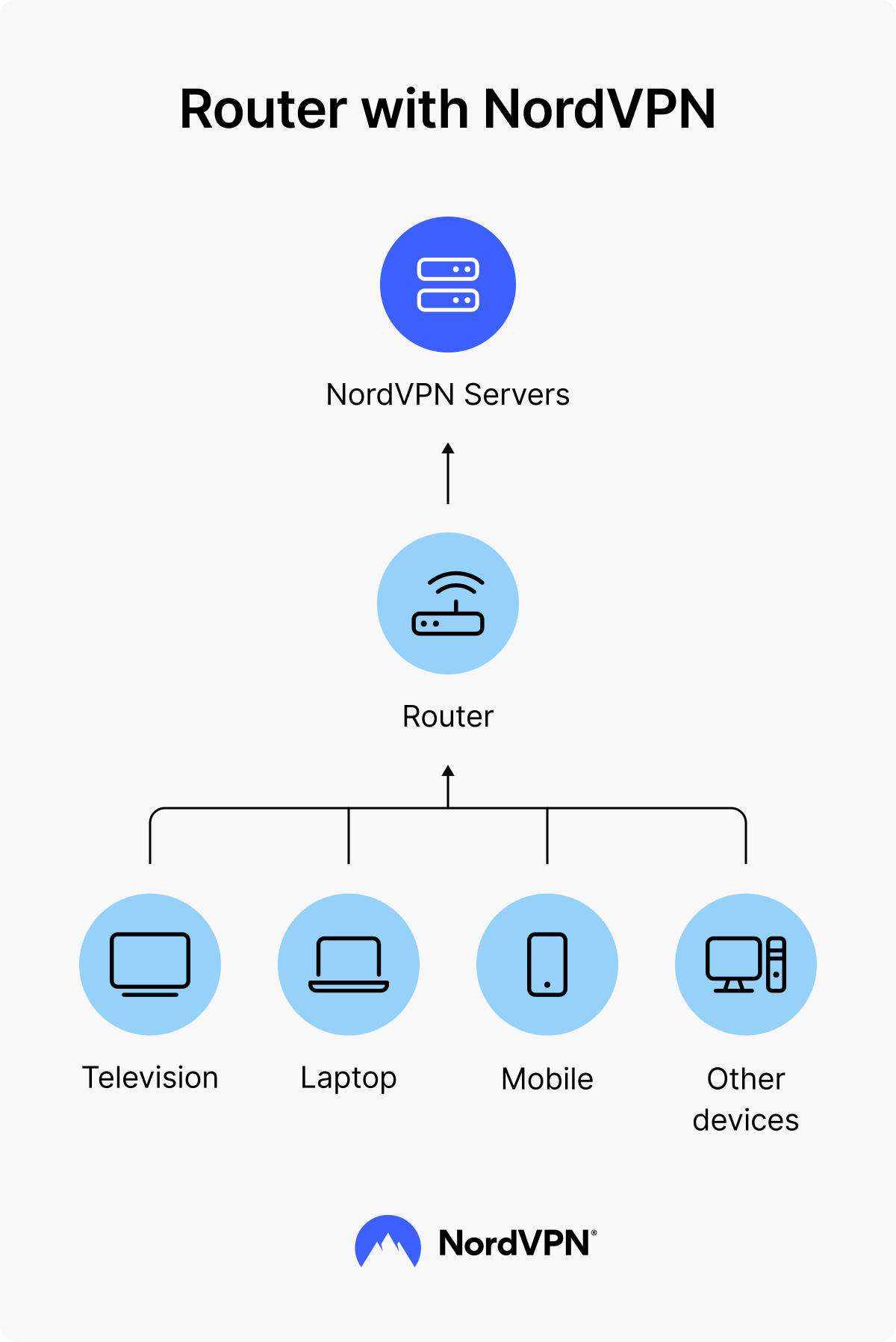
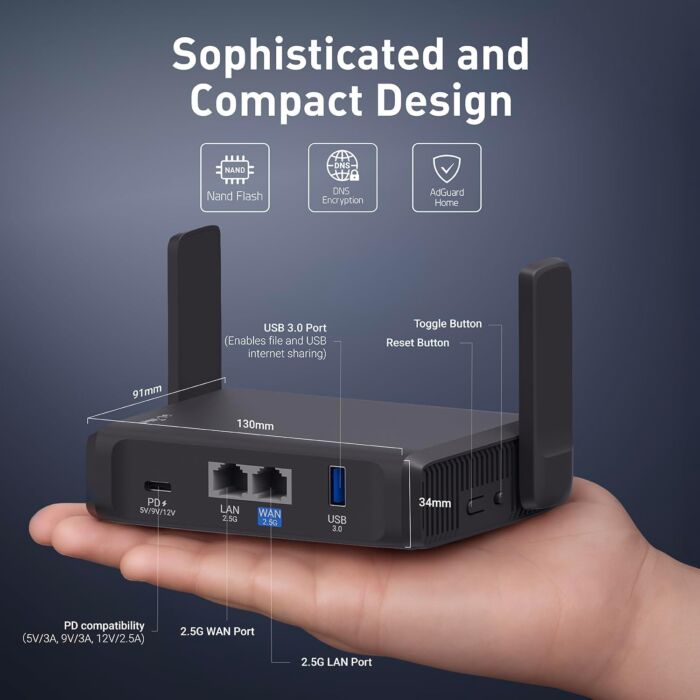
A VPN router connects to your modem and handles all VPN traffic. This setup covers every device connected to your home network. It ensures your gaming console or PC uses the VPN without extra steps. VPN routers come pre-configured or allow manual setup. They work well for gamers who want constant VPN protection.
- Connect the VPN router to your modem via Ethernet.
- Configure the VPN on the router’s settings panel.
- All devices connected to this router gain VPN security.
- No need to install VPN apps on each device.
This method reduces lag and keeps your gaming stable. It also helps bypass geo-restrictions on games or servers.
Software Solutions On Devices
Installing VPN software directly on your gaming device is simple and effective. This option works best for PCs, laptops, and some consoles. It allows you to control VPN usage per device. You can turn the VPN on or off based on your gaming needs.
- Download a trusted VPN app for your device.
- Log in and connect to a VPN server.
- Start your game with VPN protection active.
- Switch servers to reduce ping or access different regions.
This approach gives more control and flexibility. It also avoids potential conflicts with modem settings.
Credit: blog.flashrouters.com
User Experiences And Reviews
Users who have combined gaming modems with VPNs share a variety of experiences, ranging from smooth gameplay to some unexpected hurdles. Their feedback helps you understand what to expect when mixing these technologies and how to handle potential issues.
Common Success Stories
Many gamers report that using a VPN with their gaming modem improved their overall connection security without sacrificing speed. One user mentioned that connecting through a VPN helped bypass regional restrictions, allowing access to exclusive game servers.
Others found that certain gaming modems handled VPN traffic efficiently, maintaining low ping and stable connections during online matches. This combination also helped some players avoid ISP throttling, resulting in more consistent gameplay.
- Improved access to geo-restricted game servers
- Reduced ISP throttling effects
- Maintained low latency on compatible modems
- Enhanced online privacy and security
Reported Challenges
On the flip side, some users experienced higher latency and occasional connection drops when using VPNs with their gaming modems. One gamer shared that their modem’s firmware didn’t fully support VPN passthrough, causing frequent disconnects.
Others noted that the added encryption introduced by VPNs sometimes led to slower download speeds and increased lag, especially on budget modems. It’s important to check if your modem supports VPN protocols efficiently before relying on this setup.
- Increased ping and lag in fast-paced games
- Compatibility issues with certain modem firmware
- VPN encryption causing slower download/upload speeds
- Occasional disconnects during intense gaming sessions
Have you tested your gaming modem with a VPN? What changes did you notice in your gameplay experience? Sharing your story could help others decide whether this setup suits their needs.
Frequently Asked Questions
Can A Gaming Modem Improve Vpn Performance?
Yes, a gaming modem can enhance VPN speed and stability. It reduces lag and optimizes data flow, improving your gaming and browsing experience while using a VPN.
Will Vpn Slow Down My Gaming Modem?
VPNs may slightly reduce speed due to encryption. However, a gaming modem’s advanced features minimize this impact, maintaining smooth gameplay and reliable connections.
How To Set Up Vpn On A Gaming Modem?
Access your modem’s admin panel, enter VPN settings, and input your VPN credentials. Follow your VPN provider’s instructions for proper configuration and connection.
Are All Gaming Modems Compatible With Vpns?
Most modern gaming modems support VPN pass-through. However, ensure your specific model supports VPN protocols to guarantee seamless VPN connectivity and performance.
Conclusion
Gaming modems can work well with VPNs. They improve security and privacy. Always check compatibility before connecting. Some modems might need settings adjustments. VPNs may reduce speed, but benefits outweigh the drawbacks. Choose a reliable VPN provider. They offer stable connections and better performance.
Not all VPNs suit gaming needs. Research before deciding. Test your setup regularly. It ensures everything runs smoothly. Enjoy gaming with enhanced security. Stay informed about updates and changes. Adapt as needed for best experience. Happy gaming!