Imagine being at your favorite café, park, or library, and trying to connect to a public WiFi network that’s just out of reach. Frustrating, right?
You might have heard about long-range WiFi extenders and wondered if they can solve this problem for you. Can these devices tap into public WiFi and boost the signal to your device? This article holds the key to unlocking seamless connectivity, no matter where you are.
We’ll dive into the fascinating world of long-range WiFi extenders and uncover whether they can bridge the gap between you and that elusive public network. Discover how you can enhance your online experience and never miss an important email or streaming moment again. Keep reading to find out if a long-range WiFi extender is the solution you’ve been searching for. Your journey to uninterrupted connectivity might just begin here.

Credit: www.amazon.ca
Long Range Wifi Extenders Basics
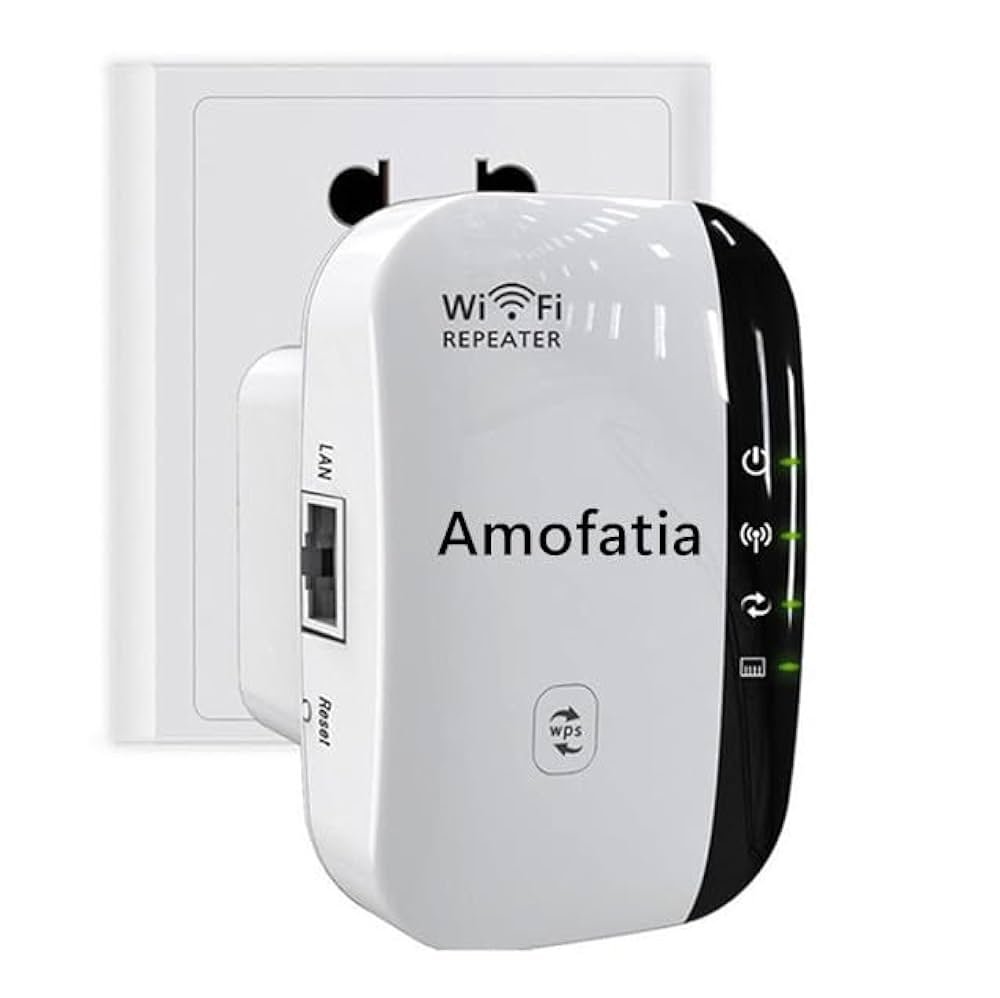
Wifi extendershelp increase the range of a wireless network. They catch the wifi signal from a router and send it further. This helps devices far from the router get a better signal. Extenders do not create a new network but boost the existing one.
There are a few common types of wifi extenders:
- Plug-in extendersthat plug into a wall socket.
- Desktop extendersthat sit on a desk or shelf.
- Mesh system nodesthat work with mesh routers for wider coverage.
Rangedepends on the extender’s power and environment. Walls and furniture can block signals. Most extenders work best within 100-300 feet of the main router. Some long-range extenders can cover bigger areas but may need higher placement or outdoor use.
Public Wifi Networks
Public Wifiis available in many places like cafes, airports, and hotels. It is usually freebut shared by many users. This can make the network slowor unstableat times. Public Wifi often has limited security, so data sent over it can be at risk.
Common security risksinclude data theft, man-in-the-middle attacks, and malware infections. Users should be careful about what they access on public networks.
- Open networks require no password but are less safe.
- Some require a passwordor registration for access.
- Others use a welcome pagefor login or terms acceptance.
Connecting Extenders To Public Wifi
Long range wifi extenders must support public wifi protocolsto connect properly. Many public networks use login pagesor captchasthat extenders may not handle. Check the extender’s compatibilitywith public wifi before setup.
Setting up a long range wifi extender for public wifi often involves accessing the extender’s web interface. Enter the public wifi network name and follow prompts. Some extenders require manual input of security settings.
Challenges include:
- Public wifi often has time limitsor user restrictions.
- Extenders may not pass through login pagesor terms acceptancescreens.
- Speed and connection may be unstableor slowdue to multiple users.
Security Concerns With Extenders On Public Wifi
Public WiFi networksoften lack strong security. This makes it easy for others to see your data. Using a long range WiFi extender on public WiFi can increase these risks. The extender repeats the signal, but does not add extra protection.
Data privacy issuesinclude hackers capturing sensitive info like passwords and emails. Unsecured connections can also expose your device to malware. Public WiFi without encryption is a common target for cyber attacks.
- Use a VPN to encrypt your data and hide online activity.
- Turn off sharing settings on your device.
- Connect only to WiFi networks you trust.
- Keep your device’s software and antivirus updated.
- Forget the public network after use to avoid auto-connection.
Expert Tips For Optimizing Public Wifi With Extenders
Choosing a long range WiFi extenderthat supports public networks is vital. Look for devices with easy setupand strong encryption. Some extenders struggle with public WiFi login pages. Pick one that handles this smoothly.
Place the extender where it catches a strong signalfrom the public WiFi. Avoid walls and metal objects that block signals. Position it midwaybetween the router and your device for better coverage.
Keep extender firmware and software up to date. Updates fix bugs and improve connection to public WiFi. Check for updates regularly on the manufacturer’s website or app.

Credit: www.amazon.ca
Alternatives To Using Extenders On Public Wifi
Mobile hotspotsoffer a simple way to connect multiple devices using cellular data. They create a private WiFi network anywhere there is phone signal. This method is secure and reliable, especially in crowded places.
VPN servicesprotect your data on public WiFi. They create a safe tunnel for your internet traffic. This keeps your information private and helps avoid hackers on public networks.
| Mesh Network Solutions | Benefits |
|---|---|
| Multiple nodes connect to form a strong network | Improved coverage and stable connection indoors |
| Easy to expand by adding more nodes | Flexible setup for home or office spaces |
| Devices switch automatically to the best node | Seamless internet experience without drops |

Credit: www.amazon.ca
Frequently Asked Questions
Can Long Range Wifi Extenders Connect To Public Wifi Networks?
Yes, many long range WiFi extenders can connect to public WiFi. They amplify the public signal to extend coverage indoors or farther away.
Are Public Wifi Connections Secure For Extenders?
Public WiFi is often unsecured, so extenders inherit this risk. Use VPNs or security tools to protect your data.
How Do Long Range Extenders Improve Public Wifi Signal?
Extenders capture and boost weak public WiFi signals. This improves speed, range, and stability in larger areas or buildings.
Do All Extenders Support Public Wifi Access?
Not all extenders support public WiFi. Check if your device can connect to open or captive portal networks before buying.
Conclusion
Long range WiFi extenders can connect to public WiFi in many cases. They help boost weak signals and reach farther areas. Keep in mind, public WiFi might have limits or require passwords. Always check the network rules before connecting. Using extenders can improve your internet speed and coverage.
They work best in places with a stable public WiFi signal. Choose the right extender for better results. This way, you stay connected without losing signal strength. Simple and smart for better online access.


