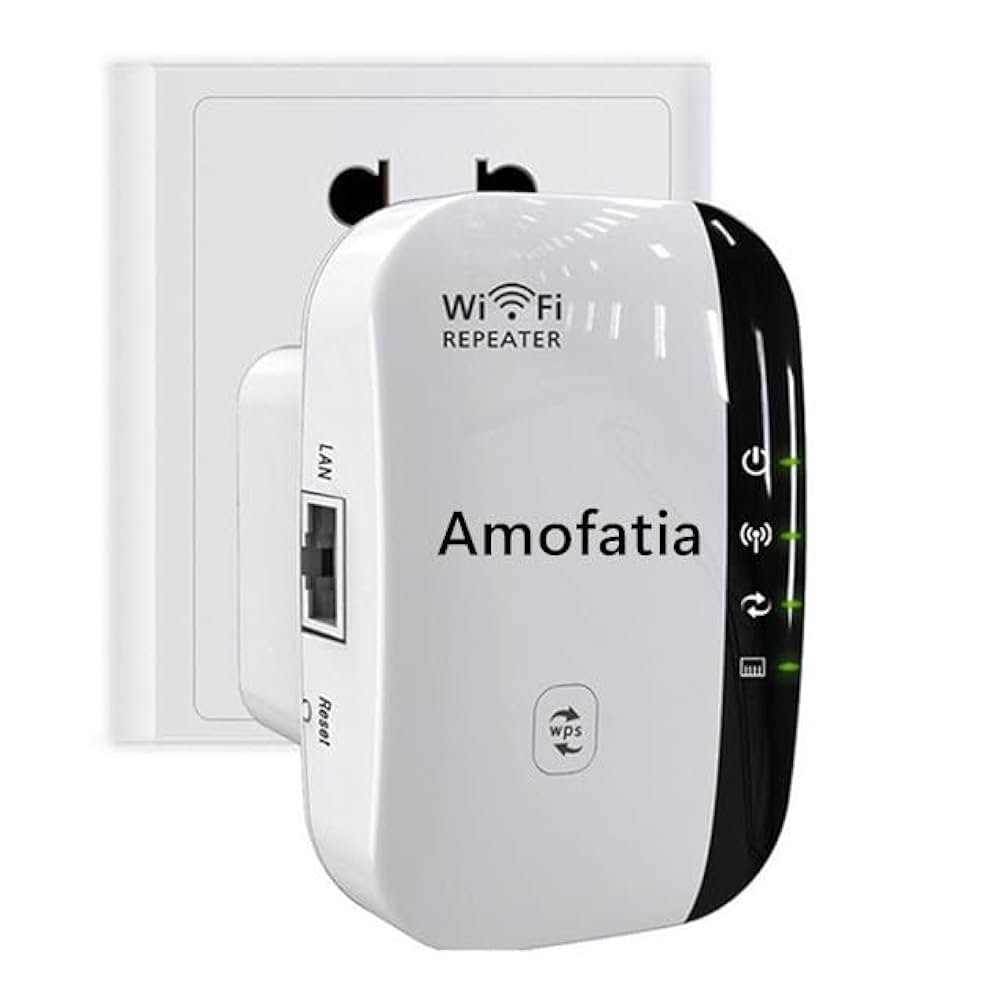
Are you wondering if your long range WiFi extender can run 24/7 without any issues? You rely on strong and steady internet to stay connected, work, and enjoy entertainment.
But leaving your WiFi extender on all the time raises questions about its performance, safety, and energy use. You’ll discover what happens when you run your extender non-stop, how it affects your device and network, and what you can do to keep everything running smoothly.
Keep reading to get clear answers and smart tips that protect your connection around the clock.
Long Range Wifi Extenders Basics
Long range WiFi extenders catch signals from your main router. They boost signals to reach far places in your home or office. This helps devices get better internet even far from the router.
These extenders use antennas and radios to catch and send WiFi signals. They connect wirelessly to your router and create a new WiFi zone. This zone covers areas with weak or no signal.
| Key Feature | Description |
|---|---|
| Signal Boost | Amplifies weak WiFi signals for better coverage |
| Long Range | Works over large distances, good for big spaces |
| Easy Setup | Simple to install, often with one button |
| Compatibility | Works with most routers and WiFi standards |
| 24/7 Operation | Can run continuously without damage or slow down |

Credit: www.reddit.com
Powering Extenders All Day
Long range WiFi extenders can run 24/7without much issue. They use a small amount of electricity, so their energy consumptionis low. This makes them cost-effective for continuous use.
Running them all day may cause some heat. Proper heat managementis important to keep the device working well. Extenders often have ventsor small fans to cool down.
- Keep the extender in a well-ventilatedplace.
- Avoid blocking the air vents.
- Turn it off occasionally if it feels too hot.
Performance During Continuous Use
Long range WiFi extenders can run 24/7without much trouble. They are built to stay on and keep your signal strong. Still, signal stabilitydepends on the device quality and placement.
Keep the extender away from walls and metal objects to avoid weak signals. Devices with good cooling systems last longer during constant use.
Speed consistencymay vary based on network traffic and distance from the main router. Some drop in speed can happen but usually stays within a usable range.
- High-quality extenders keep speed steady over time.
- Lower-end models might slow down after long use.
- Regularly updating extender firmware helps maintain performance.

Credit: www.amazon.ca
Potential Risks Of Nonstop Operation
Running long range wifi extenders nonstop can cause hardware wear and tear. Continuous use heats the device, which may reduce its lifespan. Parts like fans and chips can fail faster with constant operation. Cooling might not always be enough, leading to overheatingand damage.
Security concernsalso rise with 24/7 use. Always-on devices can become targets for hackers. If not updated regularly, extenders may have vulnerable software. This can let attackers access your network or steal data.
- Devices need breaks to stay healthy.
- Regular updates improve security.
- Unplugging occasionally helps cool hardware.
Best Practices For 24/7 Usage
Place the wifi extender in an open space for the best signal. Avoid walls or metal objects that block signals. Keep it near your main router but not too close. A good spot helps the extender work well all day.
Regularly check your extender for dust and dirt. Clean it with a soft cloth to stop overheating. Restart the extender once a week to keep it running smoothly. Update its software to fix bugs and improve performance.
Alternative Solutions For Continuous Connectivity
Mesh networksuse several devices to cover large areas with WiFi. They create a strong, seamless connection. Each device talks to the others, making the signal better and stronger. Mesh networks work well for continuous connectivitybecause they manage traffic efficiently. They do not overheat easily and can run 24/7 without many problems. This setup helps avoid dead spots in your home or office.
Wired access pointsconnect to the router using Ethernet cables. This gives a very stable and fast connection. They do not depend on WiFi signals to talk to the router. This reduces interference and signal loss. Wired access points can run all day and nightwith low risk of failure. They are perfect for places needing constant internet accessand strong signals.

Credit: www.reddit.com
Frequently Asked Questions
Can Long Range Wifi Extenders Run 24/7 Safely?
Yes, most long range WiFi extenders are designed to run 24/7 safely. They have built-in cooling systems to prevent overheating. However, ensure proper ventilation and avoid placing them in enclosed spaces to maintain optimal performance and longevity.
Does Running Wifi Extenders 24/7 Affect Their Lifespan?
Running WiFi extenders continuously may slightly reduce their lifespan. Proper maintenance and ventilation help minimize wear. Using quality extenders with efficient cooling systems can extend their operational life even when running 24/7.
Will 24/7 Operation Increase Wifi Extender Electricity Usage?
Yes, running a WiFi extender 24/7 increases electricity consumption but usually minimally. Most extenders use low power, so the cost impact is generally small. Energy-efficient models can help reduce electricity usage further.
How To Prevent Overheating In 24/7 Wifi Extenders?
To prevent overheating, place the extender in a well-ventilated area. Avoid direct sunlight and keep it away from heat sources. Regularly clean dust from vents to ensure proper airflow and stable performance during continuous operation.
Conclusion
Long range WiFi extenders can run 24/7 without many issues. They use low power and stay cool most of the time. Still, giving them breaks can help them last longer. Keep them in a well-ventilated spot for best results. Regularly check for updates and resets to maintain good performance.
Running them all day supports strong and steady internet signals. Just watch for any signs of overheating or slow speeds. This way, your WiFi extender works well every day without problems.


