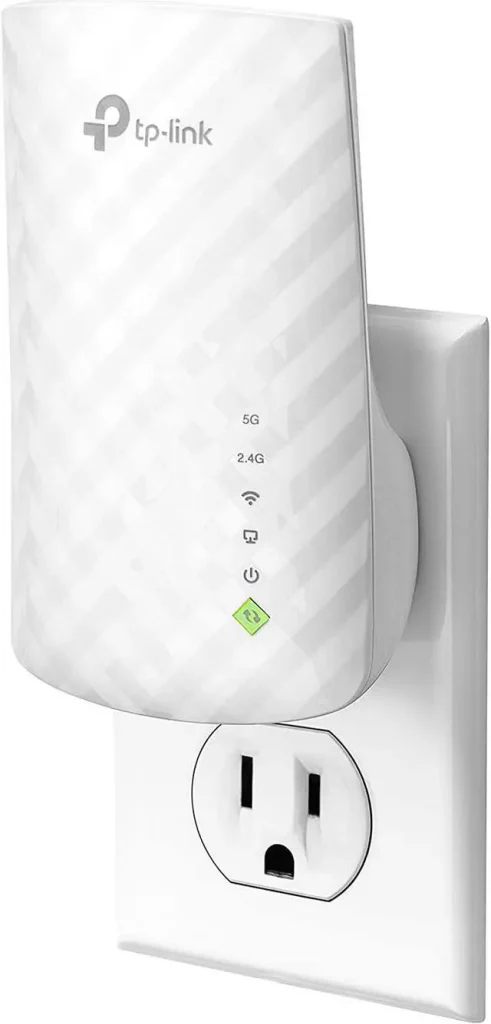
Imagine enhancing your smart home experience without the frustration of weak Wi-Fi signals. It’s possible with dual-band Wi-Fi extenders.
But do they truly work with smart home devices? If you’ve ever found your smart lights flickering offline or your smart speaker struggling to connect, you’re not alone. The modern smart home, with its array of devices, demands a strong and reliable Wi-Fi network.
Understanding whether dual-band Wi-Fi extenders can bridge the gap is crucial. Dive into this post to uncover the truth and discover how to keep your smart home running seamlessly. Stay with us, and let’s ensure your smart gadgets stay connected.

Credit: www.amazon.ca
Dual Band Wifi Extenders Explained
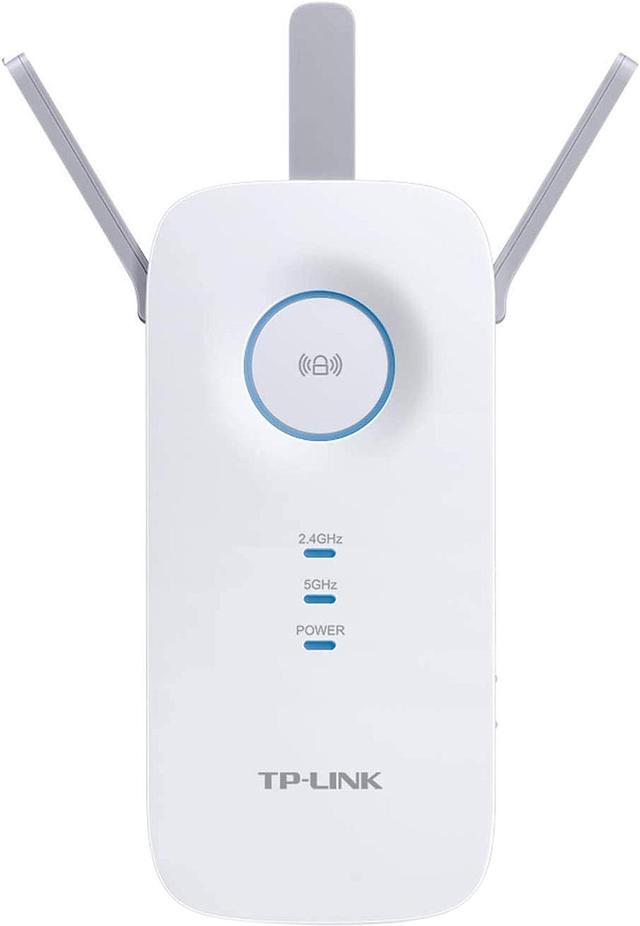
Dual band wifi extendersuse two frequencies: 2.4 GHz and 5 GHz. This helps devices connect faster and stay stable. The 2.4 GHz band covers longer distances but is slower. The 5 GHz band is faster but covers less distance. Both bands work together to give better wifi coverage in your home.
These extenders switch between bands to reduce interference. This means fewer dropped connections and less lag. They are smart enough to pick the best band for each device automatically.
| Benefit | Dual Band Extenders | Single Band Extenders |
|---|---|---|
| Coverage | Better range with two frequencies | Limited to one frequency |
| Speed | Higher speeds with 5 GHz band | Slower speed on one band |
| Interference | Less interference, more stable | More interference, less stable |
| Device Support | Works well with many devices | May struggle with multiple devices |
Credit: www.newegg.ca
Smart Home Device Connectivity
Smart home devices need a strong and steady WiFi signal. Dual band WiFi extenders help by boosting signals on both 2.4 GHz and 5 GHz bands. Many smart devices use the 2.4 GHz band for better range and wall penetration. Others, like smart TVs or cameras, may use 5 GHz for faster data.
Common smart home devices include:
- Smart lights
- Thermostats
- Security cameras
- Smart speakers
- Door locks
These devices often need consistent WiFi to work well. Dual band extenders improve coverage and reduce dead zones. Some devices may switch between bands for better speed or stability.
| WiFi Band | Common Uses | Benefits |
|---|---|---|
| 2.4 GHz | Smart plugs, sensors, locks | Better range, penetrates walls |
| 5 GHz | Cameras, smart TVs, speakers | Faster speed, less interference |
Compatibility With Dual Band Extenders
Dual band wifi extenders work with most smart home devices. These extenders use two frequency bands: 2.4 GHzand 5 GHz. Many smart devices prefer the 2.4 GHz band because it covers longer distances. Devices like smart bulbs, plugs, and sensors often connect better on 2.4 GHz.
The 5 GHz band offers faster speeds but shorter range. Devices requiring high data rates, like cameras or streaming devices, may use this band. It’s important to check your smart device specs to know which band it supports.
| Band | Device Support | Range | Speed |
|---|---|---|---|
| 2.4 GHz | Most smart devices | Longer range | Slower speed |
| 5 GHz | High-speed devices | Shorter range | Faster speed |
- Some devices may lose connection if out of range.
- Interference can cause slow or dropped signals.
- Not all extenders support both bands well.
- Make sure your extender and device use the same band.
Performance Factors To Consider
Signal strengthis key for smart devices to work well. Dual band extenders boost signals on both 2.4 GHz and 5 GHz bands. This helps cover larger areas and reach devices far from the router.
Network interferencecan slow down or block connections. Other electronics, walls, and neighbors’ Wi-Fi can cause interference. Choosing the right band and placing the extender away from obstacles improves performance.
Speed and latencyaffect how quickly devices respond. Extenders may lower speed a bit, especially on the 2.4 GHz band. Using the 5 GHz band can reduce delay and keep smart devices running smoothly.
Setup Tips For Optimal Use
Place the dual band wifi extender in a central spot for best coverage. Avoid walls and metal objects that block signals. Keep it near the smart home devices for a strong connection. High places like shelves work better than floors.
Use the same network name (SSID) and password on both bands if possible. This helps smart devices switch smoothly between 2.4 GHz and 5 GHz bands. Update the extender’s firmware to improve performance and security. Set a fixed IP address to avoid connection drops.
| Placement Tips | Configuration Tips |
|---|---|
| Central location in the home | Use same SSID and password |
| Away from walls and metal objects | Update firmware regularly |
| Near smart home devices | Assign fixed IP address |
| High spots like shelves | Choose the right band for each device |

Credit: www.amazon.ca
Expert Recommendations
Choose a dual band extender that supports both 2.4 GHz and 5 GHz frequencies. This ensures better device compatibilityand faster speeds. Check if the extender matches your smart home devices’ Wi-Fi bands.
Place the extender close enough to your router to receive a strong signal. Avoid walls or objects that block Wi-Fi signals. This helps keep your network stable and reduces connection drops.
- Use extenders with automatic band steeringfor smooth device switching.
- Keep your extender’s firmware updated for better performanceand security.
- Limit the number of devices connected to one band to avoid network congestion.
Frequently Asked Questions
Do Dual Band Wifi Extenders Improve Smart Home Device Connectivity?
Yes, dual band WiFi extenders enhance smart home device connectivity by reducing interference. They provide stable 2. 4 GHz and 5 GHz signals, ensuring faster and reliable connections for multiple devices in different areas of your home.
Are Dual Band Extenders Compatible With All Smart Home Devices?
Most dual band extenders are compatible with common smart home devices. They support both 2. 4 GHz and 5 GHz frequencies, which cover the needs of most smart bulbs, cameras, and speakers. Always check device specs for compatibility before purchasing.
Can Dual Band Extenders Reduce Smart Device Network Lag?
Yes, dual band extenders can reduce network lag for smart devices. By offering two frequency bands, they balance network traffic and minimize congestion. This leads to smoother operation and faster response times for smart home applications.
How Do Dual Band Wifi Extenders Affect Smart Home Security?
Dual band extenders maintain your smart home network security by supporting modern encryption standards. They do not weaken your network’s security but ensure extended coverage without compromising data protection. Always update firmware for optimal security.
Conclusion
Dual band WiFi extenders help improve smart home device connections. They support both 2. 4 GHz and 5 GHz bands. This gives your devices a stronger and faster signal. Most smart home gadgets work well with these extenders. Placement of the extender affects the signal quality.
Choose a spot near your devices but still close to the router. This way, your smart home runs smoothly and without interruptions. A good dual band extender can make your network more reliable. It keeps your devices connected and your home smarter.


