Are you setting up your gaming space and wondering if you really need both a modem and a router? You might think one device could handle everything, but the truth can surprise you.
Your gaming experience depends on how well your internet gear works together. Imagine lag-free matches, smooth downloads, and zero interruptions—sounds perfect, right? Keep reading, because understanding the roles of a modem and a router could be the key to unlocking your best gaming performance yet.
Credit: helpdeskgeek.com
Modem Vs Router
Understanding the difference between a modem and a router is key for smooth gaming. Both devices play unique roles in connecting you to the internet. Knowing how they work helps you set up the best gaming network. Let’s explore their functions and how they differ.
Role Of A Modem
A modem connects your home to the internet service provider. It translates the signal from your provider into data your devices can use. Without a modem, your internet connection won’t work. It acts as the bridge between your home network and the outside world.
Function Of A Router
A router sends internet from the modem to your devices. It creates a local network inside your home. This lets multiple devices connect to the internet at once. Routers also manage data traffic to avoid slowdowns. Some routers offer extra features like security and parental controls.
Differences And Overlaps
- The modem brings internet to your home.
- The router shares internet with your devices.
- Modems usually have one connection port.
- Routers have multiple ports and wireless options.
- Some devices combine modem and router functions.
- Both are essential for online gaming setups.
Gaming Network Requirements
Gaming requires a strong and stable network. The right setup reduces lag and improves gameplay. Understanding gaming network needs helps in choosing the right hardware. Modems and routers play different roles but both affect gaming quality.
Importance Of Low Latency
Latency means delay in data transfer. Low latency means faster response in games. High latency causes lag and poor player experience. Competitive games need latency under 50 milliseconds. A good network setup keeps latency low and stable.
Bandwidth Needs For Gaming
Bandwidth is the data amount your connection handles. Online games use moderate bandwidth but need consistency. Streaming and downloads require more bandwidth than gaming alone. A fast connection prevents slowdowns during game updates or downloads.
Wired Vs Wireless Connections
Wired connections use Ethernet cables for direct links. They offer stable speeds and low latency. Wireless connections are convenient but can be unstable. Interference and distance affect wireless gaming quality. Serious gamers often prefer wired for better performance.
Using Both Modem And Router
Using both a modem and a router is common in gaming setups, but understanding how they work together can improve your online experience. These two devices serve distinct roles but complement each other to deliver stable and fast internet, which every gamer needs. Let’s break down their interaction and why having both might be essential for your gaming rig.
How They Work Together
The modem connects directly to your internet service provider (ISP) and translates the signal into a form your devices can use. Meanwhile, the router takes that internet connection from the modem and distributes it to multiple devices, either through Wi-Fi or Ethernet cables.
Think of the modem as the gatekeeper to the internet and the router as the traffic controller within your home network. Without a router, only one device can connect to the modem at a time, which limits your gaming options if you want to play with friends or stream simultaneously.
Benefits For Gamers
- Reduced lag and lower ping:A good router manages data traffic efficiently, prioritizing gaming packets to keep your connection smooth.
- Multiple device connections:You can connect your console, PC, smartphone, and smart TV without swapping cables or losing speed.
- Improved security:Routers often come with built-in firewalls and security settings, protecting your gaming devices from online threats.
- Custom settings:Many routers allow you to set Quality of Service (QoS) rules, ensuring your gaming traffic gets priority over downloads or streaming.
Have you ever noticed your game lagging while someone else in your home streams videos? A router can help fix that by managing bandwidth smartly.
Common Setup Configurations
The most straightforward setup is connecting your modem to a single router, which then connects to your gaming devices. This setup works well for most households.
Some gamers prefer a dual-router setup to separate gaming traffic from other devices, reducing interference and improving performance.
| Setup Type | Description | Best For |
|---|---|---|
| Single Modem + Router | One router connected to the modem, distributing internet to all devices. | Most home gamers with moderate device usage. |
| Modem + Dual Routers | Two routers connected to the modem, separating gaming and general traffic. | Heavy users or competitive gamers seeking optimized performance. |
| Modem + Router + Switch | Router connected to modem, then a network switch to add more wired connections. | Gamers with multiple wired devices for stable connections. |
Which setup fits your gaming needs? Testing your connection with different configurations can reveal the best balance between speed and reliability.
Modem-router Combos
Modem-router combos bring two essential devices into one box, simplifying your home internet setup. Many gamers wonder if these all-in-one units can meet the demands of fast, stable gaming connections. Understanding their strengths and weaknesses helps you decide if a combo fits your gaming needs or if separate devices serve you better.
Pros And Cons
Pros:
- Easy to set up and manage since you only handle one device.
- Less space needed—ideal if you want to avoid clutter.
- Often more affordable upfront compared to buying a modem and router separately.
Cons:
- Limited upgrade options; if one part becomes outdated, you may need to replace the entire unit.
- Performance might not match specialized, high-end routers designed for gaming.
- Potentially less control over advanced network settings.
Performance Considerations
Gaming demands low latency and stable connections. Combo devices usually handle basic gaming well but may struggle with high traffic or multiple devices. If you frequently stream, download large files, or play competitive games, the performance limits of combos could become noticeable.
Separate routers often offer better Wi-Fi range, faster speeds, and advanced settings like Quality of Service (QoS) to prioritize gaming traffic. Think about whether your gaming setup needs these features or if a combo’s simpler approach works for you.
When To Choose A Combo
If you value simplicity and have a moderate gaming setup, a modem-router combo can be a convenient choice. It works well for casual gamers or those new to managing home networks. You save space and avoid the hassle of configuring two devices.
However, if you’re serious about competitive gaming or want to future-proof your network, separate devices might be better. Ask yourself: Do you want easy setup or maximum control and performance? Your answer will guide your choice.
Optimizing Your Setup
Optimizing your gaming setup goes beyond just having a modem and router. It’s about choosing the right equipment, keeping it up to date, and placing it strategically to get the best connection. These small changes can make a huge difference in your gaming experience.
Choosing The Right Router
Not all routers handle gaming traffic the same way. Look for routers that support Quality of Service (QoS) features. QoS lets you prioritize gaming traffic over other devices on your network, reducing lag during intense matches.
Also, consider routers with dual-band or tri-band capabilities. These provide more bandwidth options, helping avoid interference from other devices. I once switched to a gaming-focused router, and the drop in latency was noticeable within minutes.
Firmware And Updates
Keeping your router’s firmware updated is crucial. Updates often include security patches and performance improvements that can stabilize your connection. Ignoring updates can lead to slower speeds and vulnerabilities.
Many routers allow automatic updates, but it’s good to check manually if you notice connectivity issues. Have you ever experienced sudden lag spikes that disappeared after a firmware update? That’s a sign your router needs attention.
Placement Tips For Better Signal
Where you place your router impacts your gaming connection more than you might think. Position it in a central location, away from walls and other electronics that cause interference. Elevating the router, like placing it on a shelf, often improves signal strength.
Try to avoid placing your router near microwaves, cordless phones, or thick walls. If your gaming setup is far from the router, consider using a wired Ethernet connection or investing in mesh Wi-Fi systems to extend the signal.

Credit: www.popsci.com
Troubleshooting Connectivity
Connectivity issues disrupt gaming sessions and cause frustration. Troubleshooting network problems helps restore smooth gameplay fast. Understanding common issues and how to fix them keeps your setup reliable.
Common Issues In Gaming Networks
- Slow internet speeds that cause lag or delays.
- Frequent disconnections interrupting gameplay.
- High latency leading to slow response times.
- Wi-Fi interference from other devices or walls.
- Incorrect IP or DNS settings affecting connection.
Resetting And Reconfiguring
Start by restarting both modem and router. Power them off, wait 30 seconds, then power on again.
Resetting clears temporary glitches and refreshes the connection.
Check router settings for proper network mode and security type. Ensure firmware is updated for best performance.
Reconfigure network name (SSID) and password if necessary. Set up port forwarding for specific games to reduce lag.
When To Upgrade Equipment
Old or outdated modems and routers limit gaming performance. Upgrading can improve speed and stability.
Consider new gear if devices do not support your internet speed. Models with dual-band or tri-band Wi-Fi offer better coverage.
Look for routers designed for gaming with low latency and QoS features. These prioritize game traffic over other data.
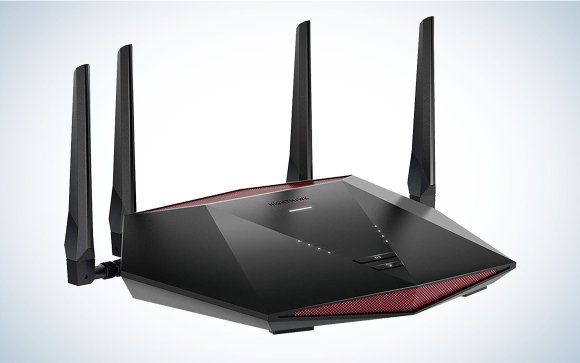
Credit: www.popsci.com
Frequently Asked Questions
Do I Need Both Modem And Router For Gaming?
Yes, you need both. The modem connects to the internet, while the router distributes it to devices. Together, they ensure stable and fast gaming connections.
Can I Use Just A Modem For Online Gaming?
No, a modem alone provides internet but cannot share it with multiple devices. A router is needed to connect your gaming console or PC wirelessly.
Does A Gaming Router Improve Online Gameplay?
Yes, gaming routers prioritize gaming traffic and reduce lag. They offer better speed, lower latency, and enhanced stability for smoother online gaming sessions.
Will A Modem-router Combo Work For Gaming?
Yes, combo devices can work well. They combine modem and router functions, simplifying setup while providing stable connections suitable for gaming.
Conclusion
Choosing the right equipment for gaming is important. Modems and routers play key roles. They ensure stable and fast internet connections. This improves your gaming experience. A modem connects you to the internet. A router connects your devices to the modem.
Both are crucial for online gaming. They help reduce lag and improve performance. Consider your gaming needs. Evaluate your current setup. Decide if upgrades are necessary. A good connection makes gaming more enjoyable. Invest wisely for smoother gameplay. Your gaming experience depends on it.