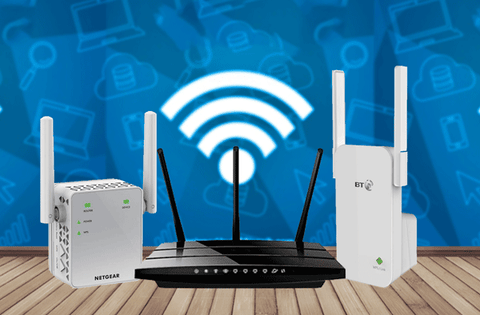
Are you struggling with weak WiFi signals in your basement? You’re not alone.
Many people find their internet barely reaches those lower floors, making streaming, gaming, or working from home frustrating. You might have heard about long range WiFi extenders as a solution, but do they actually work in basements? This article will help you understand how these devices perform underground and what you can do to boost your connection where you need it most.
Keep reading to discover simple, effective ways to finally get strong WiFi in your basement.

Credit: www.reddit.com
Challenges Of Basement Wifi
Basements often have thick wallsmade of concrete or stone. These walls create strong barriersthat block wifi signals. Metal pipes and wiring can also interferewith the signal’s strength and quality.
- Appliances:Refrigerators, freezers, and other machines can cause signal noise.
- Electrical wiring:Old or faulty wiring may disrupt wifi signals.
- Wireless devices:Phones, baby monitors, and other gadgets add to interference.
The basement layoutaffects wifi coverage too. Rooms with few windowsand small openings trap signals inside. Large open spaces may allow better signal flow but can still face interference. Furniture and stored items also block or absorbwifi waves.

Credit: www.amazon.ca
How Long Range Wifi Extenders Work
Long range WiFi extenders boost signals to reach far areas like basements. They catch the main WiFi and send it deeper underground. Walls and floors can still weaken the signal, but extenders help improve coverage.
Technology Behind Extenders
Wifi extenderscatch signals from your main router and send them further. They use radio wavesto boost the signal strength. This helps devices far from the router stay connected. The extender repeats the wifi signal, making it stronger in weak areas.
Range And Coverage Capabilities
Long range extenders cover more space than regular ones. They can reach through walls and floors but the signal gets weaker with obstacles. The actual range depends on walls, materials, and interference from other devices.
Placement Strategies
- Place extenders where the main signal is still strong.
- Avoid thick walls or metal objects between the router and extender.
- Higher spots often give better coverage.
- Keep extenders away from microwaves and cordless phones.
Effectiveness In Basements
Long range WiFi extenderscan help improve signal in basements, but their effectiveness varies. Thick walls, floors, and metal pipes often block signals. This makes it hard for extenders to work well.
Real-world performancedepends on where you place the extender. Closer to the main router usually means better speed. If the basement has many obstacles, the signal may drop or slow down.
Several factors influence success:
- Distance from the main router
- Type of building materials
- Interference from other devices
- Extender’s power and quality
| Solution | Pros | Cons |
|---|---|---|
| Long Range WiFi Extender | Easy to install, no wires needed | Signal loss through walls, speed may drop |
| Powerline Adapter | Uses home wiring, stable connection | Depends on wiring quality, may need multiple units |
| Mesh WiFi System | Strong, seamless coverage | More expensive, needs setup |

Credit: www.amazon.ca
Setup Tips For Basements
Place the extenderwhere it gets some signal from the main router. Basements have thick walls, so avoid corners or behind large objects. Try to keep it midway between the router and the basement.
Check the extender’s settings. Use the same WiFi name (SSID)as your router for easy connection. Set the extender to the best channelto avoid interference.
- Do not place extenders near microwaves or cordless phones.
- Avoid placing the extender on the floor or inside cabinets.
- Make sure the extender is plugged into a stable power source.
- Restart the extender if the signal is weak or unstable.
Alternative Options For Basement Wifi
Mesh networksuse several devices to cover large areas. They create a strong, seamless wifi signal in basements. Each device talks to the others to share internet. This helps avoid weak spots and slow speed.
Powerline adapterssend internet signals through your home’s electrical wiring. Just plug one adapter near your router and another in the basement. They work best in homes with good wiring and fewer electrical issues.
Wired access pointsare devices connected by Ethernet cables to your router. They create new wifi spots in hard-to-reach areas like basements. This option gives a stable and fast connection but needs cable installation.
Cost Vs. Benefits
Buying a long range WiFi extenderfor a basement can be smart but not always cheap. The costdepends on the model and how strong the signal is. Some extenders cost more but offer better coverageand speed.
Think about how long you will use it. A good extender can last years and save money on new internet plans. But if your current router is very old, it might be better to upgradethe whole system instead.
- Extenders help if your basement has weak WiFi.
- Old routers may not work well with new extenders.
- New routers often give better speedand range.
- Consider future internet needs before buying.
Frequently Asked Questions
Do Long-range Wifi Extenders Improve Basement Connectivity?
Yes, long-range WiFi extenders can enhance connectivity in basements. They boost signal strength by repeating the existing WiFi signal. For optimal performance, place the extender between the router and basement. This ensures a stronger signal reaches the basement, improving internet access for streaming, gaming, and browsing.
How Do Wifi Extenders Function In Basements?
WiFi extenders function by capturing your existing WiFi signal and amplifying it. In basements, they help extend coverage where signals are weak. Their placement is crucial for effectiveness. Position them strategically to bridge the gap between the main router and basement devices, ensuring consistent connectivity.
What Factors Affect Wifi Extender Performance?
Several factors can impact WiFi extender performance in basements. Thick walls and floors can weaken signals. Electrical interference from appliances may also affect performance. For best results, choose a dual-band extender and minimize obstructions. Regularly updating firmware can also enhance performance and security.
Can Wifi Extenders Penetrate Basement Walls?
WiFi extenders can help signals penetrate basement walls to some extent. However, the effectiveness depends on wall thickness and material. Concrete or metal walls pose greater challenges. Using powerline adapters or mesh WiFi systems can be more effective for difficult-to-penetrate areas.
Conclusion
Long range WiFi extenders can help improve basement signals. Walls and floors still block some WiFi waves. Placement of the extender is very important for better coverage. A strong, steady connection depends on distance and obstacles. Testing different spots will show the best results.
Remember, no device can fix all signal problems perfectly. Still, extenders offer a simple way to boost basement WiFi. Try them to see if they meet your needs. Good WiFi makes working or relaxing in basements easier.


