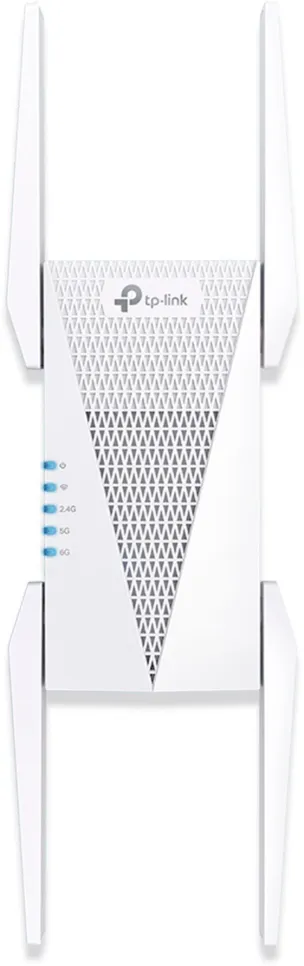
Are you tired of weak WiFi signals in some corners of your home? You might be thinking about getting a Tri Band WiFi extender to boost your connection.
But here’s the big question: does a Tri Band WiFi extender work with any router you already have? Knowing the answer can save you time, money, and frustration. Keep reading, and you’ll discover how these devices really work, what to watch out for, and how to make sure your WiFi reaches every room without hassle.
Your perfect connection could be just a few steps away.
Tri Band Wifi Extender Basics
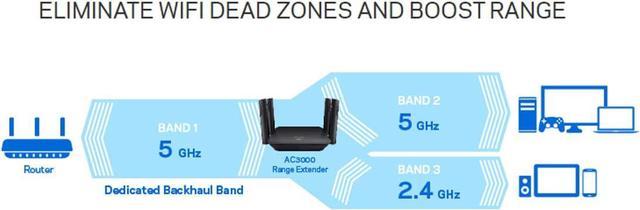
A Tri Band Wifi Extenderuses three separate frequency bands. One band connects to your router. The other two bands send internet to your devices. This setup helps keep your connection fast and stable.
A Dual Band Extenderhas only two frequency bands. It shares one band for router connection and device connection. This can cause slower speeds if many devices are connected.
| Feature | Tri Band Extender | Dual Band Extender |
|---|---|---|
| Number of Bands | Three | Two |
| Router Connection | Dedicated Band | Shared Band |
| Device Connection | Two Bands | One Band |
| Speed and Stability | Better for many devices | Can slow with many devices |
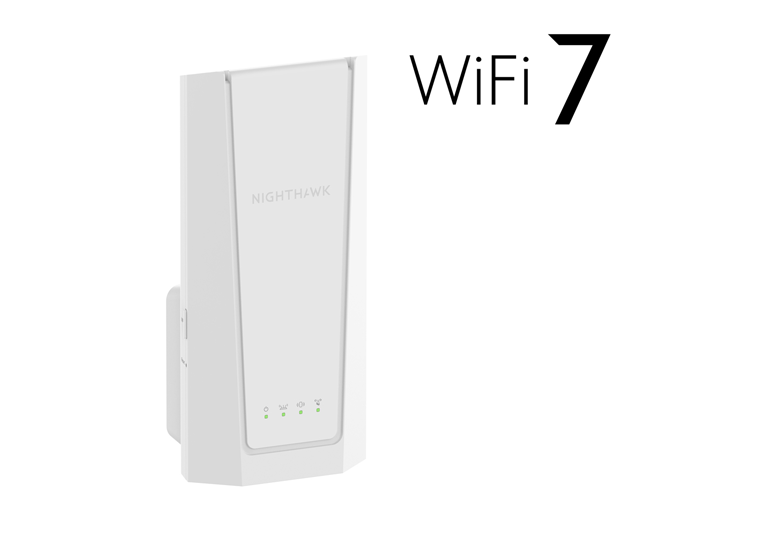
Credit: www.netgear.com
Router Compatibility Factors
Supported WiFi standardsdetermine if a tri band extender works well with a router. Most routers use 802.11n, 802.11ac, or 802.11axstandards. The extender must support these to connect properly. If the extender supports older or different standards, it may slow down your network.
Tri band extenders use three frequency bands: one 2.4 GHz band and two 5 GHz bands. The 2.4 GHz band covers longer distances but has slower speeds. The 5 GHz bands offer faster speeds but cover shorter distances.
| Frequency Band | Range | Speed | Use |
|---|---|---|---|
| 2.4 GHz | Long | Slower | Good for walls and long range |
| 5 GHz (Band 1) | Short | Faster | Better for high speed, short distance |
| 5 GHz (Band 2) | Short | Faster | Helps reduce traffic and interference |
Setup And Connection
Tri-band WiFi extenders are designed to work with almost any router. They use one band to connect to the router and the other two bands to send signals to your devices. This setup helps keep your internet fast and stable. Most extenders have an easy pairing process using WPS or a web interface.
Common setup issues include:
- Extender placed too far from the router.
- Incorrect network password entered during setup.
- Router firmware not updated.
- Interference from walls or other electronics.
Placing the extender in a good spot is key. It should be near the router but also close to the weak signal area. Restarting the router and extender can fix many connection problems. Make sure your router supports the frequency bands used by the extender.
Performance With Different Routers
Tri-band WiFi extenders work with most routers to boost signal strength and speed. They improve coverage by using multiple frequency bands for better performance. Compatibility is generally broad, making them suitable for various router types.
Impact Of Router Speed
The speed of the router affects the wifi extender’s performance. A slow router limits the extender’s speed. Fast routers allow the extender to work at higher speeds. The extender cannot make the internet faster than the router provides. Choose a router with good speed for better results.
Effect Of Router Brand
Most tri band wifi extenders work with many router brands. Some brands may have better compatibility. Using the same brand for router and extender can improve performance. But extenders usually connect well to different brands. Check the extender’s compatibility list to be sure.
Limitations To Consider
Network interferencecan cause slow speeds or dropped connections. Devices like microwaves, cordless phones, and other Wi-Fi networks nearby create noise. This noise blocks the extender’s signal, reducing performance.
Bandwidth sharing challengeshappen because the extender splits available bandwidth. The tri-band extender uses one band to connect to the router and others to serve devices. This division may lower speeds for some devices, especially with many users connected.
| Issue | Effect | Reason |
|---|---|---|
| Network Interference | Slow or dropped connections | Nearby devices and networks cause signal noise |
| Bandwidth Sharing | Reduced speed for some devices | Extender splits bandwidth between router and devices |

Credit: www.amazon.ca
Tips For Optimal Use
Place the WiFi extender where the signal is still strong. Walls and large objects can block signals. Keep the extender away from microwaves and cordless phones to avoid interference.
Update the extender’s firmware regularly. Updates fix bugs and improve performance. Check the manufacturer’s website or app for the latest firmware.
| Tip | Why It Matters |
|---|---|
| Place near router but within weak signal area | Ensures extender gets a good signal to boost |
| Keep firmware up to date | Improves stability and security |
| Avoid signal blockers | Reduces interference and signal loss |
Credit: www.newegg.com
Frequently Asked Questions
Does A Tri Band Wifi Extender Work With Any Router?
Yes, tri band WiFi extenders generally work with most routers. They are designed to be compatible with standard WiFi protocols like 802. 11ac and 802. 11ax, ensuring broad compatibility across different router brands and models.
Can A Tri Band Extender Improve Older Router Signals?
Yes, a tri band extender can boost older router signals. It enhances WiFi coverage and reduces dead zones, but maximum speeds depend on your router’s capabilities.
Do Tri Band Extenders Need Specific Router Settings?
No, tri band extenders usually work with default router settings. However, configuring security options like WPA2 can improve connection stability and safety.
Is Setup Complex For Tri Band Wifi Extenders?
Setup is generally simple and user-friendly. Most tri band extenders include apps or web interfaces for easy configuration with any router.
Conclusion
A tri-band WiFi extender can boost your internet connection. It generally works with most routers. Ensure compatibility by checking your router’s specifications. This will help you avoid unnecessary issues. A reliable connection is important for smooth internet use. Always consider the range and speed you need.
Different homes have different requirements. Test the extender in various locations. This helps find the best spot for optimal performance. A good setup enhances your online experience. Enjoy faster speeds and wider coverage with the right extender.


