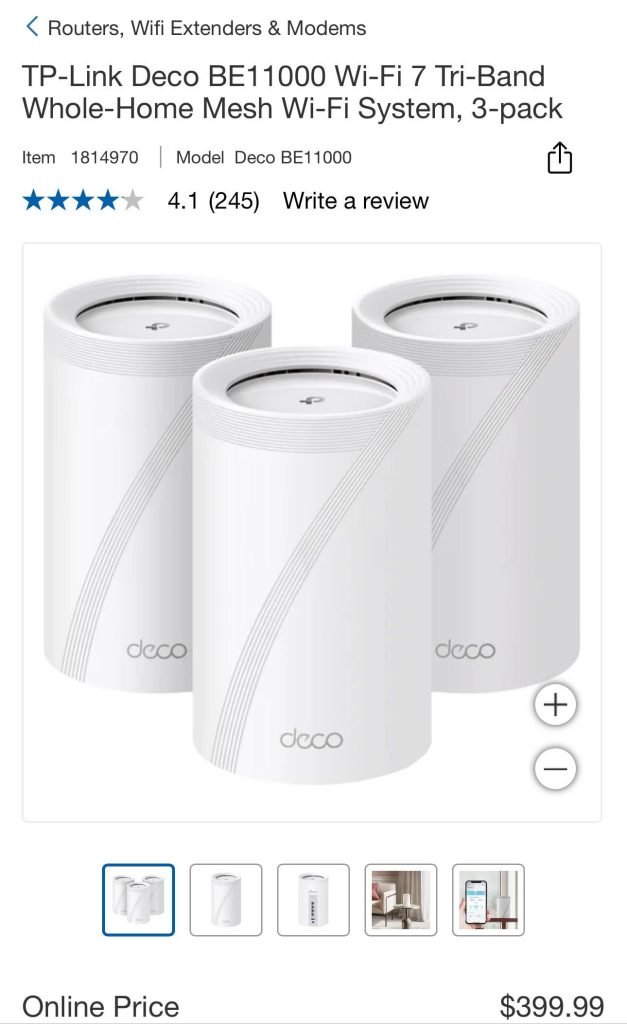
Are you tired of slow internet and constant buffering in your apartment? You’re not alone.
Many people struggle with weak WiFi signals and dead zones in their homes. But what if there was a simple solution that could give you strong, reliable internet everywhere in your apartment? Mesh WiFi might be the answer you’ve been looking for.
You’ll discover how mesh WiFi works, why it could be better than your current setup, and whether it’s the right choice for your living space. Keep reading to find out how to finally enjoy seamless internet in every corner of your apartment.
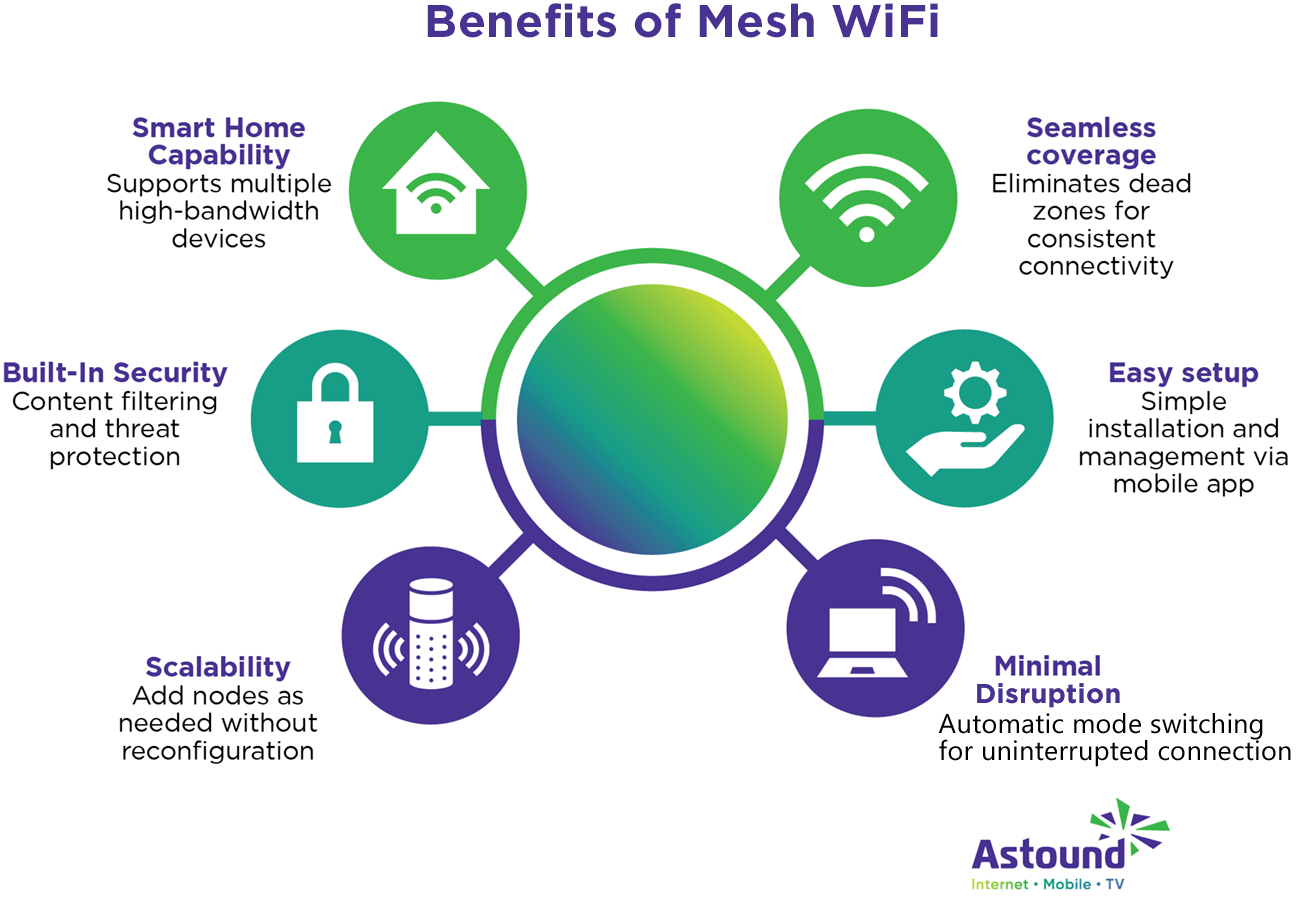
Credit: www.astound.com
Benefits Of Mesh Wifi In Apartments
Mesh wifi systems help improve internet access in apartments. They work well in small and connected spaces.
This type of wifi creates a network with multiple points. It keeps your devices connected without losing signal.
Improved Coverage In Compact Spaces
Apartments often have thick walls and many rooms. Mesh wifi spreads the signal evenly to cover all areas.
- Covers small and tight spaces efficiently
- Works well with walls that block signals
- Provides strong wifi in every corner
Seamless Connectivity Across Rooms
Mesh wifi lets you move from room to room without losing connection. It switches your device to the strongest signal point.
| Room | Typical Signal | Mesh Wifi Signal |
| Living Room | Strong | Strong |
| Bedroom | Weak | Strong |
| Kitchen | Moderate | Strong |
Reduced Dead Zones
Dead zones are places with no wifi signal. Mesh wifi reduces these spots by adding more signal points.
- Places routers in different rooms
- Creates overlap of wifi signals
- Keeps your devices online everywhere

Credit: www.cnet.com
Challenges Of Traditional Wifi In Apartments
Wifi in apartments often faces many problems. Traditional routers may not work well in these buildings.
Several factors make it hard to get a strong and steady wifi signal indoors.
Interference From Neighboring Networks
Many apartments have lots of wifi networks nearby. These networks can interfere with each other.
Interference causes slow speeds and dropped connections. It makes it hard to have a stable internet link.
- Multiple wifi signals overlap
- Routers use the same channels
- Interference reduces signal quality
Limited Range Of Single Routers
Single routers have a limited range. Their signals cannot reach all parts of an apartment well.
Large or oddly shaped apartments have weak spots. These spots get slow or no wifi signal.
- Signal weakens with distance
- Far rooms get poor coverage
- Router location affects signal strength
Signal Obstruction By Walls And Materials
Walls and building materials block wifi signals. Thick or metal walls reduce signal strength a lot.
Materials like concrete, brick, and metal cause the biggest problems. Wifi can be very weak behind them.
- Concrete walls block signals
- Metal reflects or absorbs wifi
- Windows and furniture also affect signal
How Mesh Wifi Systems Work
Mesh wifi systems use multiple devices to spread internet signals. These devices work together to cover larger areas.
They are different from regular routers because they create a network that is strong and steady. This helps reduce dead zones.
Multiple Nodes For Wider Coverage
Mesh systems use many nodes or units placed around your home. Each node sends wifi signals to nearby areas.
This setup helps cover large spaces like apartments with thick walls. You get better wifi in every room.
Smart Routing And Band Steering
Mesh systems choose the best path for your internet data. They send signals through the fastest route available.
They also switch devices between wifi bands automatically. This keeps your connection fast and stable.
Easy Expansion Options
You can add more nodes to your mesh system anytime. This helps you cover new areas or fix weak signals.
Adding nodes is simple and does not require complex setup. The system adjusts to new nodes automatically.
Factors To Consider When Choosing Mesh Wifi
Mesh wifi can improve internet coverage in apartments. Choosing the right system depends on many factors.
Understanding these factors helps you get better wifi performance and avoid dead spots.
Apartment Size And Layout
Large or oddly shaped apartments need more mesh nodes for full coverage. Walls and floors can block wifi signals.
- Small apartments may need only two nodes.
- Multiple floors require nodes on each level.
- Thick walls reduce signal strength.
- Open layouts allow signals to travel further.
Number Of Connected Devices
More devices need stronger mesh systems. Each node supports a number of devices before slowing down.
| Device Count | Recommended Nodes |
| Up to 5 devices | 1-2 nodes |
| 6 to 15 devices | 2-3 nodes |
| More than 15 devices | 3 or more nodes |
Internet Speed Requirements
Your internet plan affects the mesh system you need. Faster plans need mesh systems that support high speeds.
Consider these points for internet speed:
- Match mesh speed to your internet plan.
- Choose dual-band or tri-band mesh for faster speeds.
- Check if the mesh supports your provider’s max speed.
- High-speed needs include 4K streaming and gaming.
Top Mesh Wifi Models For Apartments In 2025
Mesh wifi systems help improve internet coverage in apartments. They reduce dead zones and provide stable connections.
Choosing the right mesh wifi depends on your needs and budget. Here are top models for 2025 to consider.
High-performance Options
These mesh wifi models deliver fast speeds and wide coverage. They work well in large or thick-walled apartments.
- Netgear Orbi RBK853 – Tri-band, supports many devices
- ASUS ZenWiFi AX XT8 – Strong signal and fast Wi-Fi 6
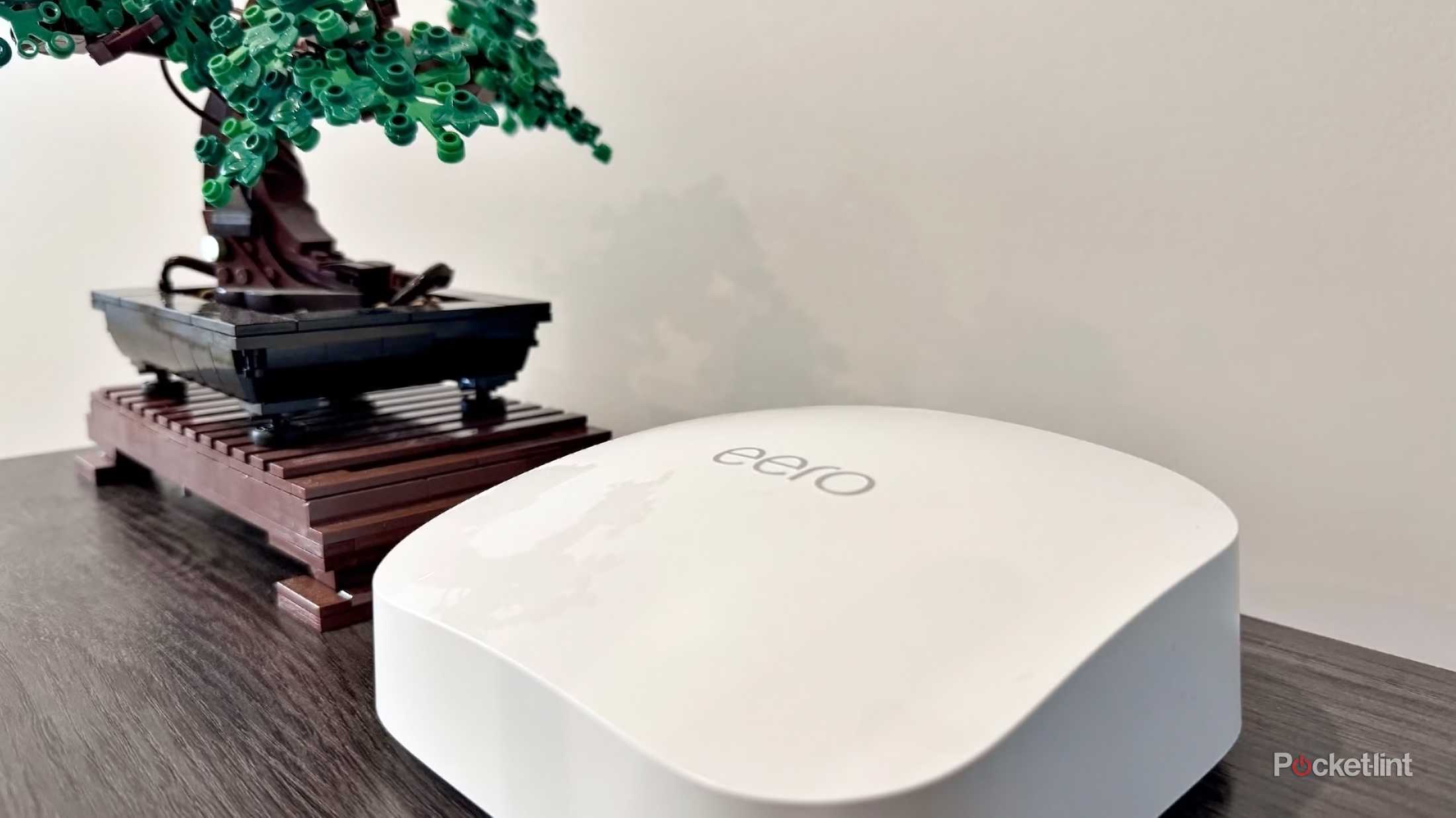
- Eero Pro 6 – Easy setup with powerful performance
Budget-friendly Choices
These options fit smaller budgets and still improve wifi coverage. They are good for simple apartment layouts.
- TP-Link Deco M4 – Affordable and reliable mesh system
- Google Nest Wifi – Simple design with decent speed
- Linksys Velop AC1200 – Budget-friendly with easy setup
User-friendly Systems
These mesh wifi models focus on easy installation and management. They suit users who want quick setup and simple controls.
- Eero 6 – Intuitive app and automatic updates
- Google Nest Wifi – User-friendly interface and voice control
- TP-Link Deco X20 – Simple app with helpful features
Credit: www.pocket-lint.com
Setting Up Mesh Wifi In An Apartment
Mesh Wifi systems can improve internet coverage in apartments. They use multiple nodes to spread the signal evenly.
Setting up a mesh network is simple. It ensures strong connectivity in every corner of your apartment.
Optimal Node Placement
Place nodes strategically for the best coverage. Nodes should be in open areas, away from thick walls.
Avoid placing nodes near electronic devices like microwaves. These can interfere with the signal.
- Place nodes in central locations
- Keep nodes at least 10 feet apart
- Ensure each node has a clear line of sight to another
Configuring Network Settings
After placing the nodes, configure the network settings. Use the mobile app provided by the manufacturer.
Change the network name and password for security. Enable guest networks if needed.
- Download the app for setup
- Rename your network for easy identification
- Set a strong, unique password
Troubleshooting Common Issues
Sometimes, you may face issues like slow speed or dropped connections. Restarting the network often helps.
Check for firmware updates regularly. These updates can fix bugs and improve performance.
- Restart the router and nodes
- Update firmware through the app
- Ensure nodes are placed correctly
Comparing Mesh Wifi With Other Solutions
Mesh Wifi systems are popular in apartments. They help cover large areas with strong signals. Let’s see how they compare to other solutions.
We’ll look at range extenders, powerline adapters, and traditional routers. Each has its own pros and cons.
Mesh Vs. Range Extenders
Range extenders boost existing signals. They are simple to set up but can slow down the network. Mesh systems offer a seamless connection.
- Range extenders are cheaper.
- Mesh provides a unified network name.
- Mesh handles multiple devices better.
Mesh Vs. Powerline Adapters
Powerline adapters use electrical wiring. They can be fast but depend on wiring quality. Mesh systems work wirelessly and are easier to install.
| Feature | Mesh Wifi | Powerline Adapter |
| Installation | Easy | Moderate |
| Coverage | Whole apartment | Depends on wiring |
| Speed | Consistent | Varies |
Mesh Vs. Traditional Routers
Traditional routers are common in homes. They may not cover large apartments well. Mesh systems provide better coverage with multiple nodes.
Future Trends In Apartment Wifi Technology
Wifi in apartments faces unique challenges like walls and interference. New technology aims to improve speed and reliability. These trends will shape how people connect at home.
Understanding these advances helps apartment residents get better internet. Let’s explore key trends in wifi technology for apartments.
Wi-fi 6 And Beyond
Wi-Fi 6 offers faster speeds and better device management. It works well in crowded places like apartments. The next versions will improve coverage and reduce delays.
- Higher data rates for smooth streaming
- Improved performance with many connected devices
- Better energy efficiency for battery-powered devices
- Stronger signal through walls and floors
Integration With Smart Home Devices
More apartments include smart devices like lights and thermostats. Wifi must support many devices working together. This integration allows easy control and automation.
| Device Type | Wifi Feature Needed |
|---|---|
| Smart Lights | Low latency for instant response |
| Security Cameras | High bandwidth for clear video |
| Thermostats | Stable connection for consistent control |
| Voice Assistants | Quick data transfer for commands |
Enhanced Security Features
Security is key for apartment wifi networks. New features protect personal data and block hackers. These updates help keep all devices safe and private.
- Stronger encryption standards
- Automatic updates for security patches
- Network segmentation for guest devices
- Improved password and access controls
Frequently Asked Questions
Does Mesh Wifi Improve Apartment Internet Speed?
Yes, mesh WiFi can improve internet speed in apartments. It reduces dead zones by using multiple access points. This ensures a strong signal in every room, enhancing overall speed and connectivity throughout the apartment.
Can Mesh Wifi Reduce Interference In Apartments?
Mesh WiFi helps reduce interference by using smart channels and multiple nodes. It minimizes signal overlap from neighboring networks. This creates a more stable and reliable connection in crowded apartment buildings.
Is Mesh Wifi Better Than A Single Router In Apartments?
Mesh WiFi is better than a single router in apartments. It covers larger areas and penetrates walls efficiently. This results in fewer dead zones and consistent internet access in every corner.
How Many Mesh Nodes Are Ideal For Apartments?
For most apartments, 2 to 3 mesh nodes are ideal. This setup balances coverage and cost effectively. It ensures strong WiFi signals in all rooms without unnecessary overlap.
Conclusion
Mesh WiFi often works well in apartments by reducing dead zones. It spreads the signal evenly across rooms and floors. Walls and other barriers cause fewer problems with mesh systems. They keep your internet strong when many devices connect. Simple to set up and easy to expand.
A good choice for small to medium spaces. It helps keep video calls and streaming smooth. Worth considering if your current WiFi is weak or spotty. Mesh WiFi can make daily internet use more reliable.


