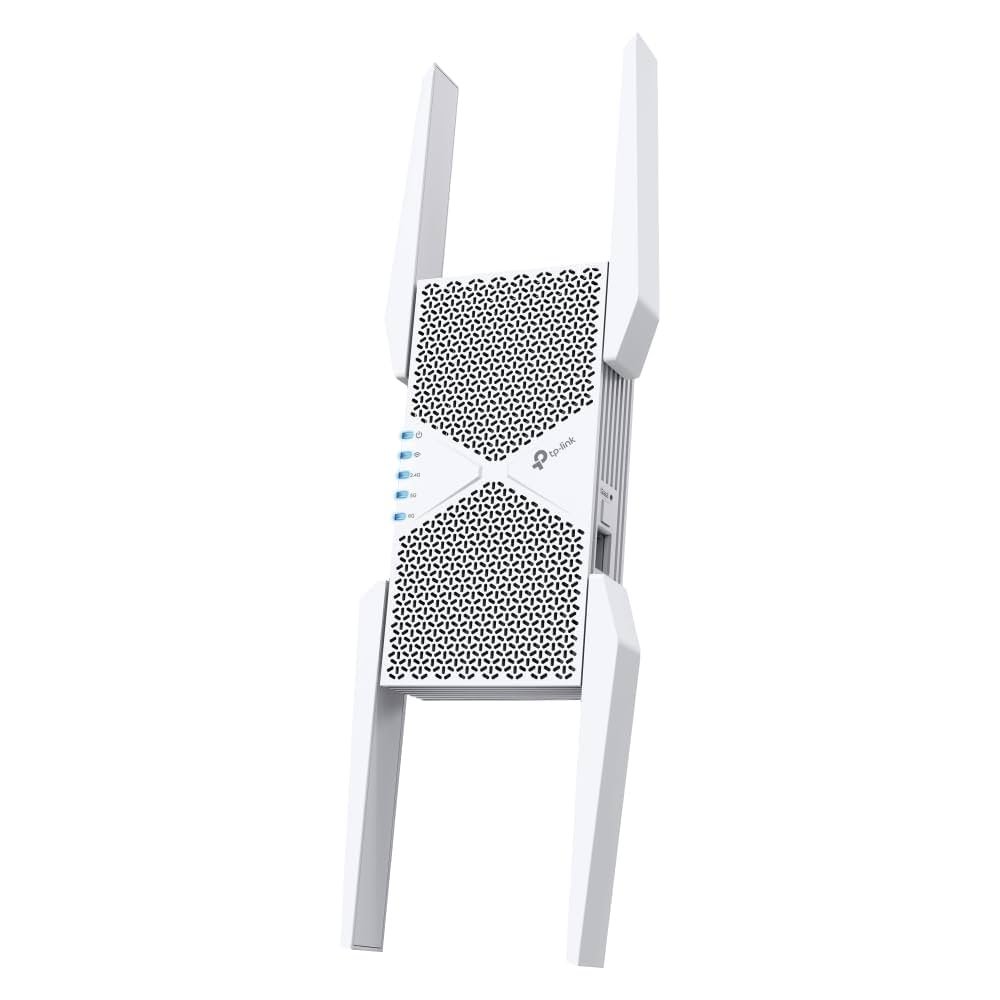
Are you tired of dead zones and slow internet speeds when moving from room to room? You’re not alone.
Many people struggle with maintaining a seamless Wi-Fi connection throughout their homes. That’s where tri-band Wi-Fi extenders come into play. But there’s one burning question: does a tri-band Wi-Fi extender support fast roaming? Imagine walking from your living room to the kitchen without a single hiccup in your video call or streaming session.
The promise of uninterrupted connectivity is enticing, but is it achievable with a tri-band extender? Before you invest, it’s crucial to know if these devices can truly deliver on their promise of fast roaming and a smoother online experience. Stick around to find out how tri-band technology could revolutionize your home network and finally give you the seamless internet connection you’ve been dreaming of.

Credit: www.amazon.ca
Tri Band Wifi Extenders
A Tri Band WiFi Extenderuses three separate frequency bands to boost your internet signal. It usually has one 2.4 GHz band and two 5 GHz bands. This helps reduce congestion and improve speed.
Compared to Dual Band Extenders, Tri Band Extenders offer better performance. They can handle more devices at once. This means less slowdowns and better coverage in bigger spaces.
| Feature | Tri Band Extender | Dual Band Extender |
|---|---|---|
| Frequency Bands | Three (1 x 2.4 GHz, 2 x 5 GHz) | Two (1 x 2.4 GHz, 1 x 5 GHz) |
| Device Handling | Better for many devices | Good for fewer devices |
| Speed | Higher speeds possible | Moderate speeds |
| Coverage | Wider coverage area | Smaller coverage area |

Credit: www.amazon.ca
Fast Roaming Basics
Fast roaminghelps devices switch between WiFi points quickly. It stops slow connections and delays. Devices stay connected without losing signal during moves.
This works by sharing connection info between WiFi points. Devices can jump to the best signal fast. It uses protocols like 802.11rto speed handoff.
Seamless connectivitymeans no breaks in video calls or games. It keeps internet smooth in big homes or offices. Fast roaming helps devices stay on the fastest WiFi band.
Compatibility Of Tri Band Extenders With Fast Roaming
Tri Band WiFi extenders can support fast roamingif they meet certain technical requirements. Fast roaming allows devices to switch between access points without losing connection. This is important for smooth video calls and gaming.
To support fast roaming, extenders must use 802.11rprotocol. They also need proper firmware that handles quick handoffs. Not all Tri Band extenders come with this feature by default.
| Tri Band Extender Model | Supports 802.11r (Fast Roaming) | Notes |
|---|---|---|
| Netgear Nighthawk X6 | Yes | Popular for fast roaming support |
| TP-Link RE650 | Yes | Supports seamless handoff |
| Linksys RE7000 | Partial | Needs firmware update for full support |
| Asus RP-AC87 | No | No fast roaming support |
Choosing the right extender depends on the router and device compatibility. Some extenders may require enabling fast roaming in settings.
Setting Up Fast Roaming On Tri Band Extenders
Check the firmwareversion of your tri-band extender regularly. Updating firmware improves device performance and adds new features. Use the extender’s app or website to download the latest version. Also, update the router’s software to support fast roaming protocols like 802.11r.
- Access the extender’s admin panel through a browser.
- Find the firmware update option and follow prompts.
- Ensure the router supports fast roaming settings.
- Enable fast roaming on both router and extender.
- Save settings and restart devices for changes to apply.
Performance Impact
Tri-band WiFi extenders often support fast roaming, helping devices switch quickly between networks. This feature improves connection stability and reduces lag during movement. Users experience smoother internet without noticeable drops.
Speed And Stability Improvements
Tri Band WiFi extendershelp increase wireless speed by using three separate bands. This reduces traffic on each band, which leads to better connection stability. Devices can switch smoothly between bands, improving overall network performance. Fast roaming support allows devices to connect to the strongest signal without delay. This means fewer interruptions when moving around the home or office.
Potential Limitations
Not all tri band extenders fully support fast roaming. Some may have compatibility issueswith certain routers or devices. The speed boost can also depend on distance and obstacles like walls. In some cases, setup might be complexfor beginners. It’s important to check if your extender and router both support the same roaming standards for the best experience.
Troubleshooting Fast Roaming Issues
Fast roaming issuescan cause slow or dropped WiFi connections. Common problems include signal interference, outdated firmware, and improper device settings. Devices may fail to switch quickly between access points.
Improving the roaming experience helps keep connections smooth and stable. Try these tips:
- Updateyour extender and router firmware regularly.
- Place extenders in open areas to reduce signal interference.
- Enable 802.11rfast roaming if supported by devices.
- Use the same SSIDand password on all access points.
- Limit the number of devices connected to each access point.
- Restart your network devices to refresh connections.
Comparing Tri Band Extenders To Mesh Systems
Tri Band WiFi extenderscan boost your signal but may not support fast roamingwell. Fast roaming helps devices switch smoothly between networks without delay. Mesh systems are designed to offer this feature more effectively.
Tri Band extenders use one band to connect to your router and others to your devices. This setup can cause slight delays during roaming. Mesh systems use multiple nodes working together, giving better roaming efficiencyand a more stable connection throughout your home.
| Feature | Tri Band Extender | Mesh System |
|---|---|---|
| Roaming Efficiency | Limited fast roaming support, possible delays | Strong fast roaming, seamless switching |
| Cost | Usually less expensive | Higher price due to advanced tech |
| Complexity | Simple to set up but less flexible | More complex but flexible and scalable |

Credit: www.amazon.ca
Frequently Asked Questions
Does Tri Band Wifi Extender Support Fast Roaming?
Yes, many tri band WiFi extenders support fast roaming. This feature allows seamless device switching between networks. It reduces lag and improves connectivity in large homes or offices. Fast roaming requires compatible routers and extenders for optimal performance.
How Does Fast Roaming Work With Tri Band Extenders?
Fast roaming uses protocols like 802. 11r to enable quick handoffs. Tri band extenders maintain multiple connections across different bands. This reduces delay when devices move between access points. The result is uninterrupted streaming and gaming experiences.
Can Tri Band Extenders Improve Wifi Roaming Speed?
Yes, tri band extenders can improve roaming speed. They use a dedicated band to backhaul data, freeing other bands for devices. This setup enhances network efficiency and reduces congestion during roaming. It ensures faster and more stable connections.
Are All Tri Band Wifi Extenders Compatible With Fast Roaming?
Not all tri band extenders support fast roaming. Compatibility depends on the device’s firmware and router support. Check product specifications for 802. 11r or similar fast roaming standards. Proper setup is essential to enable this feature.
Conclusion
Tri band WiFi extenders often support fast roaming for smooth device switching. This feature helps keep your connection steady when moving around. It reduces delays and improves streaming or calls. Not all models have this, so check before buying. Fast roaming works best with compatible routers and devices.
It makes your WiFi experience more reliable and convenient. Overall, choosing a tri band extender with fast roaming can boost your home network’s performance. Simple and smart for better internet anywhere in your space.


