Are you confident that your dual band router is keeping your home network safe? With so many devices connected to both 2.4 GHz and 5 GHz bands, a weak link in your router’s security can put your personal data at risk.
You might think your setup is secure, but hackers are getting smarter every day. You’ll discover simple yet powerful steps to protect your dual band router from common threats. Keep reading to learn how to lock down your network and enjoy faster, safer internet without headaches.
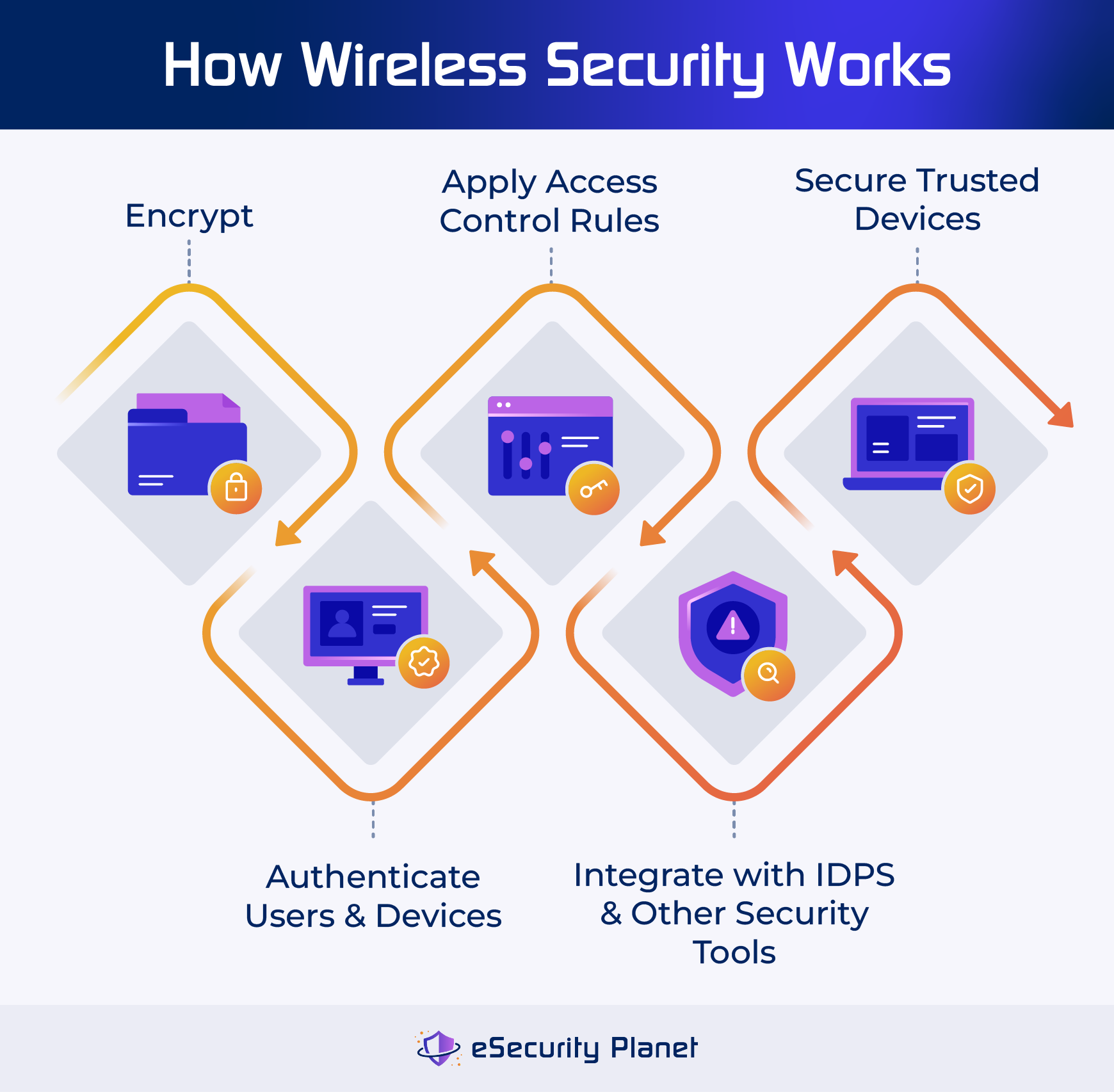
Credit: www.esecurityplanet.com
Benefits Of Dual Band Routers
Dual band routers offer several advantages that enhance your home or office network. They provide better speed, coverage, and security than single band routers. Using two frequency bands helps manage devices more efficiently. This setup improves your internet experience and reduces connection problems.
Understanding how dual band routers work can help you choose the best settings for your network. They separate devices based on their needs and offer flexibility for different tasks.
Differences Between 2.4 Ghz And 5 Ghz
The 2.4 GHz band covers a larger area but has slower speeds. It works well for simple tasks like browsing and emails. The 5 GHz band offers faster speeds but covers a smaller area. It is best for streaming, gaming, and video calls.
Devices can switch between these bands to get the best connection. This helps keep your network balanced and reduces slowdowns.
Improved Network Performance
Dual band routers reduce traffic on each frequency. This means less congestion and fewer interruptions. Devices that need more speed can use the 5 GHz band. Others that need range can use the 2.4 GHz band.
The router can handle many devices without slowing down. This keeps your internet fast and stable.
Reduced Interference
The 2.4 GHz band is often crowded with devices like microwaves and Bluetooth gadgets. This can cause interference and weak signals. The 5 GHz band is less crowded and faces less interference.
Using both bands helps avoid signal clashes. Your devices get clearer signals and better connectivity. This leads to fewer dropouts and smoother internet use.
Common Security Threats
Understanding the common security threats facing your dual band router is key to keeping your network safe. These threats can compromise your personal data, slow down your internet, or even allow outsiders to misuse your connection. Let’s break down some of the most frequent dangers and how they might affect you.
Wi-fi Eavesdropping
Wi-Fi eavesdropping happens when someone intercepts your wireless signals to listen in on your online activities. Without strong encryption, your data like passwords, emails, and credit card numbers can be exposed. Have you ever noticed unusual activity on your accounts after using public Wi-Fi? That might be a sign of eavesdropping.
To reduce this risk, always enable WPA3 or at least WPA2 encryption on your router. Avoid connecting to unsecured networks, and consider using a VPN for an extra layer of protection. Remember, your wireless signal is like a conversation in a crowded room—without privacy measures, anyone nearby can listen.
Unauthorized Access
Unauthorized access occurs when strangers gain entry to your network without permission. They might use your internet for illegal activities or steal sensitive information stored on connected devices. Many people don’t realize how easy it can be if their router has default passwords or outdated firmware.
Changing the router’s default login credentials and keeping its software updated are simple but powerful steps you can take. Also, disable remote management if you don’t need it, and set up a guest network for visitors to keep your main network secure. Ask yourself: who really needs access to your Wi-Fi?
Malware And Virus Risks
Your router can become a gateway for malware and viruses if it’s not properly secured. Hackers exploit router vulnerabilities to inject malicious software that spreads to every device on your network. This can lead to data theft, corrupted files, or even your devices being used in botnet attacks.
Regularly updating your router’s firmware is crucial to patch security holes. Use strong, unique passwords and enable built-in firewalls when available. Think about your router as the first line of defense—neglecting its security is like leaving your front door wide open.
Choosing Strong Passwords
Choosing strong passwords is essential for securing your dual band router. Weak passwords make it easy for hackers to access your network. A strong password protects your personal data and keeps your internet safe. Follow these best practices to create and maintain robust passwords for your router.
Creating Complex Passwords
Use a mix of uppercase and lowercase letters, numbers, and symbols. Avoid common words or simple patterns like “12345” or “password.” A longer password is harder to guess. Aim for at least 12 characters. Combine unrelated words or phrases for better security.
Regular Password Updates
Change your router password often to reduce risk. Set a reminder to update it every three to six months. Frequent changes limit the time hackers can use a stolen password. Avoid reusing old passwords or using the same password on other devices.
Using Password Managers
Password managers help generate and store strong passwords safely. They keep track of all your passwords so you don’t have to remember them. Use a trusted password manager to manage your router’s credentials. This reduces the chance of using weak or repeated passwords.

Credit: www.pcmag.com
Firmware Updates And Patches
Regular firmware updates and patches are vital for dual band router security. They fix vulnerabilities and enhance performance. Keep your router updated to protect against emerging threats.
Ensuring your dual-band router is secure involves regular firmware updates and patches. These updates fix security vulnerabilities and improve performance. Ignoring updates can expose your network to threats. Keeping firmware up-to-date is a key step in safeguarding your router.Importance Of Regular Updates
Firmware updates provide essential security enhancements. They address known vulnerabilities, protecting your network. Regular updates ensure your router runs smoothly. Updated firmware often includes performance improvements. Timely updates prevent unauthorized access to your network.How To Update Router Firmware
Start by logging into your router’s admin panel. Use your web browser to access it. Find the firmware update section in the settings. Download the latest firmware from the manufacturer’s website. Follow instructions to install the update. Restart the router to apply changes.Automated Update Settings
Enable automated updates to simplify the process. This setting checks for updates regularly. It installs them without manual intervention. Look for the automated update option in your router settings. Ensure your router supports this feature. Automated updates save time and enhance security.Network Encryption Protocols
Network encryption protocols are the backbone of your dual band router’s security. They protect the data traveling between your devices and the router, preventing unauthorized access. Choosing the right protocol and enabling it properly can make a huge difference in keeping your network safe.
Wpa3 Vs Wpa2
WPA3 is the latest and most secure encryption protocol available. It offers stronger protection against password guessing and encrypts individual connections, which enhances privacy on public networks.
WPA2 has been the standard for many years and still provides solid security if configured correctly. However, it lacks some of the advanced protections WPA3 offers.
If your router supports WPA3, switch to it immediately. If not, WPA2 with a strong password is your next best option. Have you checked which protocol your router currently uses?
Enabling Encryption On Your Router
Access your router’s settings by typing its IP address into your browser. Look for the wireless security section to find encryption options.
Choose WPA3 or WPA2 and set a strong, unique password. Avoid simple or common passwords like ‘12345678’ or ‘password.’
Save your settings and reboot the router if needed. This small step drastically improves your network’s defense against intruders.
Avoiding Wep And Open Networks
WEP is an outdated encryption protocol that hackers can crack within minutes. Using it leaves your network vulnerable to attacks.
Open networks, which have no encryption, expose your data to anyone nearby. Even if you think your network is low-risk, is it worth the chance?
Always avoid WEP and open networks. Stick to WPA3 or WPA2 for reliable protection and peace of mind.

Credit: blog.jazzcybershield.com
Configuring Router Settings
Configuring your dual band router settings is a key step in securing your home network. Proper setup reduces risks of unauthorized access and keeps your data safe. Taking time to adjust important settings strengthens your wireless protection.
Focus on critical options like admin credentials, WPS, and guest networks. These settings control who can manage your router, how devices connect, and what visitors can access. Adjusting them properly helps maintain control over your network environment.
Changing Default Admin Credentials
Most routers come with default usernames and passwords. These are easy to guess and can let hackers access your router. Change these credentials immediately after setup.
- Create a strong password with letters, numbers, and symbols.
- Use a username different from “admin” or “user.”
- Store your new login details safely for future access.
Disabling Wps
Wi-Fi Protected Setup (WPS) simplifies device connections but can be a security risk. It allows quick access without a password, which attackers can exploit.
- Turn off WPS in your router’s settings menu.
- Connect devices manually using the Wi-Fi password instead.
- Check for firmware updates to improve security features.
Setting Up Guest Networks
Guest networks offer visitors internet access without exposing your main network. This keeps your devices and data safer.
- Enable a separate guest network in your router’s settings.
- Use a different password from your main Wi-Fi.
- Limit guest network access to internet only, blocking local devices.
- Turn off the guest network when not in use.
Monitoring Network Activity
Monitoring network activity is essential to keep your dual band router secure. It helps detect unusual behavior and potential threats early. Regular checks protect your data and devices from hackers and unauthorized access.
Network monitoring gives insight into who is connected and what is happening on your router. It also helps find weak points before attackers exploit them. Stay proactive and keep your network safe.
Using Router Logs
Router logs record all activities on your network. They show connection times, device names, and any errors. Checking logs often reveals suspicious actions quickly.
Access your router’s admin panel to view logs. Look for repeated failed login attempts or unknown IP addresses. Save logs regularly for future reference.
Detecting Unfamiliar Devices
Unknown devices on your network can be a security risk. Scan connected devices to spot those you do not recognize. Each device has a unique MAC address.
Match MAC addresses with your known devices list. Block or remove any unfamiliar devices immediately. Change your Wi-Fi password if you find unknown users.
Tools For Network Monitoring
Several free and paid tools help monitor your network in real time. They provide alerts for new connections and unusual activity. Some popular options include:
- Wireshark – captures and analyzes network traffic
- Fing – identifies devices and network issues
- GlassWire – visualizes network activity with alerts
Choose tools that fit your needs and skill level. Use them regularly to keep your dual band router secure.
Additional Security Measures
Securing a dual band router goes beyond basic settings. Additional measures strengthen your network’s protection. These steps reduce risks from hackers and malware. They also keep personal data safe.
Enabling Firewall Features
Firewalls act as a barrier between your network and the internet. They block unwanted traffic and potential attacks. Most dual band routers have built-in firewalls. Access the router’s settings to turn this feature on. Choose the highest security level your router supports. Regularly update your firewall rules to adapt to new threats.
Using Vpn With Your Router
A VPN creates a secure tunnel for your internet connection. It hides your IP address and encrypts data. Installing a VPN on your router protects all connected devices. It ensures privacy on every device without separate setups. Select a trusted VPN provider with good speed and security. Configure the router to connect automatically to the VPN.
Physical Security Tips
Physical access to your router can lead to security breaches. Place your router in a safe, locked area. Avoid locations where many people can reach it easily. Keep router firmware updated to prevent unauthorized changes. Disconnect the router during long absences to avoid attacks. Label the device with contact details for quick recovery if lost.
Frequently Asked Questions
What Is A Dual Band Router And Why Secure It?
A dual band router operates on 2. 4 GHz and 5 GHz frequencies. Securing it prevents unauthorized access, data theft, and network attacks, ensuring safe and reliable internet use.
How To Change Default Dual Band Router Passwords?
Access your router’s settings via its IP address. Change default usernames and passwords to strong, unique ones. This stops easy unauthorized access to your network.
Why Enable Wpa3 Encryption On Dual Band Routers?
WPA3 offers the latest, strongest Wi-Fi security protocol. It protects your network from hacking, ensuring safer data transmission and stronger password defense.
Should I Disable Wps On My Dual Band Router?
Yes, disable WPS as it has known vulnerabilities. Turning it off reduces the risk of unauthorized devices connecting to your network.
Conclusion
Securing your dual band router protects your home network. Change default passwords often to stay safe. Use strong encryption like WPA3 for better security. Keep your router’s firmware updated regularly. Disable remote management unless you really need it. Separate guest networks to limit access from visitors.
These simple steps help prevent hackers and keep data private. Stay aware and act quickly if something seems wrong. Safe internet use starts with a secure router.