Choosing the right mesh WiFi system can feel overwhelming, especially when you’re deciding between two popular options like Eero Mesh WiFi and TP-Link Deco. You want fast, reliable internet in every corner of your home without the hassle of dead zones or complicated setups.
But which one truly delivers the best performance for your needs? You’ll discover the key differences, benefits, and potential drawbacks of both systems. By the end, you’ll have a clear idea of which mesh WiFi solution fits your lifestyle and keeps your devices connected effortlessly.
Keep reading to make the smartest choice for your home network.
Eero Mesh Wifi Features
Eero Mesh Wifi is a popular system that helps spread internet across your home. It uses several devices called nodes to create a strong network.
This system aims to provide fast and reliable internet in all rooms. It also supports smart home devices and has strong security options.
Design And Hardware
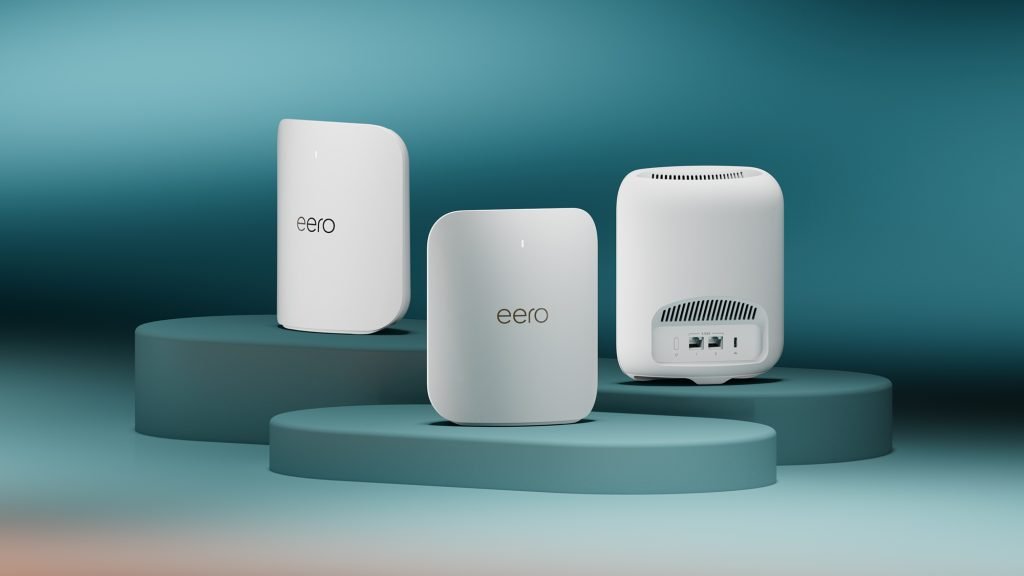
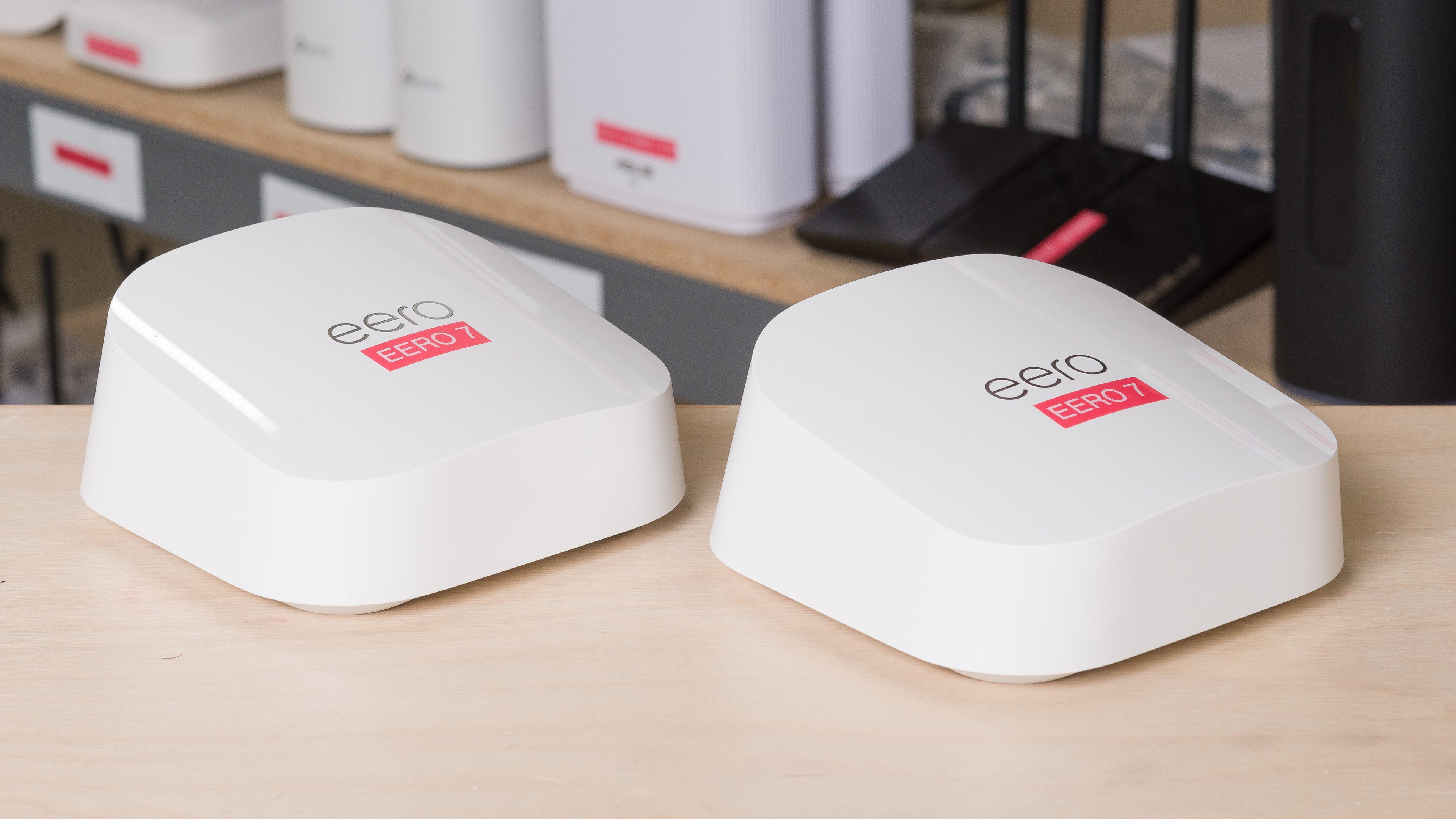
Eero devices have a simple and small design. They are easy to place anywhere in your home.
The hardware includes multiple antennas inside each node. This helps improve the Wi-Fi signal strength and speed.
- Compact square shape with rounded edges
- LED light shows connection status
- Supports dual-band or tri-band Wi-Fi
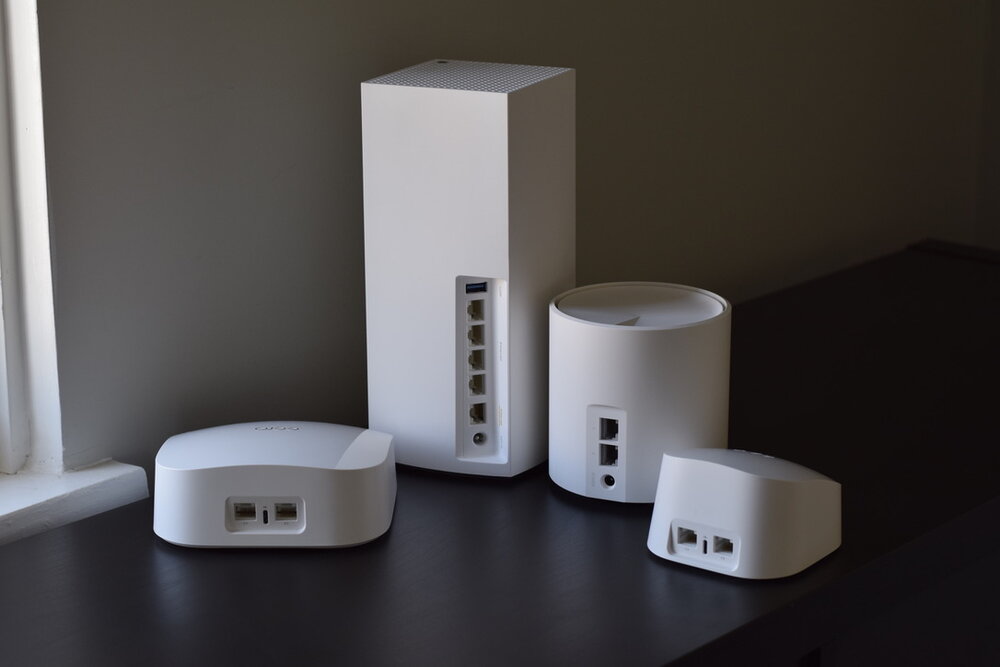
- Powered by Ethernet and USB-C ports
Setup Process
Setting up Eero Mesh Wifi is quick and easy. You use the Eero app on your phone to guide you through each step.
The app helps you add nodes and check if the internet works well in all areas.
- Download the Eero app on iOS or Android
- Create an account or log in
- Connect the first Eero to your modem
- Add extra Eero devices to extend coverage
- Follow app instructions for placement and setup
Network Coverage
Eero Mesh Wifi covers large areas by using multiple nodes. Each node sends the signal to the next one.
This system works well in homes with many rooms or multiple floors.
- Each node covers about 1,500 square feet
- Three-pack covers up to 4,500 square feet
- Additional nodes increase coverage easily
- Supports seamless roaming between nodes
Security Options
Eero offers strong security to keep your network safe. It updates automatically to fix problems.
You get advanced features like blocking harmful sites and setting up guest access.
- Automatic security updates
- Guest network for visitors
- Parental controls to limit devices
- Advanced threat scans with subscription
Smart Home Integration
Eero Mesh Wifi works well with smart home devices. It connects easily to assistants like Alexa.
You can control your network and some devices using voice commands or the app.
- Compatible with Amazon Alexa
- Supports Zigbee smart devices (some models)
- Control Wi-Fi settings with voice
- Works with many smart home brands
Credit: www.rtings.com
Tp-link Deco Features
The Tp-Link Deco mesh wifi system offers many features to improve your home network. It aims to provide stable and fast internet in every room.
This guide explains the main features of Tp-Link Deco in simple terms. You will learn about its design, setup, coverage, security, and smart home options.
Design And Hardware
Tp-Link Deco devices have a clean and modern design. They are small, round, and easy to place in your home without looking messy.
The hardware includes multiple antennas inside each unit. These help spread the wifi signal evenly and reduce dead spots.
- Compact size fits on shelves or desks
- LED lights show device status without bright glare
- Each unit has multiple ethernet ports for wired connections
- Supports dual-band wifi for better speed and range
Setup Process
Setting up Tp-Link Deco is simple and fast. The process uses a mobile app that guides you step-by-step.
You connect the first Deco to your modem and then add more units around your home. The app helps find the best spots for coverage.
- Download the Deco app on iOS or Android
- Follow app instructions to connect your first unit
- Add more units by placing them and syncing via the app
- Manage your network easily from the app anytime
Network Coverage
Tp-Link Deco covers large areas with strong wifi signals. It uses mesh technology to link multiple units seamlessly.
The system can cover homes up to 5,500 square feet or more, depending on the model and number of units.
- Mesh network avoids wifi dead zones
- Seamless roaming lets devices switch units without dropping connection
- Supports many devices connected at once without slowdowns
- Expandable by adding more Deco units if needed
Security Options
Tp-Link Deco includes strong security features to protect your network and devices. It keeps your wifi safe from threats.
The system offers parental controls and antivirus protection to help manage access and block harmful content.
- WPA3 encryption for secure wifi connections
- Built-in antivirus powered by Trend Micro
- Parental controls to filter websites and limit screen time
- Guest network option to separate visitors from your main network
Smart Home Integration
Tp-Link Deco works well with many smart home devices. It supports easy connection and control of smart gadgets.
You can link Deco with voice assistants like Amazon Alexa for hands-free network management.
- Supports devices like smart lights, cameras, and thermostats
- Works with Alexa for voice control of network settings
- App control lets you manage smart devices connected to your wifi
- Helps keep smart home devices secure by isolating them if needed
Performance Comparison
Eero Mesh Wifi and Tp-Link Deco are popular mesh wifi systems. Both aim to provide strong wifi signals throughout your home.
This comparison looks at their speed, device handling, and stability to help understand their performance.
Speed And Reliability
Eero Mesh offers good speeds suitable for streaming and browsing. Tp-Link Deco also delivers fast speeds but may vary by model.
Both systems keep connections stable across large areas. Eero tends to maintain steady speeds during peak use.
- Eero Mesh supports up to 900 Mbps on some models
- Tp-Link Deco can reach speeds over 1000 Mbps on advanced models
- Both provide consistent wifi coverage
Device Handling Capacity
Eero Mesh can manage about 50 devices at once. This suits most homes with many smart devices.
Tp-Link Deco models vary but often support up to 100 devices. It works well for busy households.
- Eero Mesh ideal for medium device use
- Tp-Link Deco better for many connected devices
- Both handle multiple devices without lag
Latency And Stability
Eero Mesh provides low latency, which helps with video calls and gaming. It keeps connections smooth.
Tp-Link Deco also offers stable connections with low latency. It performs well even with many active devices.
| Feature | Eero Mesh Wifi | Tp-Link Deco |
|---|---|---|
| Latency | Low, good for gaming and calls | Low, stable under heavy use |
| Connection Stability | Strong, consistent signal | Reliable across large areas |
Pricing And Plans
Choosing the right mesh wifi system depends on your budget and needs. Eero Mesh Wifi and Tp-Link Deco offer different pricing options.
This guide compares their prices and plans. It helps you decide which fits you best.
Product Pricing
Eero Mesh Wifi has a range of products from single units to multi-packs. Prices change based on the model and coverage area.
Tp-Link Deco offers similar options. Their prices tend to be slightly lower for comparable models.
| Product | Eero Price (USD) | Tp-Link Deco Price (USD) |
|---|---|---|
| Single Unit | $99 – $149 | $79 – $99 |
| Two-Pack | $199 – $229 | $139 – $159 |
| Three-Pack | $279 – $299 | $199 – $229 |
Subscription Services
Eero offers a subscription called Eero Secure. It adds security and parental controls. The cost is about $3 to $9 per month.
Tp-Link Deco includes free basic security. Their subscription, Deco Care, adds extra features. It costs around $2 to $6 monthly.
- Eero Secure: $3-$9/month
- Deco Care: $2-$6/month
- Both offer trial periods
Value For Money
Eero products are slightly more expensive but have strong app support and updates. Subscription adds useful security tools.
Tp-Link Deco offers good value with lower prices. It covers most home needs and includes free basic features without subscription.
- Eero suits users wanting advanced features
- Deco fits users on a budget
- Both provide reliable wifi coverage
User Experience
Choosing the right mesh WiFi system affects your internet use at home. Eero Mesh WiFi and Tp-Link Deco are popular options. Both provide strong coverage and easy setup.
This article compares user experience for these two systems. We look at their mobile app features, customer support, and user reviews.
Mobile App Features
Eero and Tp-Link Deco both use mobile apps to control the WiFi system. The apps let you set up devices and manage your network easily.
The Eero app has a simple design and guides users step-by-step. It shows device status and lets you pause internet on specific devices.
The Deco app offers similar controls. It includes features like parental controls and QoS (Quality of Service) settings to prioritize devices.
- Eero app: simple setup, device pause, network status
- Deco app: parental controls, device prioritization, setup guide
Customer Support
Good customer support helps users fix problems quickly. Eero provides support via phone, email, and chat. Their help articles cover common questions.
Tp-Link Deco offers support through phone and online chat. Their website has detailed guides and a community forum for advice.
- Eero: phone, email, chat, help articles
- Deco: phone, chat, detailed guides, forum
User Reviews
Users of both systems report good WiFi coverage and easy setup. Eero is praised for its app simplicity and reliable connection.
Deco users like the extra app features like parental controls. Some mention the setup can be a bit more complex than Eero.
- Eero: easy to use, strong connection, simple app
- Deco: feature-rich app, good coverage, setup can be tricky
Best Use Cases
Choosing the right mesh Wi-Fi system is crucial for your home needs. Eero and Tp-Link Deco are top options.
Both are popular for different reasons. Let’s explore where each works best.
Small Homes
Small homes benefit from mesh Wi-Fi for seamless coverage. Eero and Tp-Link Deco offer reliable performance.
- Eero is easy to set up in apartments.
- Tp-Link Deco covers multiple rooms effectively.
- Both systems reduce Wi-Fi dead zones.
Large Homes
Large homes need extensive Wi-Fi coverage. Both Eero and Tp-Link Deco can handle larger spaces.
| Feature | Eero | Tp-Link Deco |
| Coverage Area | Up to 5,000 sq. ft. | Up to 5,500 sq. ft. |
| Number of Units | 3-pack | 3-pack |
| Setup Time | 10 minutes | 15 minutes |
Smart Home Enthusiasts
Smart home enthusiasts need reliable Wi-Fi for devices. Eero and Tp-Link Deco support many connected gadgets.
Both systems integrate well with smart assistants like Alexa and Google Home.
They ensure quick response times for smart devices.
Final Verdict
Choosing between Eero Mesh WiFi and TP-Link Deco can be a tough decision. Both offer unique strengths and cater to different needs. Understanding their advantages can help you make the right choice.
In this guide, we will explore the strengths of each system and provide guidance on which to choose.
Strengths Of Eero
Eero Mesh WiFi offers user-friendly setup and management. It integrates well with smart home systems like Alexa.
The network is reliable and covers large areas with strong signals. Eero also provides automatic updates to enhance security.
- Easy setup process
- Smart home integration
- Reliable coverage
- Automatic security updates
Strengths Of Deco
TP-Link Deco is known for its affordability. It offers good performance for its price and is suitable for budget-conscious users.
Deco provides a simple app for network management. It also supports a wide range of devices and offers parental controls.
- Cost-effective solution
- Simple app management
- Supports many devices
- Parental controls included
Which One To Choose
If you want a seamless smart home experience, Eero is a great choice. It suits users who prioritize ease of use and security.
For those on a budget, Deco provides excellent value. It is ideal for users who need good performance without spending too much.
| Choose Eero if: | Smart home integration and security are important to you. |
| Choose Deco if: | You need a budget-friendly option with good features. |

Credit: www.reddit.com
Credit: evanmccann.net
Frequently Asked Questions
What Are The Key Differences Between Eero Mesh Wifi And Tp-link Deco?
Eero offers simpler setup and better app control, while TP-Link Deco provides more advanced parental controls and security features. Both deliver strong coverage, but Deco often comes at a lower price. Choice depends on your specific needs like ease or extra features.
Which Mesh System Has Better Coverage, Eero Or Tp-link Deco?
Both Eero and TP-Link Deco provide excellent home coverage. Eero is ideal for medium to large homes, while Deco offers flexible options for various sizes. Coverage quality depends on your home layout and the number of units used in the system.
Is Eero Mesh Wifi Faster Than Tp-link Deco?
Eero generally offers faster speeds with its newer WiFi 6 models. TP-Link Deco’s speed varies across models but is competitive, especially in budget options. Speed also depends on your internet plan and network setup.
Are Eero And Tp-link Deco Easy To Set Up?
Yes, both Eero and TP-Link Deco are user-friendly and easy to set up via their apps. Eero is praised for its straightforward process, while Deco offers detailed guides and customization during setup.
Conclusion
Both Eero Mesh Wifi and TP-Link Deco offer strong, reliable connections. Eero is simple to set up and manage. TP-Link Deco provides good coverage at a lower price. Your choice depends on your home size and budget. Either system will improve your internet experience.
Think about what matters most to you. Fast speed, easy controls, or cost savings? Both options serve well for everyday use. Choose the one that fits your needs best. Enjoy better WiFi throughout your home.


