Are you tired of slow internet and dead zones in your home? Google Nest Mesh Wifi promises to fix that by spreading strong, reliable Wi-Fi everywhere.
But before you invest, you need to know if it works smoothly with your internet service provider (ISP). This article will help you understand exactly which ISPs are compatible with Google Nest Mesh Wifi and how to set it up for the best performance.
Keep reading to make sure your upgrade brings the fast, seamless internet you deserve.
Credit: www.androidpolice.com
Google Nest Mesh Wifi Basics
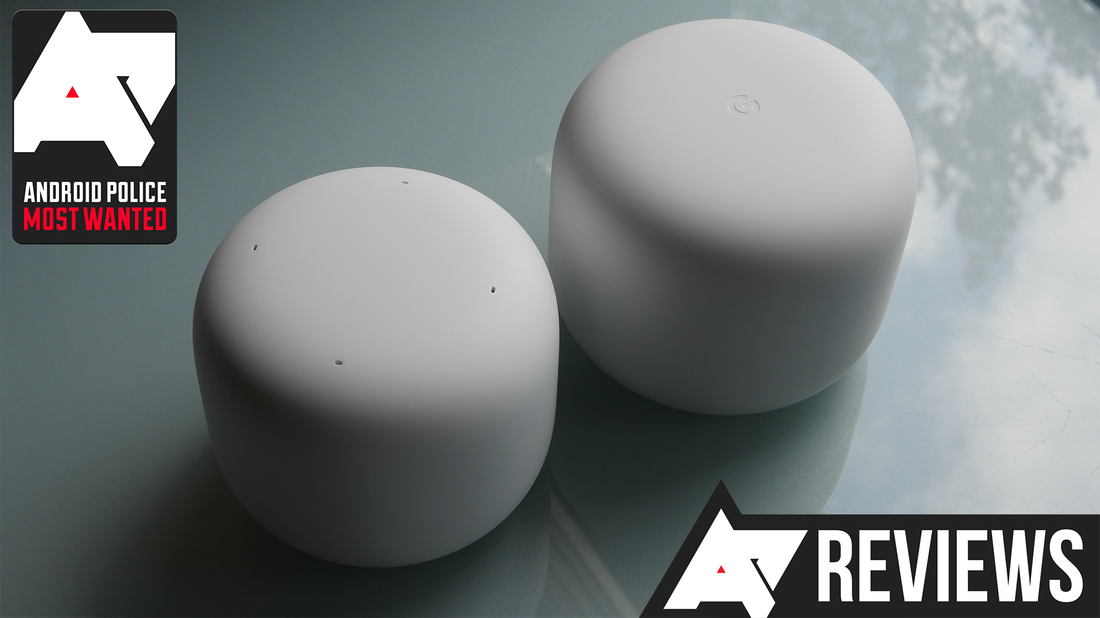
Google Nest Mesh Wifi is a system that spreads wifi signals across your home. It uses multiple devices called points to create a strong network.
This system helps reduce dead spots and keeps your internet fast in every room. It works with many internet service providers (ISPs).
Core Features
Google Nest Mesh Wifi offers easy setup and wide coverage. It automatically picks the best wifi channel to avoid interference.
The system supports multiple devices at once. It also includes parental controls and guest network options.
- Seamless wifi coverage using mesh points
- Automatic channel selection for stable connection
- Supports many devices simultaneously
- Parental controls to manage screen time
- Guest network for visitors
Setup Requirements
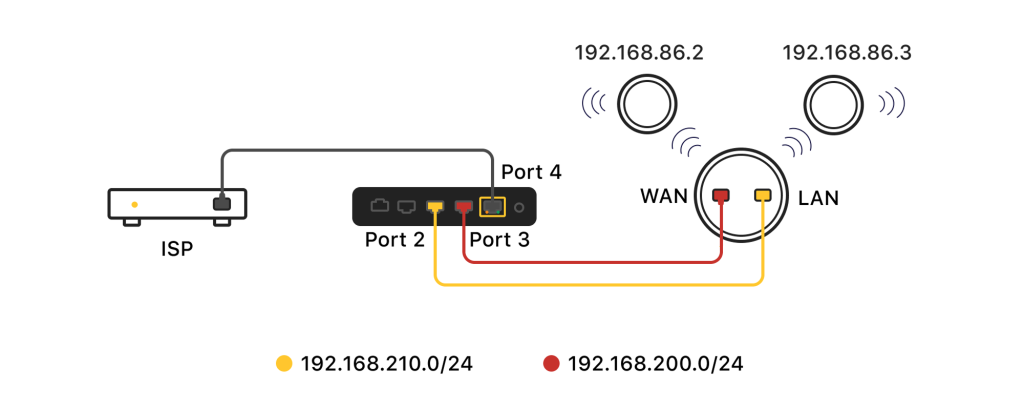
You need a modem connected to your internet service provider. Google Nest Mesh Wifi connects to this modem to spread wifi.
The setup requires the Google Home app on a smartphone or tablet. You will use it to configure your network and add mesh points.
- Modem provided by your ISP
- Google Nest Wifi router and points
- Smartphone or tablet with Google Home app
- Active internet service from your ISP
How Mesh Wifi Works
Mesh wifi uses many devices to spread internet in your home. These devices work together to give strong wifi everywhere.
Each device connects to others to form a network. This helps cover large areas without weak spots.
Mesh Network Structure
A mesh network has several nodes. One node connects to your modem, and others spread around the home.
All nodes talk to each other. They share wifi signals and data to keep connections strong.
- Main node links to the internet modem
- Satellite nodes placed in different rooms
- Nodes communicate wirelessly or by cable
- Automatic signal routing between nodes
Benefits Over Traditional Wifi
Mesh wifi covers large areas better than one router. It reduces dead zones in your home.
It also keeps your devices connected as you move. The network chooses the best node automatically.
- Stronger wifi signal in every room
- Easy to add more nodes for bigger coverage
- Automatic switching between nodes for devices
- Better performance with many connected devices
Isp Compatibility Factors
Google Nest Mesh Wifi works with many internet service providers (ISPs). Knowing how it fits with your ISP helps ensure smooth internet.
Some factors affect compatibility. These include the type of internet connection and your modem or router setup.
Supported Connection Types
Google Nest Mesh Wifi supports common internet connection types. It works well with cable, DSL, fiber, and satellite connections.
The device needs a stable internet signal from your ISP. It will not work with very old or unusual connection types.
- Cable internet (using coaxial cables)
- DSL internet (using telephone lines)
- Fiber optic internet (using fiber cables)
- Satellite internet (wireless from satellites)
Modem And Router Requirements
Your modem must connect to your ISP and work with Google Nest Mesh Wifi. Most modern modems work fine.
You can use Google Nest as your main router. This means you may need to set your modem to bridge mode.
- Modem must support your ISP’s internet plan
- Use bridge mode on modem if it has router functions
- Google Nest replaces your old router for mesh networking
- Ensure modem uses Ethernet connection to Nest Wifi
Top Isps Compatible With Google Nest
Google Nest Mesh Wifi works with many internet service providers (ISPs). It helps improve your home wifi coverage. This article lists top ISPs that are compatible with Google Nest.
You can use Google Nest with both major US providers and international ISPs. Below, find details about some popular providers.
Major Us Providers
Most large US ISPs support Google Nest Mesh Wifi. You can set up Google Nest easily with these providers.
- Comcast Xfinity
- ATT
- Verizon Fios
- Cox Communications
- Spectrum
These providers offer high-speed internet that works well with Google Nest. You can connect Google Nest devices to their modems or gateways.
International Providers
Google Nest is also compatible with many ISPs outside the US. This makes it a good choice if you travel or live abroad.
| Country | ISP Name |
| United Kingdom | BT |
| Canada | Rogers |
| Australia | Telstra |
| Germany | Deutsche Telekom |
| France | Orange |
These international ISPs support Google Nest Mesh Wifi. They provide reliable internet for your smart home network.
Troubleshooting Isp Issues
Google Nest Mesh Wifi works with most internet service providers (ISPs). Sometimes, users face connection issues. These problems can come from ISP settings or compatibility.
Understanding common problems and how to fix them helps keep your network running smoothly. This guide covers typical connection issues and easy solutions.
Common Connection Problems
One common problem is slow internet speeds, even with a strong Nest Wifi signal. Another issue is frequent disconnections from the ISP. Some users find their Nest Wifi cannot connect to the modem.
Incorrect modem settings or ISP restrictions can cause these problems. Also, outdated firmware on the Nest Wifi or modem may affect compatibility.
- Slow internet despite good wifi signal
- Frequent drops in connection
- Nest Wifi not connecting to modem
- IP address conflicts between devices
- Modem compatibility with Nest Wifi
Tips To Resolve Compatibility Issues
Restart your modem and Nest Wifi devices regularly. This simple step often fixes connection problems. Check for firmware updates on your Nest Wifi and modem.
Make sure your ISP supports bridge mode. Using bridge mode lets Nest Wifi handle your network without conflict. If you have a modem-router combo, set it to bridge mode or use Nest Wifi in access point mode.
- Restart modem and Nest Wifi
- Update firmware on all devices
- Enable bridge mode on modem-router combo
- Use access point mode if needed
- Contact ISP for compatibility support

Credit: www.amazon.ca
Optimizing Google Nest Performance
Google Nest Mesh WiFi is compatible with most ISPs. To get the best performance, certain adjustments can help. Here are tips to optimize your setup.
Proper placement and regular updates are key. Follow the advice below for improved speed and coverage.
Placement Tips
Correct placement of your Google Nest units is crucial. It ensures even WiFi distribution throughout your home.
- Place Nest units at a central location in your home.
- Avoid placing units near large metal objects.
- Elevate units to a higher position like a shelf.
- Keep units away from other electronic devices.
- Ensure there’s a clear line of sight between units.
Firmware Updates
Keeping the firmware up-to-date is important. It provides security patches and performance improvements.
Check for firmware updates regularly in the Google Home app:
- Open the Google Home app.
- Tap on your Nest device icon.
- Tap on the settings icon.
- Scroll to find ‘Firmware version’.
- If an update is available, follow the on-screen instructions.
| Firmware Version | Release Date |
| 1.0.0 | Jan 2023 |
| 1.1.0 | Mar 2023 |
| 1.2.0 | Jun 2023 |
Future Trends In Mesh Wifi And Isps
The world of mesh wifi is changing fast. More homes use smart devices every day. ISPs must adapt to these changes.
Google Nest Mesh Wifi is one such solution. It works well with many ISPs. Let’s explore some future trends and what to expect in 2025.
Emerging Technologies
New technologies will impact how mesh networks work. Faster speeds and more reliable connections are expected.
- Wi-Fi 6E is set to become more common.
- More devices will support this new standard.
- ISPs might offer better packages to match.
What To Expect In 2025
By 2025, mesh wifi will look different. Here are some things we might see in the near future.
| Year | Technology | Impact |
| 2023 | Wi-Fi 6 | Improved speed |
| 2024 | Wi-Fi 6E | More devices supported |
| 2025 | Wi-Fi 7 | Higher efficiency |

Credit: www.amazon.ca
Frequently Asked Questions
Is Google Nest Mesh Wifi Compatible With All Isps?
Yes, Google Nest Mesh Wifi works with most ISPs. It supports standard broadband connections like cable, DSL, and fiber. However, some ISP-specific modems may require bridge mode for compatibility. Always check your ISP setup to ensure smooth integration with Nest Wifi systems.
Can I Use Google Nest Mesh Wifi With Fiber Internet?
Google Nest Mesh Wifi is compatible with fiber internet services. It connects seamlessly through your ISP’s modem or gateway. Ensure your fiber provider’s equipment supports bridge mode if needed. This setup enhances your network coverage and speeds using Google Nest’s mesh technology.
Does Google Nest Mesh Wifi Support Dynamic Ip Addresses?
Yes, Google Nest Mesh Wifi supports dynamic IP addresses assigned by ISPs. It automatically handles IP changes without manual intervention. This makes it ideal for most residential and small business internet connections, ensuring consistent network performance and easy setup.
Can Google Nest Mesh Wifi Replace My Isp Router?
Google Nest Mesh Wifi can replace many ISP routers if they support bridge mode. This lets Nest handle routing and Wi-Fi management. However, some ISP modems may not allow full replacement, so verify compatibility before switching completely.
Conclusion
Google Nest Mesh Wifi works well with many internet providers. It fits most home networks without trouble. You can enjoy strong and steady wifi everywhere. Setting it up is simple and quick. This system helps reduce dead spots in your house.
It supports fast internet speeds from popular ISPs. Choose Nest Mesh for smoother online experience. No need to worry about compatibility issues. A reliable connection makes browsing and streaming easy. Nest Mesh Wifi suits most users’ needs.


