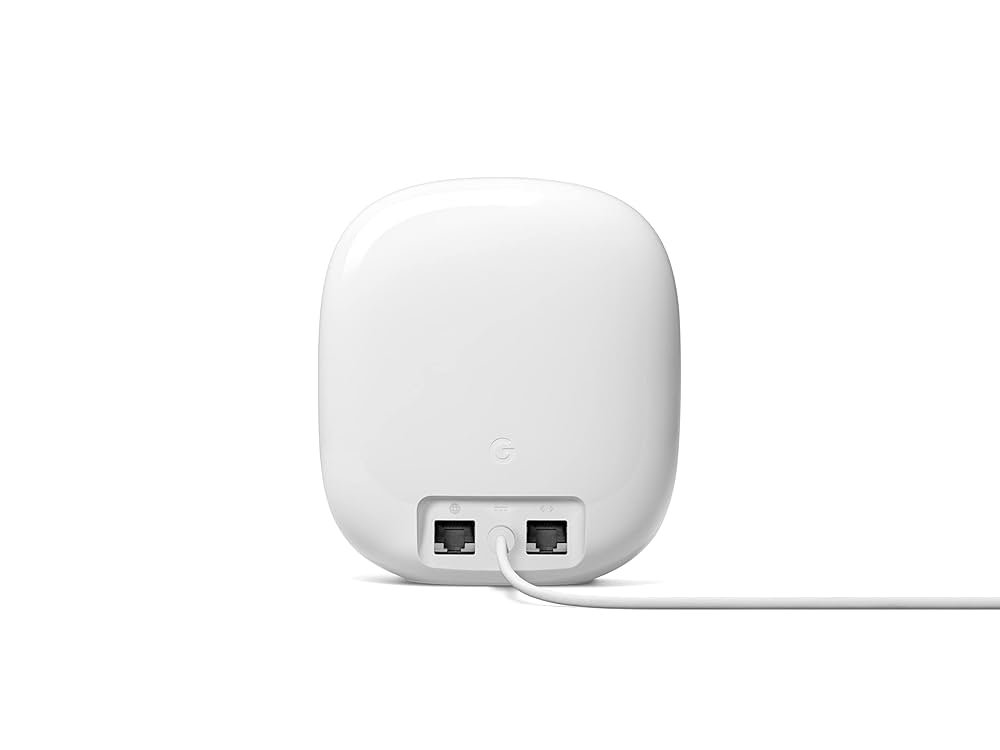
Are you tired of slow Wi-Fi that can’t keep up with all your smart devices? Whether it’s your smart thermostat, security cameras, or voice assistants, a strong and reliable connection is a must.
That’s where Google Nest Mesh Wifi steps in. Imagine seamless internet coverage in every corner of your home, with no more dropped signals or buffering. You’ll discover how Google Nest Mesh Wifi can transform your smart home experience and make your devices work smarter and faster.
Keep reading to unlock the full potential of your connected life.
Why Choose Google Nest Mesh Wifi
Google Nest Mesh Wifi helps connect all your smart devices easily. It gives strong internet signals in every room.
This system works well for homes of all sizes. It keeps your devices online without interruptions.
Seamless Coverage Across Your Home
Google Nest Mesh Wifi uses multiple units to cover your whole home. Each unit talks to the others to share internet signals.
This means no dead zones or weak signals. You get strong wifi in every room, even far from the router.
- Covers large and multi-story homes
- Auto-switches to the best signal
- Keeps devices connected without drops
Easy Setup And Management
Setup is simple using the Google Home app. You can add units and see your wifi status quickly.
The app lets you control your network from anywhere. You can pause wifi on certain devices or run speed tests.
- Step-by-step setup guide in the app
- Manage devices and settings easily
- Check network health anytime
Integration With Google Ecosystem
Google Nest Mesh Wifi works well with other Google devices. You can use voice commands with Google Assistant.
This integration helps you control your smart home smoothly. Connect lights, cameras, and speakers with your wifi system.
- Control wifi using Google Assistant
- Works with Nest smart home devices
- Syncs with Google Home app

Credit: www.amazon.ca
Boosting Smart Device Performance
Google Nest Mesh Wifi helps improve how smart devices work at home. It creates a strong network for all your gadgets to connect.
This system makes sure your smart devices run smoothly without interruptions or slowdowns.
Stable Connections For Multiple Devices
Google Nest Mesh Wifi keeps many devices connected at once. It stops devices from losing signal or dropping offline.
With stable connections, smart lights, cameras, and speakers work without problems.
- Supports many devices in different rooms
- Reduces signal drops during use
- Keeps devices online all the time
Optimized Bandwidth Allocation
The system shares internet speed fairly among devices. It gives enough bandwidth to each smart device based on its needs.
This helps devices like security cameras get enough data while not slowing down others.
- Distributes internet speed smartly
- Prevents one device from using all bandwidth
- Improves overall network efficiency
Reduced Latency For Smart Home Tasks
Google Nest Mesh Wifi lowers delay time in sending and receiving data. This helps smart devices react faster to commands.
Tasks like turning on lights or checking cameras happen quickly without lag.
- Faster response for voice commands
- Quick updates from smart cameras
- Improved timing for automated actions
Key Features Of Nest Wifi
Google Nest Wifi is designed to provide a reliable network for smart homes. It supports many devices at once with strong coverage.
This system includes features that keep your network safe, easy to control, and simple to grow.
Automatic Updates And Security
Nest Wifi updates itself automatically to keep your system safe. These updates fix bugs and add new security features without any effort from you.
- Auto installs latest security patches
- Protects your network from new threats
- Runs smoothly without manual updates
Built-in Google Assistant
Each Nest Wifi point has Google Assistant built in. You can control smart devices, ask questions, or play music with your voice.
Voice commands you can try:
- “Hey Google, turn off the lights.”
- “Hey Google, set a timer for 10 minutes.”
- “Hey Google, play relaxing music.”
Scalable Network Expansion
You can add more Nest Wifi points to cover larger areas. The system works together to create one strong network.
| Number of Points | Recommended Coverage |
| 1 Point | Up to 1,500 sq ft |
| 2 Points | Up to 3,000 sq ft |
| 3 Points | Up to 4,500 sq ft |

Credit: www.amazon.ca
Installation Tips For Best Coverage
Google Nest Mesh Wifi helps connect smart devices in your home. Proper installation improves signal strength and speed.
These tips will guide you to get the best coverage from your Nest Wifi system.
Ideal Placement Of Router And Points
Place your router in a central spot in your home. This helps the wifi signal reach every room.
Set up additional points in different rooms to extend coverage. Keep points visible and off the floor.
- Keep router away from walls and corners
- Place points on shelves or tables
- Space points evenly throughout the house
- Use points in areas with many smart devices
Avoiding Interference Zones
Wifi signals weaken near certain objects and devices. Avoid placing your router or points near these interference zones.
- Keep away from microwaves and cordless phones
- Do not place near thick walls or metal objects
- Avoid areas with many electronic devices
- Keep points out of direct sunlight and heat sources
Using The Google Home App Effectively
The Google Home app helps you set up and manage your Nest Wifi. Use it to check signal strength and device connections.
The app can also suggest better placement for your points and update your system automatically.
- Run speed tests to check wifi performance
- Use the app’s map to see device locations
- Follow app tips to move points for better coverage
- Keep firmware updated via the app for best results
Comparing Nest Wifi With Other Mesh Systems
Google Nest Wifi is a popular choice for smart home networks. It competes with other mesh systems like Eero and Netgear Orbi. This comparison helps you see how Nest Wifi performs and what makes it different.
Understanding these details can help you pick the right mesh system for your smart devices. Each system has strengths in speed, price, and features.
Performance Benchmarks
Nest Wifi offers strong coverage and stable connections for most homes. It supports speeds up to 2.2 Gbps on the main router. The system handles multiple devices smoothly.
Other mesh systems like Netgear Orbi can reach higher speeds, up to 3 Gbps. Eero provides good speed but may have smaller coverage areas. Nest Wifi balances speed and range well.
- Nest Wifi: Up to 2.2 Gbps, good for medium homes
- Netgear Orbi: Up to 3 Gbps, strong for large homes
- Eero: Reliable, with moderate speed and coverage
Pricing And Value
Nest Wifi is priced in the mid-range for mesh systems. It offers good value with easy setup and smart home integration. You can add points to cover larger areas.
Some competitors charge more for higher speeds or extra features. Eero has lower entry prices but may need more units for big homes. Netgear Orbi is often the most expensive option.
| System | Starting Price | Coverage (sq ft) | Expandable |
|---|---|---|---|
| Nest Wifi | $169 | 2200 | Yes |
| Eero | $129 | 1500 | Yes |
| Netgear Orbi | $229 | 3000 | Yes |
Unique Advantages
Nest Wifi works well with Google Assistant and other Google services. It has a simple app that makes setup easy. The points also act as smart speakers with voice control.
Other systems may offer special features like dedicated backhaul or advanced parental controls. Nest Wifi focuses on ease and smart home support. Its design fits well in modern homes.
- Built-in Google Assistant in Wifi points
- Easy setup with the Google Home app
- Good integration with smart home devices
- Modern, minimal design
Troubleshooting Common Issues
Google Nest Mesh Wifi helps connect smart devices smoothly. Sometimes, you might face common issues. Here, we discuss how to fix these problems.
Learn how to handle connectivity drops and reset devices properly. Discover where to find customer support resources.
Fixing Connectivity Drops
Connectivity drops can be frustrating. Ensure your router is in a central location. Avoid placing it near thick walls or electronic devices.
Check if the firmware is up to date. Updating firmware can resolve many issues. Restart your router to refresh the connection.
- Place router in open space
- Update firmware regularly
- Restart router occasionally
Resetting Devices Properly
Resetting can solve persistent problems. Turn off the device and unplug it. Wait for 10 seconds before plugging it back in.
If problems continue, perform a factory reset. This will restore the device to its original settings. Use the Google Home app for guided steps.
- Unplug device for 10 seconds
- Plug in and power on
- Use Google Home app for factory reset
Customer Support Resources
Google provides helpful support resources. Visit the Google Nest help website for guides and troubleshooting tips.
Contact Google support if you need more help. They offer chat, phone, and email support options. Make sure to have your device details ready.
- Visit Google Nest help website
- Contact support via chat, phone, or email
- Prepare device details before contacting support

Credit: www.ebay.ca
Frequently Asked Questions
What Is Google Nest Mesh Wifi?
Google Nest Mesh Wifi is a system that extends your wireless network. It uses multiple units to cover large areas. This ensures strong, reliable Wi-Fi for all smart devices in your home. It eliminates dead zones and improves internet speed consistently.
How Does Nest Mesh Wifi Support Smart Devices?
Nest Mesh Wifi creates a seamless connection for smart devices. It prioritizes bandwidth to ensure smooth operation of all connected gadgets. This system manages multiple devices simultaneously without slowing down your network. It enhances the performance of smart home technology.
Can Nest Mesh Wifi Improve Smart Home Security?
Yes, Nest Mesh Wifi enhances smart home security. It uses advanced encryption to protect your data and devices. The system updates automatically to fix vulnerabilities. This keeps your smart devices safer from cyber threats and unauthorized access.
Is Google Nest Mesh Wifi Easy To Set Up?
Google Nest Mesh Wifi is user-friendly and simple to install. The Google Home app guides you through each setup step. It requires minimal technical knowledge. Most users can complete installation within 30 minutes, making it accessible for everyone.
Conclusion
Google Nest Mesh Wifi helps keep all smart devices connected. It covers your home with strong, steady signals. Setting it up takes just a few minutes. You get fewer dropped connections and faster internet speed. It works well with many smart home gadgets.
This system supports smooth streaming, gaming, and video calls. A reliable network makes daily tasks easier. Choose Google Nest Mesh Wifi for simple and smart home networking.


