Are you tired of slow internet and dead zones in your home? Choosing the right mesh WiFi system can change everything.
Google Nest Wifi and Eero Mesh Wifi are two of the top options, but which one is truly best for your needs? You’ll discover how these systems compare in speed, coverage, ease of use, and more. By the end, you’ll know exactly which one will keep your devices connected smoothly and your online experience frustration-free.
Keep reading to find the perfect match for your home network.

Credit: www.pcmag.com
Google Nest Wifi Features
Google Nest Wifi is a popular mesh wifi system. It aims to provide fast and reliable internet throughout your home.
This system blends technology with ease of use. It offers many features that suit modern smart homes.
Design And Build
The Nest Wifi router and points have a clean, simple look. They are small and round, fitting easily into any room.
The devices use soft plastic with a matte finish. They come in white or light colors that do not draw much attention.
Hardware Specifications
| Feature | Details |
| Processor | Quad-core 1.4 GHz |
| RAM | 512 MB |
| Storage | 4 GB eMMC |
| Wi-Fi Standard | 802.11ac Wave 2 |
| Speed | Up to 2200 Mbps |
| Ports | 1 WAN, 1 LAN per router |
Setup And User Interface
Setting up Nest Wifi is simple with the Google Home app. The app guides you step-by-step through installation.
- Easy network naming and password setup
- Control device priority and bandwidth
- Guest network creation
- Network speed tests
- Parental controls and scheduling
Smart Home Integration
Google Nest Wifi works well with many smart home devices. It supports Google Assistant for voice control.
The router points act as smart speakers with built-in microphones and speakers. You can ask questions or control devices easily.
Eero Mesh Wifi Features
Eero Mesh Wifi is a popular choice for home internet systems. It uses multiple devices to spread Wi-Fi evenly across your space.
This system helps reduce dead zones and keeps your internet strong in all rooms. Let’s look at its main features.
Design And Build
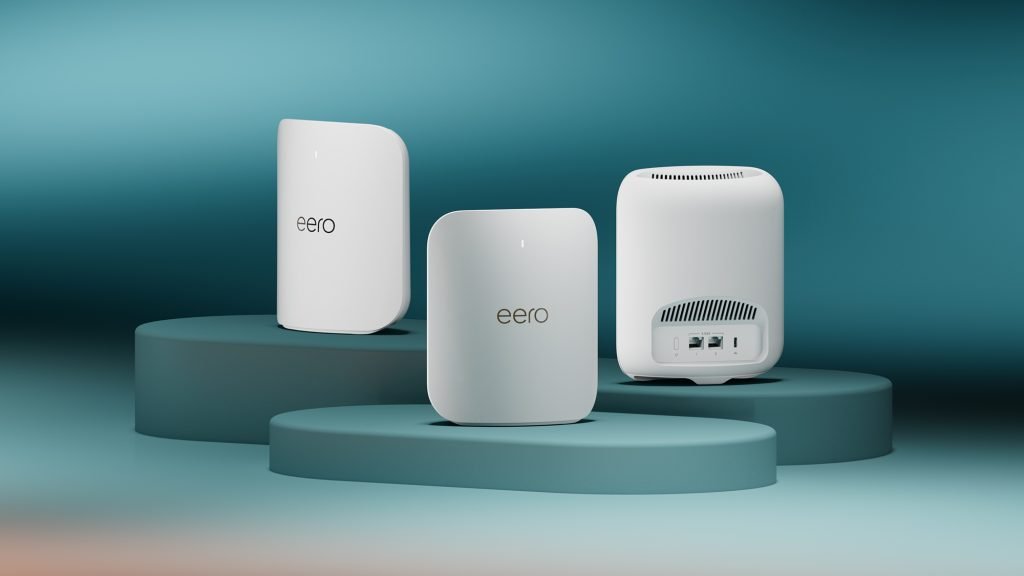
The Eero devices have a simple, modern look. They are small and can fit on shelves or desks easily.
The smooth, rounded edges and neutral colors help them blend into most home decors without standing out.
Hardware Specifications
Eero Mesh Wifi uses dual-band or tri-band technology to manage internet traffic well. This helps keep speeds steady even with many devices connected.
- Supports Wi-Fi 5 (802.11ac) or Wi-Fi 6 (802.11ax) depending on model
- Each unit has multiple antennas for better coverage
- Includes Ethernet ports for wired connections
- Offers strong signal range for medium to large homes
Setup And User Interface
Setting up Eero is easy with the Eero app. The app guides you through placing devices and connecting to your internet.
The app shows your network status and lets you manage settings like guest access and device priorities.
- Step-by-step setup instructions in the app
- Network health monitoring tools
- Ability to pause internet on specific devices
- Simple controls for parental settings
Smart Home Integration
Eero works with many smart home devices to keep your network connected smoothly. It supports popular voice assistants for easy control.
You can link Eero with Amazon Alexa to manage your network with voice commands and check internet status quickly.
- Compatible with Amazon Alexa
- Supports integration with smart home hubs
- Helps prioritize smart home devices for better performance
- Works well with various smart lights, cameras, and thermostats
Speed Comparison
Google Nest Wifi and Eero Mesh Wifi are popular choices for home networks. Both offer strong coverage and easy setup. Speed is an important factor to consider.
This comparison looks at their speed in different situations. We will cover maximum throughput, real-world performance, and how network traffic affects them.
Maximum Throughput
Maximum throughput is the highest speed the system can handle. It shows the potential speed under perfect conditions. Nest Wifi supports Wi-Fi 5 with speeds up to 1.2 Gbps.
Eero Mesh Wifi supports Wi-Fi 6 on some models. This lets it reach speeds up to 1.7 Gbps. This means Eero can deliver faster maximum speeds in ideal settings.
- Google Nest Wifi max speed: About 1.2 Gbps
- Eero Mesh Wifi max speed: Up to 1.7 Gbps (Wi-Fi 6 models)
Real-world Performance
Real-world performance is the speed you get daily. It depends on distance, walls, and device limits. Nest Wifi offers stable speeds across medium to large homes.
Eero Mesh Wifi often shows faster speeds on newer devices with Wi-Fi 6. It keeps good speed even in larger houses with many connected devices.
- Nest Wifi is reliable for most home uses
- Eero is better for newer devices and large spaces
- Both improve Wi-Fi coverage over single routers
Impact Of Network Traffic
Network traffic means how many devices use the Wi-Fi at once. High traffic can slow speeds. Nest Wifi handles multiple devices well but may slow with many HD streams.
Eero Mesh Wifi with Wi-Fi 6 supports more devices at once. It manages traffic better and keeps higher speeds when many devices are active.
- Nest Wifi supports several devices with moderate speed
- Eero Wifi 6 handles more devices with less slowdown
- Both systems share bandwidth across connected devices

Credit: www.engadget.com
Coverage And Range
Choosing the right mesh WiFi system depends on coverage and range. Google Nest Wifi and Eero Mesh Wifi offer good options.
We will look at their signal strength, multi-room coverage, and how they handle obstacles in your home.
Signal Strength
Google Nest Wifi provides strong signal strength with its powerful router and points. It uses dual-band technology to keep signals stable.
Eero Mesh Wifi also delivers solid signals. It uses TrueMesh technology to reduce interference and keep connections steady.
- Google Nest Wifi: strong, stable dual-band signal
- Eero Mesh Wifi: steady signal with TrueMesh tech
- Both work well for most homes
Multi-room Coverage
Google Nest Wifi covers up to 2200 square feet per router and 1600 square feet per point. This helps cover multiple rooms easily.
Eero Mesh Wifi covers about 1500 square feet per device. You can add more units to cover larger homes or many rooms.
- Google Nest Wifi: around 2200 sq ft per router
- Eero Mesh Wifi: about 1500 sq ft per device
- Both systems allow adding extra units
Obstruction Handling
Google Nest Wifi uses strong signals that can pass through walls and floors well. It works best in open spaces with some obstacles.
Eero Mesh Wifi adapts to obstacles using TrueMesh, which finds the best path for the signal. It handles walls and interference effectively.
- Google Nest Wifi: good at passing through walls
- Eero Mesh Wifi: smart pathfinding around obstacles
- Both improve coverage in homes with barriers
Security And Privacy
Security and privacy are key when choosing a mesh Wi-Fi system. Google Nest Wifi and Eero Mesh Wifi offer strong protections to keep your network safe.
This comparison focuses on encryption standards, parental controls, and regular updates for both systems.
Encryption Standards
Both Google Nest Wifi and Eero Mesh Wifi use modern encryption to protect your data. They support WPA3, the latest Wi-Fi security protocol.
| Feature | Google Nest Wifi | Eero Mesh Wifi |
|---|---|---|
| Encryption Protocol | WPA3 and WPA2 | WPA3 and WPA2 |
| Network Isolation | Guest network with isolation | Guest network with isolation |
| Device Authentication | Supports secure device login | Supports secure device login |
Parental Controls
Parental controls help manage internet access for children. Both systems offer easy-to-use settings.
- Google Nest Wifi allows scheduling internet pause for specific devices.
- Eero Mesh Wifi offers profiles to set time limits and content filters.
- Both support easy device blocking and activity reports.
Regular Updates
Regular software updates fix vulnerabilities and improve security features. Google Nest Wifi and Eero Mesh Wifi provide automatic updates.
Update features include:
- Automatic patch downloads and installations.
- Background updates with minimal user interruption.
- Security improvements based on latest threats.
Credit: www.engadget.com
Pricing And Plans
Choosing the right mesh WiFi system involves understanding the pricing and plans of different options. Google Nest Wifi and Eero Mesh Wifi are popular choices with distinct costs.
This guide helps you compare these systems based on initial cost, subscription services, and value for money.
Initial Cost
The initial cost is important when selecting a WiFi system. Google Nest Wifi and Eero Mesh Wifi have different pricing structures.
| Google Nest Wifi | Starts at $169 for router and one point |
| Eero Mesh Wifi | Starts at $199 for three-pack system |
Subscription Services
Some WiFi systems offer subscription services for enhanced features. Check what each offers.
- Google Nest Wifi includes basic services without a subscription.
- Eero offers Eero Secure for $2.99/month for advanced security.
Value For Money
Value for money depends on the features you get compared to the price paid. Consider how Google Nest Wifi and Eero Mesh Wifi stack up.
Customer Support And Warranty
Choosing between Google Nest Wifi and Eero Mesh Wifi? Both offer strong support and warranties. Let’s explore these aspects to help you decide.
Understanding support channels, warranty terms, and user community involvement is crucial. Here’s a breakdown of what each offers.
Support Channels
Both Google Nest and Eero provide various support channels to assist users. You can find help through their dedicated support teams.
- Google Nest offers 24/7 phone support.
- Eero provides support via phone and email.
- Both have comprehensive online help centers.
Warranty Terms
Warranty terms are vital when choosing a Wifi system. Both companies offer warranties that cover defects and issues.
| Brand | Warranty Period |
| Google Nest Wifi | 1 Year |
| Eero Mesh Wifi | 1 Year |
User Community
The user community can be a valuable resource for troubleshooting and tips. Both brands have active communities online.
Best Use Cases
Google Nest Wifi and Eero Mesh Wifi are popular choices for home internet. Each system works well in different situations. Understanding their best uses helps you pick the right one.
Both offer good coverage and easy setup. Your home size and needs affect which system fits best.
Small Homes
Google Nest Wifi is ideal for small homes. It covers up to 2200 square feet with one router. The system blends well in home decor.
Eero Mesh Wifi also works well for small spaces. It offers strong signals and easy app control. Eero’s compact design fits tight areas.
- Nest Wifi covers small spaces with fewer devices
- Eero offers simple control for smaller homes
- Both provide fast speeds for everyday use
Large Homes
Eero Mesh Wifi suits large homes well. Its multiple units can cover up to 6000 square feet or more. You can add more Eero devices for wider coverage.
Google Nest Wifi also supports large homes but needs more points. It covers up to 4400 square feet with a three-pack. Nest Wifi offers strong speeds across many rooms.
- Eero supports many devices in large areas
- Nest Wifi offers solid coverage with multiple points
- Both systems reduce dead zones in big homes
Tech Enthusiasts
Tech users may prefer Eero for its advanced features. It supports Alexa and has detailed network settings. Eero’s app gives more control over device management.
Google Nest Wifi integrates well with Google Home devices. It uses simple controls and smart assistant features. Nest Wifi is good for users who want easy smart home setup.
- Eero offers advanced control and Alexa integration
- Nest Wifi works well with Google Home ecosystem
- Both provide easy app interfaces for tech users
Budget-conscious Users
Google Nest Wifi is a good option for users on a budget. It offers strong performance at a reasonable price. A single Nest Wifi router covers most small homes well.
Eero has entry-level models but can be pricier for full coverage. It allows buying units one at a time. This helps spread costs over time.
- Nest Wifi gives good value for coverage and speed
- Eero’s modular buying fits some budgets
- Both systems avoid high upfront costs
Frequently Asked Questions
What Are The Main Differences Between Google Nest Wifi And Eero?
Google Nest Wifi integrates Google Assistant and has better smart home controls. Eero offers more flexible device compatibility and wider third-party integrations. Both provide strong mesh coverage, but Nest Wifi focuses on seamless Google ecosystem use, while Eero prioritizes straightforward setup and compatibility.
Which Mesh Wifi System Has Better Speed Performance?
Google Nest Wifi generally offers faster speeds on its latest models due to Wi-Fi 5 and 6 support. Eero also provides strong speeds, especially with its Eero Pro 6, supporting Wi-Fi 6. Speed depends on your home size and internet plan for both systems.
How Easy Is The Setup Process For Each System?
Both Google Nest Wifi and Eero feature user-friendly apps with guided setup. Nest Wifi’s app integrates smart home controls, making it ideal for Google users. Eero’s app is straightforward and works well across all devices, offering automatic updates and network management.
Which System Provides Better Coverage For Large Homes?
Eero mesh systems typically offer more flexible node placement for larger homes. Google Nest Wifi provides strong coverage but is optimized for medium to large homes within the Google ecosystem. Both allow adding nodes to extend coverage effectively.
Conclusion
Both Google Nest Wifi and Eero Mesh Wifi offer strong home network options. Nest Wifi suits users who want easy setup and Google integration. Eero shines with flexible device support and good coverage. Each system has its strengths depending on your needs.
Think about your home size and smart devices. Choose what fits your internet habits best. Both can improve your Wi-Fi experience greatly. A reliable connection matters for work, streaming, and gaming. Take time to compare features before deciding. Your perfect mesh Wi-Fi is out there.


