
Do you struggle with weak WiFi signals in certain parts of your home? You’re not alone.
Many of us face the frustration of WiFi dead zones, where streaming, browsing, or even sending an email becomes a challenge. Enter the dual band WiFi extender, a powerful solution designed to boost your internet signal and eliminate those pesky dead spots.
But how exactly does it work? We’ll unravel the mystery behind dual band WiFi extenders, showing you how they can enhance your online experience. Imagine seamless streaming, uninterrupted video calls, and robust internet in every corner of your home. Let’s dive in and discover how a dual band WiFi extender can transform your digital life.
Dual Band Wifi Extender Basics
A dual band wifi extenderhelps boost your internet signal. It uses two frequency bands to do this. This means better speed and less interruption. It takes the wifi signal from your router and sends it further.
There are two main frequency bandsused in wifi: 2.4 GHz and 5 GHz. The 2.4 GHz band covers a larger area but is slower. The 5 GHz band is faster but covers less distance. Using both bands gives you a good balance.
- Dual bandextenders can connect to both bands.
- They reduce interference from other devices.
- They provide better speed for streaming and gaming.
- Single band extenders only use one frequency, which limits performance.

Credit: www.youtube.com
How Dual Band Extenders Boost Signals
A dual band wifi extender uses two frequency bands: 2.4 GHz and 5 GHz. It receives signals from your router on one band and sends them out on both bands. This helps cover a larger area and reach devices far away.
Both bands work at the same time. The 2.4 GHz band covers longer distances but is slower. The 5 GHz band is faster but covers less distance. Using both bands together means better speed and range.
- Less interference:The 5 GHz band has fewer devices using it, so it is less crowded.
- Better speed:Devices can connect on the faster 5 GHz band for quick data transfer.
- Improved signal:The 2.4 GHz band helps reach areas far from the router.
Setting Up Your Dual Band Extender
Place the dual band extender where it gets a strong signal from your router. Avoid walls and metal objects that block signals. A good spot is halfway between your router and the area with weak Wi-Fi.
- Keep the extender away from microwaves and cordless phones.
- Higher locations often give better coverage.
- Ensure it is near a power outlet.
Connect the extender to your router using Wi-Fi or an Ethernet cable. Use the extender’s app or website to find your router’s network. Enter the router password to link both devices securely.
Adjust the network name (SSID) and password to match your router, or create a new one. This helps your devices connect smoothly. Save changes and let the extender restart to apply new settings.
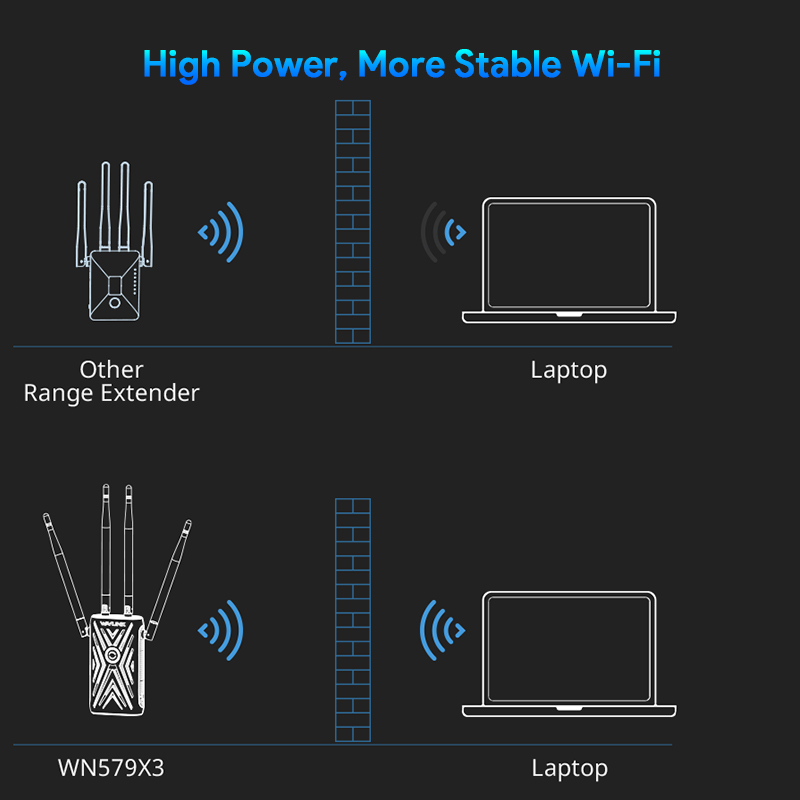
Credit: www.wavlink.com
Benefits Of Using Dual Band Extenders
Dual band wifi extendersboost your wifi signal on two frequencies: 2.4 GHz and 5 GHz. This helps cover larger areas and reduces dead zones in your home. The 2.4 GHz band travels farther but is slower. The 5 GHz band is faster but covers less distance.
These extenders offer improved connection stability. They switch between bands to avoid interference and keep your devices connected smoothly. This means fewer drops and better internet for streaming, gaming, or working.
Dual band extenders can support multiple devicesat once. They balance the load by sending some devices to 2.4 GHz and others to 5 GHz. This stops one device from slowing down the entire network.
Common Issues And Fixes
Connection dropsoften happen due to weak signals or interference. Place the extender closer to the main router for a stronger link. Avoid walls or large metal objects between devices. Restart the extender and router to refresh connections.
Signal interference may come from other electronics like microwaves or cordless phones. Change the extender’s channel to a less crowded one. Move the extender away from devices that cause noise. Use the 5 GHz band for less interference and faster speeds.
Keep the extender’s firmware updated for best performance. Check the manufacturer’s website regularly for new updates. Firmware updates fix bugs and improve security. Schedule regular maintenance by restarting devices and checking signal strength.
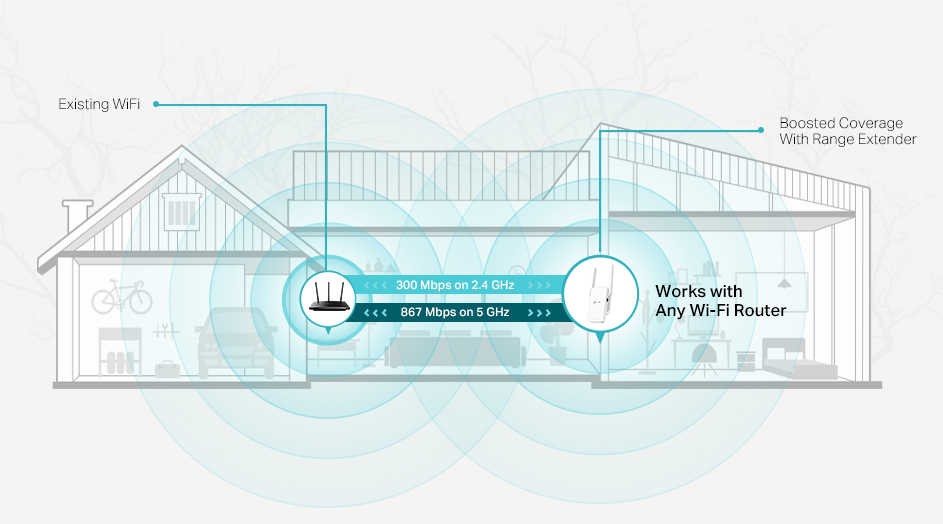
Credit: www.tp-link.com
Choosing The Right Dual Band Extender
Choose a dual band extender that matches your router’s bandsfor best results. Check if it supports both 2.4 GHz and 5 GHz frequencies.
Consider the speed and rangeof the extender. A higher speed means faster internet, while longer range covers more area.
Think about your budget. Some extenders cost more but offer better performance and features. Balance price and quality.
- Compatibility:Works with your router’s WiFi standard (e.g., 802.11ac, 802.11n).
- Easy setup:Quick and simple installation saves time.
- Number of antennas:More antennas can improve signal strength.
- Port availability:Extra Ethernet ports help connect wired devices.
Frequently Asked Questions
What Is A Dual Band Wifi Extender?
A dual band WiFi extender boosts signals on both 2. 4 GHz and 5 GHz bands. This improves coverage and reduces interference. It enhances WiFi speed and reliability for multiple devices simultaneously.
How Does A Dual Band Wifi Extender Improve Signal?
It receives signals on one band and rebroadcasts on both bands. This process extends coverage and balances network traffic. It reduces dead zones and enhances overall WiFi performance in large areas.
Can A Dual Band Extender Work With Any Router?
Yes, dual band extenders are compatible with most modern routers. They connect using standard WiFi protocols. Compatibility ensures seamless integration and extended network coverage without complicated setup.
Does A Dual Band Extender Reduce Network Speed?
No, a dual band extender maintains or improves speed by using separate bands. It avoids congestion by dedicating one band for backhaul and the other for device connections. This optimizes network efficiency.
Conclusion
A dual band WiFi extender boosts your internet signal on two frequencies. It helps reduce dead zones in your home or office. The extender connects to your router and spreads the signal farther. This means better speed and less buffering on your devices.
It works well for streaming, gaming, and browsing. Choosing the right extender improves your WiFi coverage easily. Simple setup and reliable connection make it a smart choice. Overall, a dual band WiFi extender keeps you connected everywhere you need.


