Are you wondering if a budget router can keep up with your internet needs? You want fast and reliable Wi-Fi, but you don’t want to spend a fortune.
The truth is, not all budget routers are slow, and some might surprise you with their speed. You’ll discover how fast a budget router really can be, what affects its performance, and how to get the most out of your device without breaking the bank.
Keep reading to find out if your budget router is holding you back or if it’s ready to power your online world.
Factors Affecting Router Speed
Router speed isn’t just about the number on the box. Several factors work together to determine how fast your budget router really performs. Understanding these elements helps you make smarter choices and get the most out of your device.
Hardware Components
The processor and RAM inside your router play a big role in speed. A weak processor can cause slowdowns, especially if multiple devices are connected. Even budget routers with better chips handle traffic more smoothly.
Antennas also matter. More antennas or better placement can improve signal strength, which boosts overall speed. Have you noticed how some routers cover your whole home better than others? That’s the hardware at work.
Wireless Standards
Wireless standards like 802.11n, 802.11ac, and 802.11ax define the maximum speed your router supports. Budget routers often use older standards like 802.11n, limiting speed to around 300 Mbps. Newer standards like Wi-Fi 6 (802.11ax) can handle over a gigabit per second but are rare in budget models.
Your devices must also support the same standard to reach top speeds. So, even the fastest router won’t help if your laptop or phone is stuck on an older standard.
Network Congestion
Too many devices on your network slow things down. Budget routers usually have less powerful hardware to manage multiple connections, so speed drops faster under heavy use. Streaming, gaming, and video calls all compete for bandwidth.
Interference from other nearby Wi-Fi networks also adds to congestion. Ever wonder why your speed drops at certain times? It might be your neighbors’ routers fighting for the same channels.
Firmware And Software
Router firmware controls how the hardware works and can impact speed and stability. Outdated or buggy firmware can cause performance issues, even on decent hardware. Regular updates often fix bugs and improve speed.
Some budget routers come with limited or no update support, leaving you stuck with older software. Checking for firmware updates or choosing routers with good manufacturer support can make a noticeable difference.
Speed Expectations For Budget Routers
Understanding what speed you can realistically expect from a budget router is key before making a purchase. Budget routers often promise fast speeds, but the real-world performance can vary significantly based on several factors like technology standards, interference, and your internet plan.
Knowing these speed limits helps you set practical expectations and avoid frustration. Have you ever bought a router that just didn’t deliver on speed? Let’s break down what budget routers usually offer and how they stack up against pricier models.
Typical Performance Range
Most budget routers support Wi-Fi standards like 802.11n or basic 802.11ac, which usually provide speeds between 150 Mbps to 600 Mbps under ideal conditions.
This is often enough for everyday tasks such as streaming HD videos, browsing, and casual gaming. However, if your home has many connected devices or you stream in 4K, you might notice slowdowns.
Keep in mind, walls and interference from other electronics can reduce speed by up to 50% or more. So, a router rated for 300 Mbps might realistically give you around 150 Mbps.
Comparison With Mid-range And High-end Models
Mid-range routers typically offer speeds from 600 Mbps to 1.3 Gbps and often include features like dual-band support and better antennas. This can make a noticeable difference if you have a fast internet connection or multiple users.
High-end routers can exceed speeds of 2 Gbps, support the latest Wi-Fi 6 standard, and come with advanced technologies like MU-MIMO and beamforming for better coverage and multiple device handling.
But do you always need these top-tier speeds? If your internet plan is 100 Mbps or less, a budget router can deliver all the speed you need without the extra cost.
| Router Type | Typical Speed Range | Key Features | Best For |
|---|---|---|---|
| Budget | 150 – 600 Mbps | Basic Wi-Fi standards, fewer antennas | Small homes, light internet use |
| Mid-Range | 600 Mbps – 1.3 Gbps | Dual-band, better coverage | Medium households, multiple devices |
| High-End | 2 Gbps and above | Wi-Fi 6, MU-MIMO, beamforming | Large homes, heavy streaming/gaming |
Think about your internet usage and the number of devices you have. Are you streaming 4K videos on multiple devices or just browsing and checking emails? The answer will help you decide if a budget router’s speed is enough for you.
Top Budget Routers With Impressive Speeds
Finding a budget router that delivers impressive speeds might seem tricky, but several models prove it’s possible. These routers balance cost and performance, giving you fast internet without breaking the bank. Let’s look at some top choices and what makes their speed stand out.
Features That Boost Speed
Speedy routers have specific features that help maximize your connection. Dual-band or tri-band options reduce congestion by spreading devices across different frequencies.
- MU-MIMO Technology:Allows multiple devices to communicate simultaneously, cutting down wait times.
- Beamforming:Focuses the Wi-Fi signal directly to your device rather than broadcasting in all directions.
- Gigabit Ethernet Ports:Enable faster wired connections, which is great for gaming or streaming.
These features are often found in budget models that smartly prioritize essential speed boosters. You don’t always need expensive tech to get decent performance.
User Reviews And Real-world Tests
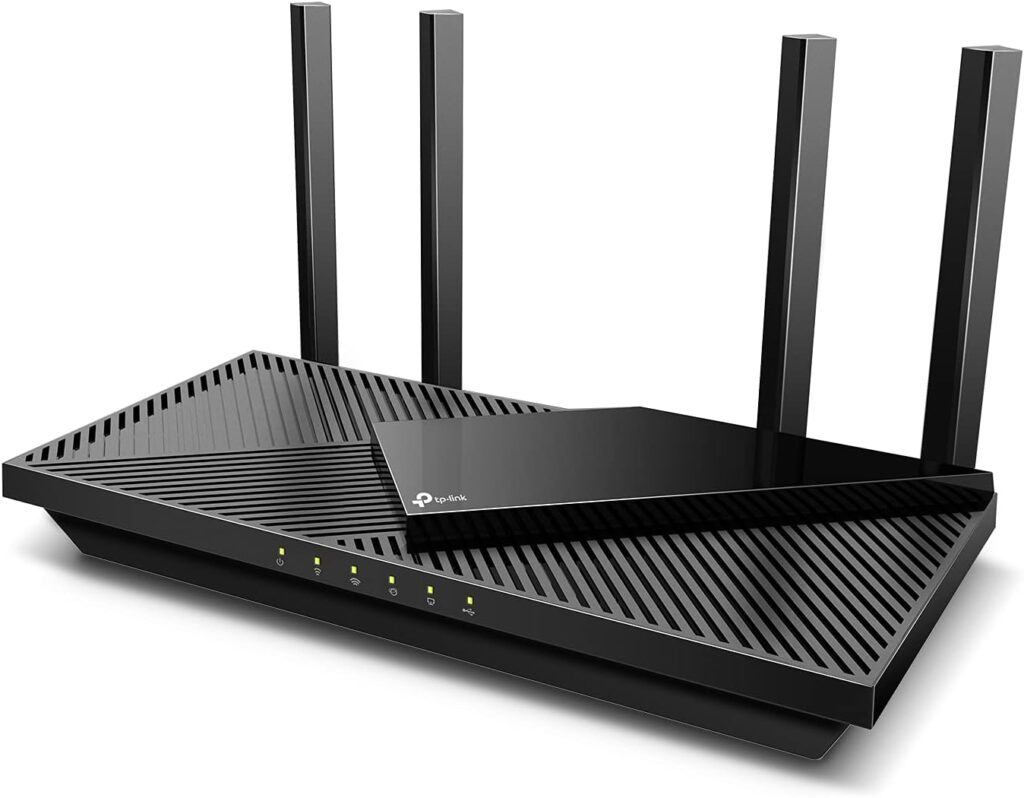
Real-world results often differ from specs on the box. Many users report surprisingly smooth streaming and gaming on budget routers like the TP-Link Archer A7 or the Netgear R6700.
Speed tests in homes with multiple devices show these routers can handle everyday demands well. One user shared that switching to a budget router with MU-MIMO cut their buffering time in half during video calls.
Are you curious how your router stacks up? Testing your own setup might reveal if a budget option can meet your needs before spending more. Sometimes, practical results surprise us more than technical details do.
Credit: www.highspeedoptions.com
Optimizing Speed On Budget Routers
Even budget routers can provide decent internet speeds. Optimizing their settings can enhance performance. Simple changes can lead to significant improvements. Let’s explore some effective optimization strategies.
Placement And Environment
Router placement impacts internet speed significantly. Place the router in a central location. Avoid walls or large objects blocking it. Keep it away from electronic devices like microwaves. These can interfere with the signal. Elevate the router for better coverage. A higher position reduces obstructions.
Firmware Updates
Keeping firmware updated is crucial. Manufacturers release updates to improve performance. These updates fix bugs and enhance security. Check the router’s website regularly. Install updates when available. Updated firmware ensures optimal speed and stability.
Channel And Bandwidth Settings
Adjusting channel settings can reduce interference. Use less crowded channels for a better signal. Tools like Wi-Fi Analyzer can help identify these channels. Bandwidth settings also affect speed. Choose wider bandwidth for faster internet. Experiment with different settings to find the best performance.
Limitations And When To Upgrade
Budget routers offer basic internet speeds but have clear limits. These limits affect your online experience during heavy use or streaming. Knowing when to upgrade helps keep your connection smooth and fast. Understanding these limits avoids frustration and wasted time.
Identifying Speed Bottlenecks
Slow internet can come from many sources, not just your router. Check your internet plan speed first. Compare it with actual speeds using online tests. If your router cannot handle your plan’s speed, it is a bottleneck.
Other factors include many devices connected at once. Older routers have fewer antennas and lower data capacity. Walls and distance also reduce signal strength. If streaming or gaming lags regularly, your router may limit speed.
Benefits Of Investing In Faster Routers
Upgrading to a faster router improves many areas. Faster routers support more devices without slowing down. They handle higher internet speeds from your provider better. This improves video streaming quality and reduces buffering.
Newer models also use advanced technology for better range. They can connect smart home devices more reliably. Faster routers improve download and upload speeds. This helps with work from home and online gaming.

Credit: www.youtube.com

Credit: www.youtube.com
Frequently Asked Questions
How Fast Can A Budget Router Typically Be?
A budget router usually offers speeds between 300 Mbps and 1 Gbps. This depends on the model and Wi-Fi standard it supports, like Wi-Fi 5 or Wi-Fi 6. Higher speeds are rare in low-cost models but still adequate for basic home use.
Does Router Price Affect Internet Speed Significantly?
Yes, generally higher-priced routers provide faster speeds and better performance. Budget routers may limit your maximum internet speed and range. However, your actual speed also depends on your internet plan and network environment.
Can Budget Routers Handle Multiple Devices Efficiently?
Most budget routers can support several devices but may struggle with many simultaneous connections. High traffic can cause slower speeds and increased latency. For heavy usage, investing in a mid-range router is recommended.
Are Budget Routers Suitable For Gaming And Streaming?
Budget routers can handle casual gaming and streaming but may cause occasional lag. They lack advanced features like QoS or beamforming found in premium models. For smooth performance, a router with higher speed and stability is better.
Conclusion
Budget routers can offer decent speeds for everyday use. They work well for browsing, streaming, and light gaming. Expect some limits with many connected devices or heavy downloads. Choosing the right budget router means balancing speed and price. Check reviews and specs before buying.
Your internet plan also affects real speed. A budget router can meet basic needs without costing much. Keep your expectations realistic and enjoy stable connections at home. Simple and affordable options can still keep you online smoothly.