Imagine seamlessly streaming your favorite shows from the comfort of your backyard or effortlessly working from your home office without any Wi-Fi hiccups. Sounds ideal, right?
That’s where a long-range Wi-Fi extender comes in. However, before you get to enjoy uninterrupted connectivity, there’s one question you might be asking: “How long does it take to set up a long-range Wi-Fi extender? ” You’re probably eager to enhance your internet experience, but you might also be worried about the complexity of the setup process.
We’ll walk you through the time it takes to get your Wi-Fi extender up and running, putting your mind at ease and ensuring you make the most of your device. Stick with us, and you’ll soon discover that setting up your Wi-Fi extender might be easier—and quicker—than you think. Let’s get started!

Credit: www.amazon.ca
Factors Affecting Setup Time
The type and modelof the wifi extender affect setup time. Some devices offer quick plug-and-playoptions, while others need manual settings. Newer models usually have easier setup steps.
Home layout and size play a big role too. Large homes with many walls or floors can slow down the process. Finding the best placefor the extender might take extra time.
Internet speed and router compatibility matter a lot. Slow internet or older routers may cause delays. Ensuring the extender works with your router helps avoid issues.
User experience level changes setup speed. Beginners may spend more time reading instructions or troubleshooting. Experienced users often finish setup faster and with less effort.
Preparing For Installation
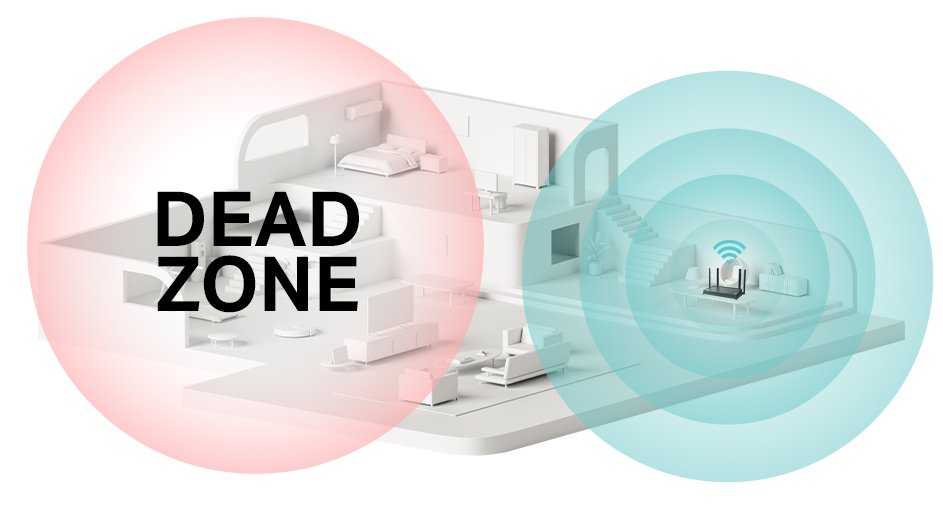
Choosing the right extender locationis key for good WiFi range. Place it where the signal is still strong but reaches the weak areas. Avoid walls and metal objects that block signals. A spot halfway between your router and the area with poor WiFi works best.
Checking router settingshelps the extender connect smoothly. Know your WiFi network name (SSID) and password. Make sure your router supports extenders. Sometimes, you may need to enable the extender or guest network option in settings.
Gathering necessary tools and informationsaves time during setup. Keep your extender manual handy. Have your router password ready. A smartphone or laptop to access settings is useful. Also, a ladder or chair may be needed to reach high spots.
Step-by-step Setup Process
Plug the extender into a power outlet near your router. Wait for the power light to turn on. This usually takes less than a minute. The extender is now ready for setup.
Connect your computer or phone to the extender’s default Wi-Fi network. Open a browser and enter the extender’s setup address. This links the extender to your home router’s signal.
Choose your home Wi-Fi network from the list shown. Enter your Wi-Fi password carefully. Save the settings. The extender will reboot and connect to your router.
Move the extender to a spot halfway between your router and the area with weak Wi-Fi. Use your device to check the signal strength. Try browsing the internet to confirm the connection works well.
Common Issues And Fixes
Signal interferencecan cause weak or lost WiFi signals. Walls, microwaves, and other devices block signals. Try moving the extender away from these objects. Changing the channel on your router often helps reduce interference.
Connection dropsmay happen due to weak signals or firmware bugs. Keep the extender close enough to the router but not too close. Restarting the extender can fix temporary issues. Updating the extender’s firmware improves stability.
Slow speeds after setupmay result from distance or many devices using WiFi. Place the extender in a spot with strong signal from the router. Limit the number of devices connected at the same time. Using a wired connection for some devices can also boost speed.
Tips To Speed Up Setup
WPSlets you connect your wifi extender quickly. Press the WPS button on your router and extender to link them fast. This avoids typing long passwords. Connection usually happens in less than two minutes.
Pre-configuring settings before installation saves time. Set the extender’s network name and password at home. This helps avoid delays during setup and makes the process smoother.
Check for firmware updatesbefore installing the extender. Updated firmware fixes bugs and improves performance. Download updates on your computer or phone. Install them to avoid issues during setup.

Credit: simplewifi.com

Credit: www.amazon.ca
Frequently Asked Questions
How Long Does Setup Take For A Long Range Wifi Extender?
Setting up a long range WiFi extender usually takes 10 to 30 minutes. This depends on your technical skills and device complexity. Most extenders have simple plug-and-play installation with step-by-step instructions.
What Affects The Setup Time Of A Wifi Extender?
Setup time depends on your internet speed, device compatibility, and network size. Complex networks or older devices may increase setup duration. Proper placement and configuration can also impact how quickly you finish setup.
Can I Set Up A Long Range Wifi Extender Myself?
Yes, most long range WiFi extenders are designed for easy self-installation. They include user-friendly guides and apps. Basic technical knowledge helps, but professional help is rarely needed.
Is Wifi Extender Setup Different For Various Brands?
Yes, setup steps may vary slightly by brand and model. However, most follow a similar process involving connection, placement, and configuration. Always check the manufacturer’s instructions for best results.
Conclusion
Setting up a long-range WiFi extender takes about 20 to 60 minutes. It depends on your device and experience level. Planning the location helps speed up the process. Make sure you follow the instructions step by step. Testing the connection after setup is important.
A strong WiFi signal improves your internet experience. With patience, anyone can complete the setup easily. Remember, a little time spent now saves frustration later. Enjoy faster WiFi throughout your space soon.


