Are you struggling with slow Wi-Fi in your small apartment? You might be wondering how many Eero nodes you actually need to get fast, reliable internet everywhere in your space.
Too few nodes can leave you with dead zones, while too many might be a waste of money. You’ll discover the perfect number of Eero nodes for your small apartment so you can enjoy seamless streaming, gaming, and browsing without interruptions.
Keep reading to find out how to boost your Wi-Fi coverage the smart way!
Credit: www.androidcentral.com
Eero Mesh System Basics
The Eero mesh system helps improve Wi-Fi coverage in homes. It uses multiple devices called nodes to spread the signal evenly.
This system works well in small apartments by reducing dead zones and keeping your connection strong everywhere.
What Is An Eero Node
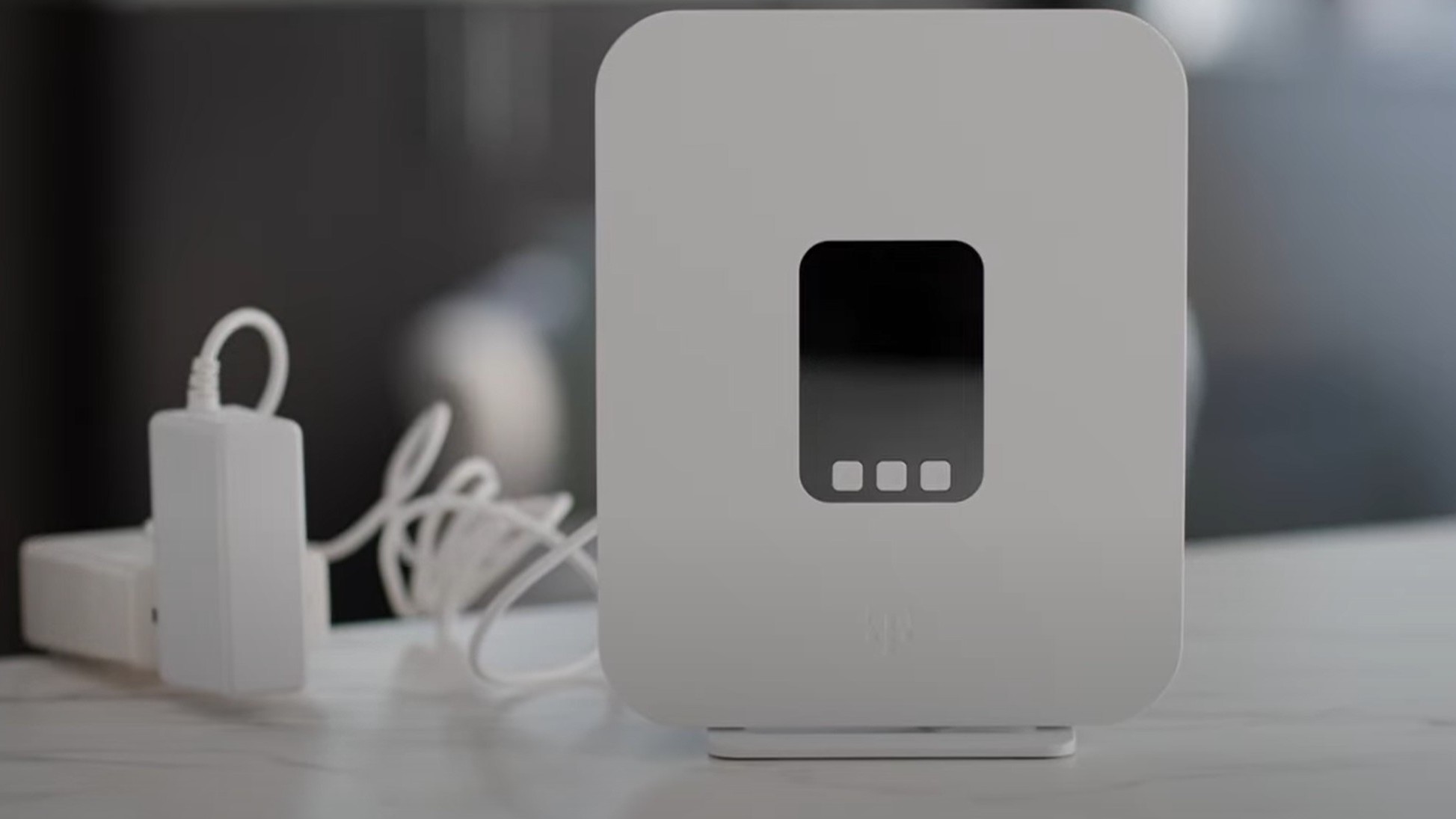
An Eero node is a small device that acts as a Wi-Fi access point. It connects to your modem or another node to extend internet coverage.
- Each node creates a strong Wi-Fi signal in its area.
- Nodes communicate with each other to keep your network stable.
- You can add more nodes to cover larger spaces.
How Eero Nodes Work Together
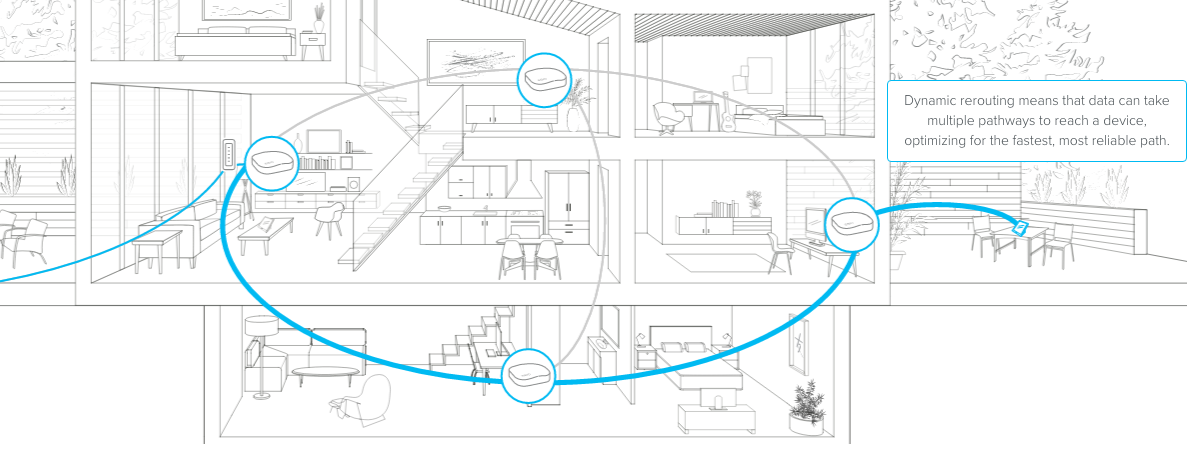
Eero nodes link to form one large Wi-Fi network. They share data to find the best path for your internet signal.
| Function | How Nodes Help |
|---|---|
| Signal Sharing | Nodes pass data between each other to reach all corners of your apartment. |
| Automatic Updates | Nodes update firmware to improve performance and security. |
| Load Balancing | Nodes balance user connections to avoid slowdowns. |
Factors Affecting Node Count
Choosing the right number of Eero nodes depends on several factors. These factors affect how well the Wi-Fi covers your apartment.
Understanding these factors helps you decide how many nodes you need for good internet speed and coverage.
Apartment Size And Layout
The size of your apartment matters a lot. Larger apartments usually need more nodes to cover all areas.
The layout also affects coverage. Open spaces are easier to cover than many small rooms or hallways.
- Small apartments might need 1 or 2 nodes
- Long hallways can block Wi-Fi signals
- Multiple floors usually need extra nodes
Wall Materials And Interference
Walls can stop Wi-Fi signals from traveling well. Thick or dense walls reduce the signal strength.
Materials like concrete, brick, and metal cause more interference than drywall or wood.
- Concrete walls block signals the most
- Metal surfaces reflect Wi-Fi waves
- Glass and drywall allow signals to pass easier
Number Of Devices Connected
More devices using Wi-Fi at once can slow down your network. You might need extra nodes to handle many devices.
Each node shares its connection with all devices nearby. Adding nodes spreads out the load better.
- Few devices: 1 or 2 nodes may be enough
- Many devices: 2 or more nodes improve speed
- High use areas benefit from nodes placed nearby
Recommended Nodes For Small Apartments
Choosing the right number of Eero nodes can improve Wi-Fi in a small apartment. It helps avoid weak signals in any room.
Understanding apartment size and node coverage guides your decision on how many nodes to use.
Typical Small Apartment Dimensions
Small apartments usually range from 300 to 600 square feet. They often include one or two rooms.
These compact spaces make Wi-Fi coverage easier with fewer nodes.
- Studio apartments: about 300-400 sq ft
- One-bedroom apartments: about 500-600 sq ft
- Rooms are often close together
Single Node Coverage Capability
One Eero node covers roughly 1,500 square feet in open space. Walls and furniture can reduce coverage.
In a small apartment, one node often provides full coverage.
- Coverage radius is about 20-30 feet
- Signal weakens through thick walls
- Placement affects signal strength
When To Add Additional Nodes
Add extra nodes if your Wi-Fi signal drops in some rooms. Large appliances and thick walls can block signals.
Extra nodes create a mesh network to improve coverage and speed.
- Signal is weak or drops often
- Apartment has many walls or floors
- You need better speed in specific rooms
- One node does not cover the whole space
Placement Tips For Optimal Coverage
Setting up Eero nodes in a small apartment needs smart placement. Proper placement helps get the best Wi-Fi coverage.
Choosing how many nodes to use depends on your apartment size and layout. Placing them well avoids weak signals.
Ideal Node Locations
Place nodes in open areas, away from walls and floors. This lets the signal spread evenly throughout the apartment.
Good spots include living rooms, near the kitchen, or hallways where many devices connect.
- Center of the apartment for best reach
- High shelves or tables to avoid obstructions
- Near frequently used devices for strong signal
Avoiding Signal Blockers
Keep Eero nodes away from metal, mirrors, and thick walls. These block Wi-Fi signals and lower speed.
Devices like microwaves or cordless phones can also interfere if placed too close to nodes.
- Do not place nodes inside cabinets or behind furniture
- Avoid spots near large appliances or electronic devices
- Keep nodes away from thick concrete or brick walls
Balancing Aesthetics And Performance
Nodes can blend with your home decor. Choose places that look good and still give strong signals.
Use stands or mounts to keep nodes visible but neat. This helps cooling and signal strength.
- Select node colors that match your walls or furniture
- Place nodes on shelves or corners for a clean look
- Keep cables organized to avoid clutter
Performance And Speed Considerations
Choosing the right number of Eero nodes for a small apartment is essential for optimal performance. Too few or too many nodes can affect your internet speed and stability.
Understanding how the number of nodes impacts speed and handling multiple devices is crucial. This helps in making an informed decision.
Impact Of Node Count On Speed
The number of Eero nodes can influence your internet speed. Fewer nodes might lead to weak signals in some areas of your apartment.
Too many nodes can cause overlap and interference. This can slow down your connection. Finding the right balance is important.
- One node may not cover all areas effectively
- Three nodes might be too many for a small space
- Two nodes are often ideal for small apartments
Handling Multiple Users And Devices
In a small apartment, multiple users and devices can affect network performance. Each device competes for bandwidth, impacting speed.
With a balanced number of nodes, you can manage traffic better. This ensures smooth internet for everyone.
| Number of Users | Recommended Nodes |
| 1-2 | 1 Node |
| 3-5 | 2 Nodes |
| 6+ | 3 Nodes |
Credit: blog.eero.com
Cost Vs. Coverage Tradeoffs
Choosing the right number of Eero nodes for a small apartment depends on balancing cost and Wi-Fi coverage. Too few nodes might leave some rooms with weak signals.
Adding more nodes improves coverage but raises the total price. It is important to find a setup that fits your budget and covers your space well.
Budget-friendly Setup Options
For a small apartment, one Eero node often covers the whole area. This option saves money and keeps setup simple.
If your apartment has thick walls or multiple floors, consider two nodes. This improves signal strength in hard-to-reach spots without much extra cost.
- One node covers up to 1,500 square feet
- Two nodes improve coverage in large or multi-room apartments
- Start with one, add a second if needed
Upgrading For Future Needs
Think about future internet needs before buying nodes. If you plan to stream or work from home, extra nodes help keep speeds fast.
You can add nodes later to expand coverage. Eero systems allow easy upgrades without replacing the whole setup.
- Add nodes for new rooms or floors
- Use additional nodes to reduce dead zones
- Upgrade gradually to control costs
Troubleshooting Coverage Issues
Small apartments often face Wi-Fi coverage issues. Eero nodes can solve these problems if placed correctly.
Understanding the common issues helps improve your network. Let’s explore some simple fixes.
Common Problems In Small Spaces
Walls and furniture block Wi-Fi signals. This can lead to dead zones in your apartment.
Electronic devices can interfere with Wi-Fi. This reduces the signal strength of your Eero nodes.
- Thick walls reduce signal range
- Metal objects block Wi-Fi signals
- Microwaves and cordless phones interfere
Quick Fixes And Adjustments
Reposition your Eero nodes for better coverage. Place them in open areas away from obstructions.
Reduce interference by moving nodes away from electronic devices. Keep them at least 5 feet apart.
- Place nodes on a high shelf
- Avoid corners and closed spaces
- Check for software updates

Credit: gizmodo.com
Frequently Asked Questions
How Many Eero Nodes Suit A Small Apartment?
Typically, 1 to 2 Eero nodes cover a small apartment well. One node handles up to 1,500 sq ft. Adding a second node improves speed and coverage in dead zones.
Can One Eero Node Cover 500 Sq Ft?
Yes, one Eero node easily covers 500 sq ft with strong Wi-Fi. It provides stable connections for multiple devices in small spaces.
Do I Need Multiple Eero Nodes For Apartment Wi-fi?
Multiple nodes are only needed if your apartment has Wi-Fi dead spots. Otherwise, a single node usually delivers fast, reliable coverage throughout a small apartment.
Will More Eero Nodes Improve Wi-fi Speed?
Adding nodes enhances coverage but doesn’t always boost speed. Speed depends on your internet plan and router placement.
Conclusion
For a small apartment, one or two Eero nodes usually work best. One node covers most spaces well. Adding a second node helps if walls block signals. Too many nodes can cause confusion and slow speeds. Keep placement central and away from thick walls.
This setup gives steady Wi-Fi for phones, laptops, and smart devices. Choose the number of nodes based on your apartment size and layout. Simple and smart.