Are you struggling with weak Wi-Fi signals in your medium-sized home? You’re not alone.
Finding the right number of Google Nest Wi-Fi nodes can make all the difference in getting fast, reliable internet in every corner. But how many nodes do you actually need? Too few, and your connection drops; too many, and you waste money.
You’ll discover the simple answer to how many Google Nest nodes are perfect for your space. Keep reading to unlock the secret to seamless Wi-Fi coverage that keeps you connected without frustration.
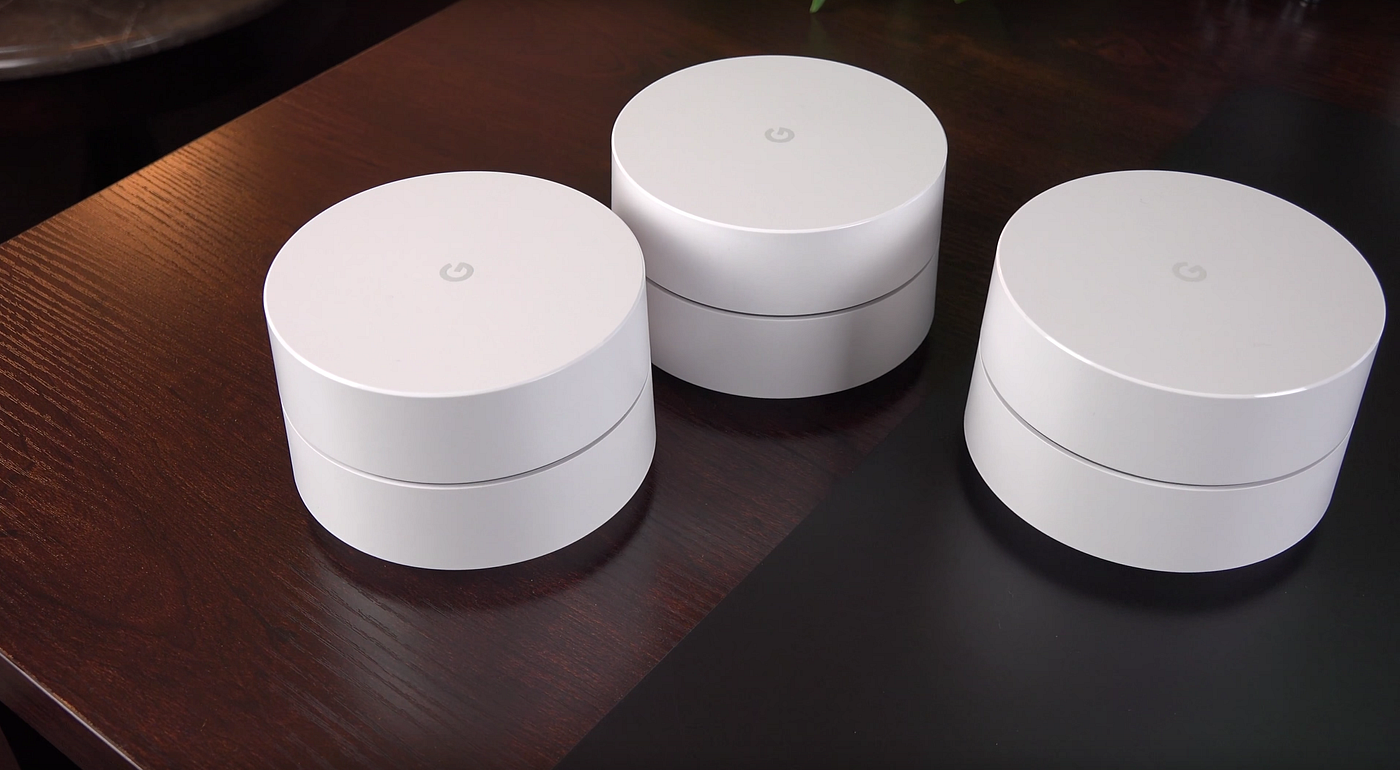
Credit: blog.stackademic.com
Google Nest Wifi Basics
Google Nest Wifi is a system that helps you get strong internet in your home. It uses a main router and extra devices called nodes.
These devices work together to cover your whole house with Wi-Fi. This is useful for medium-sized homes.
Core Components
The Google Nest Wifi system has two main parts: the router and the nodes. The router connects to your internet service.
Nodes spread the Wi-Fi signal to other rooms. They help reach places the router alone cannot cover.
- Router:Main device that connects to the modem.
- Nodes:Extra devices that extend Wi-Fi range.
How Nodes Work
Nodes create a mesh network with the router. This means they share data and Wi-Fi signals smoothly.
Each node acts as a small router. They connect wirelessly to the main router and to each other.
- Nodes increase Wi-Fi coverage in rooms far from the router.
- They reduce dead spots where Wi-Fi is weak or missing.
- Nodes work automatically to find the best path for your data.

Credit: www.amazon.ca
Factors Affecting Coverage
Choosing the right number of Google Nest nodes depends on several factors. These factors impact the Wi-Fi coverage and performance in your medium-sized house.
Understanding these elements helps you decide how many nodes you need for good internet access everywhere.
House Size And Layout
The size and shape of your house affect the Wi-Fi signal range. Larger homes need more nodes to cover all rooms properly.
- Open floor plans allow signals to travel farther.
- Multiple floors can block signals between levels.
- Long hallways may cause weak spots.
- Rooms with many corners reduce coverage.
Wall Materials And Obstacles
Different wall materials affect Wi-Fi signals in different ways. Some materials block or weaken the signal more than others.
| Material | Effect on Signal |
| Drywall | Minimal interference |
| Brick | Moderate signal loss |
| Concrete | High signal blockage |
| Metal | Severe signal blockage |
| Glass | Low to moderate interference |
Device Density
The number of devices connected affects your Wi-Fi network. More devices need more coverage and better signal strength.
- Smartphones, tablets, and laptops all use bandwidth.
- Smart home devices like cameras and speakers add load.
- Streaming and gaming require stronger signals.
- More nodes help handle many devices at once.
Estimating Nodes For Medium Homes
Google Nest Wifi helps spread strong internet across your home. Picking the right number of nodes matters. Too few can cause weak signals. Too many may be costly and complex.
This guide helps you estimate how many Google Nest nodes fit a medium-sized house. We look at square footage, suggest node counts, and share placement tips.
Typical Square Footage
Medium homes usually cover 1,200 to 2,000 square feet. This size fits many families and has several rooms. Walls and floors can reduce Wi-Fi signals.
| House Size | Square Feet |
| Small | Under 1,200 |
| Medium | 1,200 to 2,000 |
| Large | Over 2,000 |
Recommended Node Count
For medium homes, two to three Google Nest nodes usually work well. One node connects to your modem. The others spread Wi-Fi in different areas.
- 1 node for up to 1,200 sq ft
- 2 nodes for 1,200 to 1,800 sq ft
- 3 nodes for 1,800 to 2,000 sq ft
Room-by-room Placement Tips
Correct placement of nodes improves coverage. Place nodes in open spaces away from thick walls. Avoid placing them near metal objects or microwaves.
- Put one node in the living room or main area
- Place the second node near bedrooms or study rooms
- Use the third node close to the kitchen or office
- Keep nodes at least 30 feet apart for best results
Optimizing Node Placement
Google Nest Wifi nodes help spread your internet signal across your house. Correct placement is key for strong Wi-Fi in every room.
For a medium house, choosing the right number of nodes and where to place them can improve your connection a lot.
Avoiding Dead Zones
Dead zones are areas with weak or no Wi-Fi signal. Place nodes to cover these spots and keep your connection steady.
Avoid placing nodes near thick walls, metal objects, or microwaves. These can block the signal and create dead zones.
- Put nodes in open spaces, away from obstacles
- Place nodes on higher surfaces like shelves
- Keep nodes in different rooms to spread coverage
Balancing Signal Strength
Nodes should be close enough to connect but far enough to cover more area. Balance helps keep signal strong throughout your house.
For a medium house, two or three nodes usually work well. Space them evenly and avoid placing them too close together.
- Keep nodes within 30 feet of each other
- Place nodes where you use Wi-Fi the most
- Test signal strength and adjust node placement if needed
Using The Google Home App
The Google Home app helps you set up and check your Nest nodes. It shows signal strength and suggests better placement.
Use the app to run a mesh test. This test finds weak spots and guides you to move nodes for better coverage.
- Open the Google Home app on your phone
- Select your Wi-Fi network and run the mesh test
- Follow app tips to move or add nodes
Troubleshooting Coverage Issues
Google Nest Wi-Fi can be tricky to set up in a medium-sized house. Coverage issues are common if nodes are not placed correctly.
Proper placement and updates are key to solving these problems. Here’s how you can address common issues.
Common Problems
Most users face similar issues with their Google Nest nodes. Recognizing these can help in faster troubleshooting.
- Weak signal in certain rooms
- Nodes disconnecting frequently
- Slow internet speed despite good coverage
Adjusting Node Locations
The placement of your Google Nest nodes affects signal strength. Adjusting locations can improve connectivity.
| Placement Tip | Description |
| Central Location | Place nodes in the center of the house |
| Off the Floor | Keep nodes on a shelf or table |
| Away from Metal | Metal objects can block signals |
Firmware Updates
Firmware updates are crucial for optimal performance. Make sure your nodes have the latest software.
Alternative Solutions
If you have a medium-sized house, you might wonder how many Google Nest nodes you need. There are other ways to improve your Wi-Fi coverage. These options can be good alternatives.
Choosing the right solution depends on your house layout and internet needs. Below are some options to think about.
Wi-fi Extenders
Wi-Fi extenders boost your existing signal to reach far rooms. They are easy to set up and cost less than mesh systems.
Extenders work well if your house has a few weak spots. They catch your router’s signal and repeat it to cover dead zones.
- Good for one or two problem areas
- May cause slower speeds in extended areas
- Works with your current router
- Simple to install
Mesh Network Competitors
Other mesh Wi-Fi brands offer similar coverage to Google Nest. They come with different features and price points.
Some competitors might fit your budget or needs better. You can compare features like app control, speed, and design.
- Eero: Simple setup, good coverage
- Netgear Orbi: High speed, good for gaming
- TP-Link Deco: Budget-friendly with solid performance
- Linksys Velop: Flexible placement options
Wired Backhaul Options
Wired backhaul uses Ethernet cables to connect nodes. This keeps speeds fast and stable across your network.
This option is best if you can run cables through walls or floors. It reduces Wi-Fi interference and improves performance.
- Reliable connection between nodes
- Less signal loss than wireless links
- Better for large or multi-story homes
- Needs cable installation
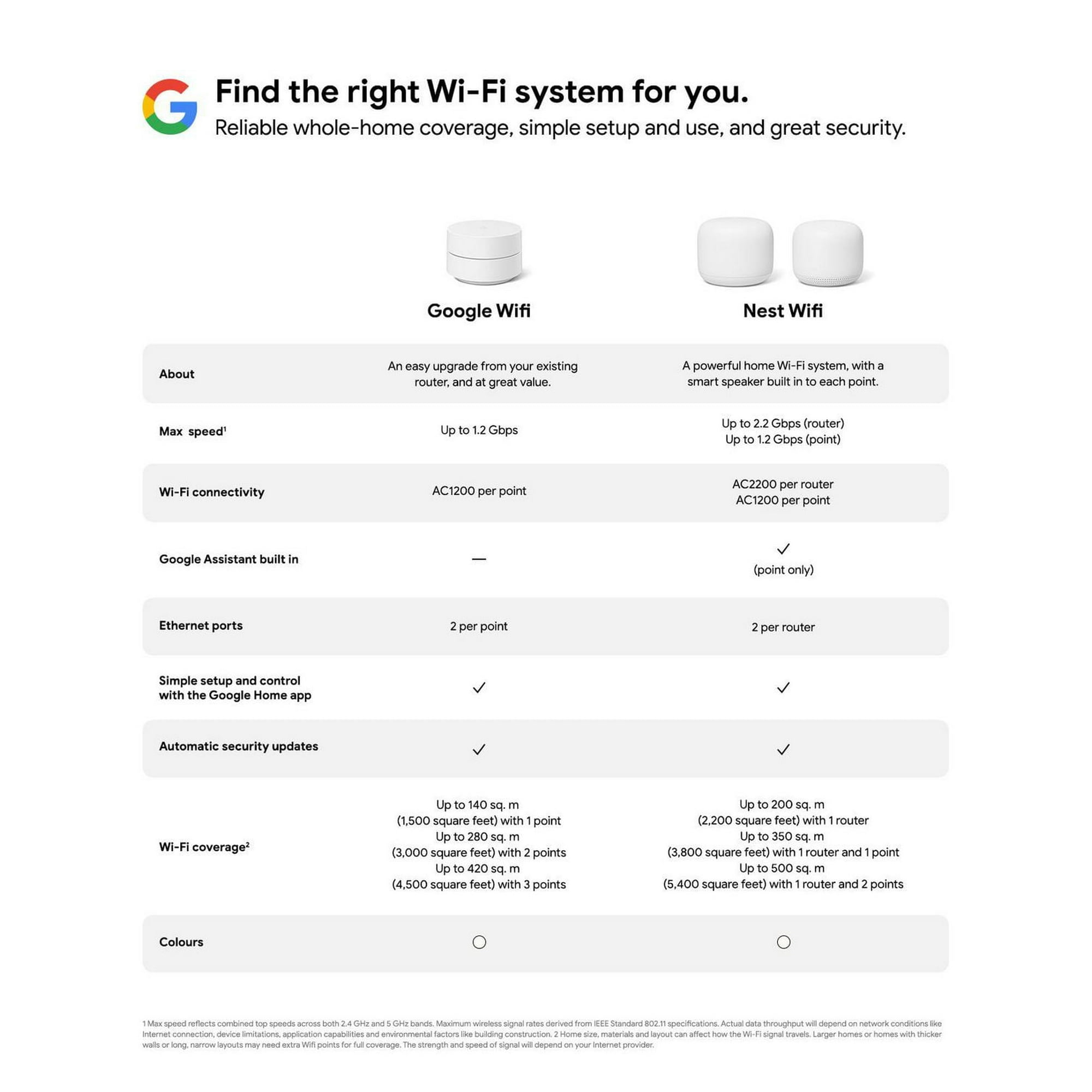
Credit: www.walmart.ca
Frequently Asked Questions
How Many Google Nest Nodes Cover A Medium House?
Typically, 2 to 3 Google Nest nodes cover a medium house effectively. This setup ensures strong Wi-Fi in all rooms and eliminates dead zones. The exact number depends on your home’s size and layout.
Can One Google Nest Node Cover A Medium House?
One Google Nest node may not cover a medium house fully. It works best for small spaces or single rooms. For medium houses, additional nodes enhance coverage and network stability.
What Factors Influence Google Nest Node Quantity For Homes?
Home size, layout, wall materials, and interference affect node quantity. Larger or multi-story homes need more nodes. Thick walls or electronic devices may reduce signal strength, requiring extra nodes.
How To Optimize Google Nest Nodes In A Medium House?
Place nodes centrally and away from obstructions for best coverage. Avoid placing near microwaves or thick walls. Use the Google Home app to test and adjust node locations.
Conclusion
A medium house usually needs two or three Google Nest nodes. This setup helps cover all areas with strong Wi-Fi signals. Place nodes in different rooms for the best reach. Avoid putting them too close or too far apart. Good placement means fewer dead zones and faster internet.
Choose the number of nodes based on your home’s size and walls. This simple step improves your online experience every day. A steady connection keeps work, streaming, and gaming smooth. Now, your home Wi-Fi can keep up with all your needs.