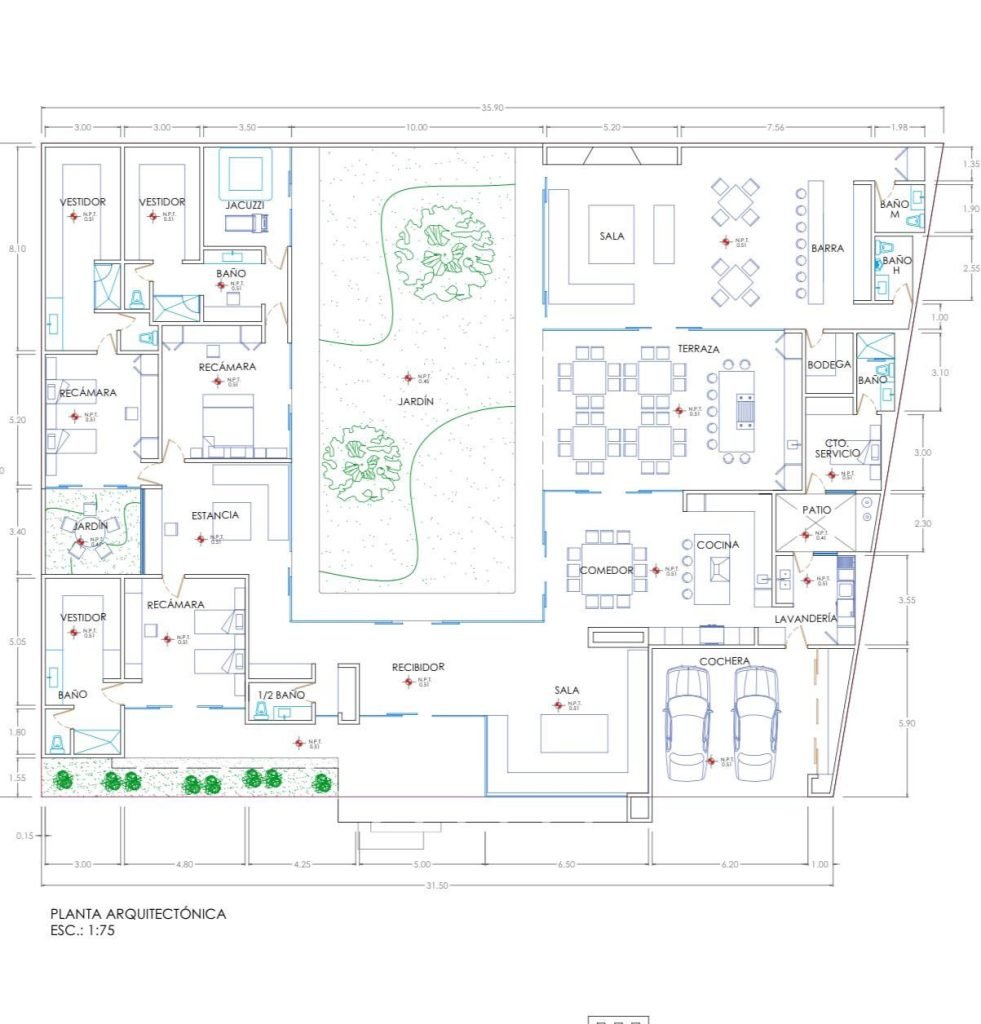
Are you struggling with slow WiFi in your large home? You might be wondering, how many mesh WiFi nodes do you really need to cover a 5000 sq ft house?
Getting this right is key to enjoying fast, reliable internet in every corner of your space. Too few nodes, and you’ll face dead zones and frustrating drops. Too many, and you could be wasting money and complicating your network. Keep reading to discover the perfect number of mesh nodes for your home, so you can boost your WiFi signal effortlessly and enjoy seamless connectivity wherever you are.
Factors Affecting Mesh Wifi Coverage
Choosing the right number of mesh wifi nodes for a 5000 sq ft house is important. Coverage depends on several factors. Understanding these helps you get good wifi in every room.
Each home is different. Walls, devices, and wifi tools all affect the signal. Let’s look at the main factors that change mesh wifi coverage.
House Layout And Construction
The shape and size of your home affect wifi signals. Big open spaces let signals travel far. Many rooms and walls block signals and reduce range.
Building materials matter too. Thick walls or metal can stop wifi signals. Wood and drywall let signals pass more easily.
- Open floor plans improve coverage
- Concrete and brick walls reduce signal
- Metal doors or frames block wifi
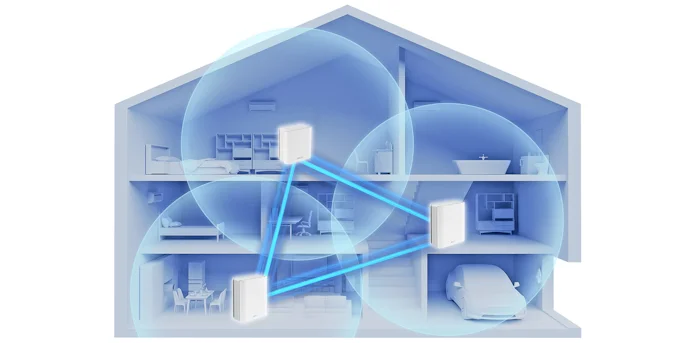
- Multiple floors need nodes on each level
Interference Sources
Other electronics can interfere with wifi signals. Devices like microwaves, cordless phones, and baby monitors use similar frequencies. They can cause signal drops or slow speeds.
Nearby wifi networks also add interference. Too many networks in one area can overlap and cause problems.
- Microwaves emit signals that block wifi
- Cordless phones share wifi frequencies
- Other wifi networks can cause overlap
- Bluetooth devices may add noise to signal
Device Density
The number of devices using wifi affects coverage. More devices need more bandwidth and better signal strength. High device density can slow down your network.
Homes with many phones, tablets, and smart devices need more mesh nodes. Nodes help spread the signal evenly to all devices.
- More devices need stronger wifi signals
- Smart home gadgets add to device count
- Streaming or gaming devices use more bandwidth
- Mesh nodes balance traffic for many devices
Router And Node Specifications
Not all routers and mesh nodes are the same. Some cover larger areas or handle more devices. Check the specs before buying to match your home size.
Higher-end nodes often have better antennas and faster speeds. They can reduce the number of nodes needed for full coverage.
- Look for nodes with good range ratings
- Check max device connections per node
- Dual-band or tri-band nodes improve speed
- Some nodes work better in larger homes
Credit: edgeup.asus.com
Estimating Nodes For 5000 Sq Ft
Mesh WiFi systems use multiple nodes to spread internet signals across a home. A 5000 square foot house needs enough nodes to cover all areas well. This guide helps estimate how many mesh nodes you need.
Several factors affect the number of nodes required. These include the size of each node’s coverage, the home’s layout, and outdoor spaces. Understanding these helps you plan better.
Average Coverage Per Node
Each mesh WiFi node covers a certain area depending on its model. On average, one node covers about 1500 to 2000 square feet indoors. Walls and furniture can reduce this coverage.
For a 5000 sq ft home, you start by dividing the total area by the coverage per node. This gives a rough count of nodes needed to cover the entire space.
- Node coverage: 1500 to 2000 sq ft
- 5000 sq ft ÷ 1500 sq ft = about 3.3 nodes
- Round up to 4 nodes for good coverage
Adjusting For Multi-level Homes
Multi-level homes need more nodes because WiFi signals do not pass well through floors. Each floor often requires its own set of nodes for strong coverage.
In a two-story home, place nodes on each floor. Spread nodes evenly to cover rooms and hallways. This ensures good signal strength everywhere.
- Plan at least one node per floor
- Add extra nodes near staircases for better signal flow
- Consider floor materials that block signals
Considering Outdoor Areas
Outdoor areas like patios or yards may need coverage too. Standard indoor nodes may not cover these spaces well. Outdoor mesh nodes or extra indoor nodes near windows help extend coverage.
Adding nodes for outdoor use depends on your needs. If you want WiFi outside, add one or two nodes near outdoor spaces. Weatherproof models work best for outdoor placement.
- Place nodes near doors or windows facing outdoor areas
- Use weather-resistant nodes for patios or yards
- Outdoor coverage may need 1-2 extra nodes
Node Placement Strategies
Placing mesh WiFi nodes correctly is key for good signal coverage. A 5000 sq ft house needs careful planning.
This guide explains the main strategies to place your nodes for best performance.
Centralized Vs Distributed Placement
Centralized placement means putting all nodes near the center of the house. Distributed placement spreads nodes evenly across different areas.
- Centralized placement can reduce cable clutter and simplify setup.
- Distributed placement improves coverage in large or complex spaces.
- Centralized works well for open floor plans.
- Distributed is better for multi-story or segmented homes.
Avoiding Signal Obstacles
Signal obstacles like walls and furniture can block WiFi signals. Avoid placing nodes near metal, mirrors, or thick walls.
| Obstacle Type | Effect on Signal |
| Concrete Walls | Strongly reduces range |
| Metal Objects | Causes signal reflection |
| Glass and Mirrors | Blocks or weakens signal |
| Wood and Drywall | Minor signal loss |
Optimizing Node Distance
Nodes should be close enough to communicate well but far enough to cover more area.
- Start with nodes 30 to 40 feet apart indoors.
- Adjust distance based on walls and obstacles.
- Check signal strength between nodes to avoid weak spots.
- Use app tools or signal meters to fine-tune placement.

Credit: shop-ca.mercku.com
Choosing The Right Mesh System
For a 5000 sq ft house, a strong WiFi signal is important everywhere. Mesh WiFi systems use multiple nodes to cover large areas.
Choosing the right system means picking one that fits your home’s size and your internet needs. This helps avoid dead zones and slow speeds.
Performance Features To Look For
Good performance means fast and stable WiFi across your home. Look for mesh systems with strong signal range and fast speeds.
Check if the system supports the latest WiFi standards like WiFi 6. This offers better speed and can handle more devices.
- High-speed WiFi (WiFi 5 or WiFi 6)
- Strong signal range per node
- Support for multiple devices
- Fast roaming between nodes
Compatibility And Scalability
Choose a mesh system that works well with your current router or internet provider. This avoids setup problems.
Scalability lets you add more nodes if needed. This helps cover larger or multi-story homes easily.
- Works with your modem or router
- Easy to add extra nodes
- Supports multiple floors and walls
- Compatible with smart home devices
Budget Considerations
Mesh systems vary in price based on features and number of nodes. Plan your budget to get enough coverage without overspending.
More nodes cost more but give better coverage. Balance the number of nodes with your home’s size and your internet speed.
- Set a budget before shopping
- Compare price and features
- Consider future needs for extra nodes
- Look for systems with good warranty
Testing And Optimizing Coverage
Setting up mesh wifi nodes in a 5000 sq ft house needs careful testing. Proper coverage means fewer dead spots and stronger signals.
Use tools and adjustments to improve your wifi network. These methods help you get the best coverage from your nodes.
Using Wifi Analyzers
Wifi analyzers show signal strength and interference. They help find weak spots in your home network. You can use apps on your phone or computer.
- Check signal levels in each room
- Identify crowded wifi channels
- Spot devices causing interference
- Test speed at different points
- Save data to compare after changes
Adjusting Node Positions
Placing mesh nodes in the right spots is key. Move nodes and test coverage again to find the best layout. Avoid walls and metal objects that block signals.
| Node Location | Signal Strength | Notes |
| Living Room | Strong | Good coverage near TV and sofa |
| Kitchen | Medium | Some walls block signal |
| Upstairs Hall | Weak | Needs node moved closer |
| Bedroom | Medium | Near window, good signal |
Firmware Updates And Settings
Keep your mesh nodes updated. Firmware updates fix bugs and improve performance. Check settings for channel choice, bandwidth, and security options.
- Regularly check for firmware updates
- Set channels to avoid interference
- Enable automatic updates if possible
- Adjust bandwidth settings for best speed
- Use strong security with WPA3 if supported

Credit: www.reddit.com
Frequently Asked Questions
How Many Mesh Wifi Nodes For 5000 Sq Ft House?
For a 5000 sq ft house, 3 to 4 mesh WiFi nodes are ideal. This ensures strong, consistent coverage and eliminates dead zones throughout the home.
Can One Mesh Wifi Node Cover 5000 Sq Ft?
One mesh WiFi node cannot cover 5000 sq ft effectively. Larger homes require multiple nodes to maintain fast and reliable connections.
Where Should Mesh Wifi Nodes Be Placed In Large Homes?
Place mesh nodes evenly throughout the home. Key spots include near living areas, upstairs rooms, and far corners for optimal coverage.
Does House Layout Affect The Number Of Mesh Nodes Needed?
Yes, complex layouts or thick walls require more nodes. Open floor plans may need fewer nodes to cover the same area.
Conclusion
For a 5000 sq ft house, three to four mesh WiFi nodes usually work well. This setup covers large areas and reduces dead zones. Place nodes in open spaces for the best signal. Avoid walls and metal objects that block WiFi.
Test your network after installation to ensure strong coverage. Remember, each home is different, so adjust the number of nodes as needed. A good mesh system keeps everyone connected smoothly. Simple steps lead to better internet in every corner of your home.


