
Are you struggling with slow Wi-Fi in your large house? You’re not alone.
When your home is big, one router often can’t cover every corner. That’s where TP-Link Deco nodes come in. But how many Deco nodes do you really need to enjoy strong, seamless Wi-Fi everywhere? Finding the right number can save you money and frustration.
Keep reading, and you’ll discover the simple answer that fits your home perfectly.

Credit: www.amazon.ca
Choosing Deco Nodes For Large Homes
Choosing the right number of TP-Link Deco nodes is key for strong Wi-Fi in large homes. The nodes work together to cover every corner of your house.
Many factors affect how many nodes you need. This guide helps you decide based on your home’s size, layout, and materials.
Factors Influencing Node Quantity
The number of Deco nodes depends on how big your home is and what blocks the signal. You also need to consider how many devices connect at once.
- House size in square feet or meters
- Number and thickness of walls
- Floor count and open space areas
- Types of building materials
- Number of devices using Wi-Fi
Impact Of House Size And Layout
Large homes with many rooms or floors need more nodes. Open floor plans need fewer nodes than homes with many walls.
| House Size | Layout | Approximate Nodes Needed |
| Up to 2,000 sq ft | Open Floor | 2-3 |
| 2,000-4,000 sq ft | Multiple Rooms | 3-5 |
| 4,000+ sq ft | Multiple Floors | 5 or more |
Considering Construction Materials
Walls and floors made from certain materials block Wi-Fi signals more than others. This affects how many Deco nodes you need.
- Wood and drywall allow signals to pass easily
- Brick and concrete reduce signal strength
- Metal and thick stone cause heavy signal loss
- Glass windows usually do not block Wi-Fi
Credit: evanmccann.net
Coverage Areas Of Deco Nodes
Tp-Link Deco nodes help spread Wi-Fi throughout a large house. Each node adds more coverage for your home network. Understanding how many nodes you need depends on your house size and layout.
This guide explains how far each node can reach and how to use multiple nodes. It also covers signal overlap and strength for the best coverage.
Range Per Node
Each Deco node covers a certain area in square feet. The exact range depends on the model and your home’s walls and floors. Usually, a single node covers about 1,500 to 2,000 square feet.
Strong signals can reach farther in open spaces. Thick walls and metal objects can reduce the range. It is important to place nodes in open areas for best results.
Extending Coverage With Multiple Nodes
Adding more Deco nodes extends your Wi-Fi coverage across a large house. Each new node connects to the network and covers additional space. This helps avoid dead zones where Wi-Fi is weak or missing.
For very large homes, use three or more nodes. Place them evenly around the house to cover all rooms. You can add nodes later if you find spots with weak Wi-Fi.
- Start with one node in the center of your house
- Add extra nodes in far rooms or floors
- Keep nodes in open areas for better signals
Overlap And Signal Strength
Nodes should overlap slightly to keep a strong connection between them. Overlap helps devices switch smoothly from one node to another. Too much overlap can cause interference and slow speeds.
Place nodes about 30 to 50 feet apart in open spaces. In houses with many walls, reduce the distance between nodes. Test signal strength and move nodes if needed to get steady coverage.
- Good overlap keeps Wi-Fi stable
- Avoid placing nodes too close together
- Check signal strength with your phone or app
Recommended Node Counts By House Size
Choosing the right number of TP-Link Deco nodes helps cover your home well. Too few nodes may cause weak Wi-Fi signals. Too many can be unnecessary and costly.
This guide explains how many Deco nodes you need based on your house size.
Coverage For Homes Under 2000 Sq Ft
Small homes usually need fewer nodes. One or two Deco units often cover these spaces well. Place nodes in main living areas for best signal.
Nodes For 2000 To 4000 Sq Ft Homes
Medium-sized homes need more nodes. Using three to four Deco units can provide strong coverage. Spread nodes across floors and large rooms.
- 3 nodes for up to 3000 sq ft
- 4 nodes for 3000 to 4000 sq ft
- Place nodes near high-use rooms like kitchens and offices
Large Homes Over 4000 Sq Ft
Large homes require many Deco nodes for full coverage. Five or more units ensure no dead zones. Multi-story houses especially benefit from extra nodes.
| House Size | Recommended Nodes | Notes |
|---|---|---|
| 4000 to 5000 sq ft | 5 nodes | Cover large rooms and multiple floors |
| 5000 to 6000 sq ft | 6 nodes | Add nodes near far corners |
| Over 6000 sq ft | 7+ nodes | Consider wired backhaul for best speed |

Credit: www.pcmag.com
Placement Tips For Optimal Performance
Choosing the right spot for your TP-Link Deco nodes helps cover your large house well. Good placement improves signal strength and speed.
This guide shares tips to place your Deco nodes for the best Wi-Fi coverage. Follow these simple ideas to avoid weak spots.
Strategic Node Positioning
Place Deco nodes where the Wi-Fi signal can reach every corner of your home. Put nodes on open shelves or tables, not inside cabinets.
- Keep nodes in central rooms to cover large areas.
- Place nodes about two rooms apart for steady signal.
- Avoid placing nodes near thick walls or metal objects.
- Set nodes at a height of about 3 to 5 feet from the floor.
Avoiding Interference
Interference lowers your Wi-Fi speed. Keep Deco nodes away from devices that create signal noise.
| Device | Recommended Distance | Reason |
|---|---|---|
| Microwaves | At least 10 feet | Microwaves emit signals that interrupt Wi-Fi |
| Bluetooth devices | 5 feet or more | Bluetooth uses similar frequencies to Wi-Fi |
| Baby monitors | 10 feet | They can cause wireless interference |
| Thick walls or metal doors | Avoid placement near them | Blocks or weakens Wi-Fi signals |
Utilizing App Tools For Setup
The TP-Link Deco app helps place nodes correctly and tests signal strength. Use the app for easy setup and quick fixes.
- Signal strength map to see coverage areas
- Speed test to check node performance
- Guided placement tips for each node
- Notifications for weak signals or disconnections
Performance Enhancements And Considerations
Setting up TP-Link Deco nodes in a large house needs care. Proper placement and updates help keep your network fast and stable. You should also think about your budget and how many nodes you really need.
This guide covers key points for improving performance with Deco nodes. Learn about firmware updates, fixing dead zones, and balancing costs with node count.
Firmware Updates And Network Management
Keeping your Deco nodes updated is important. Firmware updates fix bugs and add features that improve speed and stability. Use the Deco app to check for updates regularly. Network management tools help you control devices and monitor traffic easily.
- Update firmware as soon as updates are available
- Use the Deco app to manage your network settings
- Check connected devices and their data use
- Restart nodes if performance drops suddenly
Dealing With Dead Zones
Dead zones are areas with weak or no Wi-Fi signal. Large houses often have these spots because of walls or distance. Adding nodes can fill these dead zones but placing them well is key. Avoid placing nodes near thick walls or metal objects.
| Cause of Dead Zone | Solution |
|---|---|
| Thick walls | Place nodes in open spaces, avoid barriers |
| Distance from main router | Add more nodes between router and dead zone |
| Interference from devices | Keep nodes away from microwaves and cordless phones |
Balancing Node Count And Budget
Adding many nodes can improve coverage but costs more. You want enough nodes to cover your house without overspending. Plan your layout and count rooms or floors that need coverage. Think about budget and which nodes give the best value.
- Measure the size of your house and number of floors
- Estimate how many nodes you need for full coverage
- Compare prices of different Deco models
- Decide on the best balance between cost and coverage
- Start with fewer nodes and add more if needed
Frequently Asked Questions
How Many Tp-link Deco Nodes Cover A Large House?
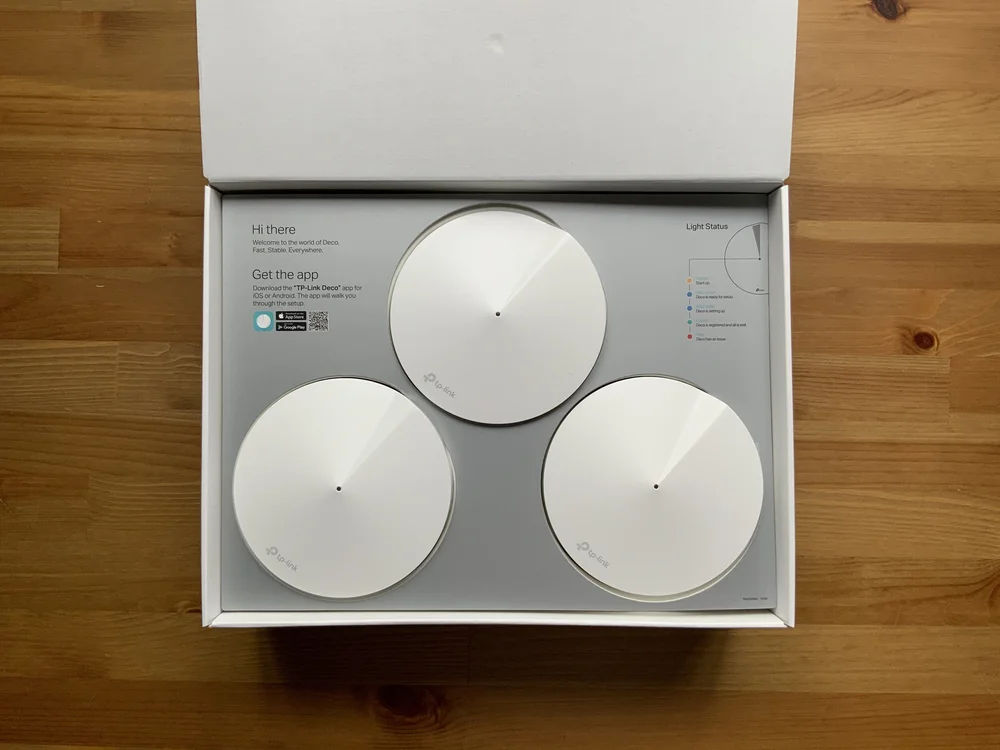
Typically, 3 to 5 TP-Link Deco nodes cover a large house. The exact number depends on the house size and layout. More nodes improve Wi-Fi strength and eliminate dead zones. It’s best to start with three and add more if needed.
Can One Tp-link Deco Node Cover A Large House?
One TP-Link Deco node alone cannot cover a large house effectively. Large homes have multiple rooms and thick walls that block Wi-Fi signals. Multiple nodes work together to create a seamless mesh network, providing better coverage and stable connections throughout the home.
How Do Tp-link Deco Nodes Improve Large House Wi-fi?
TP-Link Deco nodes form a mesh network, expanding coverage in large homes. Each node communicates with others, reducing dead zones and improving speed. This system ensures consistent Wi-Fi strength in all rooms, even far from the main router.
Is It Better To Use More Tp-link Deco Nodes?
Yes, using more TP-Link Deco nodes enhances Wi-Fi coverage and reliability. Larger houses with multiple floors benefit from additional nodes. More nodes reduce interference and deliver faster speeds in every corner of your home.
Conclusion
Choosing the right number of TP-Link Deco nodes improves your home Wi-Fi. Large houses need more nodes to cover all rooms well. Start with two or three nodes and add more if needed. Place nodes in open spaces for better signal strength.
This setup helps avoid dead zones and slow internet. A strong Wi-Fi network keeps all your devices connected smoothly. Simple steps can make your internet fast and reliable at home.


