Is your Verizon Fios WiFi feeling slow or spotty just when you need it most? You’re not alone, and the good news is you don’t have to settle for weak signals or frustrating buffering.
Imagine streaming your favorite shows, video chatting without glitches, and getting your work done smoothly—all without any WiFi hiccups. You’ll discover simple, effective ways to boost your Verizon Fios internet right now. Ready to unlock faster, stronger WiFi throughout your home?
Let’s dive in.
Optimize Router Placement
Place the router in a central spotin your home. This helps the signal reach all rooms evenly. Avoid corners or areas hidden behind furniture.
Keep the router away from large metal objectsand thick walls. These block the WiFi signal a lot. Also, avoid placing it near microwaves or cordless phones.
Raising the router off the floor improves coverage. Put it on a table or shelf for better signal strength. Higher placement means fewer obstacles between the router and your devices.
Credit: www.verizon.com
Update Firmware And Equipment
Check your router’s firmware regularly. Updated firmware fixes bugs and improves speed.
Many routers update automatically. You can also do it manually in settings.
Using the latest modem helps your internet run smoothly.
Older modems may slow down your connection or cause drops.
Replacing outdated hardware is important for better Wifi performance.
New routers and modems have stronger signals and faster data handling.
| Action | Benefit |
|---|---|
| Check for Router Updates | Fix bugs, improve speed, and add new features |
| Upgrade to Latest Modem | Better stability and faster connection |
| Replace Outdated Hardware | Stronger signal and improved Wifi range |
Secure Your Network
Use strong passwordsto protect your Verizon Fios WiFi network. Choose passwords with letters, numbers, and symbols. Avoid easy-to-guess words like “password” or “123456”. Change your password regularly to keep your network safe.
Limit guest accessby setting up a separate guest network. This keeps your main network private. Guests can use the internet without reaching your personal devices.
Prevent unauthorized devicesby checking connected devices often. Remove any devices you do not recognize. This stops others from using your WiFi and slowing down your connection.
Adjust Router Settings
Choosing the best WiFi channelhelps reduce interference. Many routers auto-select channels, but manual choice can improve speed. Use channels 1, 6, or 11 for 2.4GHz to avoid overlap with neighbors’ signals.
Enabling Quality of Service (QoS)lets you prioritize devices or apps. This means important tasks like video calls or streaming get better connection quality. It helps avoid slowdowns during busy times.
The 5GHz bandoffers faster speeds and less interference than 2.4GHz. It works well for devices close to the router. Switching to 5GHz can boost your WiFi performance in rooms near the router.
Use Wifi Extenders And Mesh Systems
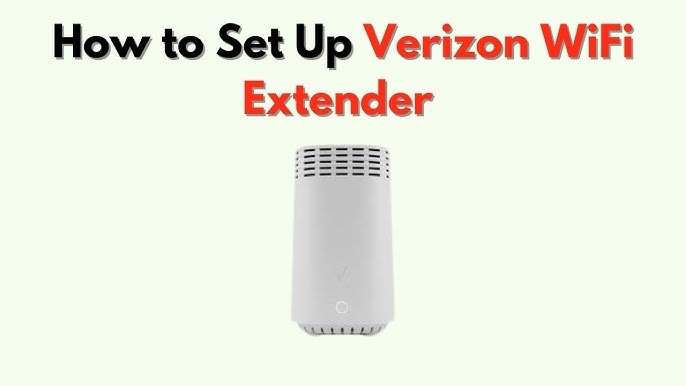
Choosing the right WiFi extender means checking compatibility with Verizon Fios. Look for devices that support your router’s speed and frequency bands. Dual-band extenders often work best for strong signals.
Setting up a mesh network creates a blanket of WiFi coverage. Mesh systems use multiple nodes that connect seamlessly. This helps remove dead zones in your home for smoother internet.
Positioning extenders well is key. Place them halfway between your router and weak signal areas. Avoid walls and metal objects that block signals. Higher spots often give better coverage.
Manage Bandwidth Usage
Controlling bandwidth use helps improve Verizon Fios WiFi speed. Limit devices or apps that use too much data to keep your connection fast. This makes streaming and browsing smoother for everyone.
Identify Bandwidth Hogs
Some devices use more bandwidth than others. Check which ones are using the most. Smart TVs or game consoles often consume a lot. Turn off devices not in use. This can help your WiFi work better.Schedule Heavy Downloads
Heavy downloads slow the network. Plan them when fewer people are online. Nighttime is usually a good time. This keeps the internet fast for everyone else. Remember, it’s easy to set download times.Limit Streaming Quality
Streaming in high quality uses more bandwidth. Reduce the quality to save bandwidth. Many apps let you change video settings. Choose a lower quality if you can. This helps to keep the connection stable. `Regular Maintenance Tips
Keep your Verizon Fios router updated and place it in an open, central spot. Regularly restart the router to clear temporary issues and improve signal strength.
Restart Router Periodically
Restart your routeronce a week. This helps clear temporary glitches. Turn it off, wait a minute, then switch it back on. This simple step can boost your WiFi speed.
Monitor Network Performance
Use a network performance tool. It helps check WiFi speedand stability. Identify devices using most bandwidth. Disconnect devices not in use. This frees up bandwidth for important tasks.
Clear Device Cache
Clear cache on devices regularly. Cache can slow down internet speed. Go to device settings, find storage, and select clear cache. This keeps your internetrunning smoothly.

Credit: www.youtube.com

Credit: www.youtube.com
Frequently Asked Questions
How Can I Improve Verizon Fios Wifi Speed?
Place your router centrally and away from obstructions. Use the latest router firmware and choose less crowded WiFi channels. Limit connected devices and consider using a WiFi extender for larger homes.
What Is The Best Router Setup For Verizon Fios?
Use the Verizon Fios router in a central location, elevated and away from metal objects. Opt for dual-band routers supporting 5GHz for faster speeds and reduce interference by disabling unused bands.
How Do I Reduce Wifi Interference On Verizon Fios?
Avoid placing the router near microwaves, cordless phones, and thick walls. Change your WiFi channel to one with less traffic using the router’s settings for better signal strength.
Can Upgrading My Verizon Fios Plan Boost Wifi Performance?
Yes, upgrading to higher-tier plans increases your internet speed. However, improving WiFi signal through hardware and placement is also essential for optimal performance.
Conclusion
Boosting your Verizon Fios WiFi can improve your online experience. Try placing your router in a central spot. Keep devices updated and limit interference from other electronics. Use strong passwords to protect your network. Regularly restart your router for better speed.
These small steps help keep your connection steady and fast. Enjoy smoother streaming, gaming, and browsing at home. Simple changes make a big difference in WiFi quality. Stay connected without frustration or slowdowns.


