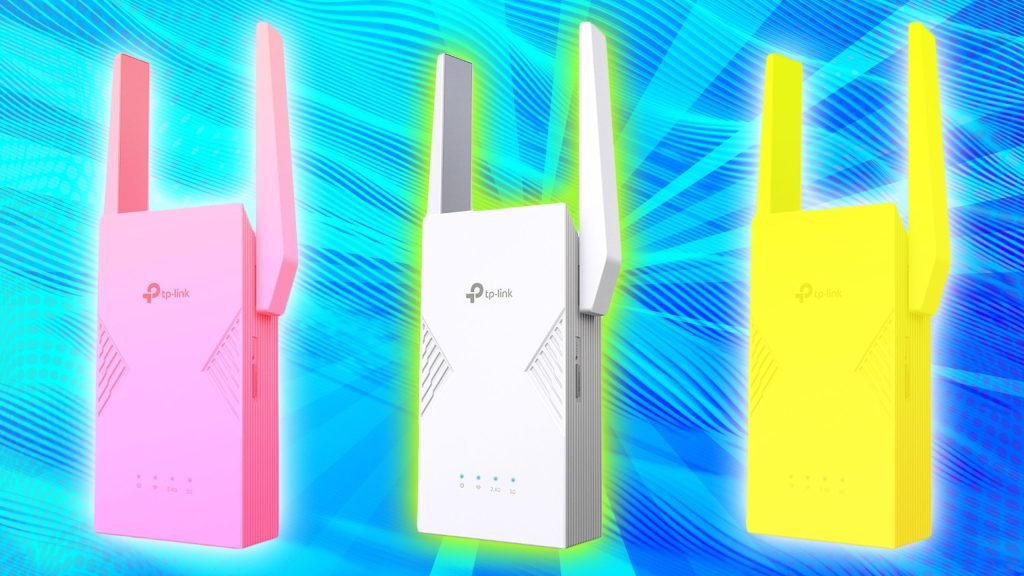
Are you frustrated with your tri-band WiFi extender not delivering the strong signal you expected? You’re not alone.
Many people struggle with maintaining a consistent and powerful internet connection throughout their homes. Knowing how to check your tri-band WiFi extender’s signal strength can be a game-changer. Imagine streaming your favorite shows, working from home, or gaming without a hitch.
This guide will show you exactly how to assess your signal strength and optimize it for seamless connectivity. Keep reading to unlock the secrets to a faster, more reliable internet experience. Don’t miss out on the tips that could transform your digital life.
Tri Band Wifi Extender Basics
A Tri Band Wifi Extenderuses three separate frequency bands to improve wireless signal coverage. One band connects to your main router, and the other two extend the signal to different areas. This setup helps reduce congestion and interference, making your internet faster and more stable.
Benefits of Tri Band Extenders:
- Better speed:Multiple bands allow for faster data transmission.
- Improved coverage:Extends wifi to more rooms and farther areas.
- Less interference:Separate bands reduce signal clashes and drops.
- Supports many devices:Handles multiple users without slowing down.
Credit: www.tp-link.com
Factors Affecting Signal Strength
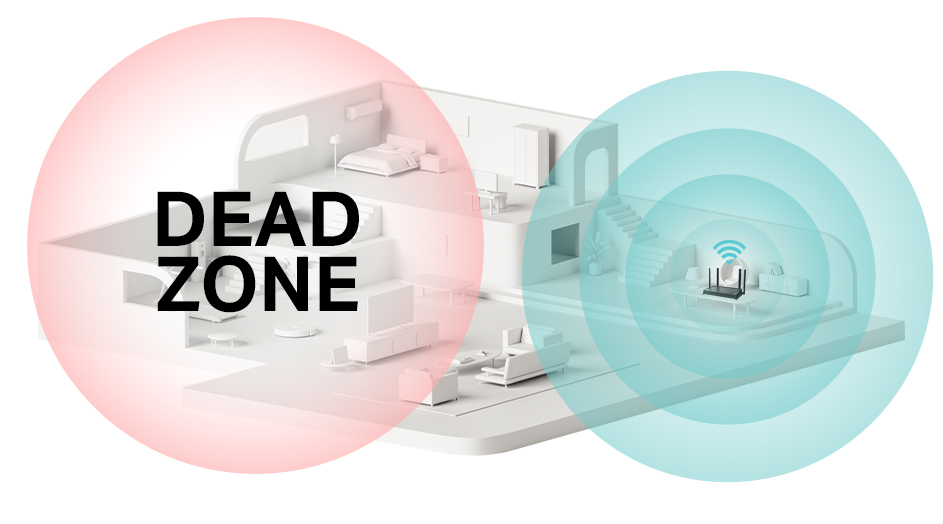
Distance from the routergreatly affects the signal strength of a tri-band WiFi extender. The farther the extender is from the router, the weaker the signal becomes. Walls and floors can reduce the signal over distance, so placing the extender closer helps maintain strong connectivity.
Physical obstructionssuch as walls, furniture, and appliances block or weaken WiFi signals. Materials like concrete, metal, and brick reduce signal strength more than wood or drywall. Positioning the extender in open spaces with fewer obstacles improves its performance.
- Interference sourcesinclude devices like microwaves, cordless phones, and baby monitors.
- Other WiFi networks nearby also cause interference and reduce signal quality.
- Keeping the extender away from these sources helps keep the signal clear and stable.
Methods To Check Signal Strength
Extender’s LED indicatorsshow the signal strength using colors or light patterns. Green often means a strong connection, yellow or orange means moderate strength, and red or blinking lights indicate a weak signal. This method is quick and easy to check without extra tools.
Mobile appscan scan WiFi signals and show details like signal bars and speed. Apps like WiFi Analyzer or NetSpot help find the best place for your extender. These apps display simple graphs or numbers to show signal power.
The router’s web interfaceoften has a section for connected devices. It shows the extender’s signal strength in dBm or bars. This tool provides a clear view of the wireless connection quality from the router’s side.
Third-party signal analyzersare software or devices that give detailed signal info. They measure noise, signal-to-noise ratio, and channel usage. These tools help find interference and improve extender placement.
Optimizing Signal Strength
Placing the tri band WiFi extenderin an open area helps signal flow. Avoid walls, metal, and thick furniture. The extender should be near the router but still cover weak areas. Higher spots often give better signals.
Adjust the extender’s settings to match your network. Choose the right band for your devices: 2.4 GHz for distance, 5 GHz for speed. Some extenders let you change channels to avoid busy frequencies. This can boost signal strength.
Keep electronics like microwaves and cordless phones away. These can interferewith WiFi signals. Also, reduce the number of devices connected at once to improve performance.
| Firmware Updates | Benefits |
|---|---|
| Regularly check for updates | Fix bugs and improve signal |
| Use official sources only | Ensure security and stability |
| Install updates promptly | Keep extender running smoothly |
Troubleshooting Weak Signals
Common signal issuesinclude interference, distance, and obstacles. Thick walls or floors block signals. Other devices like microwaves or cordless phones cause interference. The farther the extender is from the router, the weaker the signal.
Resetting the extendercan fix many problems. Turn off the extender, wait 10 seconds, then turn it back on. Use the reset button if needed. This clears old settings that may cause weak signals.
Checking for hardware problemshelps too. Look for loose cables or damaged parts. Ensure the extender is plugged in firmly. Test the extender in a different outlet to rule out power issues. A faulty device may need repair or replacement.

Credit: www.youtube.com

Credit: www.youtube.com
Frequently Asked Questions
How Do I Check My Tri Band Wifi Extender Signal Strength?
You can check signal strength via the extender’s web interface or mobile app. Look for signal bars or dBm values for accuracy. Stronger signals ensure better connectivity and speed.
What Is The Ideal Signal Strength For A Tri Band Extender?
An ideal signal strength is between -30 dBm to -60 dBm. Values closer to -30 dBm indicate a stronger and more stable connection for optimal performance.
Can Wifi Analyzer Apps Help Measure Extender Signal?
Yes, WiFi analyzer apps can measure signal strength and interference. They provide visual graphs to identify weak spots and improve extender placement for better coverage.
Why Is My Tri Band Extender Showing Weak Signal?
Weak signals can be due to distance, obstacles, or interference. Try relocating the extender closer to the router or removing physical barriers to improve strength.
Conclusion
Checking your tri-band WiFi extender’s signal strength helps improve your connection. Use simple tools or apps to see the signal quality. Move the extender for better coverage if the signal is weak. Regular checks keep your internet fast and stable.
Stay aware of obstacles that block signals, like walls or furniture. A strong signal means better streaming, gaming, and browsing. Keep your network running smoothly by monitoring the extender often. Small changes can make a big difference in your WiFi experience.


