
Struggling with weak WiFi signals on different floors of your home? Choosing the right mesh WiFi system can change that for good.
Imagine streaming your favorite shows, video chatting without interruptions, and getting work done without slow internet—all from any room in your multi-story house. But how do you pick the perfect mesh WiFi that fits your space and needs? Keep reading, and you’ll discover simple tips to make your WiFi fast, strong, and reliable everywhere you go in your home.

Credit: www.reddit.com
Benefits Of Mesh Wifi
Mesh wifi systems improve wireless internet in large or multi-story homes. They use multiple devices to spread wifi signals evenly.
This setup removes weak spots and keeps your connection strong in every room.
Seamless Coverage
Mesh wifi offers smooth coverage without dead zones. It uses many units that work together to cover large areas.
- Provides full home coverage on all floors
- Switches devices automatically to the strongest signal
- Eliminates the need to manually change networks
Easy Expansion
You can add more mesh nodes anytime to cover new areas or fix weak spots. This makes mesh wifi very flexible.
| Benefit | Details |
| Add New Nodes | Plug in extra units to extend coverage |
| No Cables Needed | Connects wirelessly between nodes |
| Works With Different Brands | Some mesh systems allow mixing nodes |
Centralized Management
Mesh wifi systems often include a single app to control the entire network. You can manage settings from one place.
- Monitor network health and speed
- Set parental controls for all devices
- Pause internet access on specific devices
- Update firmware automatically through the app
Challenges In Multi-story Homes
Multi-story houses have unique challenges for mesh WiFi systems. Different floors and walls affect the WiFi signal strength and coverage.
Understanding these challenges helps you pick the right mesh WiFi for your home. This guide covers key issues to consider.
Signal Interference
WiFi signals face interference from many devices and materials in a house. Other wireless gadgets, like microwaves and cordless phones, can cause signal drops.
- Microwaves can block or weaken signals.
- Bluetooth devices add noise to the WiFi bands.
- Neighboring WiFi networks cause signal overlap.
- Metal objects reflect or absorb signals.
Physical Barriers
Walls, floors, and ceilings reduce WiFi signal strength. Different materials block signals differently. For example, concrete and brick lower signal better than wood or drywall.
| Material | Effect on Signal |
| Concrete | High signal loss |
| Brick | Moderate to high loss |
| Wood | Low to moderate loss |
| Drywall | Low loss |
Device Density
Many devices using the WiFi at the same time slow down the network. This is common in larger families or homes with many smart devices.
- Smartphones and tablets connect constantly.
- Smart TVs and gaming consoles use high bandwidth.
- Smart home gadgets add to the network load.
- More devices mean more data traffic.
Key Features To Consider
Choosing the right mesh WiFi system for a multi-story house is important. The right system helps cover all floors with strong signal.
Look at key features before buying. These features will improve your internet experience at home.
Coverage Area
Coverage area means how much space the mesh WiFi can cover. A multi-story house needs wide coverage to reach every floor.
Check the product’s coverage size. Choose one that covers your whole house, including walls and floors.
- Measure total square feet of your home
- Consider walls and floors that block signals
- Look for systems with extended coverage for large homes
Speed And Bandwidth
Speed shows how fast your internet works. Bandwidth means how many devices can use WiFi at once.
Choose a mesh system that supports your internet plan speed. Also, pick one that handles many devices without slowing down.
- Match WiFi speed to your internet plan
- Higher bandwidth supports more devices
- Look for dual-band or tri-band systems for better speed
Number Of Nodes
Nodes are the units in a mesh WiFi system. More nodes mean better coverage and fewer dead zones.
For multi-story houses, use enough nodes to cover all floors. Place nodes on each floor for best signal.
- Small homes may need 2-3 nodes
- Larger homes need more nodes
- Place nodes where signal is weak
Security Options
Security options protect your home network from hackers. Good security keeps your data safe.
Choose a mesh WiFi with strong security features. Look for features like WPA3 encryption and automatic updates.
- WPA3 encryption for strong protection
- Guest network to separate visitors
- Automatic firmware updates for security patches
Choosing The Right System
Choosing a mesh WiFi system for a multi-story house needs careful thought. The right system keeps your entire home connected with strong signals.
Focus on key features to find a system that fits your needs. These include compatibility, setup, controls, and brand trust.
Compatibility With Internet Service
Check if the mesh system works with your internet provider. Most systems support common connections like fiber, cable, and DSL.
Ensure the system can handle your internet speed. A system that limits speed will slow down your connection.
Ease Of Setup
Look for systems that are easy to install without technical skills. Clear instructions help you set up quickly.
- Plug in the main router and satellites
- Follow simple app or web instructions
- Place satellites on different floors for best coverage
- Test signal strength and adjust placement
Mobile App Controls
A good mesh system offers an app to manage your network. The app should let you:
- Monitor devices connected to WiFi
- Pause internet for specific devices
- Run speed tests
- Update firmware easily
Brand Reputation
| Brand | Customer Rating | Support Quality |
|---|---|---|
| Brand A | 4.5/5 | 24/7 Chat and Phone |
| Brand B | 4.2/5 | Email Support |
| Brand C | 4.0/5 | Limited Hours Phone |
Choose brands with good reviews and reliable customer service. This helps if you face setup issues or need help later.
Placement Tips For Multi-story Houses
Mesh Wi-Fi systems help in providing strong internet coverage across all floors. Correct placement of nodes is crucial for optimal performance.
Here are some tips on where to place your mesh Wi-Fi nodes in a multi-story house for best results.
Optimal Node Locations
Place nodes in open areas for better signal distribution. Walls and doors can block signals.
Position one node on each floor. This ensures even coverage throughout the house.
- Living room is ideal for a central node
- Staircase landings can bridge signals between floors
- Avoid corners and enclosed spaces
Avoiding Dead Zones
Dead zones are areas with weak or no Wi-Fi signal. Proper node placement can prevent these zones.
Check for signal strength in different areas. Adjust node placement if needed.
- Use a Wi-Fi analyzer to find weak spots
- Move nodes closer to areas with poor signal
- Ensure no large objects block the signal path
Balancing Load Across Floors
Distribute devices evenly across nodes. This helps maintain speed and stability.
Identify high-traffic areas and ensure they are well-covered by nodes.
| Floor | Number of Devices |
| Ground Floor | 5 |
| First Floor | 7 |
| Second Floor | 4 |
Budgeting For Mesh Wifi
Choosing the right mesh WiFi for a multi-story house can be tricky. It’s important to balance your budget with your needs.
Consider cost, performance, future needs, and extra equipment. These factors will guide your decision.
Cost Vs. Performance
Price isn’t everything. A more expensive system might not always mean better performance.
- Compare features across different brands.
- Look for user reviews on performance.
- Set a maximum budget you can afford.
Future Proofing
Think about how your internet needs might change. You might need more devices connected in the future.
| Feature | Importance Level |
| WiFi 6 Support | High |
| Expandable Nodes | Medium |
| Parental Controls | Low |
Additional Equipment
Consider any extra equipment you might need. This could affect your overall budget.
Troubleshooting Common Issues
Mesh WiFi systems help cover every floor in your multi-story house. Sometimes, issues can happen that affect your connection.
This guide explains common problems and how to fix them easily.
Connection Drops
Connection drops happen when your device loses WiFi signal suddenly. This can happen if the mesh nodes are too far apart.
Try moving the mesh nodes closer to each other. Avoid placing them near thick walls or metal objects.
- Place nodes in open spaces
- Keep nodes within range of each other
- Reduce interference from microwaves or cordless phones
Slow Speeds
Slow internet speeds can frustrate users. The problem might be weak signals or too many devices connected.
Limit the number of devices on your network. Also, place the main node near your modem for the best speed.
- Check for obstacles blocking signals
- Disconnect devices not in use
- Use wired connections for stationary devices if possible
Firmware Updates
Firmware updates keep your mesh WiFi system secure and fast. Outdated firmware can cause bugs and performance issues.
Check your mesh system app or website regularly for updates. Install updates as soon as they are available.
- Enable automatic updates if possible
- Restart nodes after updates
- Follow instructions from the manufacturer carefully
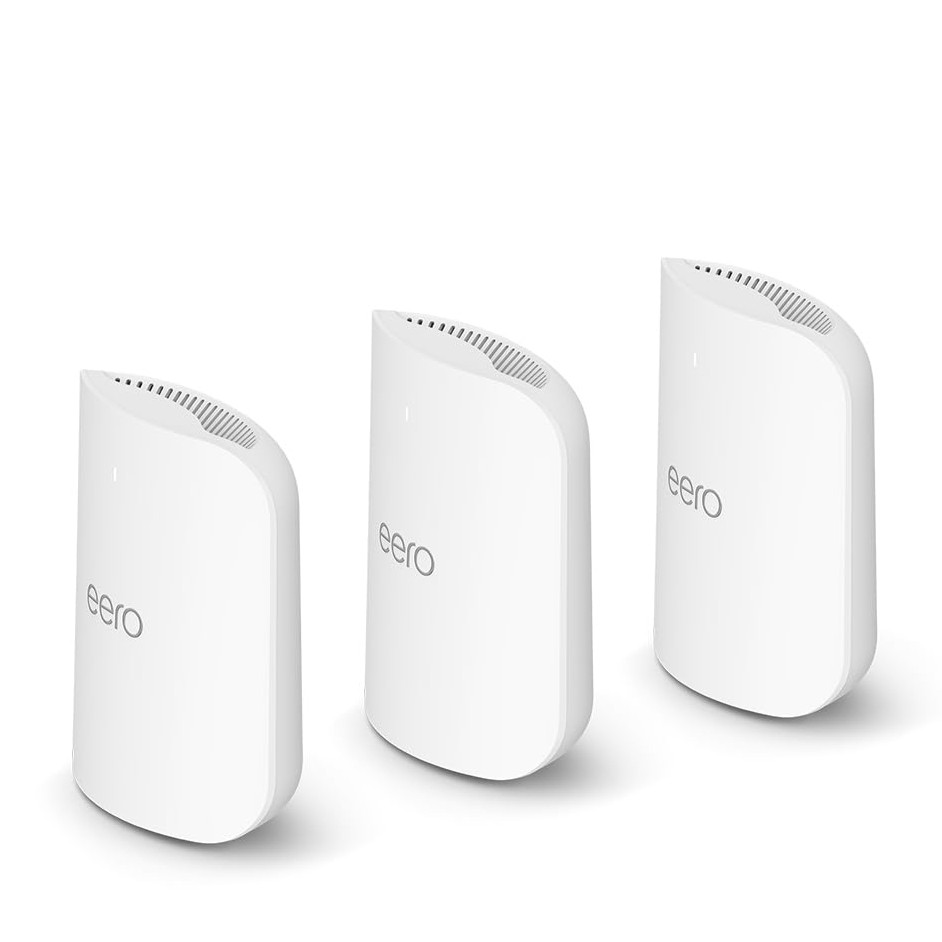
Credit: www.tomsguide.com

Credit: www.pcmag.com
Frequently Asked Questions
What Is The Best Mesh Wifi For Multi-story Homes?
The best mesh WiFi offers strong coverage across floors. Look for systems with multiple nodes and seamless roaming. Tri-band models improve speed and reduce congestion. Brands like Netgear Orbi, Eero, and Google Nest excel for multi-story houses.
How Many Mesh Wifi Nodes Are Needed?
Typically, 2-3 nodes cover a multi-story house effectively. One node connects to the router, others placed on different floors. More nodes help eliminate dead zones but avoid overcrowding the network.
Does Mesh Wifi Improve Connectivity In Large Homes?
Yes, mesh WiFi extends coverage and boosts signal strength. It eliminates weak spots common in large or multi-level homes. Mesh systems create a unified network, ensuring consistent speeds everywhere.
Can Mesh Wifi Handle Multiple Devices Simultaneously?
Mesh WiFi systems support many devices without speed loss. They distribute connections evenly across nodes, reducing overload. This makes them ideal for smart homes with numerous gadgets.
Conclusion
Choosing the right mesh WiFi for a multi-story house improves internet coverage. Think about your home size and the number of devices. Check for easy setup and good customer support. A strong signal on all floors keeps everyone connected. Remember to compare prices and features before buying.
A good mesh WiFi system saves frustration and boosts your online experience. Simple steps lead to better, faster internet in every room.


