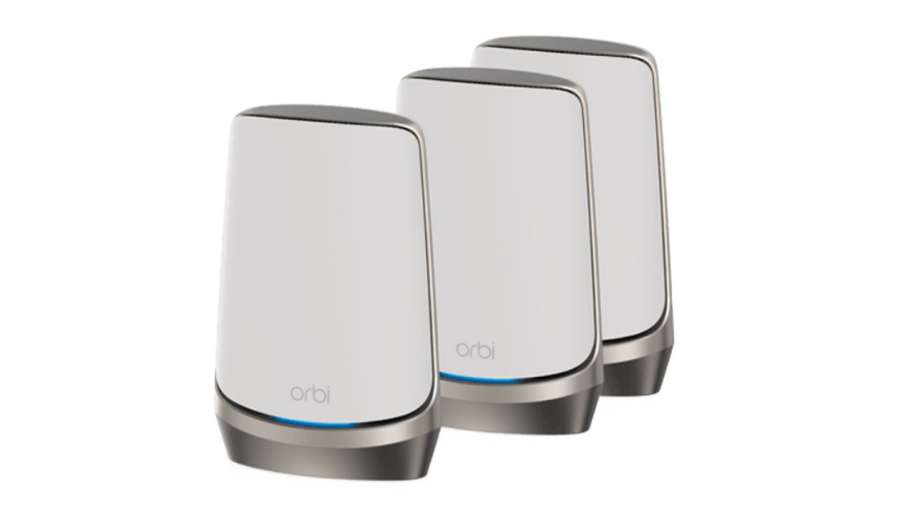
Are you tired of slow internet and dead zones in your large home? Choosing the right WiFi 6 mesh system can change everything.
Imagine seamless streaming, smooth video calls, and fast downloads in every corner of your house. But with so many options out there, how do you pick the one that fits your needs perfectly? This guide will help you understand what to look for, so you can make a smart choice and enjoy lightning-fast WiFi everywhere.
Keep reading to find out how to take your home internet to the next level.

Credit: www.reddit.com
Benefits Of Wifi 6 Mesh
Wifi 6 Mesh systems help improve internet in large homes. They provide strong signals throughout the house.
Choosing the right Wifi 6 Mesh can make your connection faster and more reliable. It also supports many devices at once.
Faster Speeds And Better Coverage
Wifi 6 Mesh offers faster internet speeds than older networks. It helps stream videos and play games smoothly.
The mesh system uses multiple access points. This spreads the signal evenly across large homes, reducing dead zones.
- Speeds up to 9.6 Gbps in ideal conditions
- Multiple nodes cover every corner of the house
- Seamless connection when moving between rooms
Improved Device Capacity
Wifi 6 Mesh supports more devices connected at the same time. It works well with phones, laptops, and smart home gadgets.
This system reduces slowdowns caused by many devices using the network. It manages traffic efficiently for all users.
- Handles dozens of devices smoothly
- Ideal for families with many connected gadgets
- Better performance in busy households
Enhanced Security Features
Wifi 6 Mesh includes advanced security to protect your network. It guards against hackers and unauthorized access.
It uses the latest encryption methods to keep your data safe. Some systems also offer easy controls for managing connected devices.
- Supports WPA3 encryption standard
- Regular firmware updates improve security
- Parental controls and guest networks available
Assessing Your Home Network Needs
Choosing the right WiFi 6 mesh system starts with knowing what your home needs. This helps you pick a system that works well for your space.
Think about your home’s size, the number of devices, and what you do online. These factors guide your choice.
Evaluating Home Size And Layout
Large homes need mesh systems that cover every corner. Walls and floors can block WiFi signals.
Open layouts let signals travel easier. Complex layouts with many rooms need more mesh points.
- Measure your home’s square footage
- Note how many floors you have
- Identify thick walls or obstacles
- Plan where to place mesh units
Number Of Connected Devices
Count all devices that use WiFi. This includes phones, tablets, smart TVs, and smart home gadgets.
More devices need a stronger system. WiFi 6 handles many devices better than older WiFi.
- Smartphones and tablets
- Computers and laptops
- Smart TVs and streaming devices
- Smart home products like cameras and lights
Types Of Online Activities
Different activities need different speeds and reliability. Streaming and gaming need fast, steady WiFi.
Simple browsing and emails use less speed. Pick a system that fits your main online uses.
- Watching HD or 4K videos
- Online gaming with low delay
- Video calls and meetings
- Browsing websites and checking emails
Key Features To Look For
Choosing the right Wifi 6 mesh system can improve coverage in large homes. It helps keep your internet fast and stable in every room.
Look for features that fit your home’s size and your internet needs. This guide explains important points to consider.
Tri-band Vs Dual-band Systems
Dual-band systems use two frequency bands: 2.4 GHz and 5 GHz. Tri-band systems add a second 5 GHz band. This extra band helps reduce traffic congestion.
- Dual-band systems are usually less expensive.
- Tri-band systems offer better speed in busy networks.
- Tri-band is better for many devices connected at once.
- Dual-band works well for smaller families or fewer devices.
Backhaul Options
Backhaul connects mesh points to each other. A good backhaul keeps your network strong and fast across large areas.
| Backhaul Type | Description | Best For |
| Wireless | Uses WiFi to connect nodes. | Easy setup, fewer cables. |
| Wired (Ethernet) | Uses Ethernet cables for connection. | Faster, stable in large homes. |
| Hybrid | Combines wired and wireless backhaul. | Balance of speed and flexibility. |
Ease Of Setup And Management
Simple setup saves time and reduces frustration. Look for mesh systems with clear instructions and easy apps.
- Mobile apps help with setup and network control.
- Look for features like guest networks and parental controls.
- Automatic updates keep your system secure.
- Check if the system works with voice assistants if you use them.

Credit: www.pcmag.com
Compatibility And Future-proofing
Choosing a Wifi 6 mesh system for large homes is important. You need to consider compatibility and future-proofing to ensure your network stays current.
These factors help your network run smoothly with new devices and technologies. Let’s explore key aspects like device compatibility and support.
Device Compatibility
Your Wifi 6 mesh should work with older devices. Check if it supports various device types and brands. This ensures all your gadgets connect easily.
Consider the devices you use daily. Ensure the mesh system can handle their wireless needs.
- Smartphones
- Laptops
- Tablets
- Gaming consoles
Firmware Updates And Support
Firmware updates keep your mesh system secure. Check if the manufacturer offers regular updates. This helps protect your network from threats.
Good support is vital. Look for brands with reliable customer service. This ensures you get help when needed.
- Regular updates
- Security patches
- Customer service availability
Integration With Smart Home Devices
Smart homes need a mesh system that integrates well. Check if it supports your smart devices. This makes managing your home easier.
Ensure compatibility with devices like smart lights and thermostats. This allows seamless control of your smart home.
- Smart lights
- Thermostats
- Smart speakers
- Security cameras
Budget Considerations
Choosing the right Wifi 6 mesh system for a large home needs careful budget planning. You want good speed and coverage without overspending.
Think about the total cost, including extra gear and long-term benefits. This helps you find the best fit for your needs and wallet.
Cost Vs Performance Balance
Higher cost usually means better speed and range. But the most expensive systems are not always the best for every home.
- Set a clear budget limit before shopping.
- Look for systems with good reviews on speed and coverage.
- Consider how many devices will connect at once.
- Check if the system supports future upgrades.
Additional Equipment Costs
Some mesh systems need extra parts like Ethernet cables or power adapters. These add to the total cost.
| Additional Item | Possible Cost |
| Ethernet cables | $10 – $30 |
| Power adapters | $15 – $40 |
| Extra mesh nodes | $70 – $150 each |
| Network switches | $20 – $100 |
Long-term Value
Think about how long the system will last and keep up with new technology. A good system saves money over time.
- Choose a system with firmware updates to improve performance.
- Check warranty length and what it covers.
- Pick a system that can handle more devices as your family grows.
Top Wifi 6 Mesh Models For Large Homes
Choosing the right Wifi 6 mesh system helps cover large homes with fast and stable internet. These systems use multiple units to spread WiFi evenly.
This guide shows top models in three categories: high-end, mid-range, and budget-friendly options.
High-end Premium Options
High-end Wifi 6 mesh systems offer top speed and features. They suit large homes with many devices and heavy internet use.
- Netgear Orbi RBKE963: Covers up to 9,000 sq ft with tri-band WiFi and strong security.
- Asus ZenWiFi AX XT12: Delivers fast speeds and easy setup with robust parental controls.
- Eero Pro 6E: Supports WiFi 6E for extra bandwidth and works well with smart home devices.
Mid-range Choices
Mid-range models balance performance and price. They work well for most large homes with moderate internet needs.
| Model | Coverage | Speed | Notable Feature |
| TP-Link Deco X60 | Up to 7,000 sq ft | Up to 3 Gbps | Strong security features |
| Google Nest Wifi Pro | Up to 6,600 sq ft | Up to 4.2 Gbps | Easy integration with Google services |
| Linksys Atlas Max 6 | Up to 6,000 sq ft | Up to 5.3 Gbps | Good for gaming and streaming |
Budget-friendly Models
Budget models provide basic Wifi 6 mesh coverage without many extras. They fit smaller large homes or tight budgets.
- Tenda MW12: Affordable with decent coverage and speeds for average users.
- Amazon Eero 6: Easy to set up and reliable for simple home networks.
- Mercusys Halo S12: Covers up to 5,500 sq ft with stable WiFi at a low price.
Setup Tips For Optimal Performance
Setting up a Wifi 6 mesh for large homes requires careful planning. A good setup ensures fast and reliable internet throughout your house.
Follow these tips to achieve the best performance from your mesh network. Proper placement and maintenance are key to success.
Ideal Node Placement
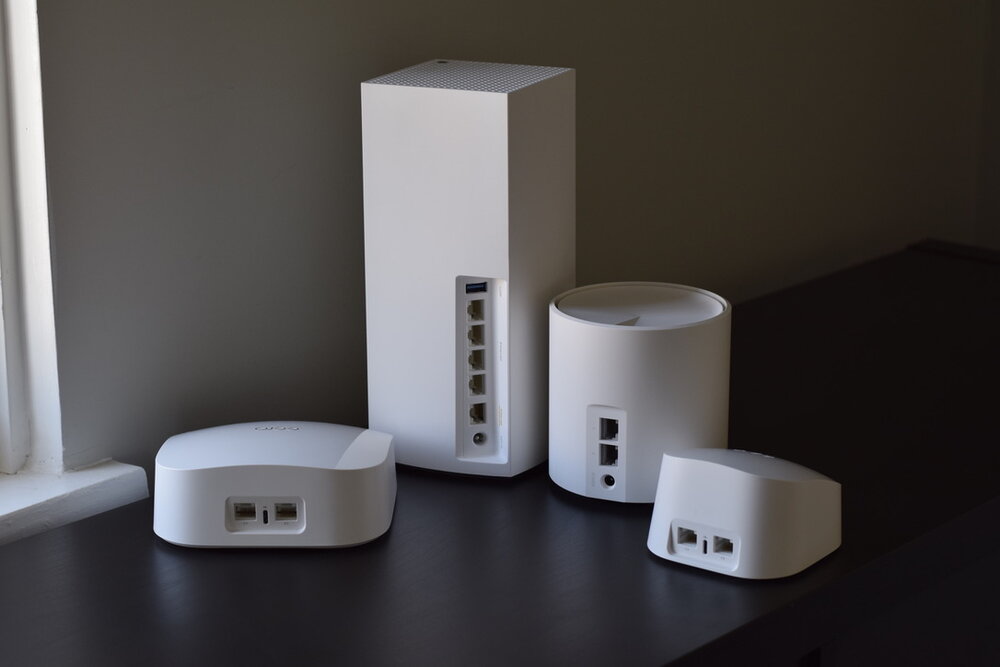
Place nodes in central locations for the best coverage. Avoid corners and rooms with thick walls. This helps in distributing the signal evenly.
Keep nodes at a similar height from the ground. Placing them on shelves or tables can help improve signal strength.
- Place nodes in open areas
- Avoid placing nodes near metal objects
- Ensure nodes are within range of each other
Minimizing Interference
Interference can slow down your Wifi network. Keep your mesh nodes away from electronic devices like microwaves and cordless phones.
Use a dual-band or tri-band system to reduce congestion. This ensures that devices have multiple channels to connect.
- Avoid overlapping Wifi channels
- Keep distance from Bluetooth devices
- Use the 5 GHz band for less interference
Regular Maintenance Practices
Regular maintenance keeps your mesh network running smoothly. Check for firmware updates from your router manufacturer.
Restart your router and nodes occasionally. This can solve minor connectivity issues and improve performance.
- Update firmware monthly
- Restart devices weekly
- Check for device overheating
Credit: evanmccann.net
Frequently Asked Questions
What Is Wifi 6 Mesh And How Does It Work?
WiFi 6 Mesh combines WiFi 6 technology with mesh networking. It delivers faster speeds, wider coverage, and better device handling. Nodes communicate to create a seamless network, ideal for large homes with multiple devices and dead zones.
Why Choose Wifi 6 Mesh For Large Homes?
WiFi 6 Mesh offers strong, reliable signals across large spaces. It reduces buffering and dead zones by using multiple nodes. This ensures every corner of your home gets fast, stable internet, perfect for streaming, gaming, and smart home devices.
How To Pick The Best Wifi 6 Mesh System?
Look for coverage area, number of nodes, and device capacity. Check for ease of setup, security features, and compatibility with your ISP. Reviews and brand reliability also help in choosing the right system for your large home.
Can Wifi 6 Mesh Improve Internet Speed?
Yes, WiFi 6 Mesh boosts speed by using advanced WiFi 6 technology. It manages multiple devices efficiently and reduces network congestion. This results in faster downloads, smoother streaming, and better overall internet performance.
Conclusion
Choosing the right WiFi 6 mesh system helps keep your large home connected. Consider coverage, speed, and device capacity carefully. Choose a system that fits your budget and needs. Good placement of nodes improves signal strength and reduces dead zones.
Simple setup and strong security protect your network. A reliable WiFi 6 mesh makes online activities smooth and fast. Enjoy seamless streaming, gaming, and browsing everywhere in your home. This choice supports all your devices without slowing down.


