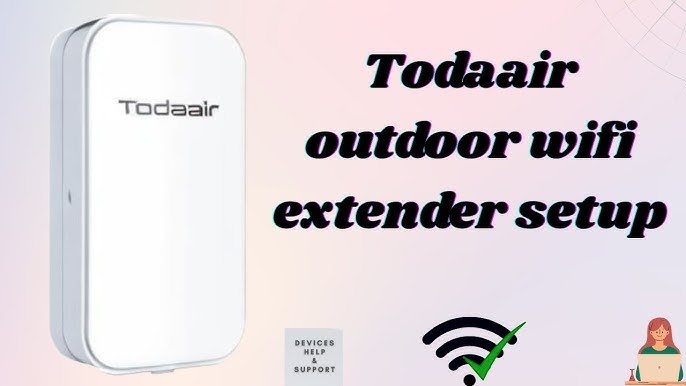
Are you tired of weak WiFi signals that make it impossible to enjoy a stable internet connection in your backyard or garage? Connecting an outdoor WiFi extender to your router might be the solution you need.
Imagine streaming your favorite shows, attending virtual meetings, or simply browsing the web without any interruptions, no matter where you are on your property. This guide will walk you through the process of connecting an outdoor WiFi extender to your router, ensuring you get the most out of your internet connection.
You’ll discover easy-to-follow steps, insider tips, and common pitfalls to avoid, so you can say goodbye to frustrating dead zones and hello to seamless, extended WiFi coverage. Ready to unlock the full potential of your outdoor spaces? Let’s dive in!

Credit: www.youtube.com
Choosing The Right Outdoor Wifi Extender
Choose an outdoor WiFi extender that matches your router’s brand and standards. This ensures smooth connection and better signal quality.
Weatherproofingis crucial. The extender should resist rain, dust, and heat to last long outside.
| Key Feature | Why It Matters |
|---|---|
| Compatibility with Router | Ensures easy setup and stable connection |
| Weatherproofing | Protects against rain, dust, and extreme temperatures |
| Durability | Lasts longer in outdoor conditions |

Credit: manuals.plus
Preparing Your Router And Extender
Check your router’s settings to ensure the Wi-Fi network is active. The router’s SSID (network name) and passwordmust be correct. Some routers need WPS (Wi-Fi Protected Setup)enabled for easy connection. Access the router’s control panel using its IP address in a web browser.
Plug in the extender near the router first to power it up. Wait until the extender’s indicator lights show it is ready for setup. Lights may blink or change color; refer to the extender’s manual for exact signals.
If the extender does not respond or behaves oddly, reset it. Hold the reset button for about 10 seconds until lights blink. This restores factory settings, clearing old connections and errors. After reset, try powering it up again for a clean start.
Connecting The Extender To The Router
Press the WPS buttonon your router first. Then, press the WPS buttonon the outdoor WiFi extender within two minutes. The extender will connect automatically to the router’s signal. This process is quick and does not need any passwords.
Open a web browser and enter the extender’s IP addressto access its settings. Login using the default username and password found in the manual. Select your router’s network from the list of available WiFi networks. Enter the WiFi passwordto connect. Save the settings and wait for the extender to reboot.
Choose a network name (SSID)for the extender. It can be the same as your router’s or a new one to avoid confusion. Set a strong but easy-to-remember password for security. Make sure the password uses a mix of letters and numbers. Save these settings to start using the extended network.

Credit: manuals.plus
Optimizing Extender Placement
Place the extender where the router’s WiFi signal is still strong. Avoid walls or metal objects that block signals. Choose a spot halfway between the router and the area needing better coverage.
Keep the extender away from devices like microwaves and cordless phones. These devices cause interferencethat weakens WiFi signals. Also, avoid thick walls and large furniture.
Check for a strong signalby testing the WiFi on your phone or laptop. Move the extender if the signal is weak. A good spot ensures fast and steady internet in outdoor spaces.
Testing And Troubleshooting
Check the WiFi signal strengthnear your extender. The signal should be strong enough to get a good connection. Place the extender where the signal is clear but still close to the router.
Common problems include weak signals, no connection, or slow speeds. Try these fixes:
- Move the extender closer to the router.
- Restart both the router and extender.
- Check for physical obstructions like walls or furniture.
- Ensure the extender is using the correct network name (SSID).
Keep the extender’s firmware up to date. Updates fix bugs and improve speed. Visit the extender’s website or app to download the latest version. Regular updates help keep your connection smooth and secure.
Maintaining Your Outdoor Wifi Extender
Keep your outdoor WiFi extenderclean to avoid dirt build-up. Use a soft cloth to wipe it gently. Check for any damage or loose parts regularly. This helps keep the signal strong and stable.
Watch your network performancedaily. Notice if the WiFi speed slows down or if the signal drops often. These signs show the extender might need attention or adjustment. Restarting the extender can fix small issues.
Replace your extender if it no longer connects well or if it is very old. Newer models offer better speed and coverage. Keeping your equipment updated ensures a reliable connection outside.
Frequently Asked Questions
How Do I Connect An Outdoor Wifi Extender To My Router?
To connect, first place the extender near your router. Use WPS or manual setup via the extender’s web interface. Follow the instructions to link the extender’s network to your router’s WiFi signal. This boosts your outdoor WiFi coverage effectively.
What Is The Best Placement For An Outdoor Wifi Extender?
Place the extender halfway between your router and the outdoor area needing coverage. Ensure it’s within your router’s signal range. Avoid walls or large metal objects that block signals. Proper placement maximizes the extender’s performance and outdoor WiFi reach.
Can I Connect Any Router To An Outdoor Wifi Extender?
Most outdoor WiFi extenders work with any standard router. Check compatibility in the extender’s manual before purchasing. Ensure both devices support the same WiFi standards like 802. 11ac or 802. 11n for best results. Compatibility ensures smooth and strong connections.
How Do I Secure My Outdoor Wifi Extender Connection?
Use WPA2 or WPA3 encryption on your router and extender. Change default usernames and passwords on the extender’s setup page. Regularly update firmware for security patches. These steps protect your network from unauthorized access and keep your connection safe.
Conclusion
Connecting an outdoor WiFi extender to your router is simple. Just follow the steps carefully. This setup helps boost your internet signal outside your home. A stronger signal means better connection and less buffering. Regularly check your devices to keep the network steady.
Enjoy faster internet in your backyard or garden. A good connection makes working or relaxing outdoors easier. Keep your extender updated for best performance. Small efforts bring big improvements in your WiFi coverage.


