Are you struggling with weak WiFi signals in your barn? You’re not alone.
Extending your mesh WiFi network to cover that far corner of your property can seem tricky, but it doesn’t have to be. Imagine working in the barn while streaming videos, managing smart devices, or handling business tasks without interruptions. This guide will show you simple, effective ways to boost your WiFi reach right where you need it most.
Keep reading, and you’ll discover easy steps to enjoy strong, reliable internet in your barn today.
Assess Barn’s Wifi Needs
Extending mesh WiFi to a barn requires understanding the barn’s specific needs. This helps ensure a strong and reliable connection.
Start by assessing the current WiFi signal and how you plan to use the network inside the barn.
Check Existing Signal Strength
Measure the WiFi signal strength near and inside the barn. This shows if the current network reaches the barn well.
- Use a smartphone or laptop to check signal bars.
- Try WiFi analyzer apps for detailed signal data.
- Test at different times of the day for consistency.
Identify Dead Zones
Dead zones are areas with little or no WiFi signal. Find these spots inside and around the barn.
| Location in Barn | Signal Strength | Dead Zone (Yes/No) |
| Near Entrance | Good | No |
| Center | Weak | Yes |
| Far Corner | No Signal | Yes |
| Loft Area | Fair | No |
Determine Usage Requirements
Know how the WiFi will be used in the barn. This guides how strong and fast the signal should be.
- Will you use smart devices like cameras or sensors?
- Do you need WiFi for streaming or video calls?
- How many devices will connect at the same time?
- Is internet speed or coverage more important?

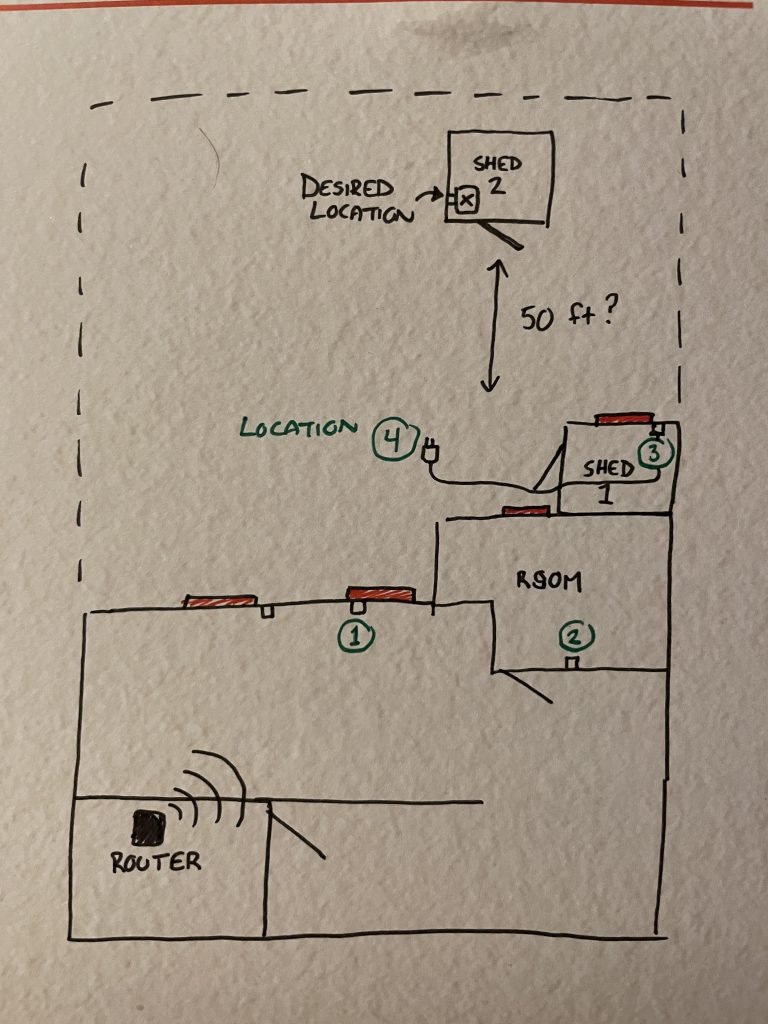
Credit: www.reddit.com
Choose Right Mesh System
Extending your mesh WiFi to a barn needs the right system. A good mesh system keeps your connection strong and steady.
Choosing the correct mesh system helps avoid slow speeds and weak signals in your barn.
Compatibility With Current Network
Pick a mesh system that works well with your current router and devices. Some mesh systems only work with certain brands or models.
Make sure the new mesh nodes can connect easily to your main router. This avoids extra setup problems.
- Check if your router supports mesh technology
- Look for mesh systems that use the same WiFi standards (like WiFi 5 or WiFi 6)
- Confirm the system supports all your devices
Range And Coverage Options
Measure the distance between your house and the barn. The mesh system must cover this range without losing signal.
Some mesh systems offer extra powerful nodes or outdoor units for wider coverage and tougher conditions.
- Choose mesh nodes with strong antennas for long range
- Consider outdoor mesh units for better barn coverage
- Look for systems with easy node placement options
Budget Considerations
Mesh systems come in many price ranges. Decide how much you want to spend before buying.
Cheaper models cover small areas well. More expensive systems add features and cover larger spaces better.
- Set a budget for your mesh WiFi system
- Balance cost with coverage and speed needs
- Check for extra costs like outdoor units or cables
Position Mesh Nodes Strategically
Extending mesh WiFi to a barn needs smart node placement. Good positions help the signal reach all areas.
Placing nodes well avoids weak spots and keeps the connection strong for devices in the barn.
Optimal Placement Inside Barn
Put mesh nodes where the signal can spread freely inside the barn. Place them high for better coverage.
Avoid corners and thick walls that block signals. Keep nodes near areas where you use WiFi most.
- Mount nodes on walls or ceilings around the center of the barn
- Keep nodes away from metal objects or thick wooden beams
- Place nodes near doors or windows for better outdoor coverage
Avoiding Interference
Interference lowers WiFi quality. Keep mesh nodes away from devices that cause signal noise.
Common interference sources include microwaves, cordless phones, and large metal tools.
- Do not place nodes near heavy machinery or power tools
- Avoid close placement to electrical panels and fluorescent lights
- Keep mesh nodes away from other wireless devices on the same frequency
Using Wired Backhaul If Possible
Wired backhaul uses Ethernet cables to connect mesh nodes. It gives a stable and fast link.
If you can run cables to the barn, use wired backhaul for better WiFi performance.
- Connect nodes with Ethernet cables for steady data transfer
- Reduce wireless interference by using wired links
- Place nodes where cables can reach easily inside the barn
Run Ethernet Cable To Barn
Extending your mesh WiFi to a barn can improve connectivity. Running an Ethernet cable is an effective way to ensure a stable connection.
Follow these guidelines to successfully run an Ethernet cable from your main building to the barn.
Selecting Suitable Cable Type
Choosing the right cable is important for outdoor installations. You need a cable that can withstand various weather conditions.
- Use Cat6 or Cat6a cables for better speed and performance.
- Ensure the cable is rated for outdoor use.
- Consider using shielded cables to reduce interference.
Safe Outdoor Installation Tips
Safety is key when installing cables outdoors. Proper installation protects the cable and ensures long-term connectivity.
Consider using a conduit to protect your Ethernet cable. This adds an extra layer of safety and durability, especially in areas with high foot or vehicle traffic.
Connecting To Main Router
Once your cable is in place, connecting it to your main router is the next step. This allows the barn to access the main network.
| Task | Description |
| Locate Router | Find the main router in your building. |
| Plug Ethernet Cable | Connect the Ethernet cable to an available port. |
| Test Connection | Ensure the barn has a stable internet connection. |
Set Up And Configure Mesh Nodes
Extending mesh WiFi to a barn helps cover large outdoor spaces. It improves internet access in areas far from your main router.
Setting up and configuring mesh nodes correctly ensures strong and stable signals. This guide explains how to do it step-by-step.
Installation Steps
Place the mesh node in the barn where it can get a good signal from the main router. Avoid thick walls or metal objects between nodes.
Connect the node to power and turn it on. Use the mesh system app or website to add the node to your network.
- Check signal strength before final placement
- Ensure power outlets are near the node location
- Follow app instructions to sync the new node
- Test the connection speed inside the barn
Firmware Updates
Keep your mesh nodes updated with the latest firmware. Updates fix bugs and improve network performance.
Check for updates in the mesh system app. Install updates when the node is idle to avoid interruptions.
- Open the app and go to node settings
- Look for firmware update options
- Download and install updates
- Restart nodes if prompted
Network Settings Optimization
Optimize network settings to improve coverage and speed in the barn. Adjust channel and band settings if needed.
Set a strong WiFi password and separate guest access if required. Use the app to monitor network health and node status.
- Choose 5 GHz band for faster speeds near the node
- Use 2.4 GHz band for better range in larger areas
- Set up a guest network to protect your main network
- Check node placement if signal is weak

Credit: www.cranegardenbuildings.co.uk
Test Signal Strength And Speed
To extend mesh wifi to your barn, start by testing signal strength and speed. This helps identify current coverage and potential issues.
Testing ensures you can find weak spots and fix them. It helps keep your internet fast and reliable.
Using Wifi Analyzer Tools
Wifi analyzer tools show signal strength and speed. They help you see where your wifi is strong or weak.
These tools are easy to use. Install an app on your phone or tablet and walk around your barn.
- Download a wifi analyzer app
- Check signal strength in different areas
- Identify areas with weak signals
Troubleshooting Weak Spots
If you find weak spots, try to fix them. Weak spots mean slow internet or no connection.
Moving objects like metal or large furniture can help. You can also check for sources of interference.
- Move metal objects away from routers
- Check for devices causing interference
- Consider adding more nodes
Adjusting Node Positions
Proper node placement is crucial. Nodes should be evenly spaced for best coverage.
Place nodes so they overlap slightly. This ensures seamless connectivity across the barn.
| Node Placement Tips |
| Place nodes at even distances |
| Avoid placing nodes near thick walls |
| Ensure nodes are not too far apart |
Maintain Mesh Network Performance
Extending a mesh WiFi network to a barn can be tricky. You need to keep the network fast and stable.
Good maintenance helps avoid slow connections and signal drops in the barn area.
Regular Firmware Checks
Check your mesh devices’ firmware often. Firmware updates fix bugs and improve speed.
Set a schedule to review updates every month. This keeps your mesh system working well.
- Open your mesh app or device page
- Look for available firmware updates
- Install updates promptly
- Restart devices after updates
Monitoring Network Traffic
Watch how much data your mesh network uses. Heavy use can slow down the whole system.
Identify devices that use too much bandwidth. Limit or schedule their activity to keep speeds high.
- Use the mesh network app to track traffic
- Note peak usage times and devices
- Control or pause high-traffic devices if needed
- Keep an eye on unknown devices
Handling Device Updates
Update all devices connected to the mesh. Old devices can cause network problems.
Keep your phones, computers, and smart devices current. This helps with compatibility and speed.
- Check for updates on all connected devices
- Install security patches and software upgrades
- Restart devices after updates
- Remove devices no longer in use

Credit: www.reddit.com
Frequently Asked Questions
How Can I Extend Mesh Wifi To A Distant Barn?
Use outdoor mesh nodes or WiFi extenders placed strategically between your house and barn. Ensure clear line-of-sight and minimal obstructions for best coverage.
What Equipment Is Best For Barn Wifi Extension?
Outdoor-rated mesh WiFi nodes or directional antennas work best. Choose devices designed for weather resistance and long-range signal transmission.
Can Powerline Adapters Help Extend Wifi To A Barn?
Powerline adapters can extend the network if electrical wiring connects the barn to the house. However, signal quality depends on wiring condition and distance.
How Do I Improve Wifi Signal Strength In A Barn?
Place mesh nodes closer to the barn, avoid physical barriers, and use high-gain antennas. Regularly update firmware for optimized performance.
Conclusion
Extending mesh WiFi to your barn makes life easier and work smoother. A strong signal means you stay connected everywhere on your property. Choose the right devices and place them carefully for best results. Test the connection often to fix any weak spots fast.
Enjoy reliable internet in your barn without hassle. Simple steps can bring WiFi where you need it most. No more dead zones or slow speeds in your barn space. Stay connected, work better, and keep your devices online all day.


