Imagine relaxing in your backyard, streaming your favorite show, or video chatting with friends—without worrying about spotty WiFi. If your current signal fades the moment you step outside, you’re not alone.
You want strong, reliable internet wherever you are on your property. Luckily, extending your WiFi to the backyard is easier than you think. In this guide, you’ll discover simple, effective ways to boost your connection outdoors. By the end, you’ll enjoy seamless internet right where you want it most.
Ready to unlock your backyard’s full potential? Let’s dive in.

Credit: simplewifi.com
Assess Wifi Coverage
Start by checking the current WiFi signal strengthin your backyard. Use a smartphone or laptop to walk around and see where the signal is strong or weak. This helps find dead zoneswhere the WiFi does not reach well.
Identify these dead zones carefully. They might be behind thick walls, trees, or far from your router. Knowing these spots will guide where to place devices to improve coverage.
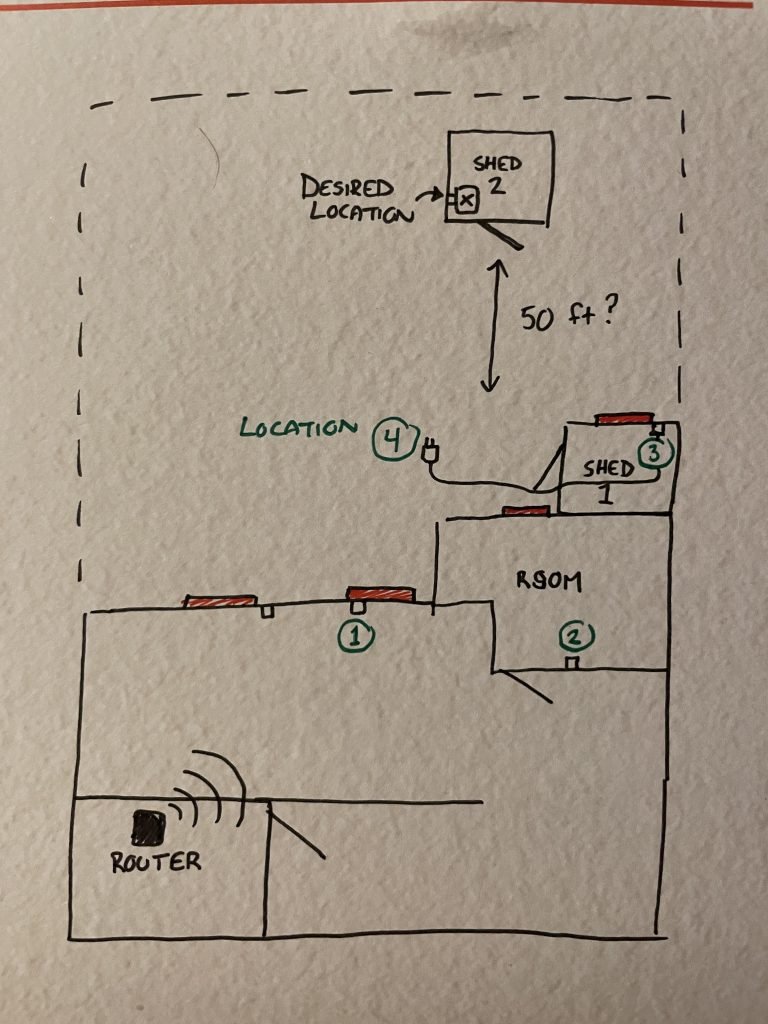
Draw a simple map of your backyard layout. Mark where the router is and where the signal is weak. This map will help plan the best spots for WiFi extenders or access points.

Credit: simplewifi.com
Choose Extension Methods
Wifi extenders and repeatersboost your signal by catching the wifi and sending it further. They are easy to install but can reduce internet speed slightly. Place them where the signal is still strong.
Mesh wifi systemsuse several devices that work together to cover large areas. They provide smooth internet without drops. Each device talks to others, making it easy to move around.
Powerline adapterssend internet through your home’s electrical wires. Plug one near your router and the other near your backyard. They work well if walls block wifi signals.
Outdoor access pointsare made for outside use. They connect to your router with a cable and create a strong wifi zone outside. Good for big yards and open spaces.
Optimize Router Placement
Place the router near the center of your home. This helps the signal reach the backyard better. Avoid placing the router in a corner or behind thick walls.
Keep the router high, like on a shelf or mounted on a wall. Signals travel down and outward, so higher spots can cover more area.
- Avoid metal objects that block signals.
- Keep away from microwaves and cordless phones.
- Clear space around the router for better flow.
Credit: simplewifi.com
Setup And Installation Tips
Place the wifi extender where the signal is still strong. Avoid walls and metal objects. Use the extender’s app or website to set it up quickly. Match the extender’s network name to your main wifi for easy use. Use a strong password to keep your network safe. Change default passwords right after setup to stop hackers. Keep the extender’s firmware updated for better security and speed.
- Check the signal strength in the backyard.
- Move the extender if the signal is weak.
- Test the wifi speed with a phone or laptop.
- Try different spots for best coverage.
Boost Signal With Antennas
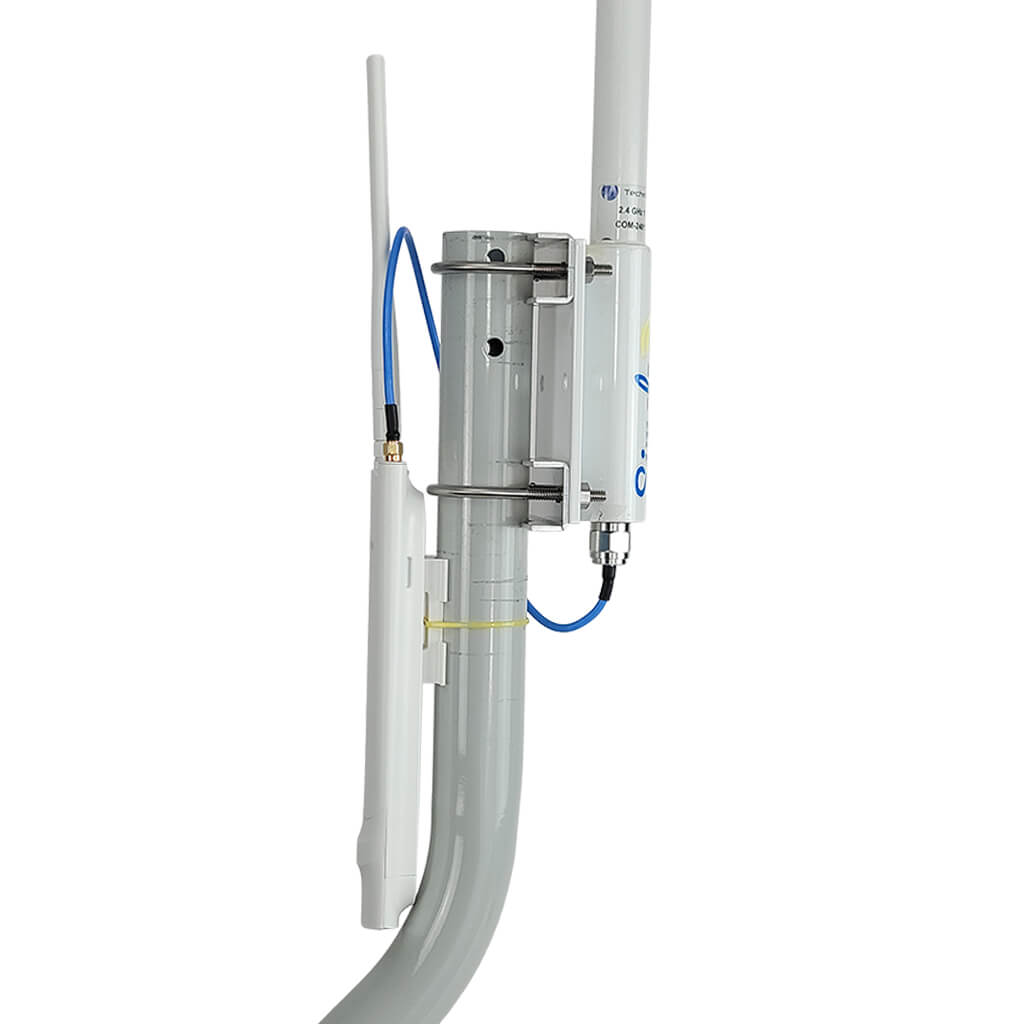
Upgrading your router antennascan help boost WiFi signal strength. Many routers come with small, weak antennas. Replacing them with higher-gain antennasimproves coverage. These antennas send signals farther, reaching your backyard better.
Directional antennasfocus the WiFi signal in one direction. This helps send the signal straight to your backyard, reducing waste in other areas. They are best when your backyard is in one clear direction from the router.
Positioning antennas correctlyis very important. Point antennas toward the backyard for best results. Avoid obstacles like walls or metal objects blocking the signal. Try placing antennas higher up to reduce interference and improve range.
Maintain Network Performance
Keep your router’s firmware updated. This helps fix bugs and improve speed. Check for updates regularly on the router’s website or app. Updates can protect your network from security risks.
Watch the network traffic. Too many devices use up bandwidth and slow down WiFi. Limit heavy use during important times. Disconnect devices not in use to free up space.
Avoid interference. WiFi signals can be blocked by walls, trees, and other electronics. Place the router away from thick walls and large metal objects. Move devices like microwaves and cordless phones away from the router.
Frequently Asked Questions
How Can I Improve Wifi Signal In My Backyard?
Use a WiFi extender or mesh system to boost coverage. Place devices halfway between the router and backyard for best results. Avoid obstacles like walls and metal objects that block signals.
What Is The Best Device To Extend Wifi Outdoors?
Outdoor WiFi access points or range extenders are ideal. They are weatherproof and designed for long-range coverage. Choose one compatible with your router for seamless connectivity.
Can I Use A Wifi Mesh System For Backyard Coverage?
Yes, mesh systems provide strong and consistent WiFi outdoors. They use multiple nodes to cover large areas. Place nodes strategically to eliminate dead zones in your backyard.
How Do I Position My Router For Backyard Wifi?
Place the router near backyard-facing windows or walls. Elevate it to reduce interference from furniture or appliances. Ensure it’s centrally located for optimal signal distribution.
Conclusion
Extending WiFi to your backyard can improve your outdoor experience. Choose the right method to fit your space and budget. Keep devices updated for the best performance. Test the signal strength before final setup. Enjoy streaming, working, or relaxing without interruptions.
Small changes can make a big difference in coverage. Stay connected wherever you go in your yard. Simple steps bring better WiFi to outdoor areas.


