Imagine being in your barn, surrounded by serene nature, and wanting to stream your favorite music or manage your farm tasks online. But there’s a problem – the WiFi signal doesn’t quite reach.
This scenario is all too common, leaving many frustrated by weak or nonexistent internet connections in their barns. But don’t worry; you’re not alone, and there’s a solution. By the end of this article, you’ll discover simple and effective ways to extend your WiFi to your barn.
Imagine the freedom of seamless connectivity no matter where you are on your property. Ready to unlock this convenience? Let’s dive in and make your barn as connected as your home.

Credit: bexcodeservices.com
Assess Your Current Wifi Coverage
Dead zones are areas in your barn with weak or no wifi signal. Walk around the barn with a phone or laptop to find spots where the internet is slow or does not work. Mark these areas to know where you need better coverage.
Use a wifi signal app or tool to measure signal strength. Check the signal in different parts of the barn and near the barn walls. This helps to understand how far the wifi reaches and where it gets weak.
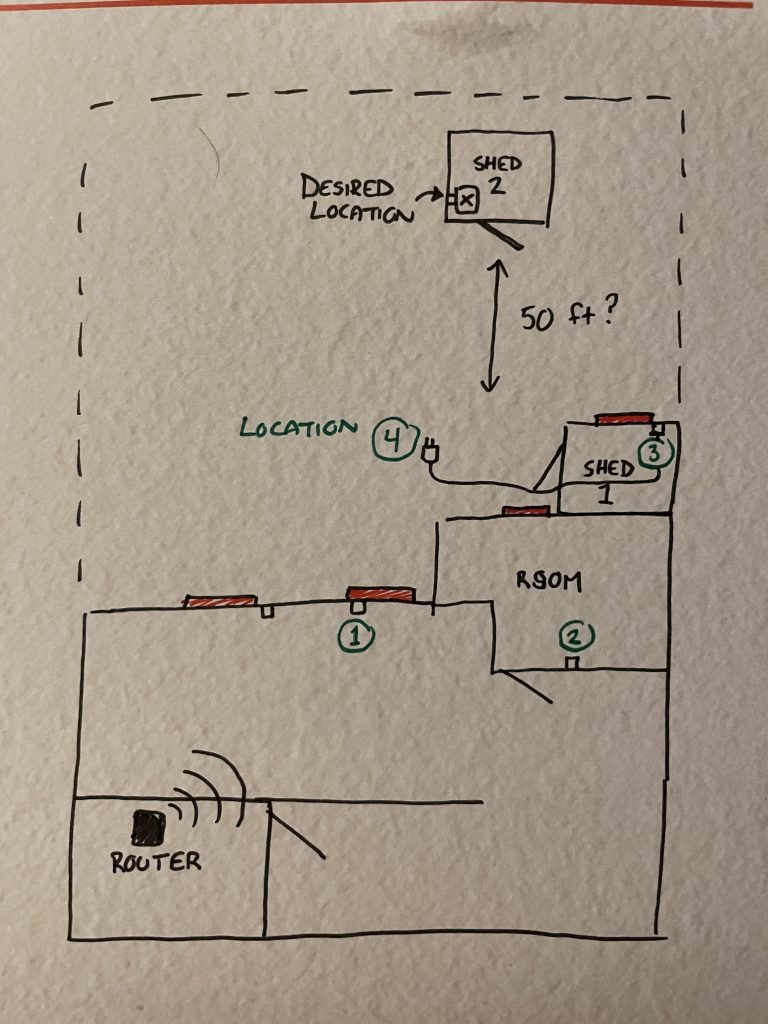
Place the router in a central spot in your home, closest to the barn. Avoid placing the router near thick walls or metal objects that block the signal. Higher locations often give better coverage. Moving the router can improve the signal reaching the barn.
Credit: www.youtube.com
Choose The Right Wifi Extension Method
Extending WiFi to a barn needs the right tool for a strong signal. Consider distance, obstacles, and budget to pick the best option. This helps keep a steady internet connection even far from the house.
Wifi Range Extenders
Wifi range extenderscatch your existing signal and boost it further. They are easy to set up and less costly. Great for small barns close to your house. Signal strength may drop a bit after extension. Place them halfway between your router and barn for best results.
Mesh Wifi Systems
Mesh wifi systemsuse multiple units working together. They create one big network with strong signals everywhere. Ideal for bigger properties or barns far from the house. Each unit talks to others, so no weak spots. More expensive but very reliable and easy to use.
Powerline Adapters
Powerline adapterssend internet through your home’s electrical wiring. Plug one adapter near your router, the other in the barn. Works well if walls or distance block wifi signals. Speed depends on your home’s wiring quality. Setup is simple and fast.
Outdoor Access Points
Outdoor access pointsare built for open air use. Install one on the barn’s outside wall or roof. They connect directly to your router with a cable. Provide strong, stable signals even in bad weather. Best for long distances and large barns.
Optimize Router Settings
Selecting the best WiFi channelreduces interference from other networks nearby. Use a WiFi analyzer app to find the least crowded channel. This helps your signal travel farther and stay stable.
Keeping your router’s firmware updatedimproves performance and security. Updates fix bugs and add new features that can boost your WiFi range.
Adjust the transmit powerin your router settings to increase signal strength. But be careful not to set it too high as it may cause interference or overheating.

Credit: www.cranegardenbuildings.co.uk
Position Equipment For Maximum Coverage
Place WiFi extenders where they can catch a strong signal first. Walls and large objects can block signals. Keep extenders halfway between your main router and the barn for best results.
Elevate WiFi devices off the ground. Higher placement helps signals travel farther and clearer. Put extenders on shelves or mounts to avoid obstacles.
Avoid interference from devices like microwaves, cordless phones, and metal objects. These can weaken WiFi signals. Keep extenders away from such sources for better coverage.
Use Wired Connections When Possible
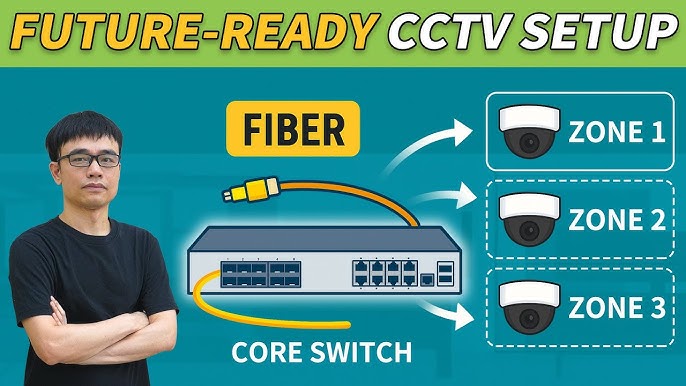
Running Ethernet cablesis the most reliable way to extend wifi to a barn. These cables carry internet signals directly from your router to the barn. It avoids signal loss and interference common in wireless connections.
Outdoor access points connect to these cables and spread wifi inside the barn. These devices are weatherproof and built to work outside. Place them where they can cover the barn well.
| Benefits of Wired Backhaul |
|---|
| Stable connection:No signal drops or slow speeds. |
| Better speed:Fast data transfer through cables. |
| Less interference:No problems from walls or weather. |
| Longer range:Covers far distances without losing signal. |
Consider Environmental Factors
Physical barriers like walls and trees can block wifi signals. Use devices designed to work outdoors. Place devices higher to avoid obstacles and get better coverage.
Weatherproofing is key for devices outside the house. Use covers or cases that protect against rain and dust. Check if your device has an IP rating for water resistance.
Signal reflection causes weak wifi spots. Metal surfaces and glass can reflect wifi waves. Avoid placing devices near such surfaces. Try different device positions to find the best signal path.
Test And Maintain Your Network
Regular speed tests help check if your WiFi is fast enough in the barn. Use simple apps to see the upload and download speeds. Keep a note of any slow times or sudden drops. This helps find problems early.
Updating network devices like routers and extenders keeps them working well. New updates often fix bugs and improve speed. Check for updates every few months to avoid issues.
Interference from other electronics or walls can slow the WiFi. Watch for devices like microwaves or cordless phones near your network gear. Moving devices or changing WiFi channels can reduce interference.
Frequently Asked Questions
How Can I Boost Wifi Signal To A Distant Barn?
Use a WiFi range extender or a mesh network to boost signal. Position devices between the house and barn for best coverage. Outdoor access points also help extend WiFi over longer distances effectively.
What Equipment Is Needed To Extend Wifi To A Barn?
You may need a WiFi extender, outdoor access point, or a powerline adapter. A directional antenna can also improve signal strength. Choose equipment rated for outdoor use to ensure durability and performance.
Can I Use Existing Electrical Wiring For Wifi Extension?
Yes, powerline adapters use your home’s electrical wiring to transmit internet signals. Plug one adapter near your router and another in the barn. This method provides stable internet without running new cables outdoors.
Is A Mesh Wifi System Suitable For Barn Coverage?
Yes, mesh WiFi systems create a seamless network with multiple nodes. Place one node in your house and another near or inside the barn. This setup provides strong, reliable WiFi across large properties.
Conclusion
Extending WiFi to your barn is easier than it seems. Choose the right tools for your space and needs. Place devices where signals travel best and avoid obstacles. Test your connection often to keep it strong. Enjoy stable internet for work or fun in the barn.
With simple steps, stay connected wherever you go on your property.


