Imagine enjoying a peaceful day on your ranch, surrounded by nature, but when you try to check your emails or stream your favorite show, you’re met with frustratingly slow or nonexistent WiFi. You’re not alone.
Many ranch owners face this challenge, and the solution is simpler than you might think. With the right techniques, you can extend your WiFi to cover every corner of your ranch, ensuring seamless connectivity no matter where you are. Intrigued?
You should be. Because by the end of this article, not only will you understand how to overcome these connectivity issues, but you’ll also discover a new level of convenience and efficiency in managing your ranch life. Let’s dive into practical steps that will transform your WiFi coverage and enhance your digital experience.

Credit: simplewifi.com
Challenges Of Ranch Wifi
Ranch wifi faces many challengesdue to its unique environment. The distancebetween the house and the wifi source can be very large. This makes the wifi signal weakor even lost before it reaches the ranch.
The terrainis also a big problem. Hills, trees, and buildings block the wifi signal. Signals can’t go through solid objects well. This causes poor connection and slow internet.
- Interferencefrom other devices like radios and microwaves can disrupt the wifi.
- Weather conditions such as rain and wind also affect signal strength.
| Infrastructure Problem | Impact on Wifi |
|---|---|
| Limited or no wiring | Difficult to set up reliable connection |
| Lack of wifi repeaters or extenders | Signal cannot cover large areas |
| Poor power supply | Equipment may not work properly |
Choosing The Right Equipment
High-gain antennasboost WiFi signals over long distances. They focus the signal in one direction, reaching farther places on your ranch. These antennas work best on existing routers or access points. Mount them high for better coverage and fewer obstacles.
WiFi range extenderscatch and amplify signals from your main router. They help cover dead zones in barns or far corners. Place extenders halfway between your router and weak signal areas. They are easy to install but may lower speed slightly.
Mesh network systemsuse multiple devices to create one big WiFi network. Each device talks to others, spreading strong signals across the ranch. Mesh systems are good for large areas with many buildings. They offer seamless roaming and simple setup.
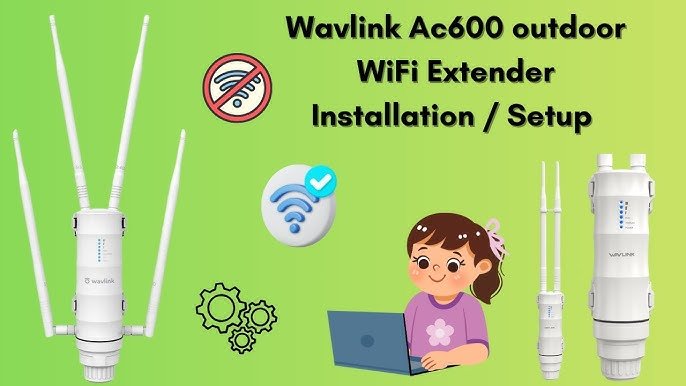
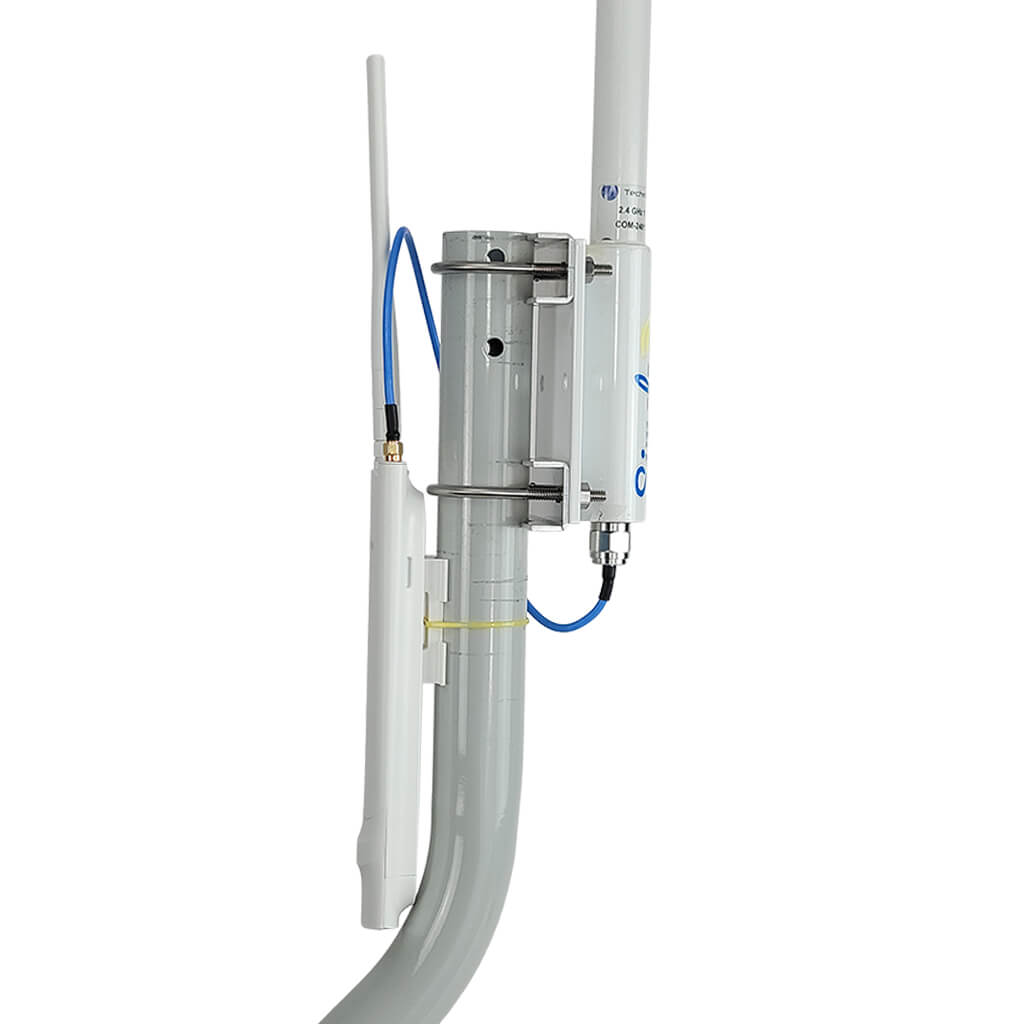
Outdoor access pointsare built to resist weather and outdoor conditions. They connect to your main network and create strong signals outside. Mount them on walls or poles near areas needing WiFi. They provide stable, reliable coverage for open spaces.
Optimal Placement Tips
Place your router in the center of the ranchto cover all areas evenly. This helps the signal reach every corner without losing strength.
Keep the router high up, like on a shelf or a pole. Signals travel better from elevated spots and avoid ground interference.
Stay away from walls, large metal objects, and thick trees. These block the wifi signal and make it weak or spotty.
- Open spaces help signals travel far.
- Clear the area around the router.
- Place extenders near obstacles, not behind them.

Credit: m.youtube.com
Wiring And Power Solutions
Ethernet cablescan carry internet signals over long distances. Using Cat6 or Cat7 cableshelps keep speeds fast and stable across your ranch. Cables should be laid underground in protective tubing to avoid damage from weather or animals.
Power over Ethernet (PoE)combines data and power on one cable. This lets you power devices like Wi-Fi access points without extra wiring. It saves time and money, especially in remote areas.
| Solar-Powered Options | Details |
|---|---|
| Solar Panels | Provide clean energy to power Wi-Fi devices where power is scarce. |
| Battery Storage | Stores energy for use during nighttime or cloudy days. |
| Low Power Devices | Designed to work efficiently with solar power, reducing energy needs. |
Configuring Your Network
Repeaters and extenders help boost WiFi signalsto far areas of your ranch. Place them where the main WiFi signal is still strong. Avoid walls or metal objects that block signals. Choose devices that support your router’s WiFi type for better connection.
Secure your WiFi by changing default passwordsand using WPA3 or WPA2 encryption. Hide your network name (SSID) to stop strangers from seeing it. Regularly update your router’s firmware to fix security holes.
| Task | Tip |
|---|---|
| Bandwidth Management | Limit heavy users during busy times to keep speed stable. |
| Channel Selection | Pick less crowded channels to avoid interference. |
| Signal Testing | Use apps to find weak spots and adjust devices. |
Credit: simplewifi.com
Testing And Troubleshooting
Signal strength measurement toolshelp check WiFi coverage in your ranch. Use apps on your phone or special devices. These tools show if the signal is strongor weakin different areas. This helps find spots where the WiFi needs a boost.
Common connection issues include:
- Weak or no signal in far areas
- Interference from trees or buildings
- Slow internet speed
- Devices not connecting
Adjusting for optimal performance means moving routers or extenders to better spots. Avoid obstacles like thick walls or metal objects. Try changing the WiFi channel to avoid interference. Sometimes, raising the antenna or using higher gain antennas helps. Keep devices updated with the latest software for better stability.
Alternative Connectivity Options
Mobile hotspotsuse cellular networks to share internet. They work well if there is good phone signal at the ranch. Devices connect via WiFi to the hotspot. It is easy to set up and move around. Monthly data limits may apply.
Satellite internetworks anywhere with a clear sky view. It sends signals to satellites orbiting Earth. It is good for remote areas without phone lines. Speeds can be slower and weather may affect service.
| Option | How it works | Pros | Cons |
|---|---|---|---|
| Mobile Hotspots | Uses cellular data to create WiFi | Portable, easy setup | Data limits, needs good signal |
| Satellite Internet | Connects via satellites in orbit | Available almost anywhere | Slower speeds, affected by weather |
| Point-to-Point Wireless Links | Uses antennas to link two locations | High speed, stable connection | Needs line of sight, costly setup |
Point-to-point wireless linksconnect two places using antennas. Both spots must see each other clearly. It offers fast and steady internet. Setup can be expensive and needs careful planning.
Frequently Asked Questions
How Can I Boost Wifi Signal To A Distant Ranch?
Use a high-gain outdoor antenna or WiFi range extender. Place devices strategically to avoid obstructions. Outdoor routers designed for long distances improve coverage effectively.
What Equipment Is Best For Ranch Wifi Extension?
Opt for outdoor WiFi extenders, mesh systems, or directional antennas. These devices handle long ranges and harsh weather. They ensure stable and strong signals across large ranch areas.
Can I Use A Mesh Wifi System On My Ranch?
Yes, mesh WiFi systems work well for ranches. They create multiple access points covering wide areas. This setup reduces dead zones and maintains fast internet speeds.
How Do Weather Conditions Affect Ranch Wifi Coverage?
Weather like rain, snow, and wind can weaken WiFi signals. Waterproof outdoor equipment and proper placement help minimize interference. Regular maintenance ensures consistent connectivity despite weather changes.
Conclusion
Extending WiFi to your ranch improves work and fun outdoors. Use strong routers and place them high for better signals. Try WiFi extenders or mesh systems for wide coverage. Check signal strength often and adjust devices as needed. Good cables and weatherproof gear help keep connections stable.
Stay patient and test different setups until you find the best. Enjoy faster internet everywhere on your ranch with these simple steps.


