Imagine having the perfect rooftop oasis where you can relax, entertain friends, or simply enjoy a quiet evening under the stars. Now imagine trying to stream your favorite music or video and struggling with a weak or non-existent WiFi signal.
Frustrating, right? You’re not alone. Many people face this issue, but the good news is there’s a solution. Extending WiFi to your rooftop can transform your outdoor space into a fully connected paradise. In this guide, we’ll explore simple and effective strategies to boost your signal, ensuring seamless connectivity on your rooftop.
Ready to unlock the full potential of your outdoor space? Let’s dive in and make your rooftop WiFi dreams a reality!
Assess Current Wifi Coverage
Start by checking where your wifi signal is weak or missing. These are called dead zones. Walk around your home, especially near the rooftop area. Use a phone or laptop to see if the wifi works well or not.
Measure the signal strengthusing simple apps or built-in tools on your device. Look for areas with low bars or slow internet speed. This helps to know where the wifi needs a boost.
- Mark the weak spots on a map or paper.
- Note how far these spots are from your main router.
- Check for walls or objects blocking the signal.

Credit: simplewifi.com
Choose The Right Equipment
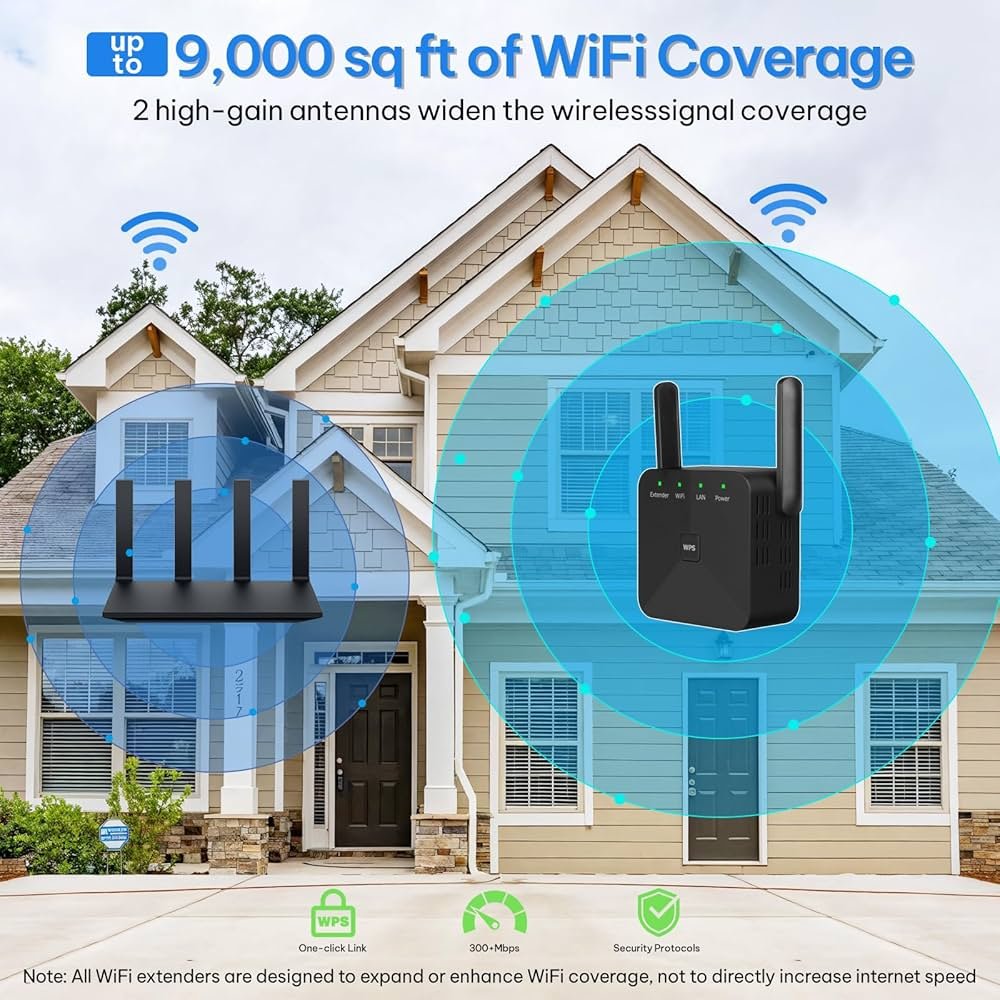
Wifi extenders and repeatershelp boost your signal to the rooftop. They catch your main router’s signal and send it further. Place them halfway between your router and rooftop for best results.
Mesh wifi systemsuse several units that work together. Each unit talks to others, creating one big network. This setup gives a strong and steady signal, even far from the main router.
Powerline adaptersuse your home’s electrical wiring to carry internet signals. Plug one adapter near your router and another near the rooftop. This method avoids signal loss from walls or distance.
| Equipment | How It Works | Best For |
|---|---|---|
| Wifi Extenders and Repeaters | Catch and resend wifi signals | Short to medium distance |
| Mesh Wifi Systems | Multiple units create one network | Large areas with many walls |
| Powerline Adapters | Use electrical wiring to send internet | Homes with thick walls or long distances |
Optimal Router Placement
Place the router near the center of your home for better coverage. A central spot helps the signal reach the rooftop more evenly.
Raising the router off the floor can help the signal travel farther. Try placing it on a shelf or mounting it higher on a wall.
Keep the router clear of thick walls, metal objects, and large furniture. These items block or weaken the wifi signal.
- Centralizethe router for balanced wifi coverage.
- Elevatethe device to boost signal strength.
- Avoid obstacleslike walls and metal objects.

Credit: www.amazon.com
Setup External Access Points
Choose weatherproof access pointsdesigned for outdoor use. These devices resist rain, wind, and dust. Look for IP65 or higher ratingsto ensure protection. Mount access points under eaves or on poles for added shelter.
Use shielded Ethernet cablesto connect the rooftop devices. These cables reduce interference and protect signals from weather damage. Consider using outdoor-rated cableswith UV protection.
| Wiring Tips | Details |
|---|---|
| Cable Type | Use Cat5e or Cat6 outdoor-rated cables |
| Cable Routing | Run cables through conduit or cable trays |
| Power Supply | Use PoE (Power over Ethernet) for easy installation |
| Grounding | Ground equipment to prevent electrical damage |
Use Directional Antennas
Directional antennas help send WiFi signals in a focused path. This focus improves signal strength on the rooftop. There are several types of directional antennas to choose from.
| Type | Description | Best Use |
|---|---|---|
| Yagi Antenna | Long, narrow, with multiple elements. | Long-distance rooftop connections. |
| Parabolic Antenna | Dish-shaped, high gain. | Very long-range signals. |
| Panel Antenna | Flat and rectangular. | Moderate range and easy mounting. |
Proper alignment is key for best results. Point the antenna directly toward the rooftop area. Even small angle changes can affect signal strength.
- Use a compass or app for direction.
- Mount antennas high and clear of obstacles.
- Test signal strength after each adjustment.
Secure And Optimize Network
Keep your router’s firmware updated. Updates fix bugs and improve security. Check for updates often on your router’s admin page. This helps protect your network from threats.
- Use strong passwordsfor Wi-Fi and router access.
- Include letters, numbers, and symbols in passwords.
- Change passwords regularly to keep your network safe.
Choose Wi-Fi channelswith less interference. Many routers auto-select channels, but manual selection can boost speed. Use tools or apps to find the clearest channel near you. This helps your signal reach the rooftop better.
Test And Monitor Signal Strength
Wifi analyzer tools help check the signal strength on the rooftop. These tools show where the signal is strong or weak. They help find the best spot for the router or extender.
Use apps on your phone or computer to scan the wifi network. These apps show signal bars and interference from other networks. Look for areas with low signal or many obstacles.
Adjust the setup based on the results. Move the router or extender closer to the rooftop. Remove or avoid walls and metal objects blocking the signal. Sometimes, raising the device higher helps.
Test again after making changes. Keep adjusting until the signal is strong and stable on the rooftop. Regular monitoring keeps the connection good over time.

Credit: www.youtube.com
Frequently Asked Questions
How Can I Extend Wifi Coverage To My Rooftop?
Use a WiFi range extender or outdoor access point. Place it near the rooftop for a strong signal. Ensure the device is weatherproof for outdoor use.
What Equipment Is Best For Rooftop Wifi Extension?
Outdoor WiFi access points or mesh WiFi systems work best. They provide strong, reliable signals over long distances and withstand weather conditions.
Can I Use A Wifi Repeater For Rooftop Coverage?
Yes, but it must be placed where the signal is strong. A repeater boosts WiFi but may reduce speed if too far from the router.
How Do I Position My Router For Rooftop Wifi?
Place the router centrally and elevated within your home. Avoid obstructions like walls or metal objects to improve signal reach to the rooftop.
Conclusion
Extending WiFi to your rooftop is simple with the right tools. Use a strong router and place it wisely. Consider WiFi extenders or outdoor access points for better reach. Avoid obstacles that block signals. Test your connection often to ensure good speed.
With these tips, enjoy reliable internet on your rooftop. Stay connected and make the most of your space.


