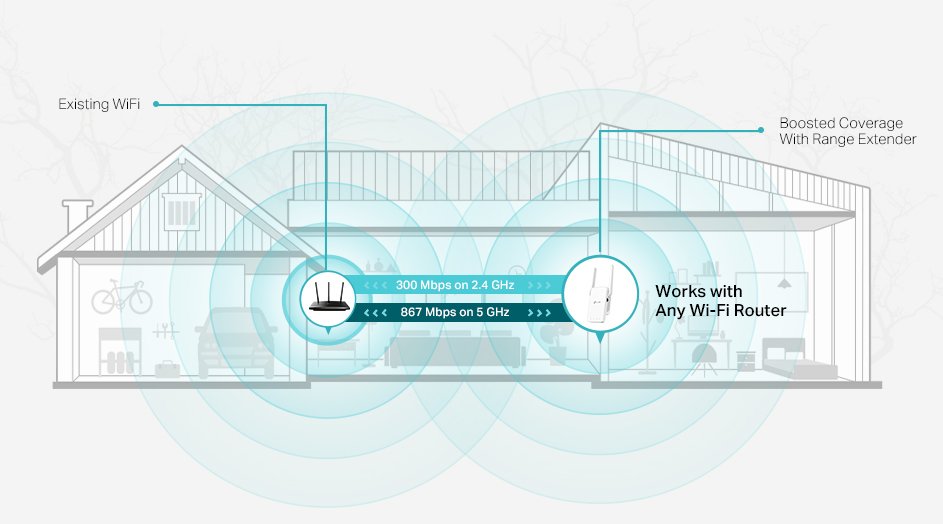
Are you tired of weak Wi-Fi signals that cut out just when you need them most? Finding the best spot for your long-range Wi-Fi extender can be the key to seamless internet connectivity throughout your home or office.
Imagine streaming your favorite shows in high-definition, conducting virtual meetings without interruption, or enjoying online gaming without lag. These are not just dreams—they can be your reality with the right setup. In this guide, you’ll discover easy steps to identify the perfect location for your Wi-Fi extender, ensuring maximum coverage and speed.
Stay with us to unlock the secrets of uninterrupted internet access and enhance your digital experience.
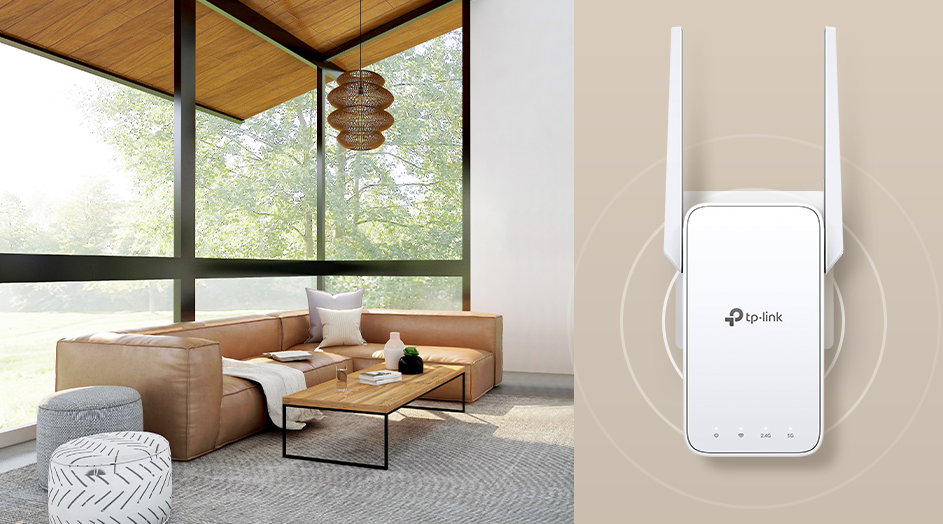
Credit: www.tp-link.com
Factors Affecting Wifi Range
Signal interferencefrom other electronics can weaken wifi signals. Devices like microwaves, cordless phones, and Bluetooth gadgets cause disruptions. Walls, floors, and furniture act as physical obstaclesthat block or reduce signal strength. Materials such as metal and concrete are especially tough barriers.
The router placementplays a key role in range. Placing the router in a central, open spot helps spread the signal evenly. Avoid hidden corners or low areas for better coverage.
Device compatibilityaffects the wifi extender’s performance. Older devices may not support newer wifi standards, leading to slower speeds and shorter range. Using compatible devices ensures the best connection.
Tools To Locate Best Spot
Wifi Analyzer Appshelp check signal strength in different rooms. They show where the signal is weak or strong. These apps are easy to use on phones.
Signal Strength Metersgive real-time data about wifi power. They are small devices that measure exact signal levels. These meters help find the best place for the extender.
Heat Mapping Softwarecreates a color map of wifi coverage. It shows where the signal is good or poor. This software helps visualize the best spot to place the extender.
Ideal Locations For Extenders
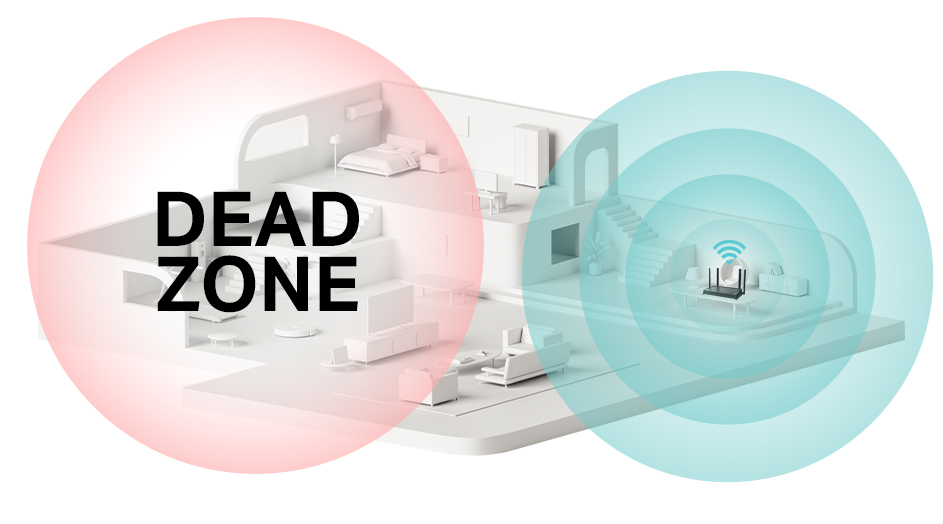
Place the extender halfwaybetween the router and the area with poor signal. This spot helps the extender catch a strong signal and boost it farther. Avoid walls or large objects blocking the signal path.
Choose elevated positionslike shelves or high tables. Signals travel better when the extender is above ground level. Keep it away from floors and carpets that can absorb signals.
Open spaces work best. Avoid tight corners, closets, or behind furniture. The more open the area, the fewer obstacles the signal faces. This improves coverage and speed in the dead zone.
Credit: www.tp-link.com
Tips For Optimizing Extender Performance
Avoid placing the extender near microwaves, cordless phones, or baby monitors.These devices cause signal interference and reduce WiFi range. Keep the extender away from thick walls or large metal objects that block signals. Position it in an open space for the best coverage.
Adjust the extender’s antennas by pointing them in different directions. Try one antenna vertical and the other horizontal to cover more area. Small changes in antenna angle can improve signal strength significantly.
Check for firmware updates regularly. Manufacturers release updates to fix bugs and improve performance. Updating firmware helps keep the extender working smoothly and securely. Always follow the update instructions carefully.
Testing And Verifying Signal Strength
Test the speedof your WiFi extender at different spots. Use simple speed test apps or websites. Check both downloadand upload speeds. This shows how fast the connection is.
Check the connection stability. Look for any drops or interruptions. A stable connection means less buffering and better use.
Try the extender with multiple deviceslike phones, tablets, and laptops. See if all devices get good signal and speed. This ensures the spot works well for your needs.
| Test | What to Check | Why It Matters |
|---|---|---|
| Speed Tests | Download and upload speed | Shows fast or slow connection |
| Connection Stability | Signal drops or interruptions | Ensures smooth and steady use |
| Multiple Device Testing | Performance on phones, tablets, laptops | Confirms good signal for all users |

Credit: simplewifi.com
Frequently Asked Questions
How Do I Choose The Best Location For A Wifi Extender?
Place the extender halfway between your router and the dead zone. Avoid walls and obstructions. Ensure it’s within your router’s signal range for optimal performance.
Why Is Signal Strength Important For Wifi Extenders?
Strong signal strength ensures better internet speed and connectivity. A weak signal reduces extender efficiency, causing slow or dropped connections in the extended area.
Can Obstacles Affect My Wifi Extender’s Range?
Yes, walls, furniture, and appliances can block WiFi signals. Position the extender in open spaces to minimize interference and maximize coverage.
How High Should I Mount A Wifi Extender?
Mount the extender at a medium height, like on a shelf or wall. Higher placement reduces interference and improves signal distribution throughout the area.
Conclusion
Finding the best spot for your long-range WiFi extender improves signal strength. Place it where the signal is still strong but reaches far areas. Avoid walls, metal objects, and appliances that block signals. Test different spots to see which works best for your space.
A good location means faster internet and fewer drops. This simple step helps you enjoy better WiFi everywhere at home. Keep these tips in mind for a stronger connection and smoother browsing.


